
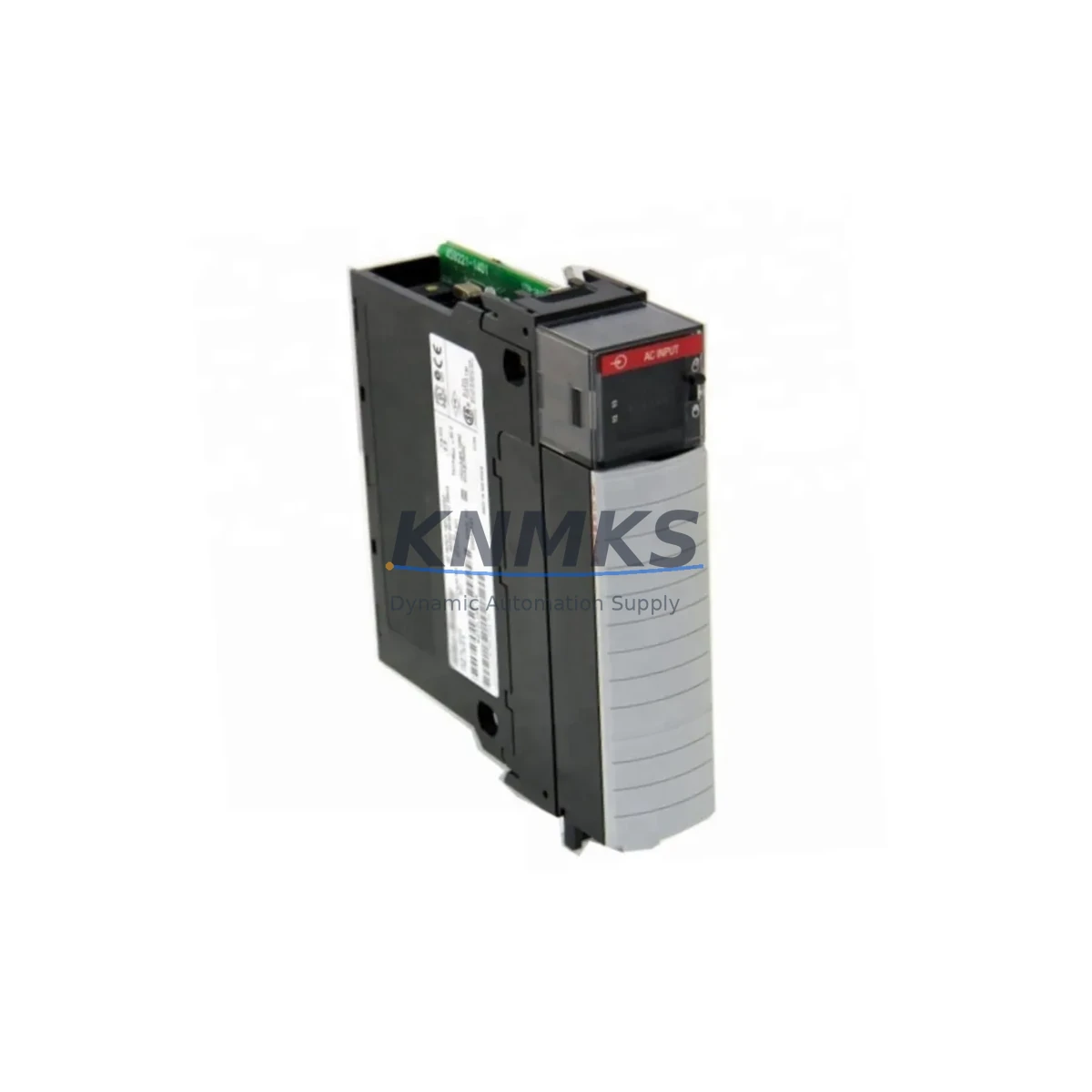
Overview
Allen-Bradley 1756-IF16 Migration-Ready Analog Input Module for Legacy Control Systems
The Allen-Bradley 1756-IF16 is a 16-channel analog input module designed for the ControlLogix 1756 platform. As legacy distributed control systems approach end-of-life and OEM support windows close, the 1756-IF16 remains one of the most widely specified analog input modules for retrofit and migration projects across process industries, discrete manufacturing, and critical infrastructure. Whether you are replacing a discontinued SLC 500 or PLC-5 analog input card, upgrading a legacy 1771 I/O rack, or expanding an existing ControlLogix chassis, the 1756-IF16 delivers the signal resolution, channel density, and software compatibility required to maintain production continuity with minimal engineering rework.
Each channel accepts voltage or current signals (±10V, 0–10V, 0–20mA, 4–20mA) and provides 16-bit resolution with individual channel configuration via Studio 5000 Logix Designer. The module supports floating-point and integer data formats, making it directly compatible with existing ladder logic, function block, and structured text programs developed for earlier ControlLogix revisions. When migrating from a 1771-IFE or 1771-IFMS analog input module, engineers must verify terminal block wiring assignments, confirm backplane slot addressing in the I/O tree, and update the module definition in the controller project file before going online.
Migration Compatibility Table
| Parameter | 1756-IF16 (This Module) | Legacy Reference (1771-IFE / SLC 1746-NI16I) |
|---|---|---|
| Platform | ControlLogix 1756 Backplane | PLC-5 / 1771 Rack / SLC 500 Rack |
| Channel Count | 16 Analog Inputs | 8–16 (varies by model) |
| Signal Types | ±10V, 0–10V, 0–20mA, 4–20mA | ±10V, 4–20mA (limited range) |
| Resolution | 16-bit | 12–13-bit |
| Communication | ControlLogix Backplane (1756 series) | 1771 I/O Backplane / SLC Backplane |
| Configuration Tool | Studio 5000 Logix Designer | RSLogix 5 / RSLogix 500 |
| Wiring Termination | 1756-TBCH / 1756-TBS6H Removable Terminal Block | Fixed screw terminal (rack-mounted) |
| Slot Addressing | Configured in Studio 5000 I/O tree | DIP switch / rack slot physical address |
| Firmware Compatibility | ControlLogix firmware v16.x and above | N/A (legacy firmware) |
| Installation Space | Single 1756 chassis slot | Single 1771 / SLC slot |
| Replacement Recommendation | Direct migration path from 1771-IFE, 1746-NI16I | Requires chassis and power supply upgrade |
| Support terms | support terms confirmed by quotation Included | |
Retrofit Planning for Existing Automation Systems
Successful integration of the 1756-IF16 into a retrofit project requires a structured approach that accounts for both hardware and software dependencies across the control architecture. Before removing the legacy analog input card, document all field wiring terminations, signal types, and engineering unit scaling values currently configured in the existing program. This data will serve as the baseline for reconfiguring the 1756-IF16 channel properties in Studio 5000.
On the hardware side, confirm that the target 1756 chassis has sufficient backplane power capacity. The 1756-IF16 draws power from the 1756-PA75 or 1756-PB75 power supply via the backplane; if the existing chassis is already near its power budget, a supplemental 1756-PA75R redundant power supply may be required. Slot assignment within the chassis must be planned in advance to avoid address conflicts with existing modules such as the 1756-OB16E digital output module or the 1756-EN2T EtherNet/IP communication module, both of which are commonly present in ControlLogix migration panels.
For field wiring, the 1756-IF16 uses a removable terminal block — either the 1756-TBCH (cage clamp) or 1756-TBS6H (screw clamp) — which simplifies field reconnection during cutover. Map each legacy field wire to the corresponding 1756-IF16 channel terminal before the maintenance window begins. If the legacy system used signal isolators or loop-powered transmitters wired to a 1771-IFE, verify that the 4–20mA loop supply voltage is compatible with the new module’s input impedance specifications to avoid signal offset errors after migration.
On the software side, the migration from RSLogix 5 or RSLogix 500 to Studio 5000 requires manual re-entry or import of analog scaling parameters, alarm setpoints, and PID tuning values. The 1756-IF16 module definition must be added to the controller’s I/O configuration tree with the correct slot number, RPI (Requested Packet Interval), and data format (floating point recommended for process applications). If the control system includes a PanelView Plus HMI communicating over EtherNet/IP, verify that all analog tag references in the HMI project are updated to reflect the new ControlLogix tag structure before commissioning. Signal isolators such as the MTL5541 or Phoenix Contact MACX MCR series may be retained in the field junction box if galvanic isolation between field instruments and the ControlLogix backplane is required by the site’s electrical safety standard.
Downtime Control During System Migration
Minimizing unplanned downtime during analog input module migration is a primary concern for plant engineers and maintenance teams. A phased cutover strategy — where the 1756-IF16 is pre-configured and tested offline before the maintenance window — significantly reduces the risk of extended outages. Use the Studio 5000 offline project to configure all 16 channels, verify scaling, and simulate I/O behavior using the controller’s test mode before connecting field wiring.
Where process continuity is critical, consider a parallel run approach: install the 1756-IF16 in an adjacent chassis slot while the legacy module remains active, and use cross-comparison logic in the controller program to validate signal agreement before switching control references. This technique is particularly effective when migrating analog feedback signals for PID loops controlling temperature, pressure, or flow, where sudden signal loss could trigger process upsets or safety system activations.
Preserve the original RSLogix program file and export a full controller backup from the legacy system before beginning any hardware changes. If the migration involves replacing the entire control panel — including the 1756-L73 or 1756-L83E ControlLogix controller, the 1756-EN2T communication module, and associated I/O modules — stage the new panel in a pre-commissioning area and complete all software downloads, firmware updates, and I/O forcing tests before transport to the field. This approach protects the original program logic, maintains field control continuity, and reduces the risk of configuration errors during live cutover.
All units supplied are pre-tested prior to shipment. Stock is maintained across regional distribution hubs to support urgent retrofit and emergency replacement requirements. A support terms confirmed by quotation is included with every module.
Retrofit Support FAQ
Q1: Can the 1756-IF16 directly replace a 1771-IFE or 1746-NI16I analog input module?
The 1756-IF16 is the recommended migration path from both the 1771-IFE (PLC-5 platform) and the 1746-NI16I (SLC 500 platform). However, a direct slot-for-slot replacement is not possible because the 1756-IF16 requires a ControlLogix 1756 chassis and backplane. A chassis upgrade, power supply selection, and software migration from RSLogix 5 or RSLogix 500 to Studio 5000 are required as part of the retrofit scope.
Q2: What wiring changes are needed when installing the 1756-IF16?
The 1756-IF16 uses a removable terminal block (1756-TBCH or 1756-TBS6H) rather than the fixed screw terminals found on legacy 1771 or SLC I/O modules. Field wiring must be re-terminated to the new terminal block. Channel-to-terminal mapping differs from legacy modules, so a full wiring review against the 1756-IF16 installation manual is required before cutover. Loop power supply arrangements for 4–20mA transmitters should also be verified.
Q3: How is the 1756-IF16 configured, and is it compatible with existing Studio 5000 projects?
The module is configured entirely within Studio 5000 Logix Designer. It is compatible with all ControlLogix controllers running firmware v16.x and above, including the 1756-L71, 1756-L73, 1756-L74, and 1756-L83E. Existing Studio 5000 projects can be updated by adding the 1756-IF16 module definition to the I/O configuration tree. Channel properties, scaling, and alarm parameters are set per channel within the module properties dialog.
Q4: What does the support terms confirmed by quotation cover, and how is stock availability managed?
Every 1756-IF16 unit is covered by a support terms confirmed by quotation against manufacturing defects and functional failures under normal operating conditions. Units are pre-tested before shipment to verify channel accuracy, signal range, and backplane communication. Stock is maintained at regional distribution hubs to support both planned retrofit projects and emergency replacement orders. Lead times and current inventory levels are available upon request.
© 2026 KNMKS. All rights reserved.
Original Source: https://knmks.com
Contact: admin@knmks.com | +86 18359268345
Product Identification
- Brand / Ecosystem
-
Allen-Bradley
Allen-Bradley - Model / Series
-
1756-IF16
ControlLogix Series - Product Family
- PLCs & Controllers
- Availability Status
- Available on request after model and quantity confirmation
- Inquiry Type
- B2B RFQ, replacement inquiry and project spare-part request
- Pre-Quote Check
- Exact SKU, brand, series, quantity, nameplate photos and destination country are checked before quotation
System Path
Where this product fits in the KNMKS automation structure.
Specification & Inquiry Focus
- Control platform
- PLC, PAC and modular controllers
- Common needs
- CPU, rack, power and I/O expansion
- Project support
- Replacement, cabinet build and maintenance
Buyer Confirmation
Information KNMKS checks before replying.
- Exact model
- 1756-IF16
- Brand / ecosystem
- Allen-Bradley
- Product family
- PLCs & Controllers
- Application note
- Replacement, maintenance, project build or spare-part list
- Useful photos
- Nameplate, installed unit, cabinet layout or connector side
- Delivery details
- Quantity, destination country and target schedule
Document Support
Files and notes can be confirmed during quotation.
- Product photos or nameplate confirmation when available
- Packing and delivery notes before quotation confirmation
- Support scope and delivery terms confirmed per inquiry
- Export document coordination for qualified B2B requests
Inquiry Support
- Model cross-checking before quotation
- CPU, power, rack and expansion module matching
- Support for replacement and project inquiry
What to Send Us
- Brand and exact model number: Allen-Bradley 1756-IF16
- Quantity and required delivery time
- Application, replacement requirement or nameplate photo
- Destination country and shipping preference
RFQ Preparation
This is a product inquiry page built for RFQ communication.
Fast Model Check
Send this model to KNMKS for confirmation.
Include quantity, destination country and photos if this is a maintenance replacement. The inquiry will be saved with a reference number after submission.
Brand & Compatibility Note
KNMKS displays automation product information for well-known industrial brand ecosystems and compatible replacement references. Brand names are used for product identification and compatibility reference only; final availability and commercial terms are confirmed per quotation.
 Manufacturing
 Machine Tools
 Packaging
 Energy & Power



 HMI & Displays
 Servo Systems
 Variable Frequency Drives
 Sensors