
Overview
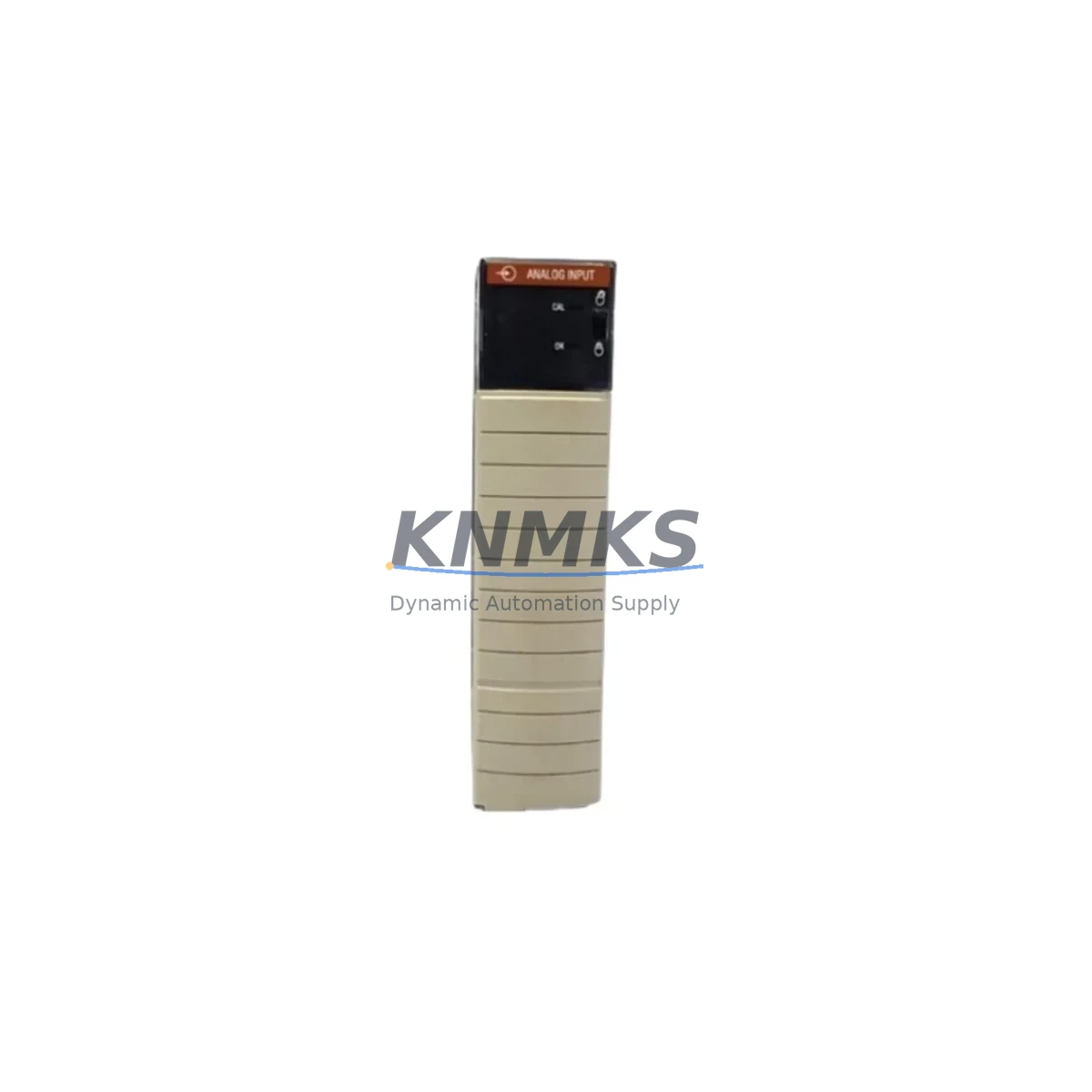
Allen-Bradley 1756-IF16/A Migration-Ready Analog Input for Legacy Control Systems
The Allen-Bradley 1756-IF16/A is a 16-channel analog input module designed for the ControlLogix 1756 platform. As legacy automation systems approach end-of-life, the 1756-IF16/A has become one of the most frequently specified replacement components in PLC retrofit projects across process control, discrete manufacturing, and utilities sectors. Whether you are upgrading from a legacy PLC-5 or SLC 500 architecture, migrating from a third-party DCS, or simply restocking critical spare parts to extend the operational life of an existing ControlLogix rack, this module provides a verified drop-in solution with full backward compatibility within the 1756 backplane ecosystem.
Before committing to a replacement, engineers must confirm several key parameters: the module’s slot assignment and chassis addressing within the 1756 backplane, the input signal range configuration (0–10 V, ±10 V, 4–20 mA, or 0–20 mA per channel), the existing RSLogix 5000 or Studio 5000 tag structure, and whether the current firmware revision of the ControlLogix controller supports the module’s electronic data sheet (EDS). In most retrofit scenarios, the 1756-IF16/A can be installed without modifying the existing ladder logic or function block program, provided the I/O tree configuration is preserved and the module’s input filter settings are matched to the original specification.
Terminal wiring is a critical checkpoint during replacement. The 1756-IF16/A uses a removable terminal block (RTB), which simplifies field wiring transfer from the outgoing module. Technicians should verify the RTB catalog suffix (e.g., 1756-TBNH or 1756-TBSH) to ensure physical compatibility before removal. Signal isolation between channels should also be confirmed, particularly in installations where ground loops or common-mode noise have historically caused measurement drift. In high-density analog applications, the 1756-IF16/A is often installed alongside the 1756-OF8 analog output module and the 1756-IB32 digital input module within the same chassis, sharing a common 1756-PA75 or 1756-PB75 power supply. Ensuring adequate power budget across all installed modules is essential before energizing the replacement unit.
For systems migrating from older ControlLogix revisions, the 1756-L61, 1756-L62, or 1756-L63 controllers may require a firmware update to maintain full compatibility with current module EDS files. Communication path integrity through the 1756-EN2T EtherNet/IP bridge or 1756-DHRIO Data Highway Plus module should be verified post-installation to confirm that the HMI tag bindings and SCADA historian connections remain intact. In distributed I/O architectures, the module address must be re-confirmed in the controller’s I/O configuration tree to prevent faulted module status on first scan.
All units are pre-shipment tested under simulated load conditions, verified against factory calibration specifications, and shipped with a support terms confirmed by quotation covering manufacturing defects and functional performance. Stock is maintained for immediate dispatch to support unplanned outages and scheduled maintenance windows.
Migration Compatibility Table
| Parameter | Details |
|---|---|
| Module SKU | 1756-IF16/A |
| Platform | Allen-Bradley ControlLogix 1756 |
| Channels | 16 Analog Inputs (single-ended or differential) |
| Input Signal Ranges | 0–10 V, ±10 V, 0–20 mA, 4–20 mA (per channel configurable) |
| Backplane Interface | 1756 ControlLogix Backplane (any slot) |
| Terminal Block | Removable RTB — 1756-TBNH / 1756-TBSH compatible |
| Compatible Controllers | 1756-L61, 1756-L62, 1756-L63, 1756-L71, 1756-L72, 1756-L73 |
| Programming Software | RSLogix 5000 / Studio 5000 Logix Designer |
| Communication Compatibility | EtherNet/IP via 1756-EN2T; DH+ via 1756-DHRIO |
| Legacy Replacement Path | PLC-5 (1771-IFE), SLC 500 (1746-NI16I) via migration bridge |
| Commissioning Requirement | EDS file registration, I/O tree slot assignment, RTB wiring verification |
| Support terms | 12 Months — covers manufacturing defects and functional performance |
Retrofit Planning for Existing Automation Systems
Successful integration of the 1756-IF16/A into an existing control system requires a structured pre-installation audit. Begin by documenting the current chassis layout: record the slot positions of all installed modules, including the 1756-OF8 analog output module, 1756-IB32 digital input module, and any 1756-CNB ControlNet bridge modules sharing the same rack. Confirm that the 1756-PA75 or 1756-PB75 power supply has sufficient current capacity to support the additional analog input load — the 1756-IF16/A draws from the backplane’s 5 V bus, and power budget overruns are a common cause of intermittent module faults in high-density chassis configurations.
Next, review the Studio 5000 project file to identify all tags mapped to the outgoing module’s slot. Export the tag database before making any hardware changes. If the system uses a 1756-EN2T EtherNet/IP communication module for remote I/O or SCADA connectivity, verify that the IP address configuration and connection parameters are documented. In systems where a 1747-PIC or 1784-U2DHP programming cable is used for local diagnostics, confirm that the cable driver is compatible with the controller firmware version in use.
For installations migrating from PLC-5 or SLC 500 platforms, a 1756-DHRIO module is typically required to maintain Data Highway Plus communication with legacy HMI panels or remote I/O drops during the transition period. Signal isolators may be required at field terminal strips where legacy 4-wire transmitters are being re-terminated to the 1756-IF16/A’s 2-wire input configuration. Plan for a minimum of four hours of commissioning time per chassis to allow for channel-by-channel calibration verification and HMI screen validation.
Downtime Control During System Migration
Minimizing production downtime during a ControlLogix analog input module replacement requires advance preparation and a disciplined changeover sequence. Before the maintenance window opens, pre-configure the replacement 1756-IF16/A offline using Studio 5000: load the existing project file, add the module to the I/O tree in the correct slot, and verify that all channel configurations — input range, filter frequency, and real-time sample rate — match the outgoing module’s settings exactly.
During the changeover, power down only the affected chassis section if the system architecture permits zone isolation. Remove the RTB from the outgoing module without disturbing field wiring, transfer it directly to the replacement unit, and re-seat the module in the same slot. On controller power-up, monitor the module status indicator: a solid green light confirms successful backplane communication. Use the controller’s online diagnostic view in Studio 5000 to verify that all 16 channels are reading within expected engineering unit ranges before releasing the system to production.
If the system cannot tolerate a full shutdown, consider a hot-swap approach using a spare chassis pre-loaded with the replacement module and a mirrored I/O configuration. This strategy is particularly effective in redundant ControlLogix architectures where a secondary controller can maintain process control while the primary chassis is serviced. Document all firmware versions, slot assignments, and channel configurations before and after the swap to support post-maintenance audit requirements.
Retrofit Support FAQ
Q1: Is the 1756-IF16/A a direct drop-in replacement for the 1756-IF16?
Yes. The /A revision is backward compatible with the original 1756-IF16 in terms of backplane interface, slot assignment, and RTB wiring. No changes to the Studio 5000 I/O configuration are required in most installations. Verify the EDS file version in your project matches the installed firmware revision.
Q2: What wiring changes are needed when replacing a legacy PLC-5 analog input card?
Direct wiring transfer is not possible between PLC-5 (1771 platform) and ControlLogix (1756 platform) without a migration bridge or re-termination at the field terminal strip. The 1756-IF16/A uses a removable RTB with a different pin-out than the 1771-IFE. A full re-termination plan and signal range verification are required before commissioning.
Q3: Is pre-shipment testing included, and what does it cover?
Yes. Every unit undergoes functional testing under simulated analog input load conditions prior to dispatch. Testing covers all 16 channels across the full input range, backplane communication verification, and calibration accuracy check. A support terms confirmed by quotation is included covering manufacturing defects and functional performance from the date of shipment.
Q4: What is the typical lead time and stock availability?
Units are maintained availability confirmed by RFQ for immediate dispatch. Standard orders ship within 1–3 business days. For urgent maintenance requirements or bulk spare parts agreements covering 12–36 months of supply, contact our sales team directly to discuss priority allocation and long-term inventory reservation.
© 2026 KNMKS. All rights reserved.
Original Source: https://knmks.com
Contact: admin@knmks.com | +86 18359268345
Product Identification
- Brand / Ecosystem
-
Allen-Bradley
Allen-Bradley - Model / Series
-
1756-IF16/A
ControlLogix Series - Product Family
- PLCs & Controllers
- Availability Status
- Available on request after model and quantity confirmation
- Inquiry Type
- B2B RFQ, replacement inquiry and project spare-part request
- Pre-Quote Check
- Exact SKU, brand, series, quantity, nameplate photos and destination country are checked before quotation
System Path
Where this product fits in the KNMKS automation structure.
Specification & Inquiry Focus
- Control platform
- PLC, PAC and modular controllers
- Common needs
- CPU, rack, power and I/O expansion
- Project support
- Replacement, cabinet build and maintenance
Buyer Confirmation
Information KNMKS checks before replying.
- Exact model
- 1756-IF16/A
- Brand / ecosystem
- Allen-Bradley
- Product family
- PLCs & Controllers
- Application note
- Replacement, maintenance, project build or spare-part list
- Useful photos
- Nameplate, installed unit, cabinet layout or connector side
- Delivery details
- Quantity, destination country and target schedule
Document Support
Files and notes can be confirmed during quotation.
- Product photos or nameplate confirmation when available
- Packing and delivery notes before quotation confirmation
- Support scope and delivery terms confirmed per inquiry
- Export document coordination for qualified B2B requests
Inquiry Support
- Model cross-checking before quotation
- CPU, power, rack and expansion module matching
- Support for replacement and project inquiry
What to Send Us
- Brand and exact model number: Allen-Bradley 1756-IF16/A
- Quantity and required delivery time
- Application, replacement requirement or nameplate photo
- Destination country and shipping preference
RFQ Preparation
This is a product inquiry page built for RFQ communication.
Fast Model Check
Send this model to KNMKS for confirmation.
Include quantity, destination country and photos if this is a maintenance replacement. The inquiry will be saved with a reference number after submission.
Brand & Compatibility Note
KNMKS displays automation product information for well-known industrial brand ecosystems and compatible replacement references. Brand names are used for product identification and compatibility reference only; final availability and commercial terms are confirmed per quotation.
 Manufacturing
 Machine Tools
 Packaging
 Energy & Power



 HMI & Displays
 Servo Systems
 Variable Frequency Drives
 Sensors