
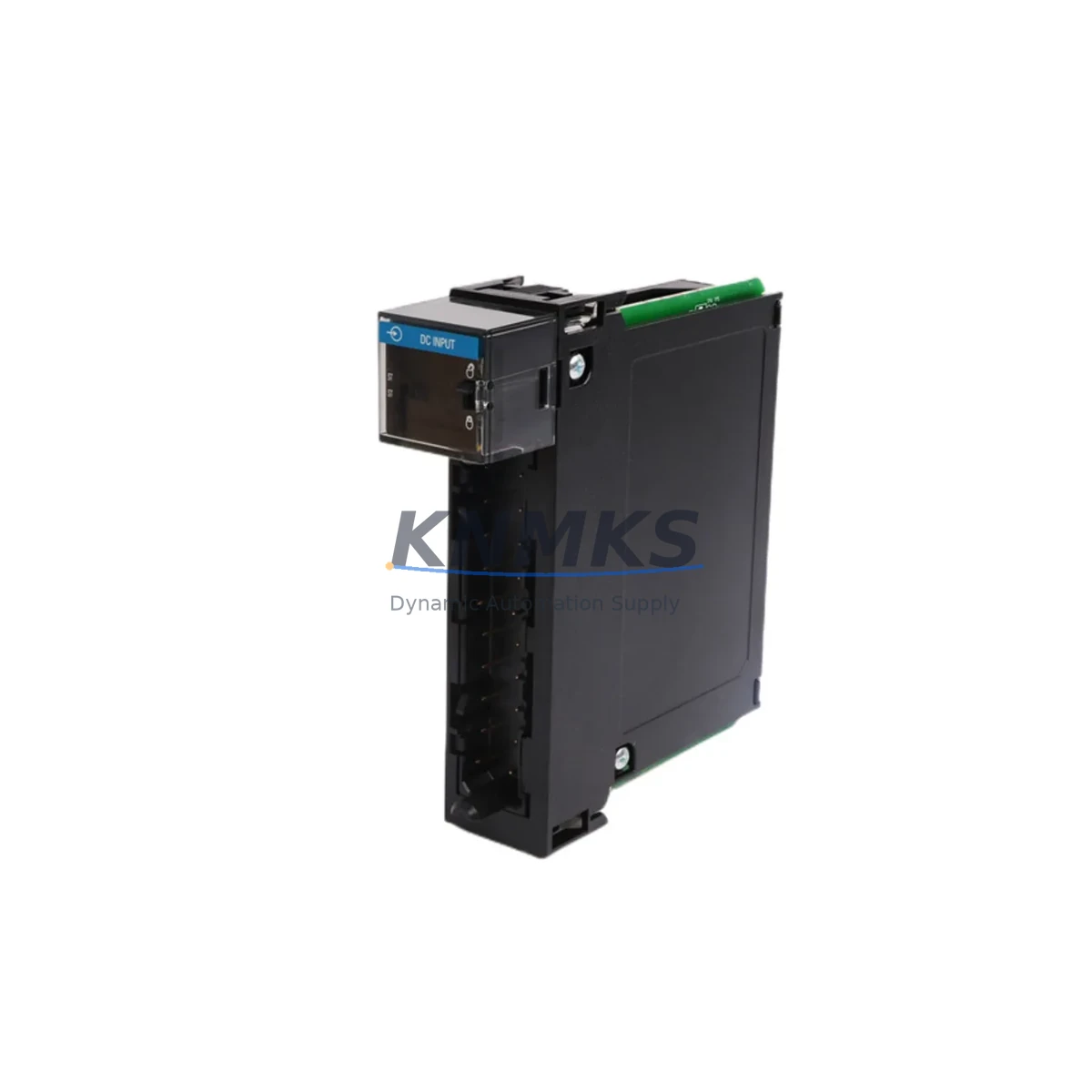
Overview
Allen-Bradley 1756-IC16 Migration-Ready DC Input Module: Legacy System Retrofit & Upgrade
The Allen-Bradley 1756-IC16 is a 16-point, 48V DC sourcing input module designed for the ControlLogix 1756 chassis platform. As legacy control systems age and original spare inventories deplete, the 1756-IC16 remains a critical component for engineers managing retrofit projects, panel upgrades, and production line modernization. Whether you are replacing a failed module in an existing rack or planning a phased migration from an older PLC-5 or SLC 500 platform, the 1756-IC16 provides a verified, wiring-compatible solution that minimizes engineering rework and reduces unplanned downtime.
In retrofit and replacement scenarios, engineers must confirm several key parameters before swapping any I/O module. For the 1756-IC16, this includes verifying the 1756 chassis backplane slot assignment, confirming that the 1756-PA72 or 1756-PB72 power supply can support the additional current draw of the replacement module, and reviewing the existing terminal wiring against the 48V DC sourcing input specification. Field wiring connected to the removable terminal block (RTB) must be inspected for insulation condition and correct polarity before reconnection. If the original module used a 1756-TBCH or 1756-TBS6H terminal block, the same accessory is compatible with the replacement 1756-IC16, eliminating the need to re-terminate field cables.
Program compatibility is another critical checkpoint. The module tag structure in Studio 5000 Logix Designer must be reviewed to confirm that the I/O tree configuration matches the physical slot address of the replacement module. If the original project file was created in RSLogix 5000, the module profile for the 1756-IC16 should be present in the controller’s I/O configuration. In cases where the firmware revision of the 1756-L7x or 1756-L8x ControlLogix controller has been updated since the original project was commissioned, a module firmware compatibility check is recommended before going online. The 1756-IC16 is compatible across a wide range of ControlLogix controller firmware revisions, but this step protects against unexpected inhibit faults at startup.
For facilities migrating from PLC-5 or SLC 500 architectures, the 1756-IC16 is commonly deployed alongside the 1756-DHRIO communication module to maintain DH+ or Remote I/O network connectivity during the transition period. This allows the new ControlLogix rack to coexist with legacy panels while HMI screens are updated and operator training is completed. The 1756-EN2T EtherNet/IP communication module is typically added to the same chassis to support modern SCADA integration and remote diagnostics. Engineers should confirm available chassis slots when planning the full module complement, as a standard 1756-A7 or 1756-A13 chassis may require slot reallocation to accommodate both legacy communication bridges and new I/O modules.
Installation space confirmation is essential in retrofit projects where the original control cabinet was designed for an older rack form factor. The 1756-IC16 occupies a single slot in any standard 1756-series chassis and does not require additional mounting hardware beyond the chassis itself. Cabinet depth, backplane connector clearance, and cable management tray routing should all be verified before scheduling the cutover window. Where signal isolation is required between field devices and the ControlLogix backplane, a dedicated signal isolator or intrinsic safety barrier should be installed upstream of the module input terminals rather than relying on the module’s internal isolation rating alone.
Downtime control during the module swap is achievable with proper pre-staging. The replacement 1756-IC16 should be bench-tested and confirmed functional before the scheduled maintenance window. The controller should be placed in Program mode, the faulty module removed, and the replacement installed in the same slot. After restoring power and transitioning the controller back to Run mode, the I/O status indicators on the 1756-IC16 should be verified against the expected field input states before releasing the system to production. This sequence typically completes within 15 to 30 minutes for a single-module replacement, provided all pre-checks have been completed.
Migration Compatibility Table
| Parameter | 1756-IC16 Specification | Retrofit Notes |
|---|---|---|
| Input Points | 16-point, 48V DC sourcing | Verify field device output voltage matches 48V DC sourcing requirement |
| Chassis Compatibility | All 1756-series chassis (A4, A7, A10, A13, A17) | Single-slot; confirm available slot before ordering |
| Terminal Block | Removable Terminal Block (RTB): 1756-TBCH / 1756-TBS6H | Existing RTB reusable; inspect wiring before reconnection |
| Backplane Interface | ControlLogix 1756 backplane | Not compatible with CompactLogix or FlexLogix backplanes |
| Communication Protocol | ControlLogix backplane (implicit messaging) | EtherNet/IP or DH+ bridge required for remote access |
| Power Supply Requirement | Powered via 1756 chassis backplane | Confirm 1756-PA72 / 1756-PB72 current budget before adding module |
| Firmware Compatibility | Compatible with RSLogix 5000 / Studio 5000 across major firmware revisions | Verify controller firmware revision; update module profile if required |
| Replacement Path | Direct drop-in for existing 1756-IC16 installations | No program changes required for same-slot replacement |
| Support terms | support terms confirmed by quotation | Covers manufacturing defects; functional test report available on request |
Retrofit Planning for Existing Automation Systems
A successful retrofit begins with a complete bill of materials audit of the existing control cabinet. For a typical ControlLogix system housing the 1756-IC16, this audit should include the chassis model and revision, the installed 1756-L7x or 1756-L8x controller firmware version, the power supply model (1756-PA72 for 120/240V AC or 1756-PB72 for 24V DC), and all installed communication modules such as the 1756-EN2T for EtherNet/IP or the 1756-DHRIO for legacy DH+ and Remote I/O networks.
I/O module inventory should document every installed module by slot number, including any 1756-OB16 or 1756-OA16 output modules sharing the same chassis. This information is essential for calculating the total backplane current draw and confirming that the existing power supply can support the replacement module without requiring a power supply upgrade. If the chassis is operating near its current limit, a second 1756-PA72 power supply in a redundant configuration may be required before the retrofit can proceed safely.
For facilities that also operate HMI panels connected to the ControlLogix system via FactoryTalk View SE or ME, the HMI tag database should be reviewed to confirm that no display elements are directly mapped to the physical slot address of the 1756-IC16. In most configurations, HMI tags reference controller tags rather than physical I/O addresses, so a same-slot module replacement will not require HMI screen modifications. However, if the original system was configured with direct I/O addressing, the HMI project file must be updated before the replacement module is commissioned.
Where the retrofit scope extends beyond a single module replacement to a full rack upgrade or platform migration, a programming cable such as the 1756-CP3 or a USB-to-serial adapter may be required for direct controller connection during the commissioning phase, particularly in facilities where the EtherNet/IP network is not yet available at the panel location.
Downtime Control During System Migration
Minimizing production downtime during a module replacement or system migration requires a structured pre-cutover checklist. Before the maintenance window opens, the replacement 1756-IC16 should be removed from its packaging, inspected for physical damage, and confirmed to power up correctly in a bench test chassis if one is available. The existing project file should be backed up from the controller using Studio 5000 or RSLogix 5000, and a copy stored offline before any changes are made to the live system.
During the cutover, the controller should be transitioned to Program mode before the faulty module is removed. This prevents the controller from generating I/O fault alarms that could trigger downstream safety interlocks or process shutdowns. The replacement module should be installed in the same chassis slot, the RTB reconnected, and the controller transitioned back to Run mode. The 1756-IC16 status LEDs should indicate normal operation within seconds of the controller going online. Field input states should be verified against the HMI display or the controller tag monitor before the system is released to production operators.
For planned platform migrations where the 1756-IC16 is being relocated from a legacy rack to a new chassis as part of a broader ControlLogix upgrade, the migration should be scheduled during a planned production shutdown rather than an emergency maintenance window. This allows time for full program verification, I/O forcing tests, and operator familiarization before the system returns to automatic control. A phased migration approach, where legacy and new racks operate in parallel during a transition period, is recommended for critical production lines where continuous control is required.
Retrofit Support FAQ
Q: Is the 1756-IC16 a direct drop-in replacement for a failed module in an existing ControlLogix rack?
A: Yes. The 1756-IC16 is a same-slot replacement for any existing 1756-IC16 installation. No program changes are required provided the replacement module is installed in the same chassis slot. The existing removable terminal block (RTB) and field wiring can be reconnected without modification.
Q: What pre-shipment testing is performed on the 1756-IC16?
A: Each unit undergoes a functional power-on test and input channel verification before shipment. A test report is available on request. Units are shipped in anti-static packaging with physical inspection documentation included.
Q: Can the 1756-IC16 be used in a chassis that also contains legacy communication modules such as the 1756-DHRIO?
A: Yes. The 1756-IC16 is compatible with any 1756-series chassis regardless of the other modules installed. Slot assignment and backplane current budget are the only constraints to verify before installation.
Q: What support terms coverage is provided?
A: All units are covered by a support terms confirmed by quotation against manufacturing defects from the date of shipment. Support requests are supported by our technical team with replacement or repair options. Inventory is maintained to support rapid fulfillment for urgent retrofit and breakdown replacement requirements.
© 2026 KNMKS. All rights reserved.
Original Source: https://knmks.com
Contact: admin@knmks.com | +86 18359268345
Product Identification
- Brand / Ecosystem
-
Allen-Bradley
Allen-Bradley - Model / Series
-
1756-IC16
ControlLogix Series - Product Family
- PLCs & Controllers
- Availability Status
- Available on request after model and quantity confirmation
- Inquiry Type
- B2B RFQ, replacement inquiry and project spare-part request
- Pre-Quote Check
- Exact SKU, brand, series, quantity, nameplate photos and destination country are checked before quotation
System Path
Where this product fits in the KNMKS automation structure.
Specification & Inquiry Focus
- Control platform
- PLC, PAC and modular controllers
- Common needs
- CPU, rack, power and I/O expansion
- Project support
- Replacement, cabinet build and maintenance
Buyer Confirmation
Information KNMKS checks before replying.
- Exact model
- 1756-IC16
- Brand / ecosystem
- Allen-Bradley
- Product family
- PLCs & Controllers
- Application note
- Replacement, maintenance, project build or spare-part list
- Useful photos
- Nameplate, installed unit, cabinet layout or connector side
- Delivery details
- Quantity, destination country and target schedule
Document Support
Files and notes can be confirmed during quotation.
- Product photos or nameplate confirmation when available
- Packing and delivery notes before quotation confirmation
- Support scope and delivery terms confirmed per inquiry
- Export document coordination for qualified B2B requests
Inquiry Support
- Model cross-checking before quotation
- CPU, power, rack and expansion module matching
- Support for replacement and project inquiry
What to Send Us
- Brand and exact model number: Allen-Bradley 1756-IC16
- Quantity and required delivery time
- Application, replacement requirement or nameplate photo
- Destination country and shipping preference
RFQ Preparation
This is a product inquiry page built for RFQ communication.
Fast Model Check
Send this model to KNMKS for confirmation.
Include quantity, destination country and photos if this is a maintenance replacement. The inquiry will be saved with a reference number after submission.
Brand & Compatibility Note
KNMKS displays automation product information for well-known industrial brand ecosystems and compatible replacement references. Brand names are used for product identification and compatibility reference only; final availability and commercial terms are confirmed per quotation.
 Manufacturing
 Machine Tools
 Packaging
 Energy & Power



 HMI & Displays
 Servo Systems
 Variable Frequency Drives
 Sensors