
Overview
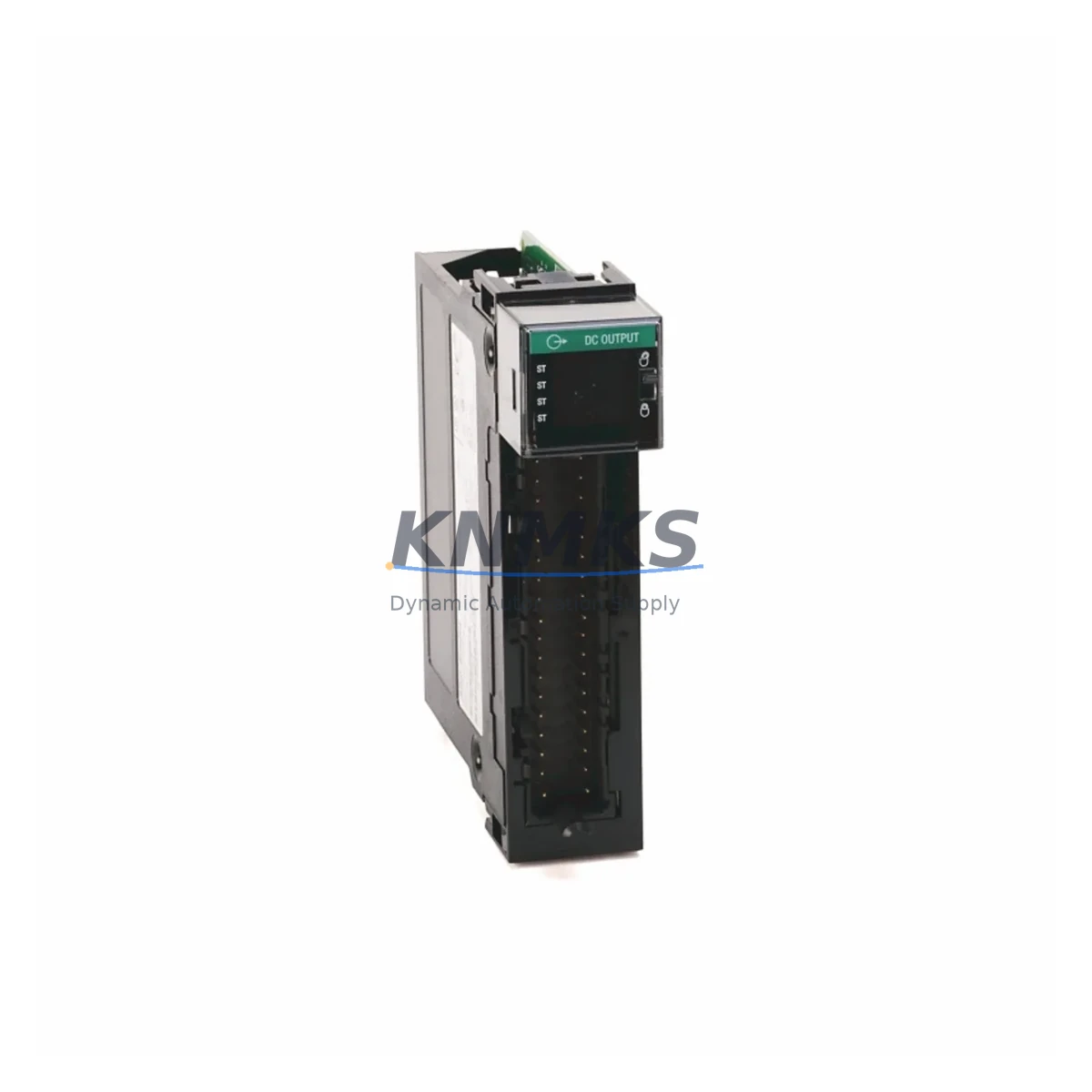
Allen-Bradley 1756-IB32K Migration-Ready DC Input Module: Legacy System Migration and Compatible Upgrade
The Allen-Bradley 1756-IB32K is a 32-point, 10–31.2 VDC sink (IEC Type 1) digital input module designed for the ControlLogix 1756 chassis platform. As legacy automation systems approach end-of-life and OEM support windows close, the 1756-IB32K has become a critical spare part and migration anchor for engineers managing aging control cabinets across discrete manufacturing, oil & gas, water treatment, and automotive assembly lines. KNMKS maintains verified in-stock inventory of the 1756-IB32K with a support terms confirmed by quotation and pre-shipment functional testing on every unit.
When planning a retrofit or spare-parts replenishment strategy around the 1756-IB32K, engineers must confirm several key parameters before installation: the 24 VDC field-side power supply capacity (minimum 4 A per module group is recommended), RTB (Removable Terminal Block) wiring compatibility with the existing 1756-TBCH or 1756-TBS6H termination style, backplane current draw (the 1756-IB32K draws 120 mA at 5.1 VDC from the 1756-A7 or 1756-A17 chassis), module slot addressing in RSLogix 5000 / Studio 5000, and available rack space in the control cabinet. Firmware version alignment with the ControlLogix L6x or L7x controller is also essential to avoid I/O tree rebuild errors during commissioning.
Migration Compatibility Table
| Parameter | 1756-IB32K Specification | Migration / Retrofit Note |
|---|---|---|
| Input Points | 32 points (2 groups of 16) | Direct replacement for 1756-IB32; verify group isolation requirements |
| Input Voltage Range | 10–31.2 VDC (nom. 24 VDC) | Compatible with standard 24 VDC field wiring; no rewiring required |
| Input Type | Sink (IEC Type 1) | Confirm field device sourcing/sinking polarity before swap |
| Backplane Current Draw | 120 mA @ 5.1 VDC | Verify 1756-PA75 or 1756-PB75 power supply headroom in chassis |
| Terminal Block | 1756-TBCH / 1756-TBS6H (RTB) | RTB transfers with wiring intact — minimizes downtime during swap |
| Chassis Compatibility | 1756-A4, A7, A10, A13, A17 | Slot-addressable; no chassis modification required |
| Controller Compatibility | ControlLogix L6x, L7x, L8x | Confirm Studio 5000 project firmware revision matches controller |
| Communication Protocol | ControlNet / EtherNet/IP via backplane | No protocol reconfiguration needed for like-for-like replacement |
| Replacement Path | Replaces 1756-IB32, 1756-IB16 | Tag remapping required if replacing 1756-IB16 (point count change) |
| Support terms | support terms confirmed by quotation — All units pre-tested before shipment | |
Retrofit Planning for Existing Automation Systems
A successful retrofit centered on the 1756-IB32K typically involves more than a single module swap. In practice, engineers working on ControlLogix-based control cabinet upgrades must assess the entire I/O subsystem. If the existing chassis is a 1756-A7 running near backplane power capacity, adding or replacing modules may require upgrading the 1756-PA75 power supply or redistributing modules across a second chassis linked via a 1756-RM2 redundancy module or a 1756-EN2T EtherNet/IP bridge module.
For systems migrating from legacy PLC-5 or SLC 500 platforms to ControlLogix, the 1756-IB32K is frequently paired with a 1756-DHRIO module to maintain DH+ communication links to existing HMI panels or SCADA nodes during the transition period. This allows the new ControlLogix rack to coexist with legacy devices while the HMI screens — often running on PanelView Plus 6 or PanelView 800 terminals — are progressively updated. Signal isolation between legacy field wiring and the new I/O layer is commonly handled by DIN-rail-mounted signal isolators or relay interface modules installed in the same control cabinet.
I/O expansion during the retrofit phase often involves adding 1756-OB32 or 1756-OB16E output modules alongside the 1756-IB32K to balance the input/output ratio for new machine sequences. Where analog signals are present, engineers integrate 1756-IF16 analog input modules into the same chassis, keeping all I/O within a single Studio 5000 project tree. Programming cables such as the 1756-CP3 or USB-to-serial adapters are used for on-site firmware verification and tag download before the system goes live.
Downtime Control During System Migration
Minimizing unplanned downtime is the primary concern during any live-system module replacement. The 1756-IB32K supports hot-swap capability within a running ControlLogix chassis, provided the controller is placed in Program mode and the RTB is disconnected before the module is removed. This procedure preserves the existing ladder logic and function block program in the controller memory, eliminating the need for a full program reload after the swap.
Before the maintenance window opens, engineers should export the current Studio 5000 project as an .ACD file and verify the I/O configuration tree matches the physical slot layout. Any discrepancies in module properties — such as RPI (Requested Packet Interval) settings or inhibit flags — should be corrected in the offline project before the swap. After the new 1756-IB32K is seated and the RTB reconnected, the controller can be returned to Run mode and input states verified against the HMI display or a handheld field device tester.
For systems where continuous production cannot be interrupted, a parallel commissioning approach is recommended: install the replacement 1756-IB32K in an adjacent spare slot, configure it as a shadow I/O module, verify all 32 input points against the live field signals, then cut over by updating the program tag references and removing the original module — all within a single scheduled maintenance shift. KNMKS ships all 1756-IB32K units with pre-shipment functional test reports to support this workflow and reduce on-site verification time.
Retrofit Support FAQ
Q1: Is the 1756-IB32K a direct drop-in replacement for the 1756-IB32?
Yes. The 1756-IB32K is the keyed variant of the 1756-IB32 and is electrically and mechanically identical. The “K” suffix indicates module keying for slot-specific installation control. The RTB wiring, backplane slot address, and Studio 5000 module definition are fully compatible. No program changes are required for a like-for-like swap.
Q2: What should I verify before installing the 1756-IB32K in an existing chassis?
Confirm the chassis power supply (1756-PA75 or 1756-PB75) has sufficient backplane current headroom (120 mA at 5.1 VDC per module). Check that the RTB type matches (1756-TBCH for cage clamp or 1756-TBS6H for spring clamp). Verify the controller firmware revision in Studio 5000 is compatible with the module catalog number. Inspect the slot keying bands if the chassis uses module keying.
Q3: Does KNMKS provide pre-shipment testing and what does the support terms confirmed by quotation cover?
Yes. Every 1756-IB32K unit shipped by KNMKS undergoes functional testing prior to dispatch, including backplane communication verification and all 32 input point checks. The support terms confirmed by quotation cover manufacturing defects and functional failures under normal operating conditions. Units are shipped with test documentation. Contact admin@knmks.com for support requests or technical support.
Q4: Can the 1756-IB32K be used in a ControlLogix redundancy system?
Yes, with conditions. In a redundant ControlLogix system using 1756-RM2 redundancy modules, I/O modules including the 1756-IB32K must be installed in non-redundant I/O chassis connected via 1756-EN2T or 1756-CN2R communication modules. The redundancy system synchronizes controller data, not I/O chassis. Confirm your redundancy system architecture in the Logix5000 Controllers Redundancy User Manual before installation.
© 2026 KNMKS. All rights reserved.
Original Source: https://knmks.com
Contact: admin@knmks.com | +86 18359268345
Product Identification
- Brand / Ecosystem
-
Allen-Bradley
Allen-Bradley - Model / Series
-
1756-IB32K
ControlLogix Series - Product Family
- PLCs & Controllers
- Availability Status
- Available on request after model and quantity confirmation
- Inquiry Type
- B2B RFQ, replacement inquiry and project spare-part request
- Pre-Quote Check
- Exact SKU, brand, series, quantity, nameplate photos and destination country are checked before quotation
System Path
Where this product fits in the KNMKS automation structure.
Specification & Inquiry Focus
- Control platform
- PLC, PAC and modular controllers
- Common needs
- CPU, rack, power and I/O expansion
- Project support
- Replacement, cabinet build and maintenance
Buyer Confirmation
Information KNMKS checks before replying.
- Exact model
- 1756-IB32K
- Brand / ecosystem
- Allen-Bradley
- Product family
- PLCs & Controllers
- Application note
- Replacement, maintenance, project build or spare-part list
- Useful photos
- Nameplate, installed unit, cabinet layout or connector side
- Delivery details
- Quantity, destination country and target schedule
Document Support
Files and notes can be confirmed during quotation.
- Product photos or nameplate confirmation when available
- Packing and delivery notes before quotation confirmation
- Support scope and delivery terms confirmed per inquiry
- Export document coordination for qualified B2B requests
Inquiry Support
- Model cross-checking before quotation
- CPU, power, rack and expansion module matching
- Support for replacement and project inquiry
What to Send Us
- Brand and exact model number: Allen-Bradley 1756-IB32K
- Quantity and required delivery time
- Application, replacement requirement or nameplate photo
- Destination country and shipping preference
RFQ Preparation
This is a product inquiry page built for RFQ communication.
Fast Model Check
Send this model to KNMKS for confirmation.
Include quantity, destination country and photos if this is a maintenance replacement. The inquiry will be saved with a reference number after submission.
Brand & Compatibility Note
KNMKS displays automation product information for well-known industrial brand ecosystems and compatible replacement references. Brand names are used for product identification and compatibility reference only; final availability and commercial terms are confirmed per quotation.
 Manufacturing
 Machine Tools
 Packaging
 Energy & Power



 HMI & Displays
 Servo Systems
 Variable Frequency Drives
 Sensors