
Overview
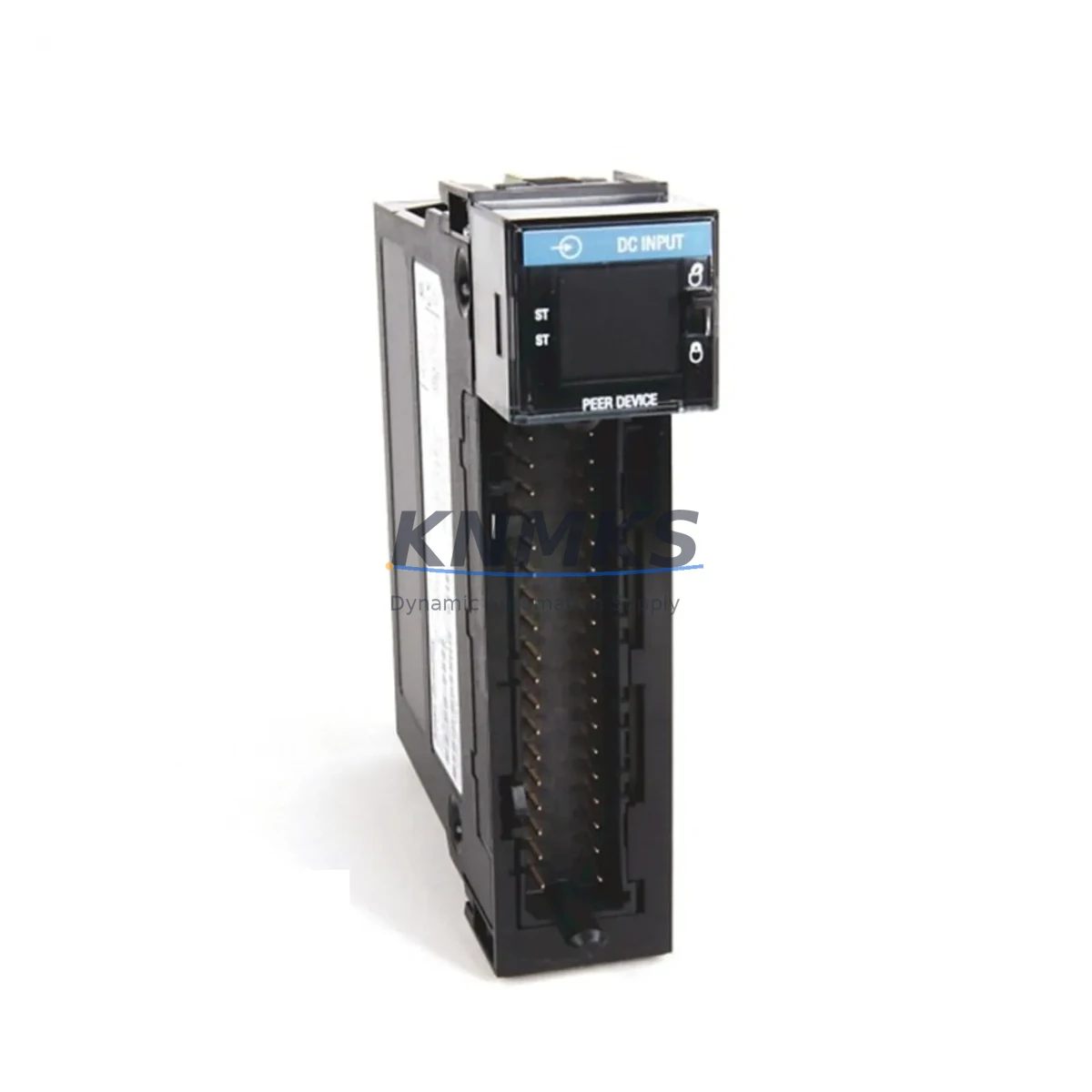
Allen-Bradley 1756-IB16IF Migration-Ready Timestamped Input for Legacy Control Systems
The Allen-Bradley 1756-IB16IF is a 16-point, 10–30V DC timestamped digital input module designed for the ControlLogix 1756 chassis platform. It delivers high-resolution input timestamping (1 ms resolution) critical for sequence-of-events (SOE) recording, fault diagnostics, and process interlocking in legacy and modernized control architectures. As many facilities transition away from end-of-life PLC-5, SLC 500, and early ControlLogix hardware, the 1756-IB16IF serves as a proven migration target that preserves existing I/O wiring infrastructure while delivering modern diagnostic capability.
Each unit supplied by KNMKS undergoes pre-shipment functional verification, including channel-level input response testing, backplane communication handshake confirmation, and timestamp accuracy validation. All modules carry a support terms confirmed by quotation covering manufacturing defects and operational failures under normal industrial service conditions.
Migration Compatibility Table
| Parameter | 1756-IB16IF Specification | Migration / Retrofit Notes |
|---|---|---|
| Input Points | 16 x DC digital inputs | Direct replacement for 16-pt legacy modules; verify field wiring polarity |
| Input Voltage Range | 10–30V DC (24V DC nominal) | Compatible with standard 24V DC field devices; no power supply change required in most retrofits |
| Timestamp Resolution | 1 ms (Coordinated System Time) | Requires CST master module (e.g., 1756-SYNCH or 1756-L7x controller) for full SOE accuracy |
| Backplane Interface | ControlLogix 1756 backplane | Compatible with all 1756 chassis sizes (4, 7, 10, 13, 17-slot); verify slot addressing in RSLogix 5000 / Studio 5000 |
| Communication Protocol | ControlLogix backplane (proprietary) | No EtherNet/IP or DeviceNet port on module; communication handled by controller or bridge module (e.g., 1756-EN2T) |
| Installation Footprint | Single-slot 1756 module | Confirm available slot in existing chassis before ordering; no additional mounting hardware required |
| Firmware Compatibility | Compatible with ControlLogix firmware v16 and above | Verify controller firmware revision in RSLogix 5000 before commissioning; update if below v16 |
| Replacement Path | Replaces 1756-IB16, 1756-IB16D (non-timestamped variants) | Tag remapping required in Studio 5000 if replacing non-IF variant; I/O tree update needed |
| Support terms | 12 Months | Covers manufacturing defects and operational failure under normal service conditions |
Retrofit Planning for Existing Automation Systems
Successful integration of the 1756-IB16IF into a legacy or transitional control system requires systematic pre-installation planning. The following considerations apply to the most common retrofit scenarios encountered in process plants, discrete manufacturing lines, and utility control rooms.
Power Budget Verification: Before installing the 1756-IB16IF, confirm the 1756 chassis power supply (such as the 1756-PA75 or 1756-PB75) has sufficient backplane current capacity. The 1756-IB16IF draws 120 mA at 5V DC from the backplane. In densely populated chassis running multiple analog and communication modules, a power budget shortfall is a common cause of intermittent module faults post-retrofit.
Terminal Wiring and Field Device Compatibility: The module uses a removable 20-pin RTB (Removable Terminal Block). When replacing a non-timestamped 1756-IB16 or 1756-IB16D, the existing RTB wiring can typically be transferred directly, provided field device voltage levels fall within the 10–30V DC input range. Verify sink/source wiring configuration matches the field device output type before energizing.
Backplane Slot Address and I/O Tree Configuration: In Studio 5000 Logix Designer, the 1756-IB16IF must be added to the I/O tree under the correct chassis and slot number. If replacing a non-IF variant, delete the old module entry and re-add the 1756-IB16IF with the correct catalog number. This triggers a tag rename for all associated input tags (e.g., Local:X:I.Data becomes Local:X:I.Pt00Data.Timestamp for timestamped channels), requiring a program-wide cross-reference update.
CST Synchronization and Timestamp Accuracy: The 1756-IB16IF timestamps inputs against the chassis Coordinated System Time (CST). For multi-chassis SOE applications, a 1756-SYNCH time synchronization module or a CST-capable controller such as the 1756-L73 or 1756-L83E must be present in the local chassis. Without a CST master, timestamps default to local chassis time, which may introduce inter-chassis drift in event logs.
Communication Link Integrity: In systems using EtherNet/IP for remote I/O, the 1756-IB16IF communicates through the local chassis backplane to an EtherNet/IP bridge module such as the 1756-EN2T or 1756-EN3TR. Verify that the bridge module firmware supports the requested RPI (Requested Packet Interval) for timestamped data. Excessively low RPI values on high-density chassis can cause connection timeouts.
HMI Screen and SCADA Tag Updates: After completing the I/O tree reconfiguration, update all HMI faceplates and SCADA tag bindings that reference the replaced module’s input tags. In FactoryTalk View SE or FactoryTalk View ME environments, a global tag search-and-replace is the most efficient method. Confirm alarm setpoints and event triggers referencing the affected input channels are re-validated before returning the system to service.
Signal Isolation and Noise Considerations: In retrofit environments with long cable runs or mixed AC/DC wiring in the same conduit, consider adding signal isolators upstream of the 1756-IB16IF inputs to prevent common-mode noise from causing false input transitions. This is particularly relevant in older facilities where cable segregation standards were not enforced during original installation.
Downtime Control During System Migration
Minimizing unplanned downtime is the primary operational constraint in any live-system retrofit. The following approach is recommended for 1756-IB16IF installations in production environments:
Pre-Staging and Bench Testing: Configure the replacement module in a bench chassis before the maintenance window. Load the updated Studio 5000 project, verify tag mappings, and confirm the module goes online without faults. This eliminates configuration errors as a source of extended downtime during the live cutover.
Program Logic Preservation: Export and archive the current controller project (ACD file) before making any I/O tree changes. If the retrofit introduces unexpected behavior, the archived project provides an immediate rollback path without requiring re-engineering. Store the backup on both local engineering workstation and a network share.
Phased Cutover Strategy: Where process constraints allow, perform the physical module swap during a scheduled maintenance window rather than a forced outage. Coordinate with operations to place affected process loops in manual mode, confirm field device isolation, and document the expected input states before de-energizing the chassis slot.
On-Site Commissioning Checklist: After installing the 1756-IB16IF and downloading the updated project, verify each of the 16 input channels by actuating the corresponding field device and confirming the input tag transitions in the controller tag monitor. For timestamped channels, confirm the timestamp value increments correctly and the CST master is online. Document channel-by-channel test results before releasing the system to operations.
Firmware Version Alignment: If the controller firmware is being updated as part of the same maintenance window, perform the firmware update before the module swap to avoid compatibility conflicts. A controller running firmware below v16 will not recognize the 1756-IB16IF catalog number and will generate a module mismatch fault.
Retrofit Support FAQ
Q1: Can the 1756-IB16IF directly replace a 1756-IB16 without rewiring?
In most cases, yes. The field wiring RTB is physically compatible, and the 24V DC input voltage range is identical. However, the I/O tree in Studio 5000 must be updated to reflect the 1756-IB16IF catalog number, and all program tags referencing the replaced module must be updated to include the timestamp data structure. A direct drop-in swap without a program update will result in a module mismatch fault.
Q2: What pre-shipment testing does KNMKS perform on the 1756-IB16IF?
Each unit undergoes channel-level input response verification, backplane communication handshake testing, and visual inspection for physical damage. Modules are tested in a live 1756 chassis environment before packaging. A test report is available upon request for critical infrastructure procurement.
Q3: Is the 1756-IB16IF compatible with both 1756-L6x and 1756-L8x series controllers?
Yes. The 1756-IB16IF is compatible with all ControlLogix controllers that support the 1756 backplane, including the 1756-L61, 1756-L62, 1756-L63, 1756-L71, 1756-L73, 1756-L83E, and 1756-L85E. Confirm the controller firmware revision meets the minimum v16 requirement. For GuardLogix applications, verify safety task compatibility separately.
Q4: What is the support terms coverage and what does it include?
All 1756-IB16IF modules supplied by KNMKS carry a support terms confirmed by quotation from the date of shipment. Coverage includes manufacturing defects, backplane interface failures, and input channel malfunctions under normal industrial operating conditions. Support requests are processed via admin@knmks.com with module serial number and fault description. Replacement or repair is completed within the agreed lead time documented at the time of claim.
© 2026 KNMKS. All rights reserved.
Original Source: https://knmks.com
Contact: admin@knmks.com | +86 18359268345
Product Identification
- Brand / Ecosystem
-
Allen-Bradley
Allen-Bradley - Model / Series
-
1756-IB16IF
ControlLogix Series - Product Family
- PLCs & Controllers
- Availability Status
- Available on request after model and quantity confirmation
- Inquiry Type
- B2B RFQ, replacement inquiry and project spare-part request
- Pre-Quote Check
- Exact SKU, brand, series, quantity, nameplate photos and destination country are checked before quotation
System Path
Where this product fits in the KNMKS automation structure.
Specification & Inquiry Focus
- Control platform
- PLC, PAC and modular controllers
- Common needs
- CPU, rack, power and I/O expansion
- Project support
- Replacement, cabinet build and maintenance
Buyer Confirmation
Information KNMKS checks before replying.
- Exact model
- 1756-IB16IF
- Brand / ecosystem
- Allen-Bradley
- Product family
- PLCs & Controllers
- Application note
- Replacement, maintenance, project build or spare-part list
- Useful photos
- Nameplate, installed unit, cabinet layout or connector side
- Delivery details
- Quantity, destination country and target schedule
Document Support
Files and notes can be confirmed during quotation.
- Product photos or nameplate confirmation when available
- Packing and delivery notes before quotation confirmation
- Support scope and delivery terms confirmed per inquiry
- Export document coordination for qualified B2B requests
Inquiry Support
- Model cross-checking before quotation
- CPU, power, rack and expansion module matching
- Support for replacement and project inquiry
What to Send Us
- Brand and exact model number: Allen-Bradley 1756-IB16IF
- Quantity and required delivery time
- Application, replacement requirement or nameplate photo
- Destination country and shipping preference
RFQ Preparation
This is a product inquiry page built for RFQ communication.
Fast Model Check
Send this model to KNMKS for confirmation.
Include quantity, destination country and photos if this is a maintenance replacement. The inquiry will be saved with a reference number after submission.
Brand & Compatibility Note
KNMKS displays automation product information for well-known industrial brand ecosystems and compatible replacement references. Brand names are used for product identification and compatibility reference only; final availability and commercial terms are confirmed per quotation.
 Manufacturing
 Machine Tools
 Packaging
 Energy & Power



 HMI & Displays
 Servo Systems
 Variable Frequency Drives
 Sensors