
Overview
Allen-Bradley 1756-IB16/A Migration-Ready Digital Input Module: Legacy System Retrofit & Upgrade
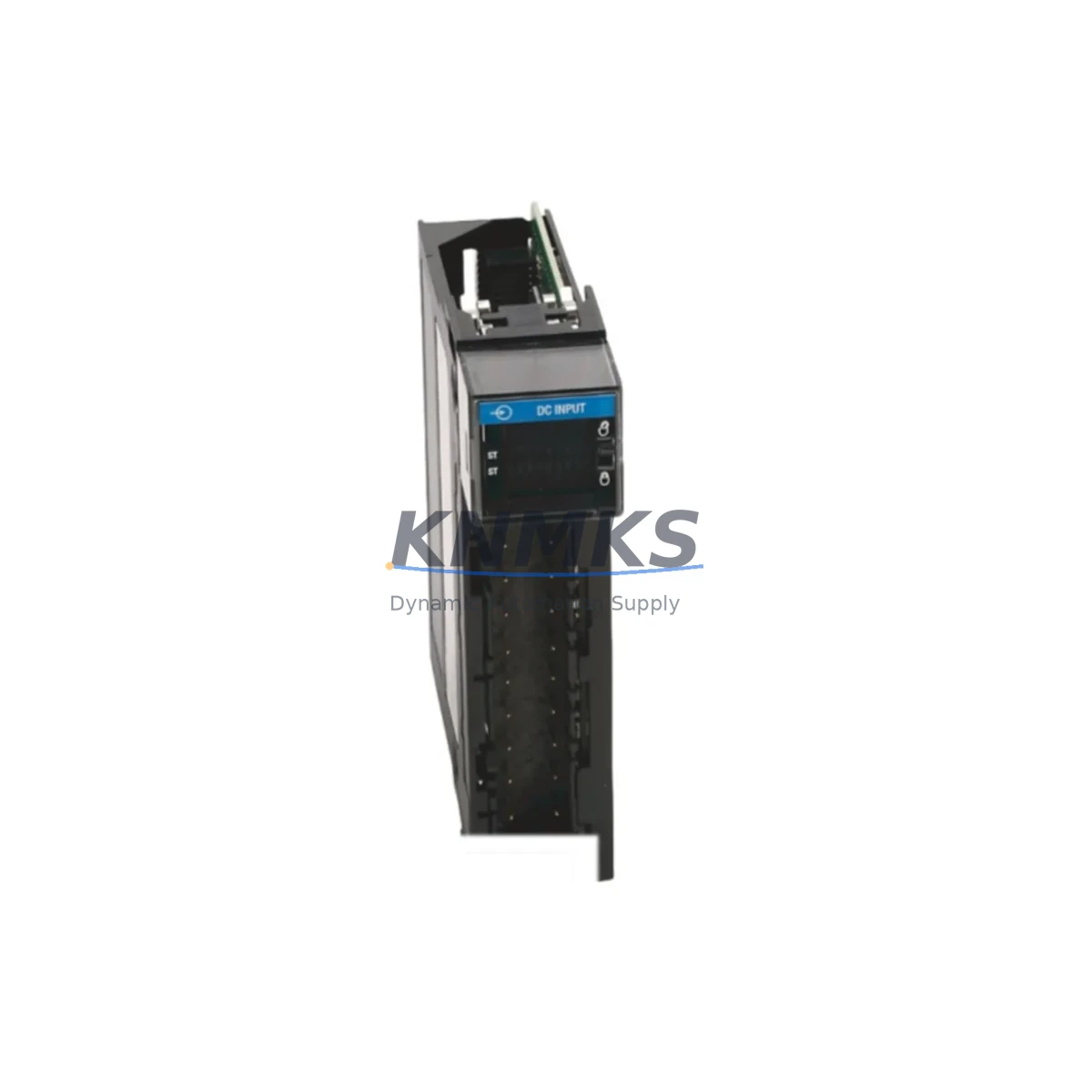
The Allen-Bradley 1756-IB16/A is a 16-point, 24VDC sinking digital input module designed for the ControlLogix 1756 chassis platform. As legacy SLC 500, PLC-5, and early ControlLogix installations reach end-of-life, the 1756-IB16/A has become a critical component in plant-wide modernization programs — offering a direct migration path for facilities that need to preserve existing field wiring, terminal block layouts, and I/O addressing while upgrading to a current-generation control architecture. Whether you are replacing a discontinued 1746-IB16 SLC input module or expanding an existing 1756 rack, this module delivers the signal integrity, noise immunity, and diagnostic transparency required for demanding industrial environments.
In retrofit scenarios, engineers frequently pair the 1756-IB16/A with the 1756-L73 or 1756-L85E ControlLogix controller to maintain program logic continuity. The module slots directly into any 1756 chassis — including the 1756-A4, 1756-A7, 1756-A10, and 1756-A17 — without mechanical modification. Before installation, confirm available backplane current budget: the 1756-IB16/A draws 75 mA at 5VDC from the backplane, which must be verified against the 1756-PA75 or 1756-PB75 power supply capacity already installed in the cabinet. Overlooking this step is one of the most common causes of unexpected module faults during retrofit commissioning.
Field wiring compatibility is equally important. The 1756-IB16/A uses a 36-pin RTB (Removable Terminal Block) — specifically the 1756-TBNH or 1756-TBWH wiring arm — which allows the terminal block to be removed and reattached without disturbing field wiring. This feature significantly reduces downtime during module swap-outs on live panels. If the legacy system used a different terminal pitch or screw size, plan for a wiring adapter or re-termination during the scheduled maintenance window.
Migration Compatibility Table
| Parameter | 1756-IB16/A Specification | Retrofit / Migration Note |
|---|---|---|
| Input Points | 16 points, sinking (IEC Type 1) | Direct replacement for 1746-IB16 (SLC 500) with re-addressing in RSLogix 5000 / Studio 5000 |
| Input Voltage | 24VDC nominal (10–31.2VDC range) | Compatible with existing 24VDC field devices; verify sensor supply voltage before cutover |
| Backplane Current Draw | 75 mA @ 5VDC | Verify 1756-PA75 / 1756-PB75 power supply budget before adding modules to existing rack |
| Terminal Block | 36-pin RTB (1756-TBNH / 1756-TBWH) | RTB is removable without disturbing field wiring — minimizes downtime during swap |
| Chassis Compatibility | All 1756 chassis (A4, A7, A10, A13, A17) | No mechanical modification required; slot assignment configurable in Studio 5000 |
| Communication Protocol | ControlLogix backplane (proprietary) | EtherNet/IP connectivity via 1756-EN2T or 1756-EN3TR bridge module in same chassis |
| Firmware Compatibility | Compatible with ControlLogix firmware v16 and above | Update controller firmware to v30+ recommended for full diagnostic tag support |
| HMI Integration | Tag-based addressing via Studio 5000 | FactoryTalk View SE / ME screens require tag remapping if migrating from SLC/PLC-5 data files |
| Installation Space | Single-slot 1756 module | Confirm available slot count in existing chassis before ordering additional modules |
| Support terms | support terms confirmed by quotation | All units ship tested; support terms covers manufacturing defects and functional failure in service |
Retrofit Planning for Existing Automation Systems
A successful 1756-IB16/A retrofit begins well before the maintenance window opens. Start by auditing the existing 1756 chassis slot assignments and documenting the current I/O tree in Studio 5000 or RSLogix 5000. If the plant is migrating from a legacy SLC 500 platform, the 1747-L553 or 1747-L543 controller program will need to be converted using Rockwell’s Migration Assistant tool, with particular attention to integer file (N7, F8) references that map to physical I/O addresses — these must be translated into tag-based aliases before the new 1756-IB16/A module can be commissioned correctly.
Power architecture is the next checkpoint. In multi-chassis configurations connected via the 1756-RM2 ControlLogix redundancy module or a 1756-EN2T EtherNet/IP bridge, each chassis power supply must be individually validated. Adding a 1756-IB16/A to a chassis already running near its 1756-PA75 power supply limit can trigger nuisance faults or prevent the module from initializing. Where power headroom is insufficient, a 1756-PB75 24VDC-input power supply or an additional chassis may be required.
For facilities upgrading communication infrastructure alongside the I/O retrofit, the 1756-IB16/A integrates seamlessly with EtherNet/IP-based architectures when paired with a 1756-EN2T or 1756-EN3TR communication module. This combination supports remote I/O monitoring via FactoryTalk AssetCentre and enables real-time diagnostic data — including input state, module fault codes, and channel-level diagnostics — to be surfaced on FactoryTalk View SE HMI screens without additional programming overhead.
Signal isolation requirements should also be reviewed during planning. In environments with high electromagnetic interference — common in motor control centers or near variable frequency drives — adding a signal isolator or surge suppressor on the 24VDC input lines protects the 1756-IB16/A input circuitry and extends module service life. Wiring runs longer than 30 meters should be evaluated for voltage drop and shielding requirements before the retrofit cutover date.
Downtime Control During System Migration
Minimizing production downtime is the primary constraint in any live-system retrofit. For the 1756-IB16/A, the recommended approach is a staged cutover: pre-configure the module in Studio 5000 offline, download the updated program to the controller during a planned maintenance window, and use the RTB (Removable Terminal Block) to transfer field wiring from the old module to the new one in a single, pre-tested step. This approach typically reduces physical swap time to under 15 minutes per module.
Before the cutover, export and archive the current controller program, including all tag databases, routine logic, and produced/consumed tag configurations. If the system uses a 1756-RM2 redundancy pair, perform a manual switchover to the secondary controller before beginning work on the primary chassis — this keeps the process running while the primary is serviced. After the new 1756-IB16/A is installed and the RTB reconnected, perform a controlled go-online and monitor the I/O tree for any inhibited or faulted modules before returning the system to automatic mode.
For HMI continuity, verify that all FactoryTalk View SE or ME display pages referencing the affected I/O tags are updated and tested in simulation mode before the live cutover. Tag name changes introduced during the migration — particularly when converting from SLC data file addresses to ControlLogix tag names — are the most frequent source of HMI display errors post-retrofit. A pre-cutover simulation run using FactoryTalk View Studio’s offline test mode can identify and resolve these issues without impacting production.
All 1756-IB16/A units supplied by KNMKS are functionally tested prior to shipment. Each module is verified for input response time, backplane communication integrity, and LED diagnostic behavior. This pre-shipment testing protocol, combined with the support terms confirmed by quotation, ensures that the module performs correctly from first power-on — eliminating the risk of receiving a defective unit during a time-critical retrofit window.
Retrofit Support FAQ
Q: Is the 1756-IB16/A a direct drop-in replacement for the 1746-IB16 used in SLC 500 systems?
A: The 1756-IB16/A is electrically compatible — both modules accept 24VDC sinking inputs — but they are not physically interchangeable. The 1756-IB16/A requires a 1756 ControlLogix chassis, while the 1746-IB16 mounts in a 1746 SLC chassis. Migration requires chassis replacement or a hybrid rack strategy. I/O addresses must be remapped in Studio 5000, and any SLC ladder logic referencing I:1.0 data file syntax must be converted to tag-based addressing.
Q: What commissioning steps are required after installing the 1756-IB16/A in an existing ControlLogix rack?
A: After physical installation, go online with Studio 5000 and verify the module appears in the I/O tree without fault indicators. Check the module properties for correct slot assignment and input filter time settings. Apply 24VDC to each input channel individually and confirm the corresponding tag transitions in the controller tag database. Review the module’s diagnostic tags (e.g., Fault, Inhibit, InputStatus) to confirm all 16 channels are reporting correctly before returning the system to automatic operation.
Q: Can the 1756-IB16/A operate in a ControlLogix redundancy system with a 1756-RM2 module?
A: Yes. The 1756-IB16/A is compatible with ControlLogix redundancy configurations. In a redundant chassis pair, I/O modules are installed in the primary chassis only; the redundancy module (1756-RM2) handles controller state synchronization. Ensure the redundancy firmware revision is compatible with the controller firmware version in use, and follow Rockwell’s redundancy system update procedure when adding new I/O modules to an active redundant system.
Q: What is the support terms coverage and how does KNMKS handle stock availability for ongoing maintenance programs?
A: All 1756-IB16/A modules supplied by KNMKS carry a support terms confirmed by quotation covering manufacturing defects and functional failure under normal operating conditions. Units are functionally tested before shipment. For facilities with ongoing maintenance or blanket order requirements, KNMKS maintains dedicated stock to support scheduled replacement programs — contact our sales team to discuss reserved inventory arrangements and lead time commitments for your site.
© 2026 KNMKS. All rights reserved.
Original Source: https://knmks.com
Contact: admin@knmks.com | +86 18359268345
Product Identification
- Brand / Ecosystem
-
Allen-Bradley
Allen-Bradley - Model / Series
-
1756-IB16/A
ControlLogix Series - Product Family
- PLCs & Controllers
- Availability Status
- Available on request after model and quantity confirmation
- Inquiry Type
- B2B RFQ, replacement inquiry and project spare-part request
- Pre-Quote Check
- Exact SKU, brand, series, quantity, nameplate photos and destination country are checked before quotation
System Path
Where this product fits in the KNMKS automation structure.
Specification & Inquiry Focus
- Control platform
- PLC, PAC and modular controllers
- Common needs
- CPU, rack, power and I/O expansion
- Project support
- Replacement, cabinet build and maintenance
Buyer Confirmation
Information KNMKS checks before replying.
- Exact model
- 1756-IB16/A
- Brand / ecosystem
- Allen-Bradley
- Product family
- PLCs & Controllers
- Application note
- Replacement, maintenance, project build or spare-part list
- Useful photos
- Nameplate, installed unit, cabinet layout or connector side
- Delivery details
- Quantity, destination country and target schedule
Document Support
Files and notes can be confirmed during quotation.
- Product photos or nameplate confirmation when available
- Packing and delivery notes before quotation confirmation
- Support scope and delivery terms confirmed per inquiry
- Export document coordination for qualified B2B requests
Inquiry Support
- Model cross-checking before quotation
- CPU, power, rack and expansion module matching
- Support for replacement and project inquiry
What to Send Us
- Brand and exact model number: Allen-Bradley 1756-IB16/A
- Quantity and required delivery time
- Application, replacement requirement or nameplate photo
- Destination country and shipping preference
RFQ Preparation
This is a product inquiry page built for RFQ communication.
Fast Model Check
Send this model to KNMKS for confirmation.
Include quantity, destination country and photos if this is a maintenance replacement. The inquiry will be saved with a reference number after submission.
Brand & Compatibility Note
KNMKS displays automation product information for well-known industrial brand ecosystems and compatible replacement references. Brand names are used for product identification and compatibility reference only; final availability and commercial terms are confirmed per quotation.
 Manufacturing
 Machine Tools
 Packaging
 Energy & Power



 HMI & Displays
 Servo Systems
 Variable Frequency Drives
 Sensors