
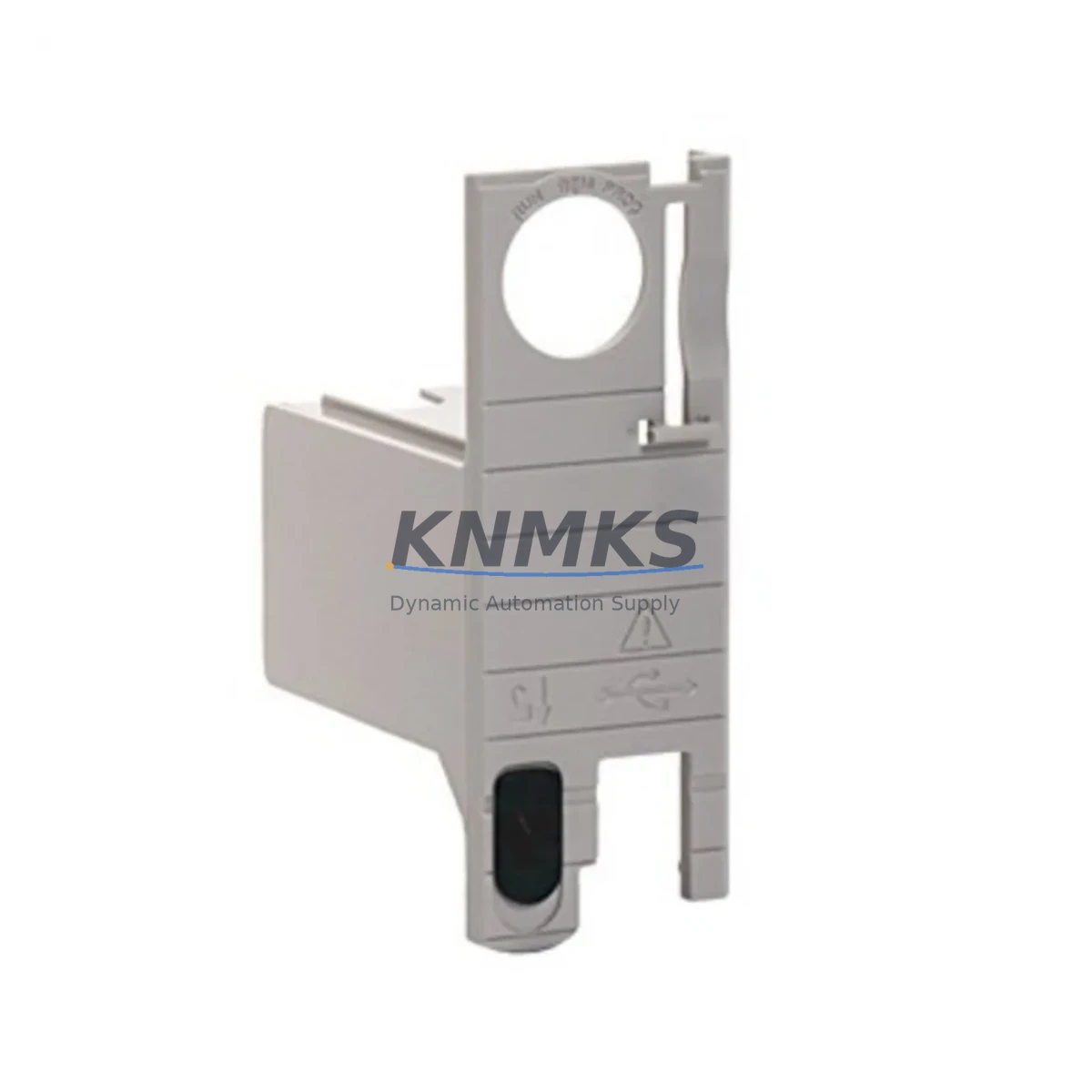
Overview
Allen-Bradley 1756-ESMCAP Retrofit Energy Storage Module: Legacy System Migration & Compatibility Upgrade
The Allen-Bradley 1756-ESMCAP is a capacitor-based energy storage module designed for the ControlLogix 1756 platform, providing non-volatile memory backup and controlled power-down sequencing during unexpected power loss events. As industrial facilities continue to operate aging ControlLogix chassis beyond their original design lifecycle, the 1756-ESMCAP has become a critical retrofit component for engineers tasked with extending system uptime, replacing discontinued backup modules, and modernizing legacy control cabinets without full PLC replacement.
This module mounts directly into the 1756 backplane alongside the 1756-L series ControlLogix controllers, including the 1756-L61, 1756-L62, 1756-L63, 1756-L64, and 1756-L65 processors. It draws power from the chassis power supply — typically a 1756-PA72 or 1756-PB72 — and must be confirmed compatible with the installed supply’s available current budget before installation. Engineers performing a retrofit should verify that the existing power supply can support the additional load introduced by the 1756-ESMCAP alongside all installed I/O and communication modules.
When replacing a failed or end-of-life energy storage module in an active production environment, the primary concern is preserving the controller’s program memory and I/O configuration. The 1756-ESMCAP stores sufficient energy to allow the 1756-L series processor to complete a controlled shutdown, writing all data tables and program logic to non-volatile flash memory. This eliminates the risk of corrupted ladder logic or lost tag data following an unplanned power interruption — a critical requirement in process industries where reloading firmware and re-commissioning I/O modules can result in hours of unplanned downtime.
Migration Compatibility Table
| Parameter | Specification / Recommendation |
|---|---|
| Compatible Controllers | 1756-L61, 1756-L62, 1756-L63, 1756-L64, 1756-L65 (ControlLogix Series B and later) |
| Backplane Interface | 1756 ControlLogix backplane; occupies one chassis slot |
| Chassis Compatibility | 1756-A4, 1756-A7, 1756-A10, 1756-A13, 1756-A17 (all standard ControlLogix chassis) |
| Power Supply Requirement | Verify available current on 1756-PA72 / 1756-PB72 before installation |
| Communication Protocol | No independent communication; operates transparently via backplane |
| Replacement for Discontinued Models | Replaces 1756-ESMNSE and earlier capacitor-based ESM variants |
| Firmware Compatibility | Compatible with RSLogix 5000 / Studio 5000 v16 and above; verify controller firmware revision |
| Installation Space | Single-slot module; confirm available slot in existing chassis before ordering |
| Commissioning Requirement | No programming required; recognized automatically by controller upon insertion |
| Support terms | support terms confirmed by quotation — functional testing performed prior to shipment |
Retrofit Planning for Existing Automation Systems
A successful 1756-ESMCAP retrofit begins with a thorough audit of the existing control cabinet. Engineers should document the current chassis slot assignments, confirm the installed controller firmware version using RSLogix 5000 or Studio 5000, and review the power supply load calculation to ensure the 1756-PA72 or 1756-PB72 has sufficient headroom. In multi-chassis configurations connected via the 1756-CN2 ControlNet bridge module or 1756-EN2T EtherNet/IP communication module, the energy storage module protects only the local chassis controller — remote chassis must be evaluated independently.
For facilities running mixed I/O configurations — including 1756-IB16 digital input modules, 1756-OB16E digital output modules, and 1756-IF8 analog input modules — the retrofit plan should include a full I/O address map review. When the 1756-ESMCAP is installed in a chassis that previously operated without energy storage, the controller’s non-volatile memory behavior changes: the processor will now execute a controlled save-to-flash on power loss rather than an abrupt shutdown. This behavioral change must be communicated to the site’s control system engineer and reflected in the HMI alarm configuration to avoid false fault indications on the SCADA or PanelView terminal.
In legacy installations where the original 1756-ESMNSE has reached end-of-life, the 1756-ESMCAP is the recommended drop-in replacement. The physical form factor, backplane connector, and slot footprint are identical, allowing direct substitution without chassis modification. However, engineers should confirm that the controller firmware supports the ESMCAP variant — systems running firmware below v16 may require a firmware upgrade via ControlFLASH before the module is recognized correctly. Firmware upgrade procedures should be performed during a planned maintenance window with the controller in Program mode and all field devices in a safe state.
Where the retrofit scope extends beyond a single module replacement — for example, when upgrading an entire 1756-A10 chassis from a legacy 1756-L61 controller to a newer 1756-L83E — the 1756-ESMCAP should be included in the new chassis build from the outset. The upgraded chassis will also typically require a new 1756-EN2T or 1756-EN3TR EtherNet/IP module to maintain network connectivity, and the I/O wiring terminations should be verified against the new controller’s tag database before power-up.
Downtime Control During System Migration
Minimizing unplanned downtime is the primary operational constraint in any ControlLogix retrofit project. When replacing the 1756-ESMCAP in a live system, the recommended procedure is to place the controller in Program mode, inhibit all output modules, and notify the operations team before removing the existing module. The controller’s program logic and tag data should be backed up to an offline Studio 5000 project file and stored on a secure engineering workstation before any hardware is disturbed.
Because the 1756-ESMCAP is a hot-swap-capable module on supported firmware revisions, replacement can often be performed without a full chassis power-down — however, site safety procedures and local electrical codes must be consulted before any live-chassis work is attempted. In facilities where hot-swap is not permitted, a controlled shutdown sequence should be planned to bring the process to a safe hold state, replace the module, verify backplane recognition in the controller’s I/O tree, and restore normal operation in a defined sequence.
Post-installation verification should include confirming that the controller’s ESM status indicator shows a healthy charge state, reviewing the controller’s event log for any ESM-related fault codes, and performing a simulated power interruption test (where operationally safe) to confirm that the module correctly triggers a save-to-flash cycle. These steps protect the integrity of the control program and ensure that the retrofit delivers the intended improvement in system resilience without introducing new failure modes.
Retrofit Support FAQ
Q: Is the 1756-ESMCAP a direct replacement for the 1756-ESMNSE?
A: Yes. The 1756-ESMCAP is the current production replacement for the discontinued 1756-ESMNSE. It uses the same single-slot form factor and backplane interface. Confirm your controller firmware is v16 or above for full compatibility. No wiring changes or chassis modifications are required.
Q: What commissioning steps are required after installing the 1756-ESMCAP?
A: The module is automatically recognized by the ControlLogix controller upon insertion. No programming or configuration is required in Studio 5000. Verify the ESM status LED shows a solid green charge state within 60 seconds of installation. Review the controller’s event log to confirm no ESM fault codes are present before returning the system to Run mode.
Q: How do I verify power supply compatibility before ordering?
A: Review the load calculation for your installed 1756-PA72 or 1756-PB72 power supply. The 1756-ESMCAP draws current from the backplane; confirm the supply’s available current budget (after accounting for all installed I/O, communication, and controller modules) meets the module’s specified draw. Rockwell Automation’s chassis power sizing tool in Studio 5000 can assist with this calculation.
Q: What support terms and pre-shipment testing does KNMKS provide?
A: All 1756-ESMCAP units supplied by KNMKS carry a support terms confirmed by quotation from the date of shipment. Each module undergoes functional testing prior to dispatch to verify backplane interface integrity and capacitor charge performance. In-stock units are available for same-day or next-business-day shipment. Contact our technical sales team for lead time confirmation and volume pricing.
© 2026 KNMKS. All rights reserved.
Original Source: https://knmks.com
Contact: admin@knmks.com | +86 18359268345
Product Identification
- Brand / Ecosystem
-
Allen-Bradley
Allen-Bradley - Model / Series
-
1756-ESMCAP
ControlLogix Series - Product Family
- PLCs & Controllers
- Availability Status
- Available on request after model and quantity confirmation
- Inquiry Type
- B2B RFQ, replacement inquiry and project spare-part request
- Pre-Quote Check
- Exact SKU, brand, series, quantity, nameplate photos and destination country are checked before quotation
System Path
Where this product fits in the KNMKS automation structure.
Specification & Inquiry Focus
- Control platform
- PLC, PAC and modular controllers
- Common needs
- CPU, rack, power and I/O expansion
- Project support
- Replacement, cabinet build and maintenance
Buyer Confirmation
Information KNMKS checks before replying.
- Exact model
- 1756-ESMCAP
- Brand / ecosystem
- Allen-Bradley
- Product family
- PLCs & Controllers
- Application note
- Replacement, maintenance, project build or spare-part list
- Useful photos
- Nameplate, installed unit, cabinet layout or connector side
- Delivery details
- Quantity, destination country and target schedule
Document Support
Files and notes can be confirmed during quotation.
- Product photos or nameplate confirmation when available
- Packing and delivery notes before quotation confirmation
- Support scope and delivery terms confirmed per inquiry
- Export document coordination for qualified B2B requests
Inquiry Support
- Model cross-checking before quotation
- CPU, power, rack and expansion module matching
- Support for replacement and project inquiry
What to Send Us
- Brand and exact model number: Allen-Bradley 1756-ESMCAP
- Quantity and required delivery time
- Application, replacement requirement or nameplate photo
- Destination country and shipping preference
RFQ Preparation
This is a product inquiry page built for RFQ communication.
Fast Model Check
Send this model to KNMKS for confirmation.
Include quantity, destination country and photos if this is a maintenance replacement. The inquiry will be saved with a reference number after submission.
Brand & Compatibility Note
KNMKS displays automation product information for well-known industrial brand ecosystems and compatible replacement references. Brand names are used for product identification and compatibility reference only; final availability and commercial terms are confirmed per quotation.
 Manufacturing
 Machine Tools
 Packaging
 Energy & Power



 HMI & Displays
 Servo Systems
 Variable Frequency Drives
 Sensors