
Overview
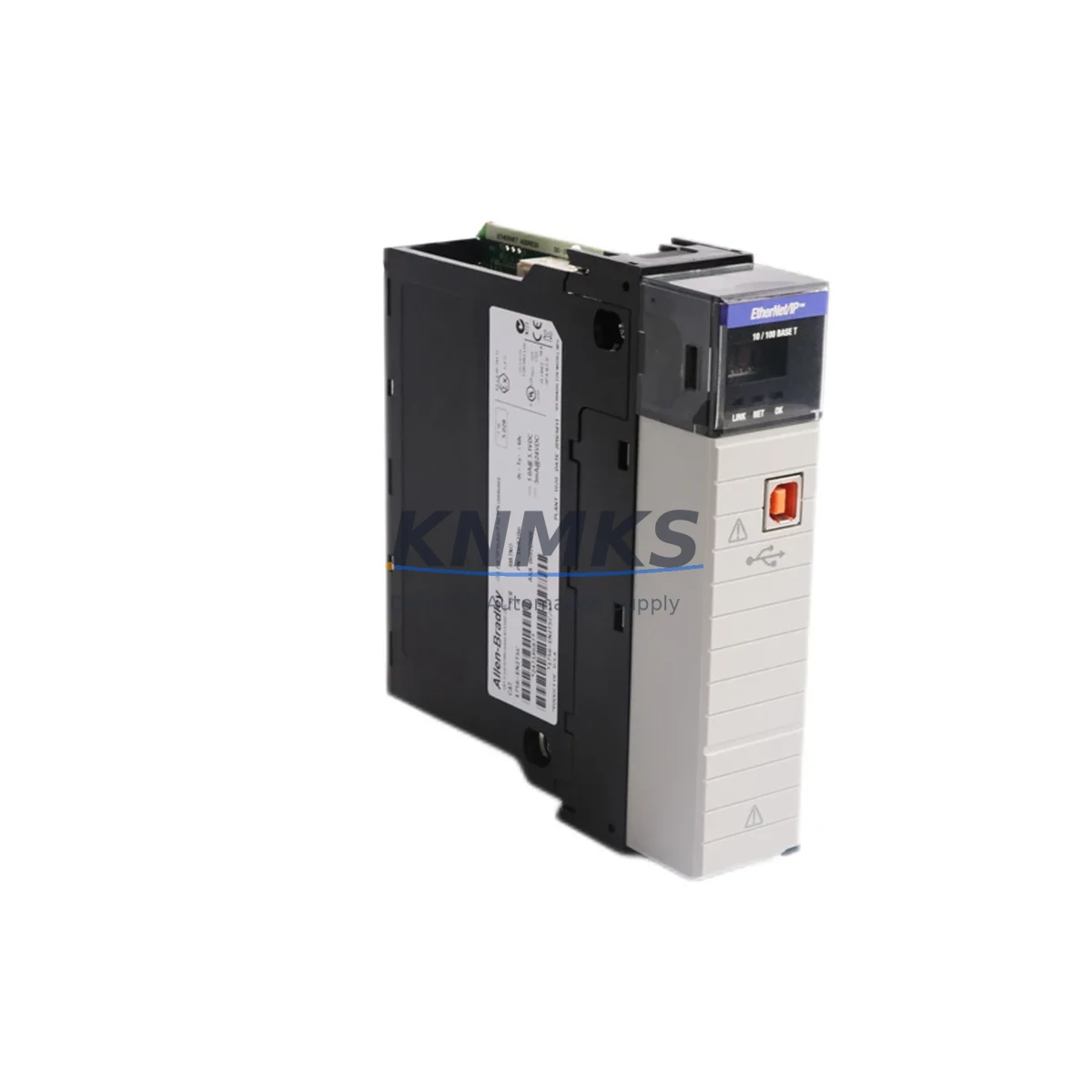
Allen-Bradley 1756-EN2TSC Migration-Ready EtherNet/IP Module for Legacy Control Systems
The Allen-Bradley 1756-EN2TSC is a dual-port EtherNet/IP communication module designed for the ControlLogix 1756 platform, purpose-built to support legacy system migration, discontinued spare replacement, and control cabinet modernization. Whether you are retiring an aging 1756-ENBT or consolidating a multi-chassis ControlLogix network, the 1756-EN2TSC delivers the communication backbone required to maintain production continuity while transitioning to a more secure, high-availability architecture.
This module supports Device Level Ring (DLR) topology and integrated VPN-ready security features, making it the preferred upgrade path for facilities moving away from flat, unmanaged Ethernet networks. Its dual-port design eliminates the need for external managed switches in linear topologies, reducing panel footprint and simplifying wiring during retrofit projects. Engineers replacing the legacy 1756-EN2T or 1756-EN2TR will find the 1756-EN2TSC a functionally compatible successor with enhanced cybersecurity compliance for NERC CIP and IEC 62443 environments.
Before committing to a retrofit, engineers must verify several critical parameters. Power consumption from the 1756-A7, 1756-A13, or 1756-A17 backplane must be confirmed against the chassis power budget — the 1756-EN2TSC draws approximately 4.5 W from the backplane, and any chassis already running near capacity with 1756-L7x controllers, 1756-IB16 digital input modules, or 1756-OB16E output modules must be audited before installation. Terminal wiring is not affected since the module uses standard RJ-45 Ethernet ports, but IP address reassignment and subnet configuration must be planned to avoid conflicts with existing SCADA or DCS nodes on the plant network.
Module slot addressing in the RSLogix 5000 or Studio 5000 Logix Designer project must be updated to reflect the new module’s slot position. If the 1756-EN2TSC is replacing a module in a different slot, all MSG instructions referencing the old path must be revised. Produced and consumed tags linked to the previous communication module will require path updates, and any FactoryTalk View SE or ME HMI screens that display communication status or network diagnostics should be reviewed to confirm tag binding remains valid after the swap.
Firmware compatibility is a key consideration. The 1756-EN2TSC requires a minimum firmware revision on the 1756-L7x or 1756-L8x controller to support its full feature set, including CIP Security. Facilities running older 1756-L61 or 1756-L63 controllers should evaluate whether a controller firmware upgrade or controller replacement is warranted as part of the broader migration plan. In multi-chassis configurations using 1756-EN2TSC modules as the inter-chassis communication bridge, all modules in the ring must run compatible firmware to maintain DLR stability.
Installation space within the control cabinet should be confirmed prior to ordering. The 1756-EN2TSC occupies a single slot in any 1756-series chassis and is compatible with all standard ControlLogix backplane configurations. No additional mounting hardware is required beyond the standard module locking tab. Cable routing for dual-port connections should be planned to maintain minimum bend radius and avoid interference with high-voltage wiring in the same enclosure.
All units supplied by KNMKS are fully tested prior to shipment, including power-on self-test, port link verification, and firmware version confirmation. Each module ships with a support terms confirmed by quotation covering manufacturing defects and functional failures under normal operating conditions. In-stock inventory allows for same-week dispatch to support urgent production line recovery scenarios.
Migration Compatibility Table
| Parameter | Legacy Module (1756-ENBT / 1756-EN2T) | 1756-EN2TSC (Replacement) |
|---|---|---|
| Ethernet Ports | 1 × RJ-45 | 2 × RJ-45 (DLR-capable) |
| Topology Support | Star / Linear | Star / Linear / DLR Ring |
| CIP Security | Not supported | Supported (TLS 1.2, DTLS) |
| Backplane Power Draw | ~3.5 W | ~4.5 W (verify chassis budget) |
| Chassis Compatibility | 1756-A4 / A7 / A10 / A13 / A17 | 1756-A4 / A7 / A10 / A13 / A17 |
| Controller Compatibility | 1756-L6x / L7x | 1756-L7x / L8x (recommended) |
| Studio 5000 Support | v16 and above | v21 and above (v30+ for CIP Security) |
| Slot Requirement | 1 slot | 1 slot |
| Commissioning Tool | RSLinx Classic / Studio 5000 | Studio 5000 / FactoryTalk Linx |
| Retrofit Recommendation | — | Direct slot replacement; update MSG paths |
| Support terms | — | 12 months (KNMKS) |
Retrofit Planning for Existing Automation Systems
A successful 1756-EN2TSC retrofit begins with a complete audit of the existing ControlLogix architecture. In a typical legacy installation, the control cabinet may house a 1756-L71 or 1756-L73 controller alongside a 1756-ENBT communication module, a 1756-PA75 power supply, and a mix of 1756-IB16 digital input and 1756-OB16E digital output modules. The retrofit plan must account for each of these components and their interdependencies before any physical swap is performed.
When the 1756-EN2TSC is introduced as the primary EtherNet/IP bridge, the existing network topology must be re-evaluated. If the plant previously relied on a single-port 1756-ENBT for all I/O scanner traffic, the dual-port capability of the 1756-EN2TSC enables a ring topology that provides automatic failover — a significant reliability improvement for continuous process applications. This topology change requires coordination with the network infrastructure team to configure the managed switches or to eliminate them where DLR is implemented end-to-end.
For facilities also upgrading their HMI layer, the transition from FactoryTalk View ME on a PanelView Plus 6 to a newer PanelView 5510 running FactoryTalk View ME v11 or later should be coordinated with the 1756-EN2TSC installation. Both devices communicate over EtherNet/IP, and aligning the network migration reduces the number of separate commissioning windows required. Similarly, if the site uses a 1756-DNB DeviceNet bridge module for legacy field devices, the migration plan should include a timeline for transitioning those devices to EtherNet/IP-native alternatives or retaining the 1756-DNB in a parallel slot during the transition period.
Signal isolation requirements should also be reviewed. In environments with significant electrical noise from variable frequency drives or high-current motor starters sharing the same cabinet, signal isolators on analog I/O channels connected to 1756-IF16 or 1756-OF8 modules may need to be verified or replaced as part of the overall upgrade to ensure data integrity on the new network.
Downtime Control During System Migration
Minimizing unplanned downtime is the primary operational constraint in any legacy PLC retrofit. For the 1756-EN2TSC replacement, the recommended approach is to pre-configure the module offline using Studio 5000 before the maintenance window begins. The replacement module’s IP address, subnet mask, gateway, and DLR parameters should be staged and verified in a bench environment using a spare 1756-A4 chassis and a 1756-L71 controller if available.
During the maintenance window, the existing program should be uploaded from the live controller and saved as a versioned backup before any hardware changes are made. The MSG instruction paths referencing the old communication module should be documented and updated in the offline project file so that the revised program is ready to download immediately after the hardware swap. This approach reduces the time between module removal and system restoration to the duration of the download and I/O verification sequence — typically 15 to 30 minutes for a single-chassis system.
For multi-chassis systems where the 1756-EN2TSC serves as the inter-chassis bridge, a phased approach is recommended: replace and commission one chassis at a time, verifying produced and consumed tag communication at each stage before proceeding to the next. This preserves partial system functionality throughout the migration and limits the blast radius of any commissioning issue to a single chassis rather than the entire control system.
Post-installation, the FactoryTalk Diagnostics log and the module’s built-in web server should be used to confirm port link status, CIP connection counts, and any fault codes before returning the system to automatic mode. A documented pre-startup safety review (PSSR) checklist aligned with your site’s MOC procedure will ensure all stakeholders sign off before production resumes.
Retrofit Support FAQ
Q: Is the 1756-EN2TSC a direct drop-in replacement for the 1756-ENBT or 1756-EN2T?
A: The 1756-EN2TSC occupies the same single backplane slot and uses the same RJ-45 Ethernet interface, making it physically compatible. However, the MSG instruction paths in your Studio 5000 project must be updated to reference the new module, and the IP address must be reconfigured. CIP Security features require Studio 5000 v30 or later and a compatible controller firmware revision.
Q: What commissioning steps are required after installation?
A: After seating the module, assign the IP address via BOOTP/DHCP or the module’s rotary switches, then download the updated Studio 5000 project to the controller. Verify all EtherNet/IP I/O connections go to Running state in the controller’s I/O tree, confirm MSG instruction execution in the logic, and check the module’s web server for port status and active CIP connections. HMI tag bindings should be verified in FactoryTalk View before returning to auto mode.
Q: Does KNMKS provide pre-shipment testing and what does the support terms confirmed by quotation cover?
A: Yes. Every 1756-EN2TSC unit undergoes power-on self-test, dual-port link verification, and firmware version confirmation before dispatch. The support terms confirmed by quotation cover manufacturing defects and functional failures under normal industrial operating conditions. It does not cover damage resulting from incorrect installation, overvoltage, or physical impact.
Q: What is the typical lead time and do you maintain in-stock inventory?
A: KNMKS maintains in-stock inventory of the 1756-EN2TSC to support urgent production recovery requirements. Standard orders are dispatched within 3–5 business days. Express dispatch for critical downtime situations can be arranged — contact admin@knmks.com or call +86 18359268345 to confirm current stock levels and shipping options.
© 2026 KNMKS. All rights reserved.
Original Source: https://knmks.com
Contact: admin@knmks.com | +86 18359268345
Product Identification
- Brand / Ecosystem
-
Allen-Bradley
Allen-Bradley - Model / Series
-
1756-EN2TSC
ControlLogix Series - Product Family
- PLCs & Controllers
- Availability Status
- Available on request after model and quantity confirmation
- Inquiry Type
- B2B RFQ, replacement inquiry and project spare-part request
- Pre-Quote Check
- Exact SKU, brand, series, quantity, nameplate photos and destination country are checked before quotation
System Path
Where this product fits in the KNMKS automation structure.
Specification & Inquiry Focus
- Control platform
- PLC, PAC and modular controllers
- Common needs
- CPU, rack, power and I/O expansion
- Project support
- Replacement, cabinet build and maintenance
Buyer Confirmation
Information KNMKS checks before replying.
- Exact model
- 1756-EN2TSC
- Brand / ecosystem
- Allen-Bradley
- Product family
- PLCs & Controllers
- Application note
- Replacement, maintenance, project build or spare-part list
- Useful photos
- Nameplate, installed unit, cabinet layout or connector side
- Delivery details
- Quantity, destination country and target schedule
Document Support
Files and notes can be confirmed during quotation.
- Product photos or nameplate confirmation when available
- Packing and delivery notes before quotation confirmation
- Support scope and delivery terms confirmed per inquiry
- Export document coordination for qualified B2B requests
Inquiry Support
- Model cross-checking before quotation
- CPU, power, rack and expansion module matching
- Support for replacement and project inquiry
What to Send Us
- Brand and exact model number: Allen-Bradley 1756-EN2TSC
- Quantity and required delivery time
- Application, replacement requirement or nameplate photo
- Destination country and shipping preference
RFQ Preparation
This is a product inquiry page built for RFQ communication.
Fast Model Check
Send this model to KNMKS for confirmation.
Include quantity, destination country and photos if this is a maintenance replacement. The inquiry will be saved with a reference number after submission.
Brand & Compatibility Note
KNMKS displays automation product information for well-known industrial brand ecosystems and compatible replacement references. Brand names are used for product identification and compatibility reference only; final availability and commercial terms are confirmed per quotation.
 Manufacturing
 Machine Tools
 Packaging
 Energy & Power



 HMI & Displays
 Servo Systems
 Variable Frequency Drives
 Sensors