
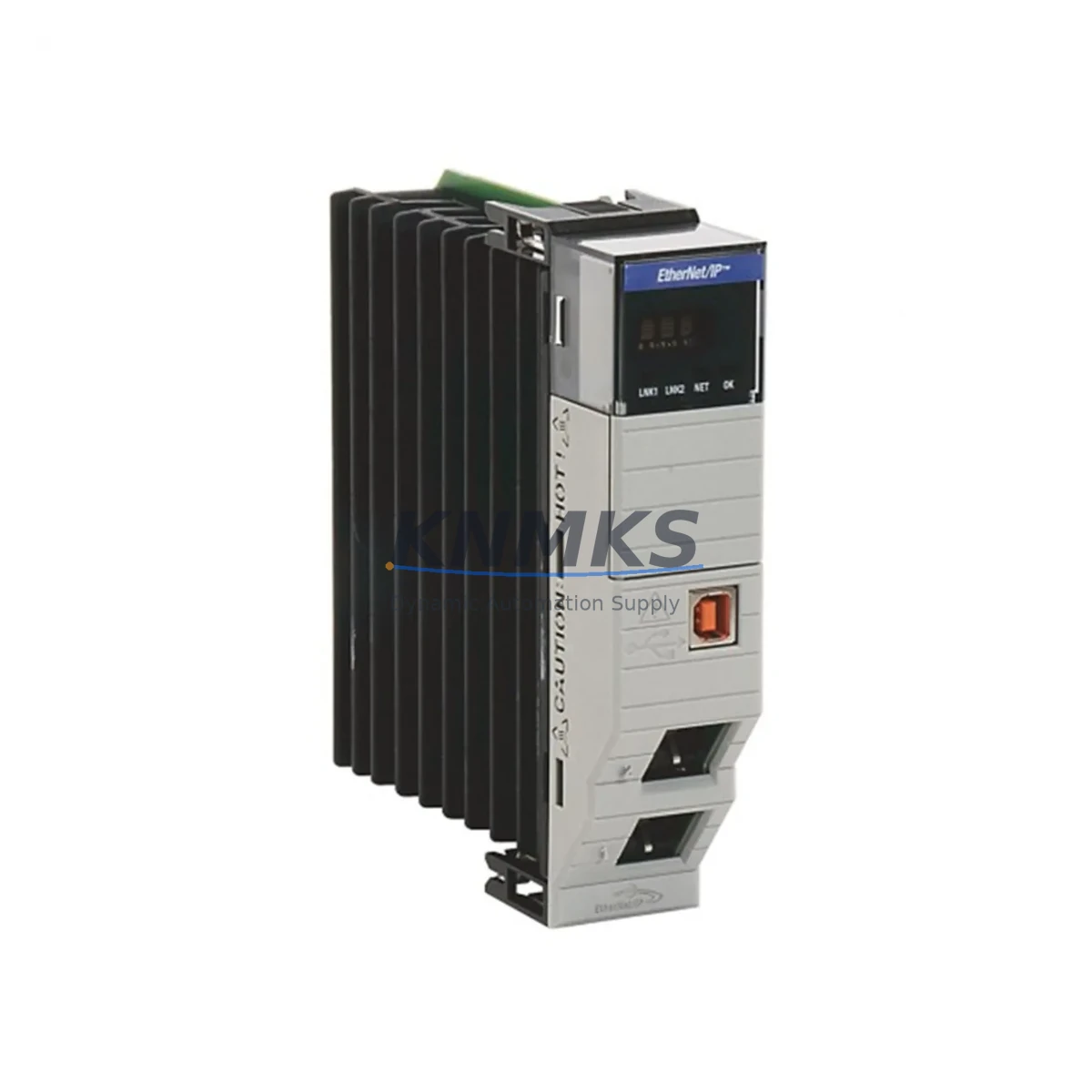
Overview
Allen-Bradley 1756-EN2TR Spare Part for ControlLogix Uptime
The Allen-Bradley 1756-EN2TR is a dual-port EtherNet/IP communication bridge module designed for the ControlLogix 1756 platform. As a maintenance-proven spare part, it enables industrial facilities to restore network connectivity and resume production with minimal downtime. Whether you are managing a scheduled annual overhaul, responding to an unplanned network fault, or building a strategic spare parts inventory, the 1756-EN2TR is a critical component that maintenance and procurement engineers should keep on hand for any ControlLogix-based control system.
Spare Maintenance Table
| SKU / Part Number | 1756-EN2TR |
| Brand | Allen-Bradley (Rockwell Automation) |
| Series | ControlLogix 1756 |
| Module Type | Dual-Port EtherNet/IP Communication Bridge |
| Network Protocol | EtherNet/IP (CIP), DLR (Device Level Ring) support |
| Port Configuration | 2 × RJ-45 10/100 Mbps Ethernet ports |
| Backplane Compatibility | ControlLogix 1756 chassis (any slot) |
| Power Consumption | Supplied via 1756 backplane |
| Operating Temperature | 0 °C to 60 °C |
| Certifications | UL, CE, cUL |
| Application Environment | Industrial control cabinets, DCS integration, SCADA networks |
| Replaces / Compatible With | 1756-ENBT, 1756-EN2T (single-port predecessor) |
| Maintenance Recommendation | Inspect firmware version; verify DLR ring topology integrity after installation |
| Support terms | 12 Months — tested before shipment |
Maintenance Planning for Continuous Operation
When a 1756-EN2TR fails or is flagged during a control cabinet inspection, the impact extends beyond the module itself. Maintenance engineers should treat this replacement as an opportunity to audit the surrounding system components to prevent cascading failures and ensure the restored network operates reliably.
Begin by verifying the 1756-PA75 or 1756-PB75 power supply module output voltage and load capacity — an under-spec power supply is a common root cause of intermittent communication faults that are incorrectly attributed to the EtherNet/IP module. Next, inspect the 1756-L7x or 1756-L8x ControlLogix CPU module firmware version to confirm compatibility with the replacement 1756-EN2TR firmware; mismatched firmware revisions can cause unexpected connection drops after installation.
Check all Ethernet patch cables and managed switch ports connected to the module’s two RJ-45 ports. In DLR ring topologies, a single degraded cable can prevent the ring from healing after a node failure. If the cabinet includes a 1756-DNB DeviceNet bridge or 1756-CN2 ControlNet bridge in adjacent slots, verify their status indicators as well — a backplane communication error on one module can mask faults on neighboring modules.
For facilities running mixed I/O architectures, inspect the 1756-IB16 or 1756-OB16 digital I/O modules for loose terminal connections and verify that remote I/O adapters on the EtherNet/IP network — such as 1734 POINT I/O or 1769 CompactLogix adapters — are reconnecting correctly after the bridge module is restored. If the system includes PanelView Plus HMI terminals communicating over EtherNet/IP, confirm that the HMI re-establishes its connection to the controller after the module swap without requiring a manual restart.
Procurement engineers building annual spare parts budgets should consider stocking the 1756-EN2TR alongside the 1756-PA75 power supply and at least one spare 1756-L73 or equivalent CPU module to cover the most common single-point failure scenarios in a ControlLogix cabinet. A proactive spare parts strategy reduces mean time to repair (MTTR) from hours to minutes and protects production continuity in high-availability manufacturing environments.
Site Replacement Workflow
Step 1 — Pre-replacement verification: Document the existing module’s IP address, subnet mask, gateway, and DLR supervisor settings using RSLinx Classic or Studio 5000 Logix Designer before powering down. Export the controller project file as a backup.
Step 2 — Safe removal: Place the ControlLogix chassis in an inhibited state via the controller keyswitch (REM → PROG). Remove the 1756-EN2TR by pressing the top and bottom locking tabs simultaneously and sliding the module out of the backplane slot. Avoid touching the backplane connector pins.
Step 3 — Module installation: Insert the replacement 1756-EN2TR into the same chassis slot. The module will power up and display a flashing green OK LED during self-test. Wait for the OK LED to go solid green before proceeding.
Step 4 — Network configuration: Use the BOOTP/DHCP server utility or the module’s built-in web interface to assign the previously documented IP address. Verify DLR ring status via the module’s Ring Status LED — solid green indicates a healthy ring; flashing green indicates an open ring that requires cable inspection.
Step 5 — System validation: Return the controller to RUN mode. Confirm all I/O connections, HMI communications, and SCADA data paths are re-established. Log the replacement date, firmware version, and technician name in the maintenance record for support terms and lifecycle tracking purposes.
This workflow is compatible with all 1756 chassis sizes (4-slot through 17-slot) and applies equally to systems migrating from the legacy 1756-ENBT single-port module to the dual-port 1756-EN2TR, providing an immediate improvement in network redundancy without requiring controller program changes.
Spare Parts Support FAQ
Q1: Is the 1756-EN2TR a direct drop-in replacement for the 1756-ENBT or 1756-EN2T?
Yes. The 1756-EN2TR occupies the same single chassis slot and uses the same backplane interface as the 1756-ENBT and 1756-EN2T. The primary difference is the addition of a second Ethernet port and native DLR ring supervisor capability. No controller program changes are required for a direct slot replacement, though IP address reconfiguration is necessary.
Q2: What pre-shipment testing is performed on each 1756-EN2TR unit?
Every unit is powered on and subjected to functional communication testing, firmware version verification, and physical inspection of the backplane connector and RJ-45 ports before shipment. Units that do not pass all test criteria are not shipped. A test report is available upon request.
Q3: What does the support terms confirmed by quotation cover, and how is a support terms claim initiated?
The support terms confirmed by quotation cover manufacturing defects and functional failures under normal operating conditions. It does not cover damage caused by incorrect installation, overvoltage, or physical impact. To initiate a support terms claim, contact admin@knmks.com with the order number, failure description, and photos of the unit. Replacement or repair will be arranged within 5 business days of claim approval.
Q4: Can long-term supply be arranged for facilities with ongoing ControlLogix maintenance programs?
Yes. KNMKS supports blanket purchase orders and scheduled delivery agreements for facilities that require regular replenishment of ControlLogix spare parts. Contact our team to discuss volume pricing, lead time commitments, and consignment stock arrangements tailored to your annual maintenance budget.
© 2026 KNMKS. All rights reserved.
Original Source: https://knmks.com
Contact: admin@knmks.com | +86 18359268345
Product Identification
- Brand / Ecosystem
-
Allen-Bradley
Allen-Bradley - Model / Series
-
1756-EN2TR
ControlLogix Series - Product Family
- PLCs & Controllers
- Availability Status
- Available on request after model and quantity confirmation
- Inquiry Type
- B2B RFQ, replacement inquiry and project spare-part request
- Pre-Quote Check
- Exact SKU, brand, series, quantity, nameplate photos and destination country are checked before quotation
System Path
Where this product fits in the KNMKS automation structure.
Specification & Inquiry Focus
- Control platform
- PLC, PAC and modular controllers
- Common needs
- CPU, rack, power and I/O expansion
- Project support
- Replacement, cabinet build and maintenance
Buyer Confirmation
Information KNMKS checks before replying.
- Exact model
- 1756-EN2TR
- Brand / ecosystem
- Allen-Bradley
- Product family
- PLCs & Controllers
- Application note
- Replacement, maintenance, project build or spare-part list
- Useful photos
- Nameplate, installed unit, cabinet layout or connector side
- Delivery details
- Quantity, destination country and target schedule
Document Support
Files and notes can be confirmed during quotation.
- Product photos or nameplate confirmation when available
- Packing and delivery notes before quotation confirmation
- Support scope and delivery terms confirmed per inquiry
- Export document coordination for qualified B2B requests
Inquiry Support
- Model cross-checking before quotation
- CPU, power, rack and expansion module matching
- Support for replacement and project inquiry
What to Send Us
- Brand and exact model number: Allen-Bradley 1756-EN2TR
- Quantity and required delivery time
- Application, replacement requirement or nameplate photo
- Destination country and shipping preference
RFQ Preparation
This is a product inquiry page built for RFQ communication.
Fast Model Check
Send this model to KNMKS for confirmation.
Include quantity, destination country and photos if this is a maintenance replacement. The inquiry will be saved with a reference number after submission.
Brand & Compatibility Note
KNMKS displays automation product information for well-known industrial brand ecosystems and compatible replacement references. Brand names are used for product identification and compatibility reference only; final availability and commercial terms are confirmed per quotation.
 Manufacturing
 Machine Tools
 Packaging
 Energy & Power



 HMI & Displays
 Servo Systems
 Variable Frequency Drives
 Sensors