
Overview
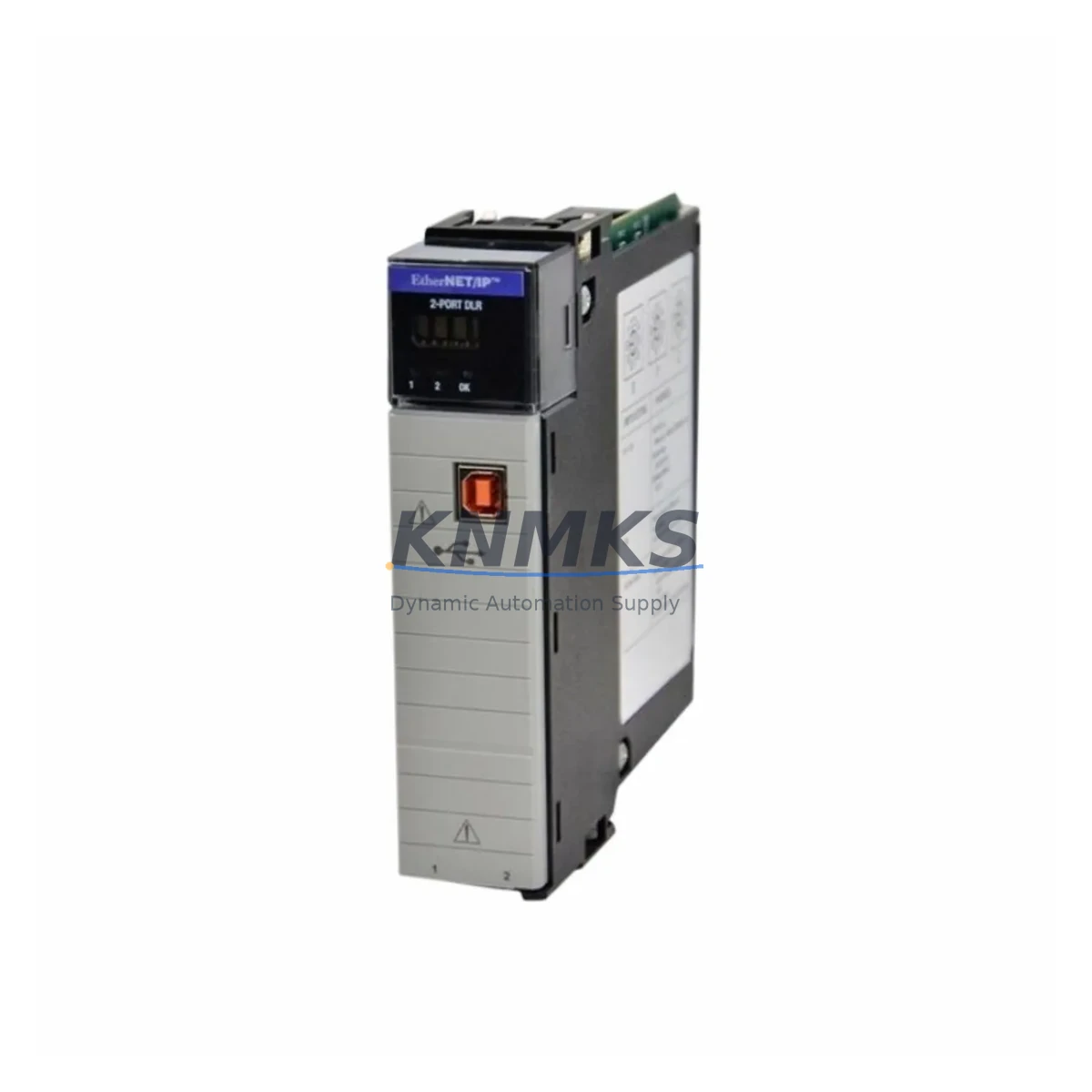
Allen-Bradley 1756-EN2TR/B Migration-Ready EtherNet/IP Module: Legacy System Upgrade & Retrofit Guide
The Allen-Bradley 1756-EN2TR/B is a dual-port EtherNet/IP communication module designed for the ControlLogix 5000 platform, offering Device Level Ring (DLR) topology support that makes it the preferred drop-in replacement for aging 1756-ENBT and 1756-EN2T modules in legacy control systems. Whether you are managing a planned migration, responding to an end-of-life parts shortage, or upgrading a distributed I/O network to support modern SCADA and MES connectivity, the 1756-EN2TR/B delivers the compatibility and reliability that industrial automation engineers require.
For facilities running older ControlLogix chassis with first-generation EtherNet/IP bridges, the 1756-EN2TR/B slots directly into any 1756 backplane without requiring chassis replacement. The module occupies a single slot and is compatible with the 1756-A4, 1756-A7, 1756-A10, 1756-A13, and 1756-A17 rack configurations. Before installation, engineers should verify available backplane current budget — the 1756-EN2TR/B draws 1.0 A at 5 VDC from the 1756-PA72 or 1756-PB72 power supply. If the existing power supply is already near capacity due to co-installed analog I/O modules such as the 1756-IF16 or digital output modules like the 1756-OB16E, a power audit is mandatory prior to module swap.
Migration Compatibility Table
| Parameter | 1756-EN2TR/B | Legacy 1756-ENBT / 1756-EN2T |
|---|---|---|
| Backplane Compatibility | All 1756 ControlLogix racks | All 1756 ControlLogix racks |
| Network Topology | Linear, Star, DLR | Linear, Star only |
| Port Count | 2 × RJ-45 (10/100 Mbps) | 1 × RJ-45 (1756-ENBT) / 2 × RJ-45 (EN2T) |
| CIP Connections | 256 | 128 (ENBT) / 256 (EN2T) |
| Firmware Compatibility | Logix5000 v16 and above | Logix5000 v13–v20 (varies) |
| Module Address Config | Software-assigned via Studio 5000 | Rotary switch (ENBT) / Software (EN2T) |
| Installation Slot | Single slot, any position | Single slot, any position |
| Retrofit Recommendation | Direct replacement for ENBT and EN2T | End-of-life / discontinued |
| Commissioning Focus | IP reassignment, DLR ring config, CIP path update | N/A (legacy) |
| Support terms | 12 Months | N/A |
Retrofit Planning for Existing Automation Systems
A successful retrofit begins well before the module arrives on site. Engineers replacing a 1756-ENBT in a running production line must first export the existing I/O tree from Studio 5000 Logix Designer and document all module paths, IP addresses, and CIP connection counts. The 1756-EN2TR/B uses software-based IP configuration rather than the rotary switch found on older 1756-ENBT units, so the replacement IP address must be pre-assigned in the project file before going online.
In systems where the ControlLogix controller — such as a 1756-L71 or 1756-L83E — communicates with remote I/O via a 1756-EN2TR/B acting as a bridge, the downstream 1734 POINT I/O adapters or 1756 remote racks must retain their existing IP addresses to avoid re-mapping I/O tags in the PLC program. If the legacy module was also serving as the primary EtherNet/IP path for an HMI terminal running FactoryTalk View SE, the HMI communication path must be updated in the FactoryTalk Directory before the old module is removed — failure to do so will result in HMI communication loss during the cutover window.
For sites integrating the 1756-EN2TR/B into a DLR ring alongside other DLR-capable devices such as the 1734-AENTR POINT I/O EtherNet/IP adapter or Stratix 5700 managed switches, the ring supervisor role must be assigned to one node before energizing the ring. This is configured via the module’s web interface or through Studio 5000. Verify that all ring nodes support DLR before enabling the topology — mixing non-DLR devices in a ring segment will prevent ring recovery from functioning correctly.
Where the control cabinet also houses a 1756-DNB DeviceNet bridge or a 1756-CN2 ControlNet module for legacy field devices, the EtherNet/IP migration does not require removal of those modules. The 1756-EN2TR/B coexists in the same chassis and handles EtherNet/IP traffic independently, allowing a phased migration where DeviceNet or ControlNet field devices are transitioned to EtherNet/IP incrementally without a full cutover.
Downtime Control During System Migration
Minimizing unplanned downtime during a module swap requires a structured pre-outage checklist. Before removing the legacy module, back up the controller project using Studio 5000 and save a copy of the current firmware version running on the 1756-L7x or 1756-L8x controller. The 1756-EN2TR/B requires Logix5000 firmware v16 or later — if the controller is running an earlier version, a firmware upgrade must be scheduled as part of the same maintenance window.
During the physical swap, label all Ethernet cables connected to the legacy module before disconnection. The 1756-EN2TR/B’s dual-port design allows the same physical cable connections to be reused without rewiring the panel. After seating the new module, use the module’s front-panel LEDs to confirm backplane power and network link status before going online with the controller. The typical commissioning sequence is: power on → confirm backplane OK LED → assign IP via BOOTP/DHCP or static config → go online in Studio 5000 → verify all I/O connections → confirm HMI communication → release to production.
For critical processes where even a brief interruption is unacceptable, consider pre-staging a spare 1756-EN2TR/B with the correct IP configuration and firmware, then executing the swap during a scheduled process hold. All units supplied by KNMKS are pre-tested for backplane communication and network link integrity before shipment, reducing on-site commissioning risk.
Retrofit Support FAQ
Q1: Is the 1756-EN2TR/B a direct drop-in replacement for the 1756-ENBT?
Yes. The 1756-EN2TR/B occupies the same single backplane slot and uses the same CIP-based communication protocol. The primary differences are the addition of a second Ethernet port and DLR topology support. The IP address and module path must be reconfigured in Studio 5000 to match the legacy module’s settings. No hardware wiring changes are required if the existing cable plant uses standard RJ-45 patch cables.
Q2: What firmware version is required on the ControlLogix controller?
The 1756-EN2TR/B requires Logix5000 firmware v16.00 or later. Controllers running firmware below v16 — common in systems originally commissioned before 2008 — must be upgraded before the module will function correctly. KNMKS recommends confirming the controller firmware version via RSLinx Classic or Studio 5000 before ordering, and scheduling the firmware upgrade within the same maintenance window as the module replacement.
Q3: How is the module tested before shipment?
Every 1756-EN2TR/B supplied by KNMKS undergoes a pre-shipment functional test covering backplane communication, dual-port Ethernet link negotiation, and firmware version verification. Units are shipped with original packaging and include a support terms confirmed by quotation covering manufacturing defects and functional failures under normal operating conditions. Test records are available upon request for quality-critical applications.
Q4: What is the lead time and stock availability?
KNMKS maintains in-stock inventory of the 1756-EN2TR/B to support urgent replacement and planned retrofit projects. Standard orders ship within 1–3 business days. For large-quantity orders or scheduled maintenance programs requiring guaranteed stock reservation, contact the sales team in advance to confirm allocation. Emergency same-day dispatch may be available for critical production line failures — contact admin@knmks.com or call +86 18359268345 for availability confirmation.
© 2026 KNMKS. All rights reserved.
Original Source: https://knmks.com
Contact: admin@knmks.com | +86 18359268345
Product Identification
- Brand / Ecosystem
-
Allen-Bradley
Allen-Bradley - Model / Series
-
1756-EN2TR/B
ControlLogix Series - Product Family
- PLCs & Controllers
- Availability Status
- Available on request after model and quantity confirmation
- Inquiry Type
- B2B RFQ, replacement inquiry and project spare-part request
- Pre-Quote Check
- Exact SKU, brand, series, quantity, nameplate photos and destination country are checked before quotation
System Path
Where this product fits in the KNMKS automation structure.
Specification & Inquiry Focus
- Control platform
- PLC, PAC and modular controllers
- Common needs
- CPU, rack, power and I/O expansion
- Project support
- Replacement, cabinet build and maintenance
Buyer Confirmation
Information KNMKS checks before replying.
- Exact model
- 1756-EN2TR/B
- Brand / ecosystem
- Allen-Bradley
- Product family
- PLCs & Controllers
- Application note
- Replacement, maintenance, project build or spare-part list
- Useful photos
- Nameplate, installed unit, cabinet layout or connector side
- Delivery details
- Quantity, destination country and target schedule
Document Support
Files and notes can be confirmed during quotation.
- Product photos or nameplate confirmation when available
- Packing and delivery notes before quotation confirmation
- Support scope and delivery terms confirmed per inquiry
- Export document coordination for qualified B2B requests
Inquiry Support
- Model cross-checking before quotation
- CPU, power, rack and expansion module matching
- Support for replacement and project inquiry
What to Send Us
- Brand and exact model number: Allen-Bradley 1756-EN2TR/B
- Quantity and required delivery time
- Application, replacement requirement or nameplate photo
- Destination country and shipping preference
RFQ Preparation
This is a product inquiry page built for RFQ communication.
Fast Model Check
Send this model to KNMKS for confirmation.
Include quantity, destination country and photos if this is a maintenance replacement. The inquiry will be saved with a reference number after submission.
Brand & Compatibility Note
KNMKS displays automation product information for well-known industrial brand ecosystems and compatible replacement references. Brand names are used for product identification and compatibility reference only; final availability and commercial terms are confirmed per quotation.
 Manufacturing
 Machine Tools
 Packaging
 Energy & Power



 HMI & Displays
 Servo Systems
 Variable Frequency Drives
 Sensors