
Overview
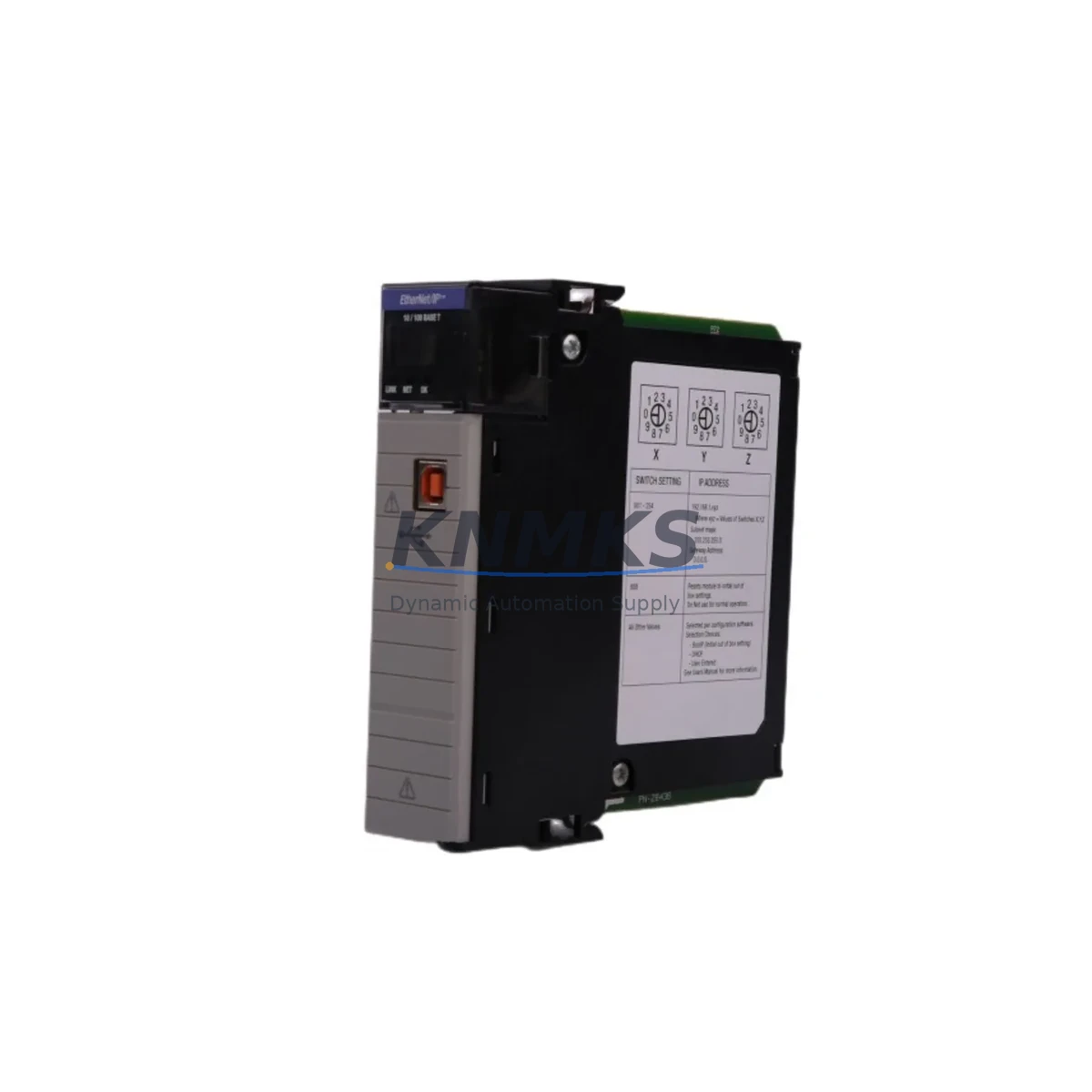
Allen-Bradley 1756-EN2T Migration-Ready EtherNet/IP Module for Legacy Control Systems
The Allen-Bradley 1756-EN2T is a single-port EtherNet/IP communication bridge module designed for the ControlLogix 1756 chassis platform. As legacy DH+ and ControlNet-based control architectures reach end-of-life, the 1756-EN2T has become a critical component in brownfield retrofit projects — enabling engineers to migrate aging control infrastructure to modern EtherNet/IP networks without replacing the entire control cabinet or reprogramming core ladder logic from scratch.
Whether you are replacing a discontinued 1756-ENBT, decommissioning a ControlNet backbone, or consolidating multiple communication layers into a unified EtherNet/IP topology, the 1756-EN2T provides a verified, drop-in compatible upgrade path within the existing 1756 backplane. Its dual-port successor, the 1756-EN2TR, is often considered in parallel when ring topology redundancy is required, but for standard linear EtherNet/IP architectures, the 1756-EN2T remains the preferred single-port solution.
Before committing to a retrofit, engineers must confirm several critical parameters. Power budget on the 1756 chassis is the first checkpoint — the 1756-EN2T draws from the backplane power supply (such as the 1756-PA75 or 1756-PB75), and any chassis already running near capacity with I/O modules, the 1756-L7x controller, and existing communication modules must be re-evaluated for available wattage. Slot assignment and module addressing in the RSLogix 5000 or Studio 5000 project file must be updated to reflect the new slot position, and any MSG instructions referencing the old communication path need to be remapped accordingly.
Migration Compatibility Table
| Parameter | Legacy Module (1756-ENBT) | 1756-EN2T (Replacement) |
|---|---|---|
| Network Ports | 1 × RJ45 EtherNet/IP | 1 × RJ45 EtherNet/IP |
| Backplane Interface | 1756 ControlLogix Backplane | 1756 ControlLogix Backplane (direct compatible) |
| Slot Width | Single slot | Single slot (drop-in fit) |
| Communication Protocol | EtherNet/IP (CIP) | EtherNet/IP (CIP) — enhanced throughput |
| Max CIP Connections | 128 | 256 (doubled capacity) |
| Firmware Compatibility | RSLogix 5000 v16+ | Studio 5000 / RSLogix 5000 v16+ compatible |
| IP Configuration | BOOTP / Static | BOOTP / DHCP / Static |
| Installation Requirement | 1756 chassis, any slot | 1756 chassis, any slot — no mechanical modification |
| Replacement Recommendation | — | Direct replacement; update module path in project file |
| Commissioning Focus | — | IP address reassignment, MSG path update, I/O tree re-scan |
| Support terms | — | support terms confirmed by quotation included |
Retrofit Planning for Existing Automation Systems
A successful 1756-EN2T retrofit begins well before the module arrives on-site. The engineering team should export the current Studio 5000 project file and document every MSG instruction, produced/consumed tag, and I/O module path that references the existing communication module. If the legacy system uses a 1756-CNB or 1756-CNBR ControlNet bridge, the migration scope expands to include ControlNet-to-EtherNet/IP protocol translation — a process that may require temporary parallel operation of both networks during the cutover window.
Terminal wiring is not directly affected by the 1756-EN2T swap since the module connects via RJ45 Ethernet rather than field wiring terminals. However, the network switch infrastructure must support EtherNet/IP traffic prioritization. Managed switches with QoS configuration are strongly recommended, particularly in systems where the 1756-EN2T shares network bandwidth with HMI stations running FactoryTalk View SE or PanelView Plus terminals. HMI screen tag bindings that reference the controller via the old module path must be updated in the FactoryTalk project to reflect the new module slot and IP address.
For systems with distributed I/O racks connected via 1756-EN2T as a bridge, each remote 1756 chassis containing analog input modules (such as 1756-IF16) or digital output modules must be re-verified for backplane communication continuity after the swap. If the control cabinet also houses a 1756-RM or 1756-RM2 redundancy module pair, the redundancy configuration must be validated post-installation to confirm that the primary and secondary controllers maintain synchronized communication through the new EtherNet/IP path.
Programming cable access during commissioning is typically handled via a 1756-USB or 1784-U2DHP adapter connected directly to the controller’s USB or DH+ port, allowing the engineer to go online with Studio 5000 without depending on the network module being fully operational — a critical safeguard during the transition phase.
Downtime Control During System Migration
Minimizing production downtime during a 1756-EN2T replacement requires a structured pre-staging process. Before the scheduled maintenance window, the replacement module should be pre-configured with the correct IP address, subnet mask, and gateway using RSLinx Classic or the module’s web interface — so that the physical swap is reduced to a slot pull-and-insert operation followed by a controlled controller restart.
The original ladder logic and function block programs stored in the 1756-L7x or 1756-L8x controller are retained in non-volatile memory and are not affected by the communication module replacement. Engineers should, however, perform a full project upload from the controller immediately before the swap to create a timestamped backup. This backup serves as the recovery baseline if any unexpected fault occurs during the module exchange.
For systems where continuous process control is mandatory, a hot-standby approach using a secondary controller chassis can be pre-staged with the new 1756-EN2T installed and tested offline. The cutover is then executed as a controlled switchover rather than a cold swap, reducing the live outage window to seconds rather than hours. Post-installation, the commissioning checklist should include: confirming all I/O modules report healthy status in the controller’s I/O tree, verifying all MSG instructions execute without error, confirming HMI tag updates are live, and running a 30-minute monitored production cycle before releasing the system to full operation.
Retrofit Support FAQ
Q1: Is the 1756-EN2T a direct drop-in replacement for the 1756-ENBT?
Yes. The 1756-EN2T occupies a single slot in any 1756 ControlLogix chassis and uses the same backplane interface as the 1756-ENBT. The physical installation is a direct swap. The primary post-installation task is updating the module’s IP address assignment and remapping any MSG instruction paths in the Studio 5000 project file that referenced the old module’s slot number or network path.
Q2: What commissioning steps are required after installing the 1756-EN2T?
After physical installation, assign the IP address via BOOTP/DHCP server or the module’s built-in web interface. Go online with Studio 5000, update the I/O configuration tree to recognize the new module, verify all MSG instructions targeting remote devices resolve correctly, and confirm that any HMI or SCADA system connected through this module re-establishes its tag subscriptions. A full I/O force test is recommended before returning the system to automatic mode.
Q3: Does the unit ship pre-tested, and what support terms is included?
Yes. Every 1756-EN2T unit is function-tested prior to shipment, including backplane communication verification and EtherNet/IP port integrity checks. All units are supplied with a support terms confirmed by quotation covering hardware defects and communication failures under normal operating conditions. Expedited shipping is available for urgent breakdown replacement scenarios.
Q4: Can the 1756-EN2T support systems with both local and remote I/O racks?
Yes. The 1756-EN2T supports both local chassis I/O communication and remote EtherNet/IP I/O adapter connections. It can bridge communication to remote 1756 chassis equipped with 1756-EN2T or 1756-AENT adapters, as well as to distributed I/O platforms using EtherNet/IP-compatible adapters. Connection count capacity (256 CIP connections) is sufficient for most mid-to-large distributed I/O architectures encountered in brownfield retrofit projects.
© 2026 KNMKS. All rights reserved.
Original Source: https://knmks.com
Contact: admin@knmks.com | +86 18359268345
Product Identification
- Brand / Ecosystem
-
Allen-Bradley
Allen-Bradley - Model / Series
-
1756-EN2T
ControlLogix Series - Product Family
- PLCs & Controllers
- Availability Status
- Available on request after model and quantity confirmation
- Inquiry Type
- B2B RFQ, replacement inquiry and project spare-part request
- Pre-Quote Check
- Exact SKU, brand, series, quantity, nameplate photos and destination country are checked before quotation
System Path
Where this product fits in the KNMKS automation structure.
Specification & Inquiry Focus
- Control platform
- PLC, PAC and modular controllers
- Common needs
- CPU, rack, power and I/O expansion
- Project support
- Replacement, cabinet build and maintenance
Buyer Confirmation
Information KNMKS checks before replying.
- Exact model
- 1756-EN2T
- Brand / ecosystem
- Allen-Bradley
- Product family
- PLCs & Controllers
- Application note
- Replacement, maintenance, project build or spare-part list
- Useful photos
- Nameplate, installed unit, cabinet layout or connector side
- Delivery details
- Quantity, destination country and target schedule
Document Support
Files and notes can be confirmed during quotation.
- Product photos or nameplate confirmation when available
- Packing and delivery notes before quotation confirmation
- Support scope and delivery terms confirmed per inquiry
- Export document coordination for qualified B2B requests
Inquiry Support
- Model cross-checking before quotation
- CPU, power, rack and expansion module matching
- Support for replacement and project inquiry
What to Send Us
- Brand and exact model number: Allen-Bradley 1756-EN2T
- Quantity and required delivery time
- Application, replacement requirement or nameplate photo
- Destination country and shipping preference
RFQ Preparation
This is a product inquiry page built for RFQ communication.
Fast Model Check
Send this model to KNMKS for confirmation.
Include quantity, destination country and photos if this is a maintenance replacement. The inquiry will be saved with a reference number after submission.
Brand & Compatibility Note
KNMKS displays automation product information for well-known industrial brand ecosystems and compatible replacement references. Brand names are used for product identification and compatibility reference only; final availability and commercial terms are confirmed per quotation.
 Manufacturing
 Machine Tools
 Packaging
 Energy & Power



 HMI & Displays
 Servo Systems
 Variable Frequency Drives
 Sensors