
Overview
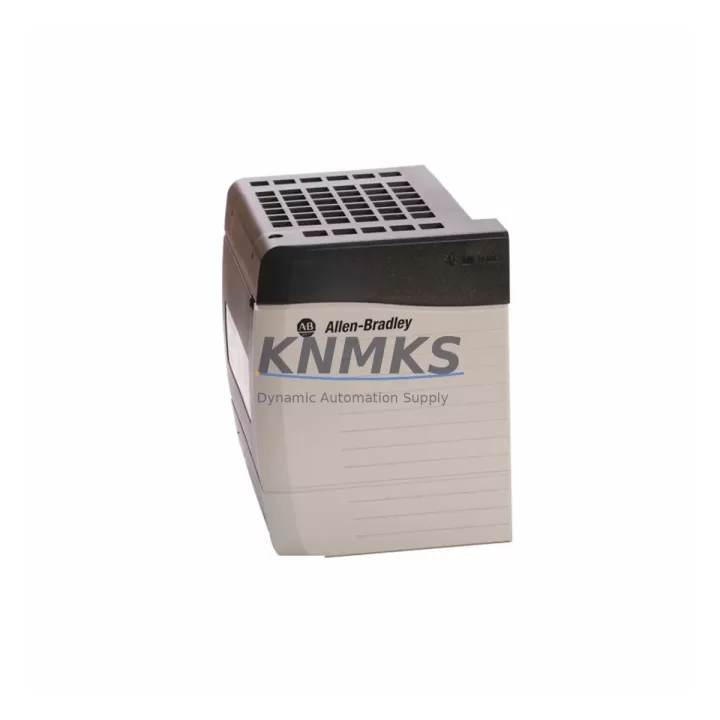
Allen-Bradley 1756-A10K Maintenance-Proven Spare Part for Factory Uptime
The Allen-Bradley 1756-A10K is a 10-slot ControlLogix chassis designed for high-availability industrial automation environments. As a critical structural and power-distribution component within the 1756 Series platform, this chassis hosts the processor, I/O modules, communication adapters, and power supply that collectively govern machine control, process regulation, and safety interlock logic. Maintaining a verified spare of the 1756-A10K in your on-site inventory is one of the most effective strategies for reducing unplanned downtime in facilities running Rockwell Automation ControlLogix architectures.
For maintenance engineers managing aging ControlLogix installations, the chassis is often the last component inspected during fault isolation — yet it is among the most consequential. Backplane communication failures, slot damage from module insertion cycles, and power rail degradation are all failure modes that can render an entire control cabinet inoperable within minutes. Having a pre-tested 1756-A10K spare on the shelf means recovery time is measured in hours, not days waiting for procurement.
Procurement engineers sourcing the 1756-A10K for long-term MRO programs benefit from working with suppliers who can confirm original manufacture, provide test documentation, and commit to consistent stock availability. KNMKS supplies the 1756-A10K as an original spare with full functional verification prior to shipment, supported by a support terms confirmed by quotation covering manufacturing defects and operational failures under normal installation conditions.
Spare Maintenance Table
| Parameter | Specification |
|---|---|
| Part Number | 1756-A10K |
| Series | ControlLogix 1756 |
| Brand | Allen-Bradley / Rockwell Automation |
| Chassis Slots | 10 Slots |
| Backplane Communication | ControlLogix Backplane (proprietary high-speed) |
| Compatible Power Supplies | 1756-PA72, 1756-PB72, 1756-PA75, 1756-PB75 |
| Compatible Processors | 1756-L6x, 1756-L7x, 1756-L8x Series |
| Operating Temperature | 0°C to 60°C (32°F to 140°F) |
| Mounting | DIN Rail or Panel Mount |
| Origin | United States |
| Condition | Original Spare — Functionally Tested |
| Application Environment | Industrial Control Cabinets, Process Automation, Discrete Manufacturing |
| Maintenance Recommendation | Inspect backplane connectors annually; replace chassis if slot damage or backplane errors are detected |
| Support terms | 12 Months from shipment date |
Maintenance Planning for Continuous Operation
When replacing or inspecting the 1756-A10K chassis, a disciplined maintenance engineer will treat the event as an opportunity to audit the entire control cabinet. The chassis does not operate in isolation — its health is directly tied to the condition of every module seated in its slots and every component sharing its power rail.
Begin with the power supply. The 1756-PA72 or 1756-PB72 power supply feeds the chassis backplane directly; a degraded power supply can cause intermittent backplane faults that mimic chassis failure. Verify output voltage stability and inspect for capacitor aging or thermal discoloration before concluding the chassis itself is at fault.
Next, audit the I/O modules installed in the chassis. Digital input modules such as the 1756-IB16 and digital output modules such as the 1756-OB16E should be inspected for field wiring integrity, terminal block seating, and LED diagnostic status. A chassis replacement that does not include I/O module verification risks reintroducing the same fault through a damaged field device or wiring short.
Communication infrastructure deserves equal attention. If the cabinet includes an EtherNet/IP communication module such as the 1756-EN2T or 1756-EN3TR, confirm that network cables are properly seated and that the module firmware is compatible with the replacement chassis. Similarly, if the system uses a 1756-DNB DeviceNet Bridge or 1756-CN2 ControlNet Bridge, verify that these modules re-establish their network connections cleanly after chassis swap.
For facilities running redundant ControlLogix architectures, the 1756-RM2 redundancy module should be inspected alongside the chassis. A chassis swap in a redundant pair requires careful sequencing to avoid triggering an uncontrolled switchover. Always follow Rockwell Automation’s redundancy switchover procedure and confirm that the standby chassis is healthy before initiating the primary chassis replacement.
Finally, inspect the terminal blocks, signal isolators, and fuse protection components associated with field wiring entering the cabinet. Surge events that damage a chassis backplane often leave residual damage in upstream protection components. Replacing the chassis without inspecting inline fuse holders, signal isolation barriers, and surge protection modules on analog input circuits can result in repeat failures within weeks of restoration.
Site Replacement Workflow
Replacing the 1756-A10K in a live production environment requires preparation, sequencing, and post-swap verification. The following workflow is designed to minimize downtime and ensure system compatibility is maintained throughout the process.
Step 1 — Pre-Replacement Preparation: Download and archive the current processor program using RSLogix 5000 or Studio 5000 Logix Designer. Confirm the replacement chassis slot count matches the original (10 slots). Verify that the replacement 1756-A10K is the same series revision or a compatible later revision. Gather all module extraction tools and ESD protection equipment.
Step 2 — Controlled Shutdown: Place the system in a safe state per your site’s lockout/tagout (LOTO) procedure. For redundant systems, initiate a controlled switchover to the standby chassis before powering down the primary. For non-redundant systems, coordinate with operations to schedule the outage window.
Step 3 — Module Extraction and Documentation: Photograph the slot layout before removing any modules. Extract modules in reverse slot order, labeling each with its slot number. Inspect each module’s backplane connector for bent pins or contamination before reinstalling in the replacement chassis.
Step 4 — Chassis Installation and Module Reinsertion: Mount the replacement 1756-A10K in the cabinet. Reinstall the power supply first, then the processor, then I/O and communication modules in their original slot positions. Confirm each module is fully seated and latched.
Step 5 — Power-Up and Verification: Apply power and observe the chassis and module status LEDs. Confirm the processor enters RUN mode and that all I/O modules report healthy status. Verify communication modules re-establish their network connections. Perform a functional test of critical I/O points before returning the system to production.
This workflow applies equally to legacy 1756-A10 (non-K series) replacements, where the 1756-A10K serves as a direct form-fit-function upgrade with improved backplane reliability.
Spare Parts Support FAQ
Q: Is the 1756-A10K compatible with all ControlLogix 1756 Series processors and modules?
A: Yes. The 1756-A10K chassis is compatible with all standard 1756 Series processors (L6x, L7x, L8x), I/O modules, communication adapters, and power supplies that conform to the ControlLogix backplane specification. Always verify series revision compatibility for safety-rated or redundancy-specific modules before installation.
Q: What is included in the support terms confirmed by quotation, and what does it cover?
A: Every 1756-A10K shipped by KNMKS is covered by a support terms confirmed by quotation from the shipment date. The support terms covers manufacturing defects, backplane communication failures, and operational failures under normal installation and environmental conditions. Physical damage caused by improper installation, overvoltage events, or environmental contamination is excluded. Contact admin@knmks.com to initiate a support terms claim.
Q: How is the 1756-A10K tested before shipment?
A: Each unit undergoes functional verification including backplane continuity testing, slot integrity inspection, and power rail validation. Units that do not pass all test criteria are quarantined and not shipped. Test records are available upon request for quality-critical procurement programs.
Q: Can KNMKS support long-term supply agreements for the 1756-A10K?
A: Yes. KNMKS maintains buffer stock of high-demand ControlLogix components including the 1756-A10K to support annual maintenance programs, multi-site MRO contracts, and emergency replacement requirements. Contact our team at admin@knmks.com or +86 18359268345 to discuss volume pricing, lead time commitments, and consignment stocking arrangements.
© 2026 KNMKS. All rights reserved.
Original Source: https://knmks.com
Contact: admin@knmks.com | +86 18359268345
Product Identification
- Brand / Ecosystem
-
Allen-Bradley
Allen-Bradley - Model / Series
-
1756-A10K
ControlLogix Series - Product Family
- PLCs & Controllers
- Availability Status
- Available on request after model and quantity confirmation
- Inquiry Type
- B2B RFQ, replacement inquiry and project spare-part request
- Pre-Quote Check
- Exact SKU, brand, series, quantity, nameplate photos and destination country are checked before quotation
System Path
Where this product fits in the KNMKS automation structure.
Specification & Inquiry Focus
- Control platform
- PLC, PAC and modular controllers
- Common needs
- CPU, rack, power and I/O expansion
- Project support
- Replacement, cabinet build and maintenance
Buyer Confirmation
Information KNMKS checks before replying.
- Exact model
- 1756-A10K
- Brand / ecosystem
- Allen-Bradley
- Product family
- PLCs & Controllers
- Application note
- Replacement, maintenance, project build or spare-part list
- Useful photos
- Nameplate, installed unit, cabinet layout or connector side
- Delivery details
- Quantity, destination country and target schedule
Document Support
Files and notes can be confirmed during quotation.
- Product photos or nameplate confirmation when available
- Packing and delivery notes before quotation confirmation
- Support scope and delivery terms confirmed per inquiry
- Export document coordination for qualified B2B requests
Inquiry Support
- Model cross-checking before quotation
- CPU, power, rack and expansion module matching
- Support for replacement and project inquiry
What to Send Us
- Brand and exact model number: Allen-Bradley 1756-A10K
- Quantity and required delivery time
- Application, replacement requirement or nameplate photo
- Destination country and shipping preference
RFQ Preparation
This is a product inquiry page built for RFQ communication.
Fast Model Check
Send this model to KNMKS for confirmation.
Include quantity, destination country and photos if this is a maintenance replacement. The inquiry will be saved with a reference number after submission.
Brand & Compatibility Note
KNMKS displays automation product information for well-known industrial brand ecosystems and compatible replacement references. Brand names are used for product identification and compatibility reference only; final availability and commercial terms are confirmed per quotation.
 Manufacturing
 Machine Tools
 Packaging
 Energy & Power



 HMI & Displays
 Servo Systems
 Variable Frequency Drives
 Sensors