
Overview
ABB YXU149B YT296000-MZ Migration-Ready Comm Module: Legacy System Migration and Compatible Upgrade
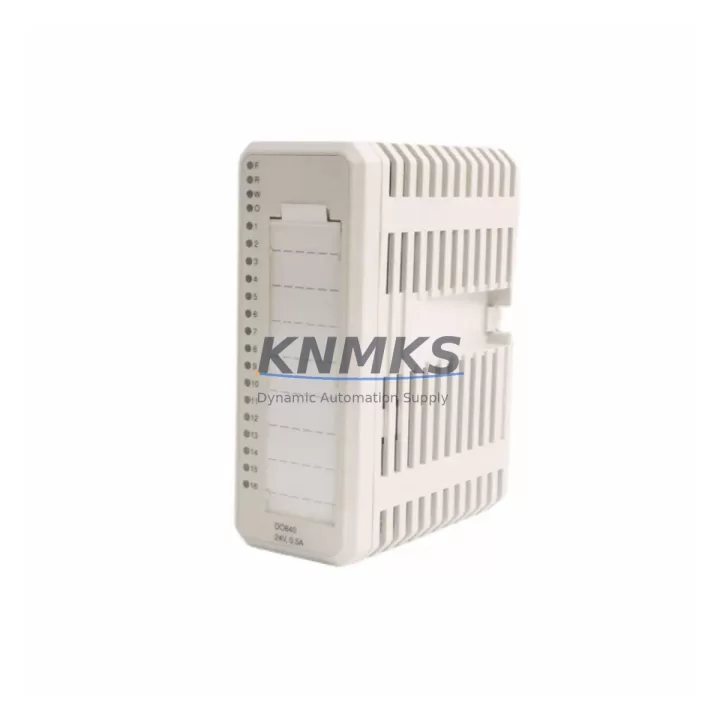
The ABB YXU149B (part number YT296000-MZ) is a communication module designed for the ABB AC800M controller platform, one of the most widely deployed distributed control system (DCS) architectures in process industries including oil & gas, power generation, pulp & paper, and chemical manufacturing. As legacy AC800M installations approach end-of-support milestones and original communication modules become increasingly difficult to source, the YXU149B has become a critical retrofit and replacement component for engineers tasked with extending the operational life of existing control infrastructure without committing to a full platform migration.
This module supports the internal communication backbone of the AC800M rack, enabling data exchange between the PM864A or PM865A processor modules and field-connected I/O clusters, remote I/O stations, and supervisory SCADA or DCS layers. When a legacy communication module fails or is flagged as end-of-life, the YXU149B provides a validated drop-in replacement path that preserves existing rack geometry, backplane pinout compatibility, and firmware communication protocols — minimizing the scope of engineering rework required during a planned or emergency replacement.
Migration Compatibility Table
| Parameter | Detail |
|---|---|
| Compatible Controller | ABB AC800M (PM864A, PM865A) |
| Part Number | YXU149B / YT296000-MZ |
| Backplane Interface | AC800M standard rack backplane — direct slot insertion, no adapter required |
| Communication Protocol | ABB internal DCS communication bus; compatible with PROFIBUS DP, Modbus RTU via gateway modules |
| Installation Requirement | Standard AC800M rack slot; confirm slot address assignment in Control Builder M before insertion |
| Replacement Candidates | Legacy YXU-series communication modules reaching end-of-support; failed or intermittent comm modules in existing racks |
| Firmware Compatibility | Verify AC800M firmware version in Control Builder M; module supports current and recent prior firmware releases |
| Commissioning Requirement | Module address configuration via Control Builder M; no hardware DIP switch setting required |
| Support terms | support terms confirmed by quotation — covers manufacturing defects and functional failures under normal operating conditions |
| Availability | availability confirmed by RFQ — ships within 3–5 business days; expedited options available on request |
Retrofit Planning for Existing Automation Systems
Successful integration of the YXU149B into an existing AC800M installation requires a structured pre-replacement assessment. Before removing the legacy communication module, engineers should document the current slot assignment, module address, and communication link status as displayed in ABB Control Builder M. This baseline record is essential for restoring the identical configuration after the new module is seated in the rack.
Power supply capacity is a frequent oversight in retrofit projects. The AC800M rack draws power from a dedicated SD821 or SD822 power supply module, and adding or replacing communication modules can shift the total rack power budget. Verify that the installed power supply module has sufficient headroom — typically a minimum 20% margin above the calculated load — before proceeding with the swap. If the existing power supply is already operating near capacity, a parallel SD822 or an upgraded supply should be provisioned as part of the retrofit bill of materials.
Terminal wiring and field cable routing should be reviewed in conjunction with the communication module replacement. In installations where the YXU149B interfaces with remote I/O stations via CI854A or CI858 communication interface modules, the physical cable connections at the rack terminal block must be verified against the original loop drawings. Any deviation in cable labeling or terminal sequence discovered during this audit should be corrected before the new module is commissioned, as post-commissioning wiring corrections introduce additional downtime risk.
For installations that include S800 I/O modules connected through an S800 I/O cluster, the communication path between the AC800M processor and the I/O cluster passes through the communication module slot. Replacing the YXU149B in this configuration requires that the S800 I/O cluster remain powered and in a safe hold state during the module swap to prevent uncontrolled output changes. Coordinate with the process operations team to confirm that all field outputs are in a safe manual state before initiating the replacement.
HMI screen updates are often required following a communication module replacement. If the plant uses ABB 800xA or a third-party SCADA system connected to the AC800M via OPC DA or OPC UA, verify that the communication server re-establishes its data subscription after the module is restarted. In some configurations, the OPC server tag database must be refreshed or the communication driver restarted to clear stale connection state. This step is frequently overlooked and can result in HMI displays showing frozen or invalid values even after the module is physically operational.
Where the control system includes a TB820V2 or TB840A termination unit connected to the AC800M rack, confirm that the termination unit’s field wiring is correctly mapped to the replacement module’s I/O channel assignments. Mismatched channel mapping is a common source of commissioning delays in retrofit projects and can be avoided by cross-referencing the termination unit wiring schedule against the Control Builder M I/O configuration before the module is powered on.
Downtime Control During System Migration
Minimizing unplanned downtime is the primary operational constraint in any communication module replacement on a live AC800M system. The recommended approach is to perform the replacement during a scheduled maintenance window, with a pre-staged YXU149B module that has been bench-tested and verified against the target firmware version before it arrives on site. Bench testing should include a power-on self-test and a communication link verification using a portable Control Builder M laptop connected to the module’s service port.
Before the maintenance window opens, export a full backup of the AC800M application program from Control Builder M. This backup preserves the complete program logic, I/O configuration, module address assignments, and communication parameters. If the replacement module requires a firmware update to match the controller’s current firmware version, perform this update on the bench unit before the maintenance window to eliminate firmware update time from the critical path.
During the physical swap, the AC800M processor module should be placed in a controlled stop state rather than a hard power-off where process conditions permit. A controlled stop allows the processor to execute its shutdown sequence, set all outputs to their configured safe states, and log the shutdown event in the system event journal. This approach protects the integrity of the application program in the processor’s non-volatile memory and reduces the risk of program corruption that can occur during an uncontrolled power loss.
After the YXU149B is seated and the rack is powered, allow the module’s self-diagnostic sequence to complete before initiating a Control Builder M download. The module’s status LEDs provide a real-time indication of initialization progress. A steady green RUN LED confirms that the module has completed its self-test and is ready to accept a configuration download. Attempting a download before the module has completed initialization is a common cause of download failures that extend the commissioning phase of the replacement.
Post-replacement verification should include a full I/O channel scan, a communication link status check in Control Builder M, and a review of the system event journal for any fault or warning messages generated during startup. If the installation includes a redundant communication path, verify that the redundancy switchover function operates correctly by simulating a primary link failure before returning the system to automatic control.
Retrofit Support FAQ
Q: Is the YXU149B a direct replacement for my existing AC800M communication module without program changes?
A: In most cases, yes. The YXU149B is designed as a form-fit-function replacement for compatible YXU-series modules in the AC800M rack. The module address and communication parameters are stored in the AC800M processor, not in the communication module itself, so the existing Control Builder M program does not require modification. However, if the legacy module was running a different firmware version, a firmware update on the YXU149B may be required before the processor will recognize it as a valid rack member. Confirm firmware compatibility before the maintenance window.
Q: What pre-shipment testing is performed on the YXU149B before delivery?
A: Each YXU149B unit undergoes a functional power-on test and communication interface verification before shipment. Units are inspected for physical damage, connector integrity, and correct labeling. A test report is available on request. All units are covered by a support terms confirmed by quotation from the date of shipment, covering manufacturing defects and functional failures under normal operating conditions.
Q: How do I confirm that my AC800M rack has sufficient power capacity for the replacement module?
A: Open the rack power budget calculation in Control Builder M under the hardware configuration view. The tool displays the total power consumption of all installed modules against the rated output of the installed SD821 or SD822 power supply. If the margin is less than 20%, consider upgrading the power supply or redistributing modules across racks before proceeding with the replacement. The YXU149B’s power consumption specification is available in the ABB AC800M Hardware Unit manual.
Q: What is the lead time and stock availability for the YXU149B?
A: The YXU149B is maintained availability confirmed by RFQ and typically ships within 3–5 business days of order confirmation. For urgent replacement requirements, expedited shipping options are available — contact our sales team to confirm current stock levels and arrange priority dispatch. All units are supplied with a support terms confirmed by quotation and can be accompanied by a certificate of conformance on request.
© 2026 KNMKS. All rights reserved.
Original Source: https://knmks.com
Contact: admin@knmks.com | +86 18359268345
Product Identification
- Brand / Ecosystem
-
ABB
ABB - Model / Series
-
YXU149B YT296000-MZ
AC800M Series - Product Family
- PLCs & Controllers
- Availability Status
- Available on request after model and quantity confirmation
- Inquiry Type
- B2B RFQ, replacement inquiry and project spare-part request
- Pre-Quote Check
- Exact SKU, brand, series, quantity, nameplate photos and destination country are checked before quotation
System Path
Where this product fits in the KNMKS automation structure.
Specification & Inquiry Focus
- Control platform
- PLC, PAC and modular controllers
- Common needs
- CPU, rack, power and I/O expansion
- Project support
- Replacement, cabinet build and maintenance
Buyer Confirmation
Information KNMKS checks before replying.
- Exact model
- YXU149B YT296000-MZ
- Brand / ecosystem
- ABB
- Product family
- PLCs & Controllers
- Application note
- Replacement, maintenance, project build or spare-part list
- Useful photos
- Nameplate, installed unit, cabinet layout or connector side
- Delivery details
- Quantity, destination country and target schedule
Document Support
Files and notes can be confirmed during quotation.
- Product photos or nameplate confirmation when available
- Packing and delivery notes before quotation confirmation
- Support scope and delivery terms confirmed per inquiry
- Export document coordination for qualified B2B requests
Inquiry Support
- Model cross-checking before quotation
- CPU, power, rack and expansion module matching
- Support for replacement and project inquiry
What to Send Us
- Brand and exact model number: ABB YXU149B YT296000-MZ
- Quantity and required delivery time
- Application, replacement requirement or nameplate photo
- Destination country and shipping preference
RFQ Preparation
This is a product inquiry page built for RFQ communication.
Fast Model Check
Send this model to KNMKS for confirmation.
Include quantity, destination country and photos if this is a maintenance replacement. The inquiry will be saved with a reference number after submission.
Brand & Compatibility Note
KNMKS displays automation product information for well-known industrial brand ecosystems and compatible replacement references. Brand names are used for product identification and compatibility reference only; final availability and commercial terms are confirmed per quotation.
 Manufacturing
 Machine Tools
 Packaging
 Energy & Power



 HMI & Displays
 Servo Systems
 Variable Frequency Drives
 Sensors