
Overview
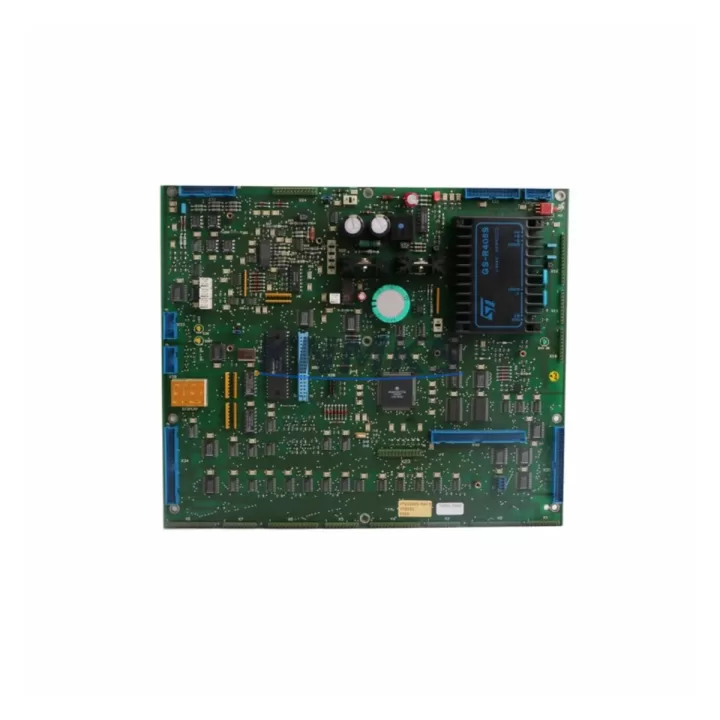
ABB YPQ201A Maintenance-Proven Spare Part for Factory Uptime
The ABB YPQ201A is an original DCS control module designed for the ABB AC800M automation platform — one of the most widely deployed distributed control systems in process industries including oil & gas, power generation, pulp & paper, and chemical manufacturing. Sourced directly from verified supply channels and tested prior to shipment, the YPQ201A is a critical spare part for maintenance engineers who need to restore control system functionality with minimal downtime.
Whether you are managing a scheduled annual overhaul, responding to an unplanned fault, or building a strategic spare parts inventory for aging AC800M cabinets, the YPQ201A delivers the OEM-grade reliability that industrial maintenance programs demand. Each unit is inspected, functionally verified, and shipped with a support terms confirmed by quotation to support your procurement risk management requirements.
Maintenance engineers working on ABB AC800M systems recognize the YPQ201A as a module that sits at the intersection of power distribution and control logic within the controller backplane. Its correct operation is essential for stable I/O communication, process variable acquisition, and controller redundancy. When this module shows signs of degradation — intermittent faults, communication dropouts, or failure to initialize — rapid replacement with a verified spare is the fastest path to production recovery.
Spare Maintenance Table
| Parameter | Specification / Detail |
|---|---|
| Part Number | YPQ201A |
| Brand | ABB |
| Series | AC800M DCS Platform |
| Product Type | DCS Control Module |
| Country of Origin | Germany (DE) |
| Compatibility | ABB AC800M Controller Family; PM851, PM856, PM860, PM861, PM864, PM866 series controllers |
| Application Environment | Process automation, DCS cabinets, control rooms, industrial panel installations |
| Installation | Backplane-mounted; hot-swap capable in redundant configurations (verify with system documentation) |
| Condition | Original / OEM-grade; functionally tested before shipment |
| Maintenance Recommendation | Inspect during annual overhaul; replace on first sign of communication fault or initialization failure |
| Support terms | 12 Months from date of shipment |
| Delivery | Global shipping; express options available for emergency maintenance |
Maintenance Planning for Continuous Operation
Effective maintenance planning for an ABB AC800M system goes well beyond replacing a single module. When a YPQ201A fault is identified during routine inspection or fault isolation, experienced maintenance engineers use this event as a trigger to audit the surrounding control cabinet for related wear items and potential failure points.
Start with the AC800M power supply modules (such as the SD821 or SD822 series) that feed the controller backplane. A degraded power supply can cause intermittent module faults that mimic a failed YPQ201A — verifying supply voltage stability before module replacement prevents unnecessary part consumption. Similarly, inspect the TB820 or TB840 communication interface modules connected to the same controller node; a failing fieldbus interface can generate fault signatures that appear to originate from the control module itself.
For I/O integrity, check the AI810, AO810, DI810, and DO810 I/O modules installed on the same backplane or in adjacent S800 I/O clusters. Loose terminal connections, oxidized signal wiring, or degraded I/O modules can introduce noise that stresses the YPQ201A and accelerates its wear cycle. Replacing the YPQ201A without addressing upstream I/O issues risks a repeat failure within months.
Do not overlook backplane connectors and rack assemblies. The AC800M backplane carries both power and high-speed data between modules; bent pins or contaminated connectors are a common root cause of module communication faults in systems that have been in service for more than five years. A visual inspection and contact cleaning should accompany any module replacement.
For systems with PROFIBUS or Modbus RTU communication, verify the integrity of the communication cable termination resistors and check the CI854 or CI857 communication interface modules for firmware currency and physical condition. Communication module faults are frequently misdiagnosed as controller module failures.
Finally, review the fuse and circuit protection components within the control cabinet. Blown or weakened fuses in the 24 VDC distribution rail can cause partial power loss to the backplane, producing fault codes that point to the YPQ201A. A complete fuse audit during the replacement window adds minimal time but significantly reduces the risk of a repeat incident.
Site Replacement Workflow
Replacing the ABB YPQ201A on an active AC800M system requires a structured approach to minimize control interruption and ensure a clean handover to the new module.
Step 1 — Pre-Replacement Verification: Confirm the YPQ201A part number against the system’s hardware configuration report in ABB Control Builder M. Verify that the replacement unit’s firmware version is compatible with the installed controller firmware. Document the current module status, fault codes, and any active alarms before proceeding.
Step 2 — System State Assessment: Determine whether the controller is operating in simplex or redundant mode. In redundant configurations, initiate a controlled switchover to the backup controller before removing the faulty module. In simplex installations, coordinate with operations to place the affected process loop in manual control.
Step 3 — Module Removal and Installation: Follow ABB’s ESD precautions. Remove the YPQ201A by releasing the module locking mechanism and sliding it clear of the backplane connector. Inspect the backplane connector for damage before inserting the replacement unit. Seat the new YPQ201A firmly and secure the locking mechanism.
Step 4 — Post-Replacement Commissioning: Power up the module and monitor the initialization sequence via Control Builder M or the AC800M local display. Confirm that all I/O channels return to expected states and that no new fault codes are generated. Restore the process loop to automatic control and document the replacement in the maintenance management system.
Step 5 — Spare Parts Replenishment: Log the consumed spare and initiate a replenishment order to maintain your minimum stock level. For AC800M systems with more than five years of service life remaining, maintaining at least one YPQ201A in local inventory is a recognized best practice for reducing mean time to repair.
Spare Parts Support FAQ
Q1: Is the YPQ201A compatible with all AC800M controller variants?
The YPQ201A is designed for the ABB AC800M platform and is compatible with the PM8xx series controller family. Compatibility with specific firmware versions should be verified against ABB’s hardware compatibility matrix or your system’s hardware configuration report before installation. Our technical team can assist with compatibility confirmation prior to shipment.
Q2: What testing is performed before the YPQ201A is shipped?
Each YPQ201A unit undergoes functional verification prior to dispatch. Testing covers power-on initialization, communication interface integrity, and basic I/O response. Units that do not pass functional verification are not offered for sale. A support terms confirmed by quotation from the date of shipment covers defects in materials and workmanship under normal operating conditions.
Q3: How should I manage YPQ201A inventory for a multi-site AC800M installation?
For multi-site operations, a centralized spare parts pool with a minimum of one YPQ201A per controller node type is recommended. Sites with critical process applications — continuous chemical reactors, power generation units, or safety-instrumented systems — should maintain local on-site stock. Coordinate with your procurement team to establish a replenishment trigger based on consumption history and lead time from your supplier.
Q4: Can the YPQ201A be used to replace older or discontinued ABB AC800M module variants?
In many cases, the YPQ201A can serve as a direct or functionally equivalent replacement for earlier AC800M module revisions, subject to firmware and hardware revision compatibility. For legacy system upgrades or end-of-life module replacements, provide your existing module part number and system firmware version when placing your order so our team can confirm cross-compatibility before shipment.
© 2026 KNMKS. All rights reserved.
Original Source: https://knmks.com
Contact: admin@knmks.com | +86 18359268345
Product Identification
- Brand / Ecosystem
-
ABB
ABB - Model / Series
-
YPQ201A
AC800M Series - Product Family
- PLCs & Controllers
- Availability Status
- Available on request after model and quantity confirmation
- Inquiry Type
- B2B RFQ, replacement inquiry and project spare-part request
- Pre-Quote Check
- Exact SKU, brand, series, quantity, nameplate photos and destination country are checked before quotation
System Path
Where this product fits in the KNMKS automation structure.
Specification & Inquiry Focus
- Control platform
- PLC, PAC and modular controllers
- Common needs
- CPU, rack, power and I/O expansion
- Project support
- Replacement, cabinet build and maintenance
Buyer Confirmation
Information KNMKS checks before replying.
- Exact model
- YPQ201A
- Brand / ecosystem
- ABB
- Product family
- PLCs & Controllers
- Application note
- Replacement, maintenance, project build or spare-part list
- Useful photos
- Nameplate, installed unit, cabinet layout or connector side
- Delivery details
- Quantity, destination country and target schedule
Document Support
Files and notes can be confirmed during quotation.
- Product photos or nameplate confirmation when available
- Packing and delivery notes before quotation confirmation
- Support scope and delivery terms confirmed per inquiry
- Export document coordination for qualified B2B requests
Inquiry Support
- Model cross-checking before quotation
- CPU, power, rack and expansion module matching
- Support for replacement and project inquiry
What to Send Us
- Brand and exact model number: ABB YPQ201A
- Quantity and required delivery time
- Application, replacement requirement or nameplate photo
- Destination country and shipping preference
RFQ Preparation
This is a product inquiry page built for RFQ communication.
Fast Model Check
Send this model to KNMKS for confirmation.
Include quantity, destination country and photos if this is a maintenance replacement. The inquiry will be saved with a reference number after submission.
Brand & Compatibility Note
KNMKS displays automation product information for well-known industrial brand ecosystems and compatible replacement references. Brand names are used for product identification and compatibility reference only; final availability and commercial terms are confirmed per quotation.
 Manufacturing
 Machine Tools
 Packaging
 Energy & Power



 HMI & Displays
 Servo Systems
 Variable Frequency Drives
 Sensors