
Overview
ABB YPQ112A 61253432 Maintenance-Proven Spare for Factory Uptime
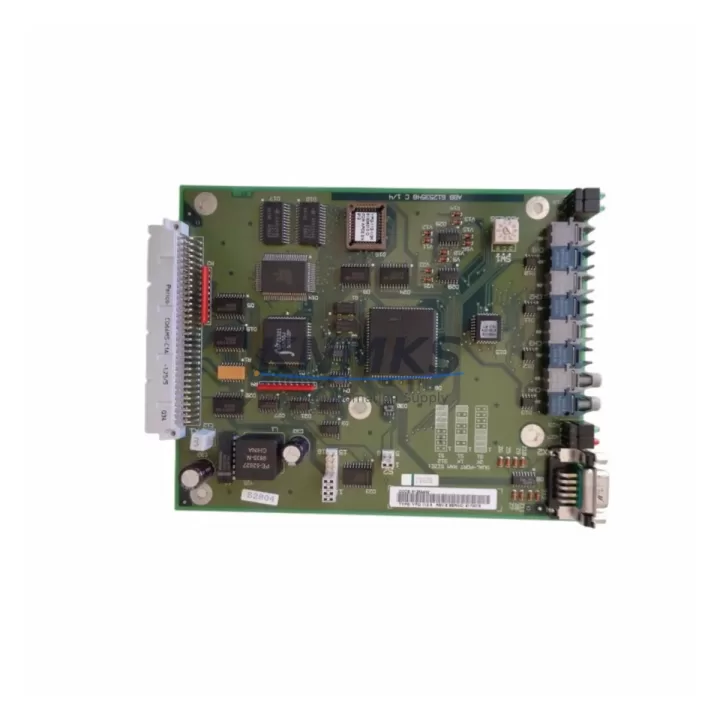
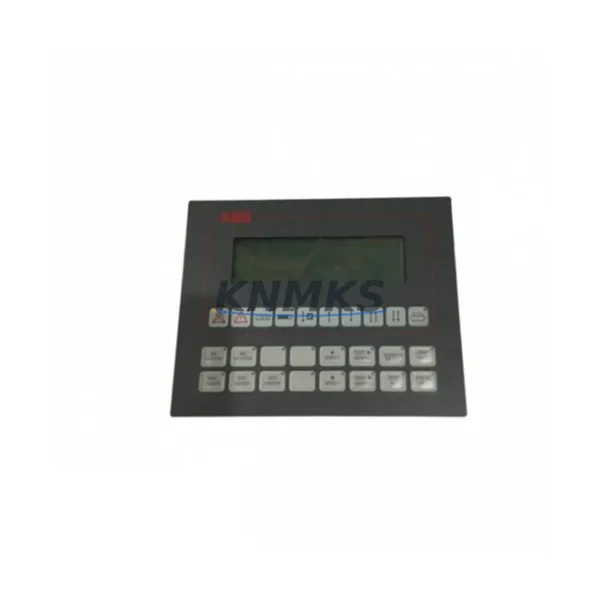
The ABB YPQ112A (Product No. 61253432) is an original operator control panel component designed for the ABB AC800M Distributed Control System (DCS) platform. Engineered for continuous industrial operation, this spare part supports process control integrity across power generation, oil & gas, chemical processing, pulp & paper, and heavy manufacturing environments. Sourcing a verified, pre-tested YPQ112A directly from authorized stock is the most reliable path to minimizing unplanned downtime and restoring full DCS functionality after a panel fault or scheduled overhaul.
Maintenance engineers and spare parts procurement teams working with ABB AC800M installations recognize the YPQ112A as a critical interface component. Its role in operator interaction, alarm acknowledgment, and local control loop supervision makes it a high-priority line item on any annual maintenance BOM. Whether you are responding to an emergency shutdown, executing a planned turnaround, or building a strategic buffer stock for aging control cabinets, the YPQ112A 61253432 should be sourced from a supplier who can confirm original manufacture, provide pre-shipment electrical testing documentation, and back the unit with a minimum support terms confirmed by quotation.
Spare Maintenance Table
| Part Number | YPQ112A |
| Product No. | 61253432 |
| Brand | ABB |
| Series | AC800M DCS |
| Compatible Controllers | PM860, PM864, PM866 |
| Product Type | DCS Operator Control Panel |
| Country of Origin | Germany |
| Unit Weight | 1,450 g (approx.) |
| Application Environment | Industrial DCS control cabinets, process automation panels |
| Mounting | Panel-mount, DIN rail compatible (per AC800M cabinet standard) |
| Pre-Shipment Testing | Electrical function test, power-on verification |
| Support terms | 12 months from date of shipment |
| Condition | Original / New surplus |
| Lead Time | availability confirmed by RFQ — ships within 3 business days |
Maintenance Planning for Continuous Operation
When replacing the YPQ112A 61253432 in an AC800M DCS cabinet, a disciplined maintenance engineer will not stop at the panel component itself. The surrounding electrical circuit and communication infrastructure must be inspected simultaneously to prevent repeat failures and ensure the restored system meets its original design specification.
Power supply integrity is the first checkpoint. The AC800M platform relies on dedicated 24 VDC rail power — verify that the ABB SD831 or SD832 power supply module feeding the operator panel bus is within voltage tolerance and shows no signs of capacitor aging or thermal stress. A degraded power supply is a common root cause of intermittent panel faults that are misdiagnosed as operator panel failures.
Controller module status should be confirmed before and after the swap. The PM864 or PM866 processor module paired with the YPQ112A must be running the correct firmware revision and showing a healthy RUN LED state. If the processor module has accumulated significant operating hours alongside the failed panel, consider scheduling its inspection or replacement during the same maintenance window to avoid a second unplanned outage.
I/O module continuity is equally important. Inspect the AI810, AO810, DI810, and DO810 I/O modules in the same rack or backplane segment. Loose field wiring terminations, corroded terminal blocks, or a failing I/O module can generate spurious signals that stress the operator panel interface and accelerate wear. Tighten all terminal connections and verify signal integrity with a loop calibrator before returning the system to service.
Communication bus health must be validated. The AC800M uses MasterBus 300 or PROFIBUS DP for inter-module communication. Inspect the communication cable routing, connector seating, and bus termination resistors. A marginal bus connection can cause the replacement YPQ112A to exhibit erratic behavior that mimics a hardware fault, leading to unnecessary repeat replacements.
Fuse and protection components in the control cabinet should be audited as part of the same work order. Replace any discolored or thermally stressed fuse holders and verify that circuit breakers protecting the DCS power rail are within their rated trip curve. Documenting this inspection in the maintenance log supports long-term reliability tracking and simplifies future audits.
Finally, if the installation includes an ABB CP430 or CP450 HMI panel communicating with the AC800M, confirm that the HMI project database and tag assignments remain consistent after the panel replacement. A mismatch between the operator panel configuration and the HMI tag list can cause alarm suppression or incorrect process variable display — a safety-critical issue in regulated process industries.
Site Replacement Workflow
Replacing the YPQ112A 61253432 on a live AC800M system requires a structured approach to minimize exposure time and avoid configuration loss. Follow this field-proven sequence:
1. Pre-replacement documentation. Export the current AC800M project from Control Builder M and save a timestamped backup to a secure network location. Photograph the existing panel wiring and connector positions before disconnection.
2. Safe isolation. Place the affected controller in MANUAL or STOP mode via the engineering workstation. Notify the process control room of the planned intervention window. Isolate the 24 VDC supply to the panel segment using the dedicated circuit breaker — do not rely on software inhibit alone.
3. Physical swap. Disconnect all connectors from the YPQ112A in the documented sequence. Remove the unit from its mounting position. Install the replacement YPQ112A 61253432, seat all connectors firmly, and verify that the panel is correctly secured in the cabinet frame.
4. Power-on verification. Restore the 24 VDC supply and observe the panel boot sequence. Confirm that the unit displays the correct system status and that no fault LEDs are active. Cross-check with the engineering workstation to confirm the controller recognizes the panel without generating hardware fault alarms.
5. Functional test and return to service. Execute a point-to-point I/O check for all signals associated with the replaced panel. Confirm alarm acknowledgment, setpoint entry, and local control functions are operating correctly. Return the controller to AUTO mode and document the completed replacement in the site maintenance management system (CMMS).
This workflow is compatible with both hot-standby redundant AC800M configurations and single-controller installations. For redundant systems, the switchover to the standby controller should be executed before isolation to maintain process continuity throughout the replacement.
Spare Parts Support FAQ
Q1: Is the YPQ112A 61253432 compatible with all AC800M controller variants?
The YPQ112A is designed for the ABB AC800M platform and is confirmed compatible with PM860, PM864, and PM866 processor modules. Compatibility with earlier PM810 or PM820 variants should be verified against the specific cabinet wiring diagram and software revision. Contact our technical team with your system configuration details for a pre-purchase compatibility confirmation.
Q2: What pre-shipment testing is performed on each unit?
Every YPQ112A 61253432 shipped from our stock undergoes a power-on functional test and electrical continuity verification before dispatch. Units that do not pass the test protocol are quarantined and not offered for sale. A test record is available upon request and can be included with the shipment documentation.
Q3: What does the support terms confirmed by quotation cover?
The support terms confirmed by quotation cover manufacturing defects and functional failures under normal operating conditions from the date of shipment. It does not cover damage resulting from incorrect installation, overvoltage events, or physical mishandling on site. In the event of a support terms claim, we provide a replacement unit or documented resolution support after fault verification — no extended RMA delays.
Q4: Can you support long-term or blanket purchase orders for AC800M spare parts?
Yes. We maintain buffer stock of high-demand AC800M components and can support annual blanket orders, consignment arrangements, and multi-site procurement programs. Long-term supply agreements are available for maintenance contractors and end users managing large installed bases of ABB DCS systems. Contact admin@knmks.com to discuss volume pricing and lead time commitments.
© 2026 KNMKS. All rights reserved.
Original Source: https://knmks.com
Contact: admin@knmks.com | +86 18359268345
Product Identification
- Brand / Ecosystem
-
ABB
ABB - Model / Series
-
YPQ112A 61253432
AC800M Series - Product Family
- HMI & Displays
- Availability Status
- Available on request after model and quantity confirmation
- Inquiry Type
- B2B RFQ, replacement inquiry and project spare-part request
- Pre-Quote Check
- Exact SKU, brand, series, quantity, nameplate photos and destination country are checked before quotation
System Path
Where this product fits in the KNMKS automation structure.
Specification & Inquiry Focus
- Display range
- Operator panels and touch screens
- Common needs
- Screen size, interface and version matching
- Project support
- Retrofit, spare unit and panel replacement
Buyer Confirmation
Information KNMKS checks before replying.
- Exact model
- YPQ112A 61253432
- Brand / ecosystem
- ABB
- Product family
- HMI & Displays
- Application note
- Replacement, maintenance, project build or spare-part list
- Useful photos
- Nameplate, installed unit, cabinet layout or connector side
- Delivery details
- Quantity, destination country and target schedule
Document Support
Files and notes can be confirmed during quotation.
- Product photos or nameplate confirmation when available
- Packing and delivery notes before quotation confirmation
- Support scope and delivery terms confirmed per inquiry
- Export document coordination for qualified B2B requests
Inquiry Support
- Panel size and interface confirmation
- Replacement unit inquiry for discontinued HMIs
- Protective packaging for display shipment
What to Send Us
- Brand and exact model number: ABB YPQ112A 61253432
- Quantity and required delivery time
- Application, replacement requirement or nameplate photo
- Destination country and shipping preference
RFQ Preparation
This is a product inquiry page built for RFQ communication.
Fast Model Check
Send this model to KNMKS for confirmation.
Include quantity, destination country and photos if this is a maintenance replacement. The inquiry will be saved with a reference number after submission.
Brand & Compatibility Note
KNMKS displays automation product information for well-known industrial brand ecosystems and compatible replacement references. Brand names are used for product identification and compatibility reference only; final availability and commercial terms are confirmed per quotation.
 Manufacturing
 Machine Tools
 Packaging
 Energy & Power
 PLCs & Controllers
 Servo Systems
 Variable Frequency Drives
 Sensors