
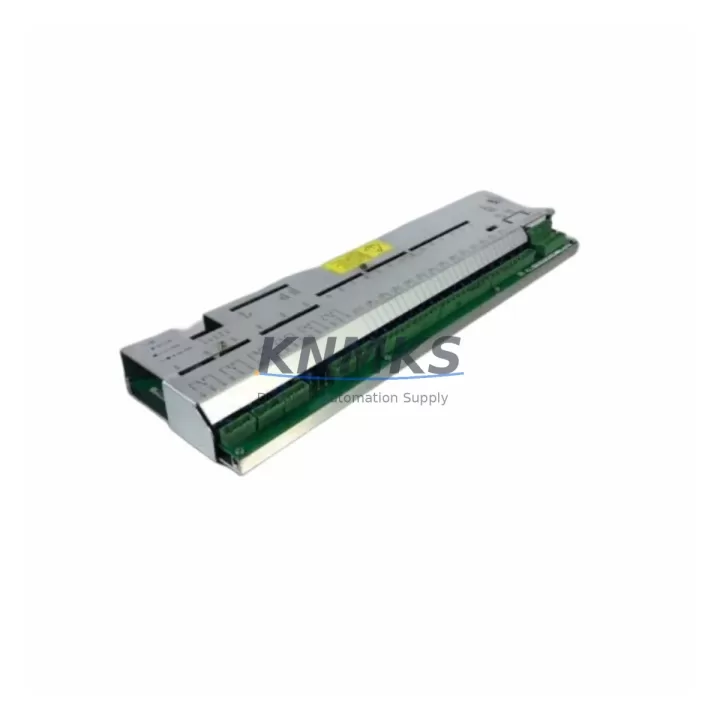
Overview
ABB UFC719AE01 Maintenance-Proven Spare Part for Factory Uptime
The ABB 3BHB000272R0001 UFC719AE01 is an original IOEC (I/O Expansion Controller) I/O Expansion Module engineered for continuous-duty industrial environments. Designed for integration within ABB’s AC800M, Advant OCS, and Symphony Plus DCS architectures, this module serves as a critical interface between field instrumentation and the process control layer. Maintaining a verified stock of UFC719AE01 units is a proven strategy for reducing unplanned downtime, accelerating fault isolation, and sustaining production continuity in process-critical facilities including power generation, oil & gas, pulp & paper, and chemical manufacturing.
As legacy DCS platforms age beyond OEM active support windows, the UFC719AE01 becomes an essential component in long-term system sustainment programs. Procurement engineers sourcing this module should verify compatibility with the installed IOEC bus revision, backplane slot assignment, and firmware baseline of the target control cabinet. Each unit supplied by KNMKS is sourced from original ABB manufacturing channels, subjected to functional bench testing prior to dispatch, and covered by a support terms confirmed by quotation against manufacturing defects — providing measurable procurement risk reduction for MRO and capital spares budgets.
Spare Maintenance Table
| Parameter | Specification |
|---|---|
| Part Number | 3BHB000272R0001 |
| Model | UFC719AE01 |
| Brand | ABB |
| Series | IOEC (I/O Expansion Controller) |
| Product Type | I/O Expansion Module |
| Compatible Systems | ABB AC800M, Advant OCS, Symphony Plus DCS |
| Country of Origin | Germany (DE) |
| Module Weight | 600 g (approx.) |
| Installation | DIN rail / backplane slot mount, IOEC bus |
| Application Environment | Industrial control cabinets, process automation panels |
| Condition | Original spare, functionally tested before shipment |
| Support terms | 12 months from date of shipment |
| Shipping | Global express; ESD-safe packaging |
Maintenance Planning for Continuous Operation
When a UFC719AE01 I/O Expansion Module is flagged during a control cabinet inspection or routine point-check, the replacement workflow should extend beyond the module itself. Maintenance engineers are advised to simultaneously inspect the following components within the same IOEC bus segment and control cabinet to prevent cascading failures after module swap:
IOEC Backplane and Bus Termination: Verify that the IOEC backplane connectors show no oxidation, pin damage, or thermal stress marks. A degraded backplane can cause intermittent I/O faults that mimic module failure and will recur even after a UFC719AE01 replacement.
Power Supply Module (e.g., ABB UFC760AE01 or equivalent IOEC PSU): Confirm that the 24 VDC rail supplying the IOEC segment is within tolerance (±5%). An undersized or aging power supply module is a common root cause of I/O expansion module faults in high-density control cabinets.
Communication Interface Module (e.g., UFC718AE01 or IOEC master module): Check the IOEC master or communication controller for firmware version alignment with the replacement UFC719AE01. Mismatched firmware revisions can prevent the new module from being recognized by the DCS controller.
Field Wiring Terminals and I/O Signal Cables: Inspect all terminal blocks connected to the UFC719AE01 I/O channels. Loose terminations, corroded conductors, or undersized cable cross-sections are frequent contributors to signal integrity issues that are incorrectly attributed to module failure.
Signal Isolation Barriers and Relay Output Modules: For analog I/O channels, verify that associated signal isolators (e.g., Zener barriers or galvanic isolators) are within calibration and show no signs of thermal damage. For digital output channels, inspect relay output modules and fuse protection for each output circuit.
Fuse Protection and Circuit Breakers: Audit all fuse holders and miniature circuit breakers (MCBs) protecting the I/O circuits associated with the UFC719AE01. A blown fuse on an output channel is often the first indicator of a downstream field device fault that caused the original module alarm.
Stocking a minimum of one UFC719AE01 per IOEC-based control system — alongside a matched set of IOEC power supply and communication modules — is the recommended spare parts strategy for facilities operating on annual or biennial maintenance cycles.
Site Replacement Workflow
Step 1 — Pre-Replacement Verification: Confirm the installed module part number (3BHB000272R0001) and IOEC slot address via the DCS engineering workstation. Document all active I/O channel assignments and current signal states before initiating any physical work.
Step 2 — Safe Isolation: Follow site LOTO (Lockout/Tagout) procedures. De-energize the IOEC bus segment if a hot-swap is not supported by the installed firmware revision. Consult the ABB IOEC system manual for the specific AC800M or Advant OCS version in use.
Step 3 — Module Extraction and Inspection: Remove the UFC719AE01 from its backplane slot. Inspect the ejected module’s connector pins and the backplane socket for contamination or mechanical damage before inserting the replacement unit.
Step 4 — Replacement Installation: Insert the new 3BHB000272R0001 UFC719AE01 into the correct slot. Secure all field wiring terminals. Restore power to the IOEC segment and confirm module recognition on the DCS operator station within the expected initialization window.
Step 5 — Functional Verification: Perform a channel-by-channel I/O verification against the pre-replacement signal log. Confirm that all analog and digital channels are reporting correctly before returning the control loop to automatic mode.
Step 6 — Documentation: Record the replacement date, new module serial number, and post-replacement test results in the site CMMS (Computerized Maintenance Management System). Update the spare parts inventory to trigger reorder of the consumed UFC719AE01 unit.
This workflow is applicable to direct replacement of legacy IOEC modules in Advant OCS systems being migrated toward Symphony Plus, where the UFC719AE01 form factor and bus protocol remain compatible across the migration boundary.
Spare Parts Support FAQ
Q1: Is the 3BHB000272R0001 UFC719AE01 compatible with both Advant OCS and Symphony Plus DCS systems?
A: Yes. The UFC719AE01 IOEC I/O Expansion Module is designed for use across ABB’s IOEC-based control platforms, including Advant OCS and Symphony Plus. Compatibility with a specific system revision should be confirmed against the installed IOEC master firmware version and backplane hardware revision. KNMKS technical support can assist with compatibility verification prior to order placement.
Q2: What testing is performed on each UFC719AE01 unit before shipment?
A: Every 3BHB000272R0001 UFC719AE01 unit dispatched by KNMKS undergoes functional bench testing to verify I/O channel integrity, bus communication, and power consumption within ABB specification. Units are shipped in ESD-safe packaging with a test record. A support terms confirmed by quotation is provided from the date of shipment, covering manufacturing defects and functional failures under normal operating conditions.
Q3: How should the UFC719AE01 be stored as a long-term spare?
A: Store the module in its original ESD-safe bag inside a climate-controlled environment (temperature: 0–55 °C, humidity: <85% non-condensing). Avoid storage near strong magnetic fields or vibration sources. Inspect the module annually for connector oxidation and re-bag if the original packaging shows signs of moisture ingress. Long-term storage beyond 36 months should include a pre-installation functional test before deployment.
Q4: Can KNMKS support long-term supply of the UFC719AE01 for multi-year maintenance contracts?
A: Yes. KNMKS maintains ongoing sourcing relationships for ABB IOEC series components, including the UFC719AE01, to support multi-year MRO contracts and annual shutdown spares programs. Contact our sales team to discuss volume pricing, reserved stock agreements, and lead time commitments aligned to your planned maintenance schedule.
© 2026 KNMKS. All rights reserved.
Original Source: https://knmks.com
Contact: admin@knmks.com | +86 18359268345
Product Identification
- Brand / Ecosystem
-
ABB
ABB - Model / Series
-
3BHB000272R0001 UFC719AE01
AC800M Series - Product Family
- PLCs & Controllers
- Availability Status
- Available on request after model and quantity confirmation
- Inquiry Type
- B2B RFQ, replacement inquiry and project spare-part request
- Pre-Quote Check
- Exact SKU, brand, series, quantity, nameplate photos and destination country are checked before quotation
System Path
Where this product fits in the KNMKS automation structure.
Specification & Inquiry Focus
- Control platform
- PLC, PAC and modular controllers
- Common needs
- CPU, rack, power and I/O expansion
- Project support
- Replacement, cabinet build and maintenance
Buyer Confirmation
Information KNMKS checks before replying.
- Exact model
- 3BHB000272R0001 UFC719AE01
- Brand / ecosystem
- ABB
- Product family
- PLCs & Controllers
- Application note
- Replacement, maintenance, project build or spare-part list
- Useful photos
- Nameplate, installed unit, cabinet layout or connector side
- Delivery details
- Quantity, destination country and target schedule
Document Support
Files and notes can be confirmed during quotation.
- Product photos or nameplate confirmation when available
- Packing and delivery notes before quotation confirmation
- Support scope and delivery terms confirmed per inquiry
- Export document coordination for qualified B2B requests
Inquiry Support
- Model cross-checking before quotation
- CPU, power, rack and expansion module matching
- Support for replacement and project inquiry
What to Send Us
- Brand and exact model number: ABB 3BHB000272R0001 UFC719AE01
- Quantity and required delivery time
- Application, replacement requirement or nameplate photo
- Destination country and shipping preference
RFQ Preparation
This is a product inquiry page built for RFQ communication.
Fast Model Check
Send this model to KNMKS for confirmation.
Include quantity, destination country and photos if this is a maintenance replacement. The inquiry will be saved with a reference number after submission.
Brand & Compatibility Note
KNMKS displays automation product information for well-known industrial brand ecosystems and compatible replacement references. Brand names are used for product identification and compatibility reference only; final availability and commercial terms are confirmed per quotation.
 Manufacturing
 Machine Tools
 Packaging
 Energy & Power



 HMI & Displays
 Servo Systems
 Variable Frequency Drives
 Sensors