
Overview
ABB TPSTU12-B Migration-Ready Speed Alarm Board for AC800M Legacy Control Systems
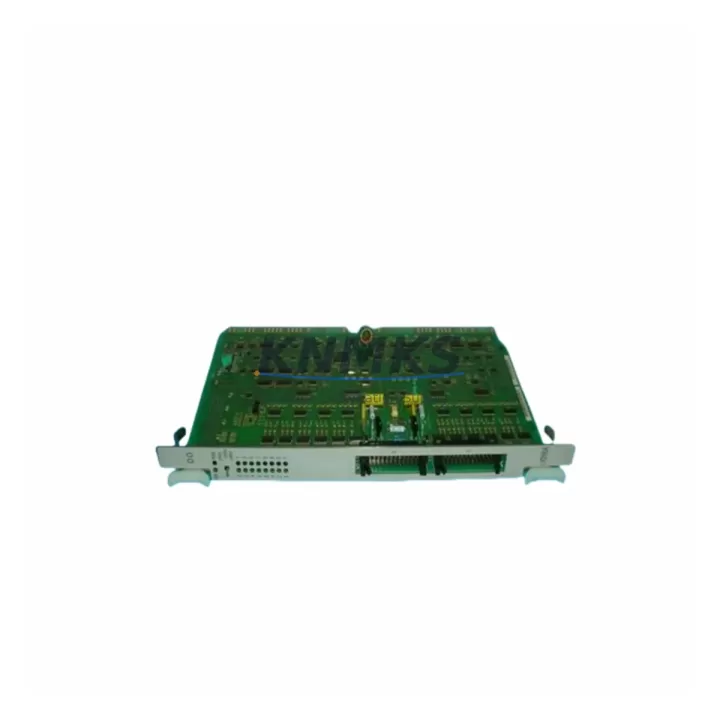
The ABB TPSTU12-B is a DCS terminal board engineered for speed alarm signal conditioning within the AC800M distributed control system platform. As industrial facilities accelerate legacy system modernization programs, the TPSTU12-B has become a critical component in phase-by-phase migration strategies — enabling engineering teams to replace end-of-life signal boards without triggering full-system shutdowns or requiring PLC program rewrites.
KNMKS maintains verified in-stock inventory of the TPSTU12-B, sourced from authorized supply channels and subject to pre-shipment functional testing. Each unit ships with a support terms confirmed by quotation and is accompanied by wiring reference documentation to support field installation teams during scheduled outages or emergency replacements.
For facilities running ABB AC800M controllers with aging terminal board infrastructure, the TPSTU12-B provides a direct-fit replacement path. Engineers should confirm backplane slot compatibility, terminal block pitch, and signal range settings prior to installation. The board interfaces with the AC800M’s S800 I/O bus architecture, and its speed alarm thresholds are configurable via the Control Builder M engineering environment — no hardware jumper changes are required in most standard retrofit scenarios.
Migration Compatibility Table
| Parameter | Detail |
|---|---|
| SKU | TPSTU12-B |
| Brand / Series | ABB / AC800M DCS Platform |
| Function | Speed Alarm Terminal Board — signal conditioning for rotational speed monitoring |
| Backplane Interface | Compatible with AC800M S800 I/O bus; confirm slot address assignment before installation |
| Terminal Wiring | Screw-terminal block; verify pitch and cable gauge against existing field wiring harness |
| Communication Compatibility | Operates within AC800M PROFIBUS and Modulebus architecture; no protocol conversion required |
| Replacement Scope | Direct replacement for legacy TPSTU12-B units; cross-reference with TPSTU12 (non-B suffix) for wiring delta review |
| Engineering Tool | ABB Control Builder M; firmware version compatibility should be verified against site-specific AC800M controller revision |
| Installation Space | Standard AC800M rack slot; confirm available slot count in existing S800 I/O station before ordering |
| Pre-Shipment Testing | Functional test performed on every unit prior to dispatch |
| Support terms | 12 months from date of shipment |
| Origin | Sweden (SE) |
| Stock Status | availability confirmed by RFQ — multi-region dispatch available |
Retrofit Planning for Existing Automation Systems
A successful TPSTU12-B retrofit begins well before the maintenance window opens. Engineering teams should audit the full S800 I/O station configuration, documenting each occupied slot and confirming that the replacement board’s address settings match the outgoing unit’s module address. In AC800M installations where the TPSTU12-B is paired with an AI810 analog input module or an DI810 digital input module on the same rack, slot sequencing must be preserved to avoid address conflicts that would require Control Builder M project modifications.
Power budget verification is equally important. The AC800M power supply module — typically an SD821 or SD822 — must have sufficient headroom to support the TPSTU12-B alongside other active I/O modules in the station. If the existing power supply is already operating near capacity due to accumulated I/O expansion over the system’s service life, a parallel power supply or load redistribution may be required before the terminal board swap.
For facilities that have extended their AC800M installations with PROFIBUS DP field devices, the TPSTU12-B’s integration into the existing communication chain should be validated in the engineering environment before live deployment. Where the control system also interfaces with an ABB Operator Workplace (OWS) or a third-party HMI, speed alarm tag mappings should be confirmed to ensure that alarm display logic and historian data collection remain intact after the board replacement.
In multi-cabinet installations, engineers should also account for the physical routing of signal cables between the field junction box and the terminal board. Cable labeling, shield grounding practices, and terminal torque specifications should be documented as part of the retrofit work order to support future maintenance cycles and reduce commissioning time during subsequent outages.
Where the TPSTU12-B replacement is part of a broader migration from an older ABB Advant OCS or MOD 300 platform toward the AC800M architecture, the terminal board swap is typically executed in Phase 2 of the migration plan — after the controller and communication infrastructure have been validated in Phase 1. In this context, the TPSTU12-B serves as a signal continuity component, preserving field wiring investments while the upper-layer control logic is modernized.
Downtime Control During System Migration
Minimizing unplanned downtime during a terminal board replacement requires a structured pre-outage preparation protocol. Before the maintenance window, the site engineering team should export a full backup of the AC800M project from Control Builder M, including all function block configurations, alarm setpoints, and I/O channel assignments associated with the TPSTU12-B’s speed alarm inputs. This backup serves as the recovery baseline if commissioning issues arise during the swap.
During the outage, the replacement sequence should follow a defined step order: de-energize the I/O station, document terminal wiring positions with photographic reference, remove the legacy board, install the TPSTU12-B, reconnect field wiring in sequence, re-energize, and perform a channel-by-channel signal verification against the pre-outage baseline. Speed alarm thresholds should be re-confirmed in Control Builder M after power-up, as some firmware versions reset configurable parameters to default values during board initialization.
For critical process lines where continuous monitoring is required, a temporary bypass or signal simulation strategy should be agreed with the process control team before the outage begins. This allows the speed alarm function to be maintained in a safe state during the physical swap, reducing the risk of spurious trips or unmonitored equipment operation. Once the TPSTU12-B is confirmed operational and alarm outputs are verified at the HMI level, the bypass can be removed and normal process control resumed.
KNMKS supports emergency replacement scenarios with same-day dispatch for in-stock units, reducing the logistics gap between fault identification and board installation. For planned outages, advance ordering is recommended to allow pre-staging of the replacement unit at the site store, eliminating procurement lead time from the critical path of the maintenance schedule.
Retrofit Support FAQ
Q1: Is the TPSTU12-B a direct drop-in replacement for the original ABB TPSTU12-B installed in my AC800M system?
Yes, the TPSTU12-B is designed as a form-fit-function replacement for the original ABB part. However, engineers should verify the firmware revision of the installed AC800M controller against the board’s compatibility matrix, and confirm that the terminal wiring configuration matches the existing field cable harness before installation. Units supplied by KNMKS are pre-tested and shipped with wiring reference documentation.
Q2: What commissioning steps are required after installing the TPSTU12-B?
After physical installation and wiring reconnection, the recommended commissioning sequence includes: power-up verification, module address confirmation in Control Builder M, channel-by-channel signal injection test for all speed alarm inputs, alarm threshold verification against the site setpoint register, and HMI display confirmation. If the board is replacing a failed unit mid-campaign, a forced signal simulation test is advisable before returning the loop to automatic control.
Q3: Can KNMKS supply the TPSTU12-B for emergency replacement with short lead time?
Yes. KNMKS maintains multi-region stock of the TPSTU12-B to support both emergency and planned replacement scenarios. In-stock units are available for same-day dispatch from our Xiamen warehouse. For time-critical situations, contact our sales team directly at admin@knmks.com or +86 18359268345 to confirm availability and arrange priority shipping.
Q4: What support terms coverage applies to the TPSTU12-B supplied by KNMKS?
All TPSTU12-B units supplied by KNMKS are covered by a support terms confirmed by quotation from the date of shipment. Each unit undergoes pre-shipment functional testing before dispatch. Support requests are supported by our technical team, and replacement units can be dispatched from stock to minimize process downtime in the event of a support terms-covered failure.
© 2026 KNMKS. All rights reserved.
Original Source: https://knmks.com
Contact: admin@knmks.com | +86 18359268345
Product Identification
- Brand / Ecosystem
-
ABB
ABB - Model / Series
-
TPSTU12-B
AC800M Series - Product Family
- HMI & Displays
- Availability Status
- Available on request after model and quantity confirmation
- Inquiry Type
- B2B RFQ, replacement inquiry and project spare-part request
- Pre-Quote Check
- Exact SKU, brand, series, quantity, nameplate photos and destination country are checked before quotation
System Path
Where this product fits in the KNMKS automation structure.
Specification & Inquiry Focus
- Display range
- Operator panels and touch screens
- Common needs
- Screen size, interface and version matching
- Project support
- Retrofit, spare unit and panel replacement
Buyer Confirmation
Information KNMKS checks before replying.
- Exact model
- TPSTU12-B
- Brand / ecosystem
- ABB
- Product family
- HMI & Displays
- Application note
- Replacement, maintenance, project build or spare-part list
- Useful photos
- Nameplate, installed unit, cabinet layout or connector side
- Delivery details
- Quantity, destination country and target schedule
Document Support
Files and notes can be confirmed during quotation.
- Product photos or nameplate confirmation when available
- Packing and delivery notes before quotation confirmation
- Support scope and delivery terms confirmed per inquiry
- Export document coordination for qualified B2B requests
Inquiry Support
- Panel size and interface confirmation
- Replacement unit inquiry for discontinued HMIs
- Protective packaging for display shipment
What to Send Us
- Brand and exact model number: ABB TPSTU12-B
- Quantity and required delivery time
- Application, replacement requirement or nameplate photo
- Destination country and shipping preference
RFQ Preparation
This is a product inquiry page built for RFQ communication.
Fast Model Check
Send this model to KNMKS for confirmation.
Include quantity, destination country and photos if this is a maintenance replacement. The inquiry will be saved with a reference number after submission.
Brand & Compatibility Note
KNMKS displays automation product information for well-known industrial brand ecosystems and compatible replacement references. Brand names are used for product identification and compatibility reference only; final availability and commercial terms are confirmed per quotation.
 Manufacturing
 Machine Tools
 Packaging
 Energy & Power
 PLCs & Controllers
 Servo Systems
 Variable Frequency Drives
 Sensors