
Overview
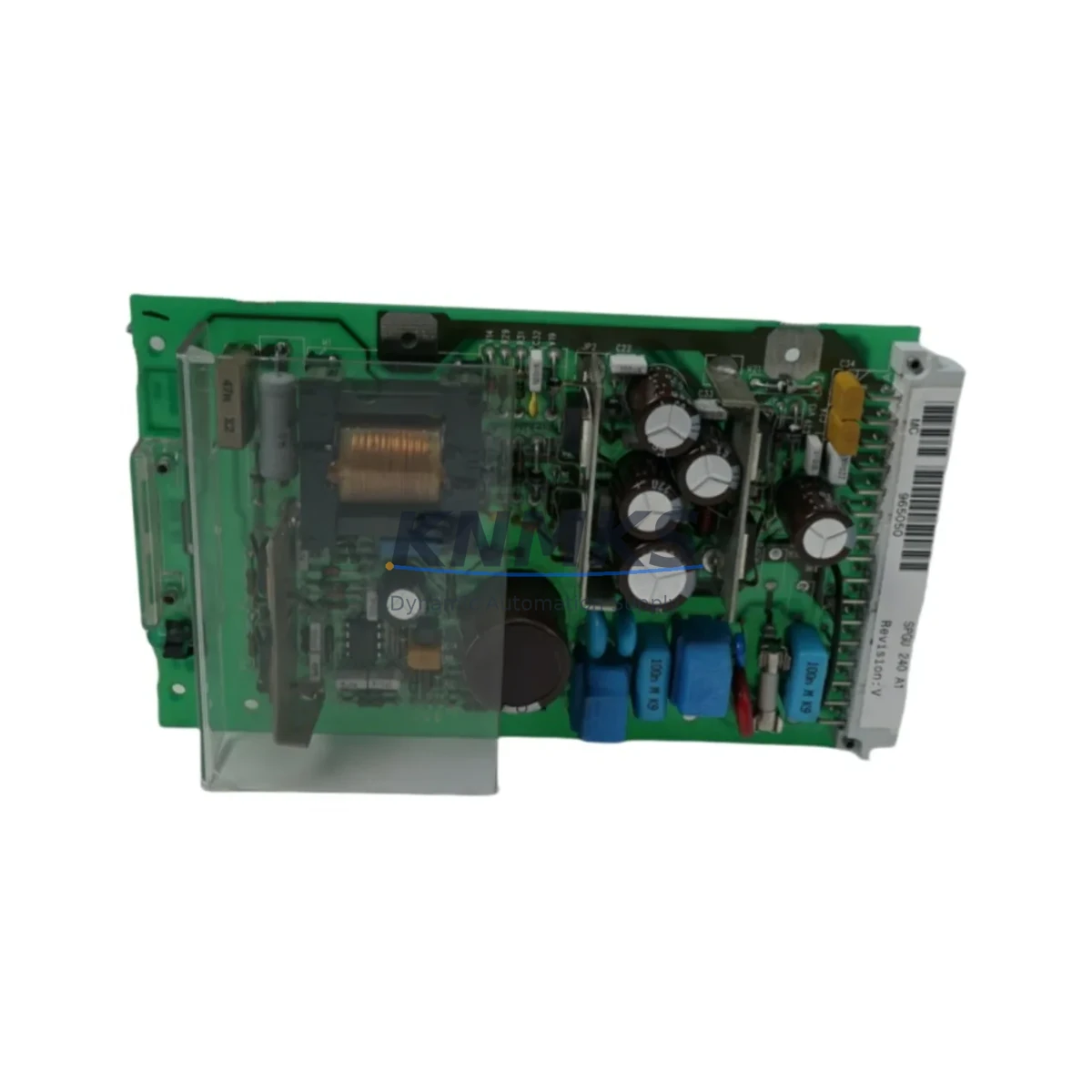
ABB SPGU240A1 Migration-Ready DC Power Supply for Legacy Control Systems
The ABB SPGU240A1 is a 24 VDC power supply module engineered for the SPACOM distributed control platform — one of ABB’s most widely deployed legacy automation architectures across power generation, pulp and paper, and heavy process industries. As original SPACOM hardware reaches end-of-life and OEM support windows close, the SPGU240A1 remains a critical migration-ready spare that allows engineering teams to extend operational life, execute controlled retrofits, and defer full DCS migration until capital budgets allow.
Our stock of SPGU240A1 units is sourced from verified industrial channels, individually inspected, and shipped with a support terms confirmed by quotation covering manufacturing defects and functional performance. Each unit undergoes pre-shipment functional testing to confirm output voltage regulation, ripple suppression, and backplane connector integrity before dispatch.
Migration Compatibility Table
| Parameter | SPGU240A1 Specification | Retrofit / Migration Note |
|---|---|---|
| Output Voltage | 24 VDC regulated | Confirm downstream I/O module voltage tolerance before swap |
| Backplane Interface | SPACOM standard backplane connector | Verify rack slot position; not interchangeable with SPGU120A1 slots without rack adapter |
| Installation Format | SPACOM subrack, DIN-rail compatible with adapter | Confirm cabinet depth and subrack model (SPRA/SPRB series) before ordering |
| Communication Dependency | None (power module only) | No firmware or protocol configuration required; plug-and-play within SPACOM rack |
| Replacement Compatibility | Direct replacement for SPGU240A1; functional equivalent for select SPGU series variants | Cross-reference SPGU240A1 against site BOM; confirm with ABB SPACOM documentation |
| Commissioning Requirement | Minimal — no address configuration | Verify output voltage at terminal block after installation; check load balance across rack |
| Support terms | support terms confirmed by quotation — covers manufacturing defects and functional performance from date of shipment | |
Retrofit Planning for Existing Automation Systems
Replacing a failed or degraded SPGU240A1 in a live SPACOM installation requires careful pre-work to avoid unplanned downtime. Before the replacement window, engineers should audit the full subrack configuration — including the SPRA or SPRB rack chassis, any co-installed SPGU120A1 auxiliary power modules, and the SPDIO or SPAI series I/O modules drawing load from the supply rail. A degraded power module often manifests as intermittent I/O faults or erratic SPCBU communication controller behavior before complete failure, so early identification is critical.
Terminal wiring on the SPGU240A1 follows the SPACOM standard terminal block layout. During replacement, document the existing wiring configuration with photographs before disconnection. Pay particular attention to the 24 VDC output terminals feeding field devices and the AC input terminals, which may be shared with adjacent modules in some cabinet configurations. If the installation includes an SPGU240A1 in a redundant power configuration alongside a second supply module, confirm that the redundant unit is healthy and carrying load before isolating the failed module.
For sites also managing SPCMU or SPCBU communication modules within the same rack, note that power interruption to the backplane will reset communication module states. Coordinate with the control room to place the relevant control loops in manual mode and notify operators before beginning the swap. If the SPACOM system is interfaced to an ABB Advant OCS or MOD 300 supervisory layer via SACO or RCOM links, those communication paths should be monitored during the replacement to confirm restoration after power is re-applied.
Where the retrofit scope extends beyond a single power module — for example, when upgrading an entire SPACOM subrack as part of a broader migration to ABB’s AC 800M or AC 500 control platform — the SPGU240A1 replacement is typically the first step. Subsequent phases involve swapping SPDIO digital I/O modules, re-terminating field cables to new marshalling panels, and reconfiguring the control application in ABB’s Control Builder engineering tool. Having a verified spare SPGU240A1 on hand during this transition period ensures that the legacy system can be held in service while the new platform is commissioned in parallel.
Downtime Control During System Migration
Minimizing downtime during a SPACOM power module replacement begins with preparation, not execution. The physical swap of an SPGU240A1 typically takes under 30 minutes for an experienced technician — the risk lies in the surrounding steps: incorrect isolation, unverified load conditions, or failure to confirm output voltage before restoring the rack to service.
Recommended practice is to pre-stage the replacement SPGU240A1 on the bench, verify its output voltage under a representative load using a calibrated DC load bank, and confirm the unit’s backplane connector condition before bringing it to site. This eliminates the risk of discovering a defective replacement unit after the original has been removed from the rack.
During the outage window, protect the existing control program by ensuring that the SPCBU or SPCMU communication controller retains its configuration in non-volatile memory — most SPACOM controllers maintain program integrity through a power cycle, but this should be confirmed against the site’s specific firmware version before proceeding. If the installation uses SACO fieldbus adapters or RCOM serial communication modules, verify that these devices re-establish their communication links automatically after power restoration, or plan for a manual re-initialization step.
After the SPGU240A1 is installed and the rack is re-energized, perform a systematic check: confirm 24 VDC output at the terminal block, verify that all I/O modules in the subrack have returned to normal status, check that communication links to the supervisory system are active, and confirm that field device status in the HMI matches pre-outage conditions. Only after this verification should control loops be returned to automatic mode. Document the replacement in the site maintenance log, including the serial number of the removed unit and the replacement, and retain the support terms confirmed by quotation documentation for the new SPGU240A1.
Retrofit Support FAQ
Q: Is the SPGU240A1 a direct drop-in replacement for all SPACOM power supply slots?
A: The SPGU240A1 is a direct replacement for units of the same model designation. It is not interchangeable with SPGU120A1 (lower output current rating) without verifying that the load requirements of the subrack are within the SPGU120A1’s capacity. Always cross-reference the site BOM and the SPACOM subrack documentation before ordering.
Q: Does the SPGU240A1 require any firmware configuration or address setting after installation?
A: No. The SPGU240A1 is a power module with no firmware, no module address, and no software configuration. Installation is mechanical and electrical only. After seating the module in the backplane and connecting AC input and DC output terminals per the original wiring documentation, the unit is operational.
Q: What pre-shipment testing is performed on SPGU240A1 units?
A: Each SPGU240A1 unit in our inventory undergoes functional testing prior to shipment, including output voltage verification under load, ripple and noise measurement, and backplane connector inspection. Units that do not meet specification are quarantined and not dispatched. All shipped units are covered by a support terms confirmed by quotation from the date of shipment.
Q: What is the typical lead time and stock availability for the SPGU240A1?
A: We maintain B2B stock of the SPGU240A1 to support urgent maintenance and planned retrofit projects. Standard orders are dispatched within 1–3 business days. For large-quantity blanket orders or long-term supply agreements to support multi-site retrofit programs, contact our sales team to discuss availability and pricing. Stock levels are updated regularly to reflect current inventory.
© 2026 KNMKS. All rights reserved.
Original Source: https://knmks.com
Contact: admin@knmks.com | +86 18359268345
Product Identification
- Brand / Ecosystem
-
ABB
ABB - Model / Series
- SPGU240A1
- Product Family
- Power Supplies
- Availability Status
- Available on request after model and quantity confirmation
- Inquiry Type
- B2B RFQ, replacement inquiry and project spare-part request
- Pre-Quote Check
- Exact SKU, brand, series, quantity, nameplate photos and destination country are checked before quotation
System Path
Where this product fits in the KNMKS automation structure.
Specification & Inquiry Focus
- Power range
- DIN rail and switching power supplies
- Common needs
- Voltage, current and mounting style
- Project support
- Control cabinet and panel-builder inquiries
Buyer Confirmation
Information KNMKS checks before replying.
- Exact model
- SPGU240A1
- Brand / ecosystem
- ABB
- Product family
- Power Supplies
- Application note
- Replacement, maintenance, project build or spare-part list
- Useful photos
- Nameplate, installed unit, cabinet layout or connector side
- Delivery details
- Quantity, destination country and target schedule
Document Support
Files and notes can be confirmed during quotation.
- Product photos or nameplate confirmation when available
- Packing and delivery notes before quotation confirmation
- Support scope and delivery terms confirmed per inquiry
- Export document coordination for qualified B2B requests
Inquiry Support
- 24VDC and cabinet power selection support
- Stable power support for PLC and HMI systems
- Batch inquiry support for panel builders
What to Send Us
- Brand and exact model number: ABB SPGU240A1
- Quantity and required delivery time
- Application, replacement requirement or nameplate photo
- Destination country and shipping preference
RFQ Preparation
This is a product inquiry page built for RFQ communication.
Fast Model Check
Send this model to KNMKS for confirmation.
Include quantity, destination country and photos if this is a maintenance replacement. The inquiry will be saved with a reference number after submission.
Brand & Compatibility Note
KNMKS displays automation product information for well-known industrial brand ecosystems and compatible replacement references. Brand names are used for product identification and compatibility reference only; final availability and commercial terms are confirmed per quotation.
 Manufacturing
 Machine Tools
 Packaging
 Energy & Power
 PLCs & Controllers
 HMI & Displays
 Servo Systems
 Variable Frequency Drives