
Overview
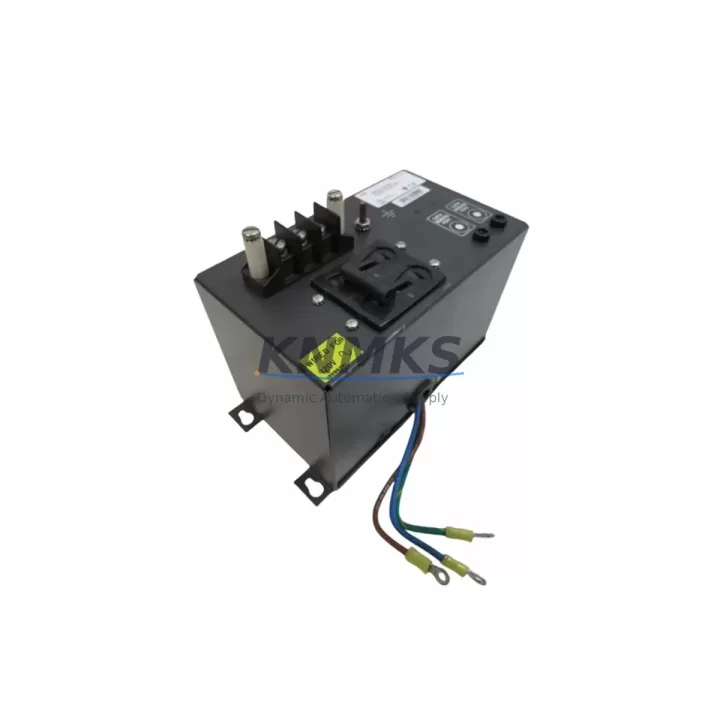
ABB IPECB11 Migration-Ready Circuit Breaker for Legacy Control Systems
The ABB IPECB11 is a migration-ready power entry circuit breaker engineered for direct replacement in ABB IP Series control panels and legacy automation enclosures. As industrial facilities accelerate their transition away from end-of-life protection devices, the IPECB11 provides a verified drop-in solution that preserves existing wiring layouts, terminal assignments, and panel cutout dimensions — eliminating the need for costly enclosure modifications during scheduled or emergency outages.
Sourced from authorized supply channels and pre-tested prior to shipment, each IPECB11 unit is backed by a support terms confirmed by quotation and dispatched from multi-region stock to support both planned maintenance windows and unplanned downtime events. Whether you are executing a phased control cabinet upgrade or responding to a field failure on a legacy IP Series panel, the IPECB11 is available for fast global dispatch with full traceability documentation.
Engineering teams migrating from older ABB IP Series configurations should confirm the following before installation: rated current and breaking capacity alignment with the existing circuit, terminal block pitch and conductor cross-section compatibility, DIN rail or panel-mount footprint clearance, and upstream/downstream coordination with existing MCBs or fuses in the same distribution board. Where the original IPECB11 was wired in series with an ABB IP Series power supply module or an ABB IPDS24 DIN rail power supply, the replacement unit must be verified against the load profile of the downstream 24 VDC bus to avoid nuisance tripping after retrofit.
Migration Compatibility Table
| Parameter | IPECB11 Specification | Retrofit Notes |
|---|---|---|
| Product Series | ABB IP Series | Direct replacement for IP Series panel entry positions |
| Device Type | Power Entry Circuit Breaker | Verify rated current matches original protection device |
| Mounting | Panel / DIN Rail | Confirm cutout dimensions and rail clearance before installation |
| Terminal Compatibility | Screw terminal, standard pitch | Match conductor cross-section; re-torque to spec after installation |
| Communication Interface | None (passive protection device) | No protocol migration required; verify upstream coordination |
| Replacement Path | Legacy IP Series circuit breakers | Drop-in replacement; no enclosure modification required |
| Commissioning Focus | Load profile verification, tripping curve alignment | Test under full load after installation; log trip events for 48 hrs |
| Support terms | 12 Months | Covers manufacturing defects; pre-shipment tested |
| Origin | Germany (DE) | Authorized supply chain; full traceability documentation available |
| Stock Availability | Multi-region | Available for emergency dispatch and scheduled outage supply |
Retrofit Planning for Existing Automation Systems
A successful IPECB11 retrofit begins well before the maintenance window opens. Engineering teams should audit the full power distribution chain within the control cabinet, starting from the incoming supply through the IPECB11 entry breaker, downstream to the ABB IP Series 24 VDC power supply, and then to the I/O distribution rail feeding field devices. In many legacy IP Series installations, the IPECB11 sits upstream of an ABB IPDS24 or similar DIN rail power supply module, which in turn feeds a distributed I/O rack populated with ABB IP Series digital input and output modules.
Before the outage window, retrieve the original panel drawings and confirm the IPECB11 wiring diagram against the as-built documentation. Pay particular attention to the neutral and protective earth routing, especially in installations where the IP Series panel also houses an ABB IPDM24 distribution module or a dedicated signal isolator for analog loops. If the control cabinet includes an ABB IP Series communication gateway or a serial-to-Ethernet converter bridging legacy Modbus RTU devices to a supervisory SCADA system, ensure that the gateway’s power feed is on a separate protected circuit — the IPECB11 replacement should not interrupt communication continuity during the swap.
For installations where the IP Series panel also contains an ABB IP Series HMI operator panel, coordinate the replacement sequence so that the HMI is powered down gracefully before the IPECB11 is isolated. This prevents corruption of any active recipe or alarm log data stored in the HMI’s non-volatile memory. After the new IPECB11 is installed and torqued, restore power in stages: energize the 24 VDC bus first, verify the power supply output voltage, then bring up the I/O modules and confirm all field device status signals before releasing the system to automatic control.
Downtime Control During System Migration
Minimizing downtime during an IPECB11 replacement requires a structured pre-outage checklist and a clearly defined restoration sequence. Begin by capturing a full backup of the PLC program and HMI project files before the maintenance window — even though the IPECB11 is a passive protection device and does not store program logic, a power interruption during the swap creates a risk of data loss in any connected controller or HMI that lacks an uninterruptible power supply.
Isolate the IPECB11 from the upstream supply and verify absence of voltage with a calibrated meter before breaking any terminal connections. Label all conductors before removal to eliminate re-wiring errors. Install the replacement IPECB11, re-terminate conductors in the correct sequence, and torque all screws to the manufacturer’s specification. Restore power and monitor the 24 VDC bus voltage for stability over a minimum of five minutes before reconnecting field devices.
For critical production lines where even a brief interruption is unacceptable, consider pre-staging the replacement IPECB11 in a parallel feed configuration during a low-demand period, then executing a hot-transfer cutover. Document the as-found and as-left conditions, including measured voltages, trip settings, and any observed anomalies, to support future maintenance planning and support requests. All KNMKS-supplied IPECB11 units are pre-tested prior to shipment, reducing the risk of infant failure and shortening the commissioning phase.
Retrofit Support FAQ
Q1: Is the IPECB11 a direct drop-in replacement for the original ABB IP Series entry circuit breaker?
Yes. The IPECB11 is designed as a direct replacement for the power entry circuit breaker position in ABB IP Series control panels. The mounting footprint, terminal pitch, and rated parameters are matched to the original specification. No enclosure modification is required in standard IP Series cabinet configurations.
Q2: What commissioning steps are required after installing the IPECB11?
After installation, verify the 24 VDC bus output voltage from the downstream power supply module, confirm all I/O module status indicators are normal, and test the tripping function under a controlled load condition. Log any trip events during the first 48 hours of operation. If the panel includes a communication gateway or HMI, confirm that all communication links are re-established and that no alarm conditions are active before returning the system to automatic control.
Q3: How do I confirm wiring compatibility before ordering?
Retrieve the original panel wiring diagram and identify the conductor cross-section, terminal block pitch, and rated current of the existing entry breaker. Compare these against the IPECB11 datasheet. If the original device is no longer traceable, contact admin@knmks.com with the panel nameplate details and we will assist with cross-reference verification.
Q4: What support terms and stock availability does KNMKS provide for the IPECB11?
All IPECB11 units supplied by KNMKS carry a support terms confirmed by quotation covering manufacturing defects and are pre-tested prior to shipment. Multi-region stock is maintained to support both emergency replacement and scheduled outage supply. Lead times and regional availability can be confirmed by contacting our sales team directly.
© 2026 KNMKS. All rights reserved.
Original Source: https://knmks.com
Contact: admin@knmks.com | +86 18359268345
Product Identification
- Brand / Ecosystem
-
ABB
ABB - Model / Series
-
IPECB11
Legacy Series - Product Family
- Other Components
- Availability Status
- Available on request after model and quantity confirmation
- Inquiry Type
- B2B RFQ, replacement inquiry and project spare-part request
- Pre-Quote Check
- Exact SKU, brand, series, quantity, nameplate photos and destination country are checked before quotation
System Path
Where this product fits in the KNMKS automation structure.
Specification & Inquiry Focus
- Component range
- Breakers, terminals and cabinet accessories
- Common needs
- Model, photo and installation requirement
- Project support
- Maintenance and mixed spare-part inquiry
Buyer Confirmation
Information KNMKS checks before replying.
- Exact model
- IPECB11
- Brand / ecosystem
- ABB
- Product family
- Other Components
- Application note
- Replacement, maintenance, project build or spare-part list
- Useful photos
- Nameplate, installed unit, cabinet layout or connector side
- Delivery details
- Quantity, destination country and target schedule
Document Support
Files and notes can be confirmed during quotation.
- Product photos or nameplate confirmation when available
- Packing and delivery notes before quotation confirmation
- Support scope and delivery terms confirmed per inquiry
- Export document coordination for qualified B2B requests
Inquiry Support
- Mixed automation spare parts inquiry
- Cabinet component and accessory support
- Model identification from photos or labels
What to Send Us
- Brand and exact model number: ABB IPECB11
- Quantity and required delivery time
- Application, replacement requirement or nameplate photo
- Destination country and shipping preference
RFQ Preparation
This is a product inquiry page built for RFQ communication.
Fast Model Check
Send this model to KNMKS for confirmation.
Include quantity, destination country and photos if this is a maintenance replacement. The inquiry will be saved with a reference number after submission.
Brand & Compatibility Note
KNMKS displays automation product information for well-known industrial brand ecosystems and compatible replacement references. Brand names are used for product identification and compatibility reference only; final availability and commercial terms are confirmed per quotation.
 Manufacturing
 Machine Tools
 Packaging
 Energy & Power
 PLCs & Controllers
 HMI & Displays
 Servo Systems
 Variable Frequency Drives