
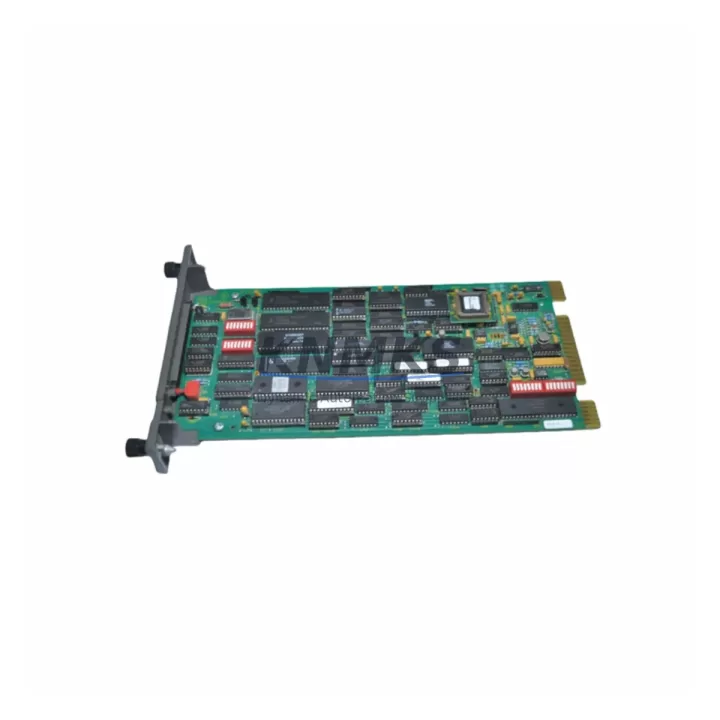
Overview
ABB IMRIO02 Migration-Ready Remote I/O Module: Legacy System Retrofit and Compatibility Upgrade
The ABB IMRIO02 is a Remote I/O module designed for integration within the ABB AC800M distributed control system architecture. As legacy DCS installations approach end-of-support milestones, engineering teams managing brownfield sites increasingly rely on verified, migration-ready replacements to sustain operational continuity without committing to full platform overhauls. The IMRIO02 addresses this need directly — providing a wiring-compatible, rack-mountable I/O expansion solution that slots into existing AC800M control cabinets with minimal modification to field wiring, terminal assignments, or PLC program logic.
For facilities running ABB Advant, MOD 300, or early-generation AC800M configurations, the IMRIO02 serves as a critical bridge component during phased migration projects. Its compatibility with the AC800M backplane interface means that engineers can replace failed or end-of-life I/O modules without reconfiguring the entire control node. Power supply requirements align with standard 24 VDC rail configurations common to AC800M control cabinets, and terminal block layouts follow the original wiring schematics — reducing the risk of miswiring during hot-swap or scheduled outage replacements.
Before installation, engineers should verify the firmware version running on the AC800M controller (PM865, PM866, or PM891 variants) to confirm compatibility with the IMRIO02 module address allocation. Module addressing is configured via the Control Builder M engineering tool, and existing I/O channel assignments can typically be preserved without modifying the application program — a key advantage when minimizing downtime during unplanned failures. If the site uses an S800 I/O cluster connected via ModuleBus, the IMRIO02 installation should be validated against the cluster’s optical fiber or electrical ModuleBus segment to confirm signal integrity and address conflict avoidance.
Migration Compatibility Table
| Parameter | Details |
|---|---|
| SKU | IMRIO02 |
| Brand / Series | ABB / AC800M |
| Module Type | Remote I/O Module |
| Backplane Interface | AC800M ModuleBus (optical / electrical) |
| Power Supply Requirement | 24 VDC (standard AC800M rail) |
| Terminal Wiring Compatibility | Compatible with original AC800M I/O terminal layouts |
| Communication Protocol | ModuleBus / PROFIBUS DP (site-dependent) |
| Compatible Controllers | PM865, PM866, PM891 (AC800M family) |
| Engineering Tool | ABB Control Builder M |
| Replacement Recommendation | Direct drop-in for failed or EoL IMRIO02 units in AC800M racks |
| Installation Space | Standard AC800M rack slot — no mechanical modification required |
| Firmware Compatibility | Verify controller firmware version prior to installation |
| Pre-Shipment Testing | Yes — functional verification completed before dispatch |
| Support terms | 12 Months |
| Origin | Germany |
| Dispatch | Multi-region stock — global delivery details confirmed by RFQ available |
Retrofit Planning for Existing Automation Systems
A successful IMRIO02 retrofit begins with a thorough audit of the existing AC800M control cabinet. Engineers should document the current rack configuration — including the positions of the PM865 or PM866 controller module, CI854 PROFIBUS communication interface, and any adjacent TB820 ModuleBus modem units — before removing the failed I/O module. This documentation ensures that the replacement IMRIO02 is inserted into the correct rack slot and that the ModuleBus segment address is restored accurately in Control Builder M.
In systems where the AC800M communicates with field devices via a CI854 PROFIBUS DP interface, the IMRIO02 channel configuration must be cross-referenced against the PROFIBUS GSD file and the existing DP slave address table. Any mismatch between the physical module address and the software configuration will result in communication faults that prevent the controller from scanning the I/O channels correctly. For sites using an S800 I/O cluster with an TP830 power supply unit, engineers should also confirm that the replacement module does not exceed the cluster’s total current budget — particularly in high-density I/O configurations where multiple modules share a single power rail.
HMI screens connected to the AC800M via OPC DA or OPC UA should be reviewed to confirm that tag mappings referencing the IMRIO02 channel addresses remain valid after the replacement. In most cases, tag addresses are preserved when the module is installed in the same rack slot with the same ModuleBus address — but this should be verified in the HMI engineering environment before returning the system to automatic control. Programming cables and diagnostic tools such as the ABB S800 I/O configuration utility may be required for on-site address verification and channel-level diagnostics during commissioning.
Downtime Control During System Migration
Minimizing downtime during an IMRIO02 replacement requires a structured pre-outage preparation protocol. Before the scheduled maintenance window, engineers should export the current AC800M application program from Control Builder M and archive it to a secure backup location. This ensures that the original control logic — including PID loop parameters, interlock conditions, and sequence program steps — can be restored immediately if the replacement module triggers unexpected faults during startup.
Where process conditions permit, the affected I/O channels should be placed in manual control mode at the DCS operator station before the module is physically removed. This prevents spurious alarms and protects downstream equipment from responding to invalid signal states during the swap. After the IMRIO02 is installed and the rack is powered, the controller should be allowed to complete its self-diagnostic cycle before the application program is reloaded. Channel-by-channel signal verification — comparing live field readings against expected values from the P&ID — should be completed before returning loops to automatic mode.
For sites with redundant AC800M controller configurations, the migration can be staged across the primary and secondary controller nodes to maintain continuous process monitoring throughout the replacement. This approach is particularly effective in critical applications such as boiler control, compressor management, or reactor temperature regulation, where even brief interruptions to the control loop can trigger safety system responses. All replacement units supplied by KNMKS are pre-tested prior to shipment and covered by a support terms confirmed by quotation, reducing the risk of repeat failures and supporting rapid return to normal operations.
Retrofit Support FAQ
Q1: Is the IMRIO02 a direct replacement for the original ABB module in an AC800M rack?
Yes. The IMRIO02 is designed as a direct replacement for the original module in AC800M rack configurations. It uses the same backplane connector, occupies the same rack slot width, and is compatible with the ModuleBus addressing scheme used by the AC800M controller family. No mechanical modification to the control cabinet is required.
Q2: What commissioning steps are required after installing the IMRIO02?
After physical installation, the module address must be confirmed in ABB Control Builder M. Engineers should perform a channel scan to verify that all I/O signals are correctly mapped to the application program tags. Field signal levels should be checked against the P&ID before returning the affected control loops to automatic mode. If the site uses PROFIBUS DP, the DP slave address and GSD configuration should also be verified.
Q3: Can the IMRIO02 be used in systems that have already been partially migrated to a newer ABB platform?
In most phased migration scenarios, the IMRIO02 can continue to serve as a Remote I/O node within the legacy AC800M segment while newer controller nodes are brought online in parallel. Compatibility should be confirmed against the specific firmware versions of both the legacy and new controller modules. KNMKS technical support can assist with compatibility verification prior to order placement.
Q4: What support terms and testing coverage is included with the IMRIO02?
All IMRIO02 units supplied by KNMKS are covered by a support terms confirmed by quotation from the date of shipment. Each unit undergoes functional pre-shipment testing to verify I/O channel integrity, backplane communication, and power supply compatibility before dispatch. Multi-region stock is maintained to support global delivery details confirmed by RFQ for both emergency replacements and scheduled maintenance outages.
© 2026 KNMKS. All rights reserved.
Original Source: https://knmks.com
Contact: admin@knmks.com | +86 18359268345
Product Identification
- Brand / Ecosystem
-
ABB
ABB - Model / Series
-
IMRIO02
AC800M Series - Product Family
- PLCs & Controllers
- Availability Status
- Available on request after model and quantity confirmation
- Inquiry Type
- B2B RFQ, replacement inquiry and project spare-part request
- Pre-Quote Check
- Exact SKU, brand, series, quantity, nameplate photos and destination country are checked before quotation
System Path
Where this product fits in the KNMKS automation structure.
Specification & Inquiry Focus
- Control platform
- PLC, PAC and modular controllers
- Common needs
- CPU, rack, power and I/O expansion
- Project support
- Replacement, cabinet build and maintenance
Buyer Confirmation
Information KNMKS checks before replying.
- Exact model
- IMRIO02
- Brand / ecosystem
- ABB
- Product family
- PLCs & Controllers
- Application note
- Replacement, maintenance, project build or spare-part list
- Useful photos
- Nameplate, installed unit, cabinet layout or connector side
- Delivery details
- Quantity, destination country and target schedule
Document Support
Files and notes can be confirmed during quotation.
- Product photos or nameplate confirmation when available
- Packing and delivery notes before quotation confirmation
- Support scope and delivery terms confirmed per inquiry
- Export document coordination for qualified B2B requests
Inquiry Support
- Model cross-checking before quotation
- CPU, power, rack and expansion module matching
- Support for replacement and project inquiry
What to Send Us
- Brand and exact model number: ABB IMRIO02
- Quantity and required delivery time
- Application, replacement requirement or nameplate photo
- Destination country and shipping preference
RFQ Preparation
This is a product inquiry page built for RFQ communication.
Fast Model Check
Send this model to KNMKS for confirmation.
Include quantity, destination country and photos if this is a maintenance replacement. The inquiry will be saved with a reference number after submission.
Brand & Compatibility Note
KNMKS displays automation product information for well-known industrial brand ecosystems and compatible replacement references. Brand names are used for product identification and compatibility reference only; final availability and commercial terms are confirmed per quotation.
 Manufacturing
 Machine Tools
 Packaging
 Energy & Power



 HMI & Displays
 Servo Systems
 Variable Frequency Drives
 Sensors