
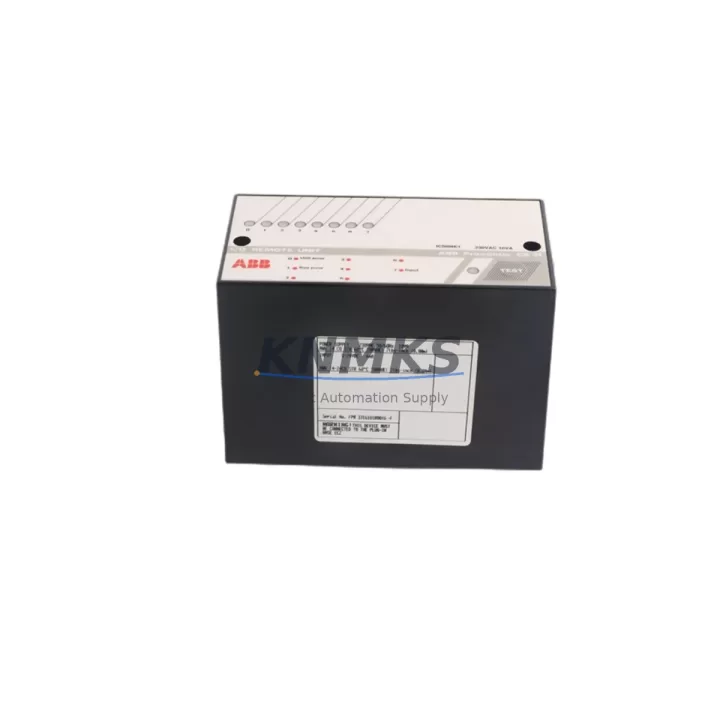
Overview
ABB ICSI08E1-230 FPR3316101R001 Maintenance-Proven Spare Part for Factory Uptime
The ABB ICSI08E1-230 (catalog reference FPR3316101R001) is an original DCS binary input module designed for the ABB S800 I/O system, fully compatible with AC800M process automation controllers. As a field-proven component in continuous process industries — including pulp and paper, oil and gas, power generation, and chemical manufacturing — this module handles 8-channel 230 VAC binary signal acquisition with high noise immunity and reliable galvanic isolation.
For maintenance engineers managing aging DCS infrastructure, holding a verified spare of the ICSI08E1-230 is a direct line of defense against unplanned downtime. Signal faults on binary input channels are among the most common causes of spurious shutdowns and false alarms in AC800M-based control loops. A pre-tested, shelf-ready ICSI08E1-230 allows your team to execute a hot-swap replacement in under 30 minutes — restoring production without waiting days for emergency procurement.
At KNMKS, every ICSI08E1-230 unit is inspected, function-tested, and shipped with a support terms confirmed by quotation. We maintain long-term stock to support both emergency replacement orders and planned annual maintenance programs.
Spare Maintenance Table
| Part Number | ICSI08E1-230 |
| Catalog / Order Code | FPR3316101R001 |
| Brand | ABB |
| Series | S800 I/O |
| Compatible Controller | AC800M (PM851, PM856, PM860, PM861, PM864, PM866) |
| Module Type | DCS Binary Input Module |
| Input Channels | 8 channels, 230 VAC binary input |
| Signal Isolation | Galvanic isolation per channel group |
| Input Voltage Range | 85–265 VAC, 50/60 Hz |
| Backplane Interface | S800 I/O ModuleBus |
| Mounting | S800 I/O base unit (TB820, TB840 series) |
| Country of Origin | Germany |
| Operating Temperature | 0°C to +55°C (storage: -40°C to +70°C) |
| Weight | 440 g |
| Support terms | 12 months from shipment date |
| Condition | Original, tested before shipment |
| Application | Process automation, DCS binary signal acquisition, field device status monitoring |
Maintenance Planning for Continuous Operation
When a binary input fault is traced to the ICSI08E1-230, experienced maintenance engineers know that the module itself is rarely the only component requiring attention. A thorough site inspection during the replacement window should cover the full signal path and adjacent cabinet components to prevent repeat failures and maximize the value of each planned outage.
Start with the S800 I/O base unit — typically a TB820V2 or TB840A — which provides the mechanical and electrical interface between the ICSI08E1-230 and the ModuleBus backplane. Worn or corroded base unit contacts are a frequent hidden cause of intermittent channel faults. While the module is removed, inspect the base unit terminals and replace if contact resistance is elevated.
Next, verify the ModuleBus communication path. The MB510 ModuleBus Optical Interface or the fiber-optic cables connecting remote I/O clusters to the AC800M controller should be checked for signal integrity. A degraded optical link can cause the entire I/O cluster to drop offline, masking what appears to be a single-module fault.
On the field wiring side, inspect the terminal blocks and cable shields connected to the 230 VAC binary input channels. High-voltage binary inputs are particularly susceptible to insulation degradation and ground leakage in humid or chemically aggressive environments. Verify that all cable shields are properly terminated and that no cross-talk exists between adjacent signal cables.
For the power supply feeding the S800 I/O cluster, confirm that the SD821 or SD822 power supply module is delivering stable 24 VDC within specification. Voltage sag under load is a common but overlooked contributor to module resets and false binary input readings. If the power supply is more than five years old, include it in your next scheduled replacement cycle.
Finally, if the ICSI08E1-230 is installed in a cabinet alongside ICSO08E1 binary output modules or ICAI08H1 analog input modules, use the replacement window to perform a visual inspection of those modules as well. Shared backplane faults and common-mode noise issues often affect multiple modules simultaneously. Documenting the health status of the full I/O cluster during each maintenance event builds a reliable baseline for predictive maintenance scheduling.
Site Replacement Workflow
Step 1 — Pre-replacement verification: Confirm the fault is isolated to the ICSI08E1-230 using the AC800M diagnostic tools in Control Builder M. Check the module status LED and review the event log for channel-specific fault codes before removing the module.
Step 2 — Safe isolation: Place the affected I/O cluster in manual mode at the DCS operator station. Notify the process team and confirm that all field devices connected to the faulty binary input channels are in a safe state before proceeding.
Step 3 — Module removal: The ICSI08E1-230 is hot-swappable on supported S800 I/O base units. Unlock the module latch, slide the module out of the base unit, and immediately insert the pre-tested replacement unit. The AC800M controller will automatically re-initialize the module and restore channel communication within seconds.
Step 4 — Post-replacement validation: Confirm all 8 binary input channels are reading correctly in the DCS faceplate. Verify that no residual fault alarms remain active. Restore the I/O cluster to automatic mode and document the replacement in your maintenance management system.
Step 5 — Faulty module handling: Tag the removed ICSI08E1-230 with the fault date, channel symptoms, and system tag. Retain it for failure analysis or return-to-vendor evaluation. Do not return untagged modules to the spare parts shelf.
This workflow applies equally to planned annual maintenance replacements and emergency fault recovery scenarios. Keeping a pre-tested ICSI08E1-230 in your local spare parts cabinet eliminates the most time-consuming step — procurement — from your emergency response procedure.
Spare Parts Support FAQ
Q1: Is the ICSI08E1-230 compatible with all AC800M controller versions?
The ICSI08E1-230 is compatible with all AC800M PM8xx series controllers (PM851, PM856, PM860, PM861, PM864, PM866) when used with S800 I/O base units. Compatibility with specific firmware versions should be confirmed against the ABB S800 I/O product manual. KNMKS can assist with compatibility verification prior to shipment.
Q2: How does KNMKS verify the condition of each ICSI08E1-230 before shipment?
Every unit undergoes a visual inspection for physical damage, connector integrity, and label completeness, followed by a functional test to confirm ModuleBus communication and channel response. Units that do not pass testing are not offered for sale. A support terms confirmed by quotation is provided from the shipment date.
Q3: Can KNMKS support long-term supply for annual maintenance programs?
Yes. KNMKS maintains standing inventory of the ICSI08E1-230 and can support blanket purchase orders, scheduled annual deliveries, and emergency same-week shipments. Contact our sales team to discuss a supply agreement tailored to your maintenance cycle.
Q4: What is the recommended spare parts holding quantity for a typical S800 I/O installation?
For installations with 10 or more ICSI08E1-230 modules, a minimum of 2 spare units is recommended for local cabinet stock. Larger installations or those in remote locations with extended procurement lead times should hold 3–5 units. KNMKS can provide a spare parts holding recommendation based on your installed base size and maintenance interval.
© 2026 KNMKS. All rights reserved.
Original Source: https://knmks.com
Contact: admin@knmks.com | +86 18359268345
Product Identification
- Brand / Ecosystem
-
ABB
ABB - Model / Series
-
ICSI08E1 ICSI08E1-230 FPR3316101R001
AC800M Series - Product Family
- PLCs & Controllers
- Availability Status
- Available on request after model and quantity confirmation
- Inquiry Type
- B2B RFQ, replacement inquiry and project spare-part request
- Pre-Quote Check
- Exact SKU, brand, series, quantity, nameplate photos and destination country are checked before quotation
System Path
Where this product fits in the KNMKS automation structure.
Specification & Inquiry Focus
- Control platform
- PLC, PAC and modular controllers
- Common needs
- CPU, rack, power and I/O expansion
- Project support
- Replacement, cabinet build and maintenance
Buyer Confirmation
Information KNMKS checks before replying.
- Exact model
- ICSI08E1 ICSI08E1-230 FPR3316101R001
- Brand / ecosystem
- ABB
- Product family
- PLCs & Controllers
- Application note
- Replacement, maintenance, project build or spare-part list
- Useful photos
- Nameplate, installed unit, cabinet layout or connector side
- Delivery details
- Quantity, destination country and target schedule
Document Support
Files and notes can be confirmed during quotation.
- Product photos or nameplate confirmation when available
- Packing and delivery notes before quotation confirmation
- Support scope and delivery terms confirmed per inquiry
- Export document coordination for qualified B2B requests
Inquiry Support
- Model cross-checking before quotation
- CPU, power, rack and expansion module matching
- Support for replacement and project inquiry
What to Send Us
- Brand and exact model number: ABB ICSI08E1 ICSI08E1-230 FPR3316101R001
- Quantity and required delivery time
- Application, replacement requirement or nameplate photo
- Destination country and shipping preference
RFQ Preparation
This is a product inquiry page built for RFQ communication.
Fast Model Check
Send this model to KNMKS for confirmation.
Include quantity, destination country and photos if this is a maintenance replacement. The inquiry will be saved with a reference number after submission.
Brand & Compatibility Note
KNMKS displays automation product information for well-known industrial brand ecosystems and compatible replacement references. Brand names are used for product identification and compatibility reference only; final availability and commercial terms are confirmed per quotation.
 Manufacturing
 Machine Tools
 Packaging
 Energy & Power



 HMI & Displays
 Servo Systems
 Variable Frequency Drives
 Sensors