
Overview
ABB DSQC697 Maintenance-Proven Spare Part for Factory Uptime
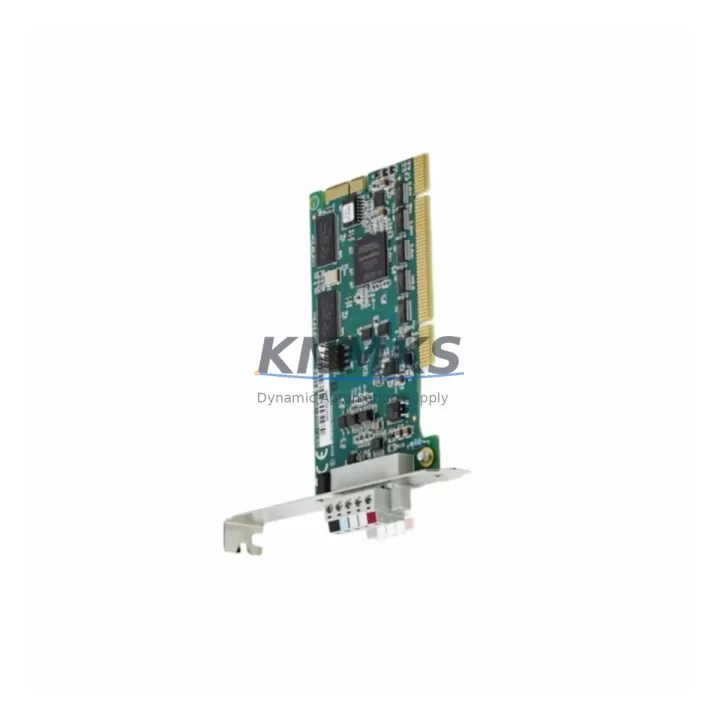
The ABB DSQC697 (3HAC037084-001) is the original DeviceNet communication board designed for the ABB IRC5 robot controller family. For maintenance engineers managing robotic welding cells, assembly lines, or material handling systems, this board is a critical node in the robot’s communication architecture — linking the IRC5 controller to DeviceNet field devices including I/O modules, sensors, and actuator networks. When this board fails or degrades, the entire robot cell goes offline. Sourcing a verified, pre-tested replacement is the fastest path back to production.
At KNMKS, every DSQC697 unit is sourced from authorized supply chains, inspected against ABB’s original specifications, and subjected to pre-shipment functional testing before dispatch. Each unit ships with a support terms confirmed by quotation covering manufacturing defects and functional failures under normal operating conditions. We maintain forward stock to support urgent maintenance windows, annual shutdowns, and long-term spare parts programs for facilities running IRC5-based robot fleets.
Spare Maintenance Table
| Parameter | Specification |
|---|---|
| Part Number | DSQC697 / 3HAC037084-001 |
| Brand | ABB Robotics |
| Series | IRC5 Controller |
| Function | DeviceNet Communication Board |
| Bus Protocol | DeviceNet (CAN-based, ISO 11898) |
| Compatible Controllers | ABB IRC5 Single Cabinet, Dual Cabinet, Panel Mounted |
| Mounting | Internal backplane slot, IRC5 main computer unit |
| Operating Voltage | 24 VDC (supplied via IRC5 backplane) |
| Operating Temperature | 0°C to +55°C |
| Origin | Germany |
| Weight | 560 g |
| Condition | Original, New / Refurbished-to-Spec |
| Pre-Shipment Testing | Yes — functional verification before dispatch |
| Support terms | 12 Months |
| Lead Time | availability confirmed by RFQ — ships within 1–3 business days |
| Application | Robotic welding, assembly, material handling, palletizing |
Maintenance Planning for Continuous Operation
When a DSQC697 board fault is logged in the IRC5 event log — typically surfacing as a DeviceNet communication error or a loss of field device connectivity — the replacement workflow extends beyond the board itself. A thorough maintenance response should include inspection of the surrounding system to prevent repeat failures and confirm full restoration of the communication network.
Start with the IRC5 main computer unit (DSQC1000 or DSQC652 depending on controller generation) and verify that the backplane connectors are clean and undamaged before seating the new DSQC697. The DeviceNet cable harness and termination resistors at both ends of the network segment should be checked for continuity and correct 121-ohm termination — a common source of intermittent faults that can be misdiagnosed as board failure. The 24 VDC power supply module (DSQC661 or equivalent) feeding the IRC5 main cabinet should be load-tested; a sagging supply rail can cause communication boards to reset under load even when the board itself is serviceable.
I/O modules connected to the DeviceNet network — such as the DSQC651 digital I/O board or third-party DeviceNet slaves — should be individually polled after the DSQC697 replacement to confirm all node addresses are responding correctly. If the IRC5 system uses a DSQC688 fieldbus adapter or a PROFIBUS communication board alongside the DeviceNet board, verify that neither has been affected by the fault event. Fuse blocks and circuit protection within the control cabinet should also be inspected; a blown fuse on the 24 VDC DeviceNet supply segment is a frequent secondary finding during DeviceNet board replacements.
For facilities running multiple IRC5 controllers, maintaining at least one DSQC697 as a cold spare per robot cell is a recognized best practice in industrial maintenance planning. The board’s role as the primary DeviceNet gateway means that a single unit failure can halt an entire production line — making forward stocking a straightforward risk mitigation measure with a clear ROI against unplanned downtime costs.
Site Replacement Workflow
Step 1 — Isolate and document: Place the IRC5 controller in maintenance mode via the FlexPendant. Record the current DeviceNet node configuration and I/O mapping from the RobotStudio backup or the controller’s active configuration files before powering down.
Step 2 — Power down safely: Follow ABB’s lockout/tagout procedure for the IRC5 cabinet. Discharge the capacitor bank and confirm zero-energy state before opening the cabinet door.
Step 3 — Remove the faulty DSQC697: Locate the board in the main computer unit slot. Release the retention clips, disconnect the DeviceNet cable connector, and remove the board. Inspect the backplane connector for bent pins or contamination.
Step 4 — Install the replacement unit: Seat the new DSQC697 firmly into the backplane slot. Reconnect the DeviceNet cable. Confirm the MAC ID DIP switch settings match the original board configuration (or the required network address for your installation).
Step 5 — Power up and verify: Restore power to the IRC5 controller. Monitor the DeviceNet status LEDs on the DSQC697 — a solid green Module Status LED and a solid green Network Status LED confirm successful initialization. Use the FlexPendant or RobotStudio to verify all DeviceNet nodes are online and I/O signals are mapping correctly.
Step 6 — Restore and test: Load the backed-up configuration if required. Run a dry-cycle test of the robot program before returning the cell to production. Log the replacement in the maintenance record with the new board’s serial number and the date of installation.
This workflow is compatible with IRC5 Single Cabinet and Dual Cabinet configurations. The DSQC697 is a direct replacement for earlier DeviceNet board revisions used in the IRC5 platform, requiring no software reconfiguration in most standard installations.
Spare Parts Support FAQ
Q: Is the DSQC697 compatible with all IRC5 controller variants?
A: The DSQC697 (3HAC037084-001) is designed for the ABB IRC5 controller family, including Single Cabinet, Dual Cabinet, and Panel Mounted variants. Compatibility should be confirmed against your specific controller serial number and software version. Contact our technical team with your controller details for pre-purchase verification.
Q: What does the support terms confirmed by quotation cover?
A: The support terms confirmed by quotation cover manufacturing defects and functional failures under normal operating conditions from the date of shipment. It does not cover damage resulting from incorrect installation, electrical overstress, or unauthorized modification. Support requests are processed with priority to minimize your downtime exposure.
Q: How is the unit tested before shipment?
A: Each DSQC697 unit undergoes pre-shipment functional testing to verify communication interface integrity and board-level operation. Test records are available on request. Units that do not pass testing are not dispatched.
Q: Can KNMKS support long-term spare parts programs for IRC5 fleets?
A: Yes. We support annual maintenance contracts and forward-stocking arrangements for facilities operating multiple IRC5 controllers. Long-term supply agreements can be structured to cover DSQC697 boards alongside related components such as power supply modules, I/O boards, and communication adapters, providing a single-source procurement solution for your IRC5 spare parts inventory.
© 2026 KNMKS. All rights reserved.
Original Source: https://knmks.com
Contact: admin@knmks.com | +86 18359268345
Product Identification
- Brand / Ecosystem
-
ABB
ABB - Model / Series
-
DSQC697-3HAC037084-001
IRC5 Series - Product Family
- Communication Modules
- Availability Status
- Available on request after model and quantity confirmation
- Inquiry Type
- B2B RFQ, replacement inquiry and project spare-part request
- Pre-Quote Check
- Exact SKU, brand, series, quantity, nameplate photos and destination country are checked before quotation
System Path
Where this product fits in the KNMKS automation structure.
Specification & Inquiry Focus
- Network range
- Ethernet, fieldbus and gateway modules
- Common needs
- Protocol, port and controller family
- Project support
- Machine networking and data integration
Buyer Confirmation
Information KNMKS checks before replying.
- Exact model
- DSQC697-3HAC037084-001
- Brand / ecosystem
- ABB
- Product family
- Communication Modules
- Application note
- Replacement, maintenance, project build or spare-part list
- Useful photos
- Nameplate, installed unit, cabinet layout or connector side
- Delivery details
- Quantity, destination country and target schedule
Document Support
Files and notes can be confirmed during quotation.
- Product photos or nameplate confirmation when available
- Packing and delivery notes before quotation confirmation
- Support scope and delivery terms confirmed per inquiry
- Export document coordination for qualified B2B requests
Inquiry Support
- Industrial Ethernet and fieldbus module inquiry
- Protocol compatibility review
- Integration project inquiry support
What to Send Us
- Brand and exact model number: ABB DSQC697-3HAC037084-001
- Quantity and required delivery time
- Application, replacement requirement or nameplate photo
- Destination country and shipping preference
RFQ Preparation
This is a product inquiry page built for RFQ communication.
Fast Model Check
Send this model to KNMKS for confirmation.
Include quantity, destination country and photos if this is a maintenance replacement. The inquiry will be saved with a reference number after submission.
Brand & Compatibility Note
KNMKS displays automation product information for well-known industrial brand ecosystems and compatible replacement references. Brand names are used for product identification and compatibility reference only; final availability and commercial terms are confirmed per quotation.
 Manufacturing
 Machine Tools
 Packaging
 Energy & Power
 PLCs & Controllers
 HMI & Displays
 Servo Systems
 Variable Frequency Drives