
Overview
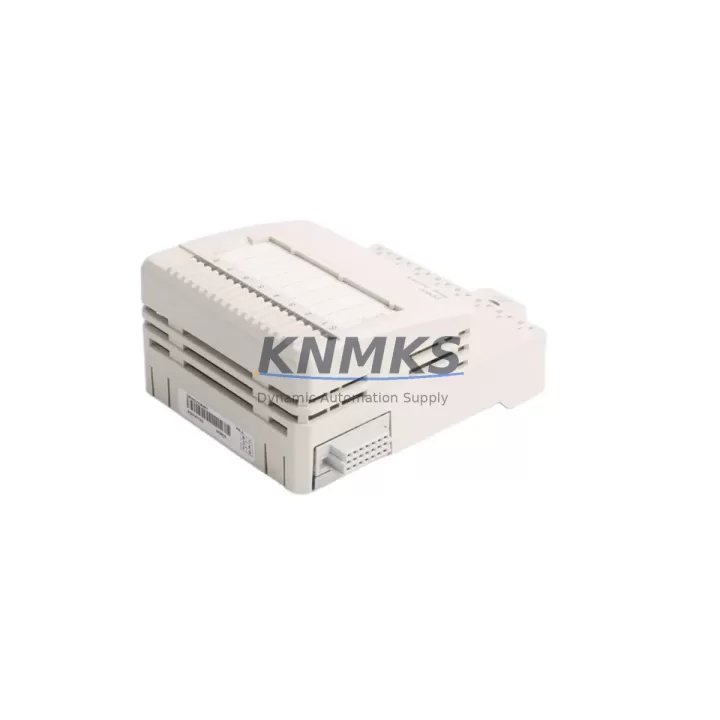
ABB DO802 3BSE022364R1 Migration-Ready Digital Output for Legacy Control Systems
The ABB DO802 (3BSE022364R1) is an 8-channel 24 VDC digital output module designed for the S800 I/O platform, widely deployed in AC800M distributed control systems across power generation, oil & gas, pulp & paper, and process manufacturing industries. As legacy S800 installations age and original spare parts become increasingly difficult to source, the DO802 serves as a critical migration-ready replacement that preserves existing wiring infrastructure, backplane slot assignments, and controller program logic without requiring a full system redesign.
For engineers managing aging DCS infrastructure, the DO802 3BSE022364R1 addresses one of the most common retrofit challenges: replacing discontinued or end-of-life digital output modules without triggering cascading changes across the control cabinet. Its direct compatibility with the S800 I/O bus means that field wiring, terminal block assignments, and module addressing remain intact during the swap, dramatically reducing commissioning time and minimizing the risk of wiring errors during live system maintenance windows.
Migration Compatibility Table
| Parameter | Specification / Retrofit Note |
|---|---|
| Module Type | Digital Output, 8-channel, 24 VDC |
| Compatible Platform | ABB S800 I/O, AC800M Controller |
| Backplane Interface | S800 I/O bus — direct slot replacement, no adapter required |
| Terminal Wiring | Compatible with existing MTU (Module Termination Unit) wiring; no re-termination needed |
| Module Address | Configured via AC800M Controller Builder; address retained from replaced module |
| Communication Protocol | S800 I/O proprietary bus (Optical or Electrical); confirm bus type before ordering |
| Power Consumption | Verify available power budget on the S800 I/O station before installation |
| Firmware Compatibility | Compatible with AC800M firmware versions 5.x and above; verify with site firmware baseline |
| Installation Space | Standard S800 I/O module footprint; fits existing rack without mechanical modification |
| Replacement Candidates | Discontinued DO801, DO810, DO820 modules in same S800 I/O station (verify channel count and voltage rating) |
| Commissioning Focus | Confirm module recognition in Control Builder, verify DO channel forcing, test interlock logic |
| Support terms | support terms confirmed by quotation — tested and verified before shipment |
Retrofit Planning for Existing Automation Systems
A successful DO802 retrofit begins well before the module arrives on site. Engineers should start by auditing the existing S800 I/O station configuration — identifying the rack type, the number of occupied slots, and the current power supply loading. The ABB SD802 or SD812 power distribution unit feeding the I/O station must have sufficient headroom to support the DO802’s 24 VDC output load, particularly if multiple output channels are driving solenoid valves or relay coils simultaneously.
Terminal wiring is one of the most time-sensitive steps in any digital output module replacement. The DO802 uses a standard S800 MTU (Module Termination Unit) — typically the TU810V1 or TU830V1 — which remains in place during the module swap. This means field cables stay connected throughout the replacement, and the risk of miswiring is confined to the module-to-MTU interface, which is a tool-free, guided connector. Confirm the MTU type installed in the cabinet before ordering to ensure mechanical compatibility.
For sites running mixed I/O configurations, the DO802 often coexists in the same rack with analog input modules such as the ABB AI810 or AI820, and digital input modules like the DI810. When planning the retrofit, document the slot positions of all neighboring modules to avoid accidental address conflicts after the replacement. The AC800M Controller Builder software will flag any hardware configuration mismatch during the next controller download, providing an early warning before the system goes live.
Communication link integrity is another critical checkpoint. S800 I/O stations connect to the AC800M controller via an optical or electrical I/O bus. If the site uses an ABB CI810B or CI830B communication interface module, verify that the bus segment carrying the DO802’s I/O station is operating without errors before and after the swap. A clean bus diagnostic reading confirms that the new module has been recognized and is communicating correctly with the controller.
Finally, for sites where HMI faceplate displays reference specific DO channel tags, coordinate with the control room operator to confirm that all display elements reflect the correct output states after commissioning. No HMI reconfiguration is typically required for a like-for-like DO802 replacement, but a functional walkthrough of all affected output channels — including manual forcing tests — is recommended before returning the system to automatic control.
Downtime Control During System Migration
Minimizing unplanned downtime is the primary concern for any plant engineer authorizing a digital output module replacement on a live production system. The DO802 3BSE022364R1’s hot-swap capability within the S800 I/O architecture allows the module to be replaced without powering down the entire I/O station, provided the site’s safety procedures and process conditions permit it. Before initiating the swap, place all affected output channels in a safe state — either through controller logic forcing or by coordinating with the field operator to confirm that driven actuators are in their fail-safe positions.
Preserve the existing controller program by exporting a full backup from the AC800M Controller Builder before any hardware changes are made. This backup captures the current hardware configuration, function block program, and I/O signal assignments, and serves as the recovery baseline if the replacement triggers an unexpected configuration mismatch. The backup process takes less than five minutes and eliminates the risk of losing program logic during the module swap.
Once the DO802 is seated and the MTU connector is secured, the controller will automatically detect the new module and resume normal I/O scanning within seconds. Perform a channel-by-channel output verification — forcing each DO channel ON and OFF from the controller and confirming the corresponding field device response — before releasing the system to automatic control. This structured commissioning sequence typically takes 15–30 minutes per I/O station and provides documented evidence of successful module replacement for maintenance records.
For sites with strict change management requirements, the DO802 replacement can be staged during a planned maintenance window with a pre-tested spare module held in inventory. Keeping one or two DO802 units in the site’s critical spare parts inventory eliminates lead-time risk and ensures that a future failure can be resolved within a single shift rather than waiting for emergency procurement.
Retrofit Support FAQ
Q1: Is the DO802 3BSE022364R1 a direct replacement for discontinued S800 digital output modules?
The DO802 is a direct slot replacement for other 8-channel 24 VDC digital output modules in the S800 I/O family. For modules with different channel counts or voltage ratings (such as the DO820 or DO810), verify the hardware configuration in Controller Builder to confirm compatibility before installation. In most cases, the MTU wiring and module address are retained without modification.
Q2: What pre-shipment testing is performed on the DO802?
Each DO802 unit is functionally tested before shipment to verify channel output switching, bus communication response, and connector integrity. A support terms confirmed by quotation is provided from the date of shipment. Test records are available upon request for quality-critical procurement processes.
Q3: Can the DO802 be installed without modifying the existing field wiring?
Yes. The DO802 connects to the field via the existing MTU (TU810V1 or TU830V1), which remains in place during the module swap. Field cables do not need to be disconnected or re-terminated. Confirm the MTU model installed at your site to ensure the DO802’s connector is mechanically compatible.
Q4: What is the lead time and stock availability?
The DO802 3BSE022364R1 is held availability confirmed by RFQ for immediate shipment. Standard lead time for in-stock units is 3–7 business days depending on destination. For urgent requirements or bulk orders, contact our sales team directly to confirm availability and arrange expedited dispatch.
© 2026 KNMKS. All rights reserved.
Original Source: https://knmks.com
Contact: admin@knmks.com | +86 18359268345
Product Identification
- Brand / Ecosystem
-
ABB
ABB - Model / Series
-
DO802 3BSE022364R1
AC800M Series - Product Family
- PLCs & Controllers
- Availability Status
- Available on request after model and quantity confirmation
- Inquiry Type
- B2B RFQ, replacement inquiry and project spare-part request
- Pre-Quote Check
- Exact SKU, brand, series, quantity, nameplate photos and destination country are checked before quotation
System Path
Where this product fits in the KNMKS automation structure.
Specification & Inquiry Focus
- Control platform
- PLC, PAC and modular controllers
- Common needs
- CPU, rack, power and I/O expansion
- Project support
- Replacement, cabinet build and maintenance
Buyer Confirmation
Information KNMKS checks before replying.
- Exact model
- DO802 3BSE022364R1
- Brand / ecosystem
- ABB
- Product family
- PLCs & Controllers
- Application note
- Replacement, maintenance, project build or spare-part list
- Useful photos
- Nameplate, installed unit, cabinet layout or connector side
- Delivery details
- Quantity, destination country and target schedule
Document Support
Files and notes can be confirmed during quotation.
- Product photos or nameplate confirmation when available
- Packing and delivery notes before quotation confirmation
- Support scope and delivery terms confirmed per inquiry
- Export document coordination for qualified B2B requests
Inquiry Support
- Model cross-checking before quotation
- CPU, power, rack and expansion module matching
- Support for replacement and project inquiry
What to Send Us
- Brand and exact model number: ABB DO802 3BSE022364R1
- Quantity and required delivery time
- Application, replacement requirement or nameplate photo
- Destination country and shipping preference
RFQ Preparation
This is a product inquiry page built for RFQ communication.
Fast Model Check
Send this model to KNMKS for confirmation.
Include quantity, destination country and photos if this is a maintenance replacement. The inquiry will be saved with a reference number after submission.
Brand & Compatibility Note
KNMKS displays automation product information for well-known industrial brand ecosystems and compatible replacement references. Brand names are used for product identification and compatibility reference only; final availability and commercial terms are confirmed per quotation.
 Manufacturing
 Machine Tools
 Packaging
 Energy & Power



 HMI & Displays
 Servo Systems
 Variable Frequency Drives
 Sensors