
Overview
ABB DI890 3BSC690073R1 Maintenance-Proven Spare Part for Factory Uptime
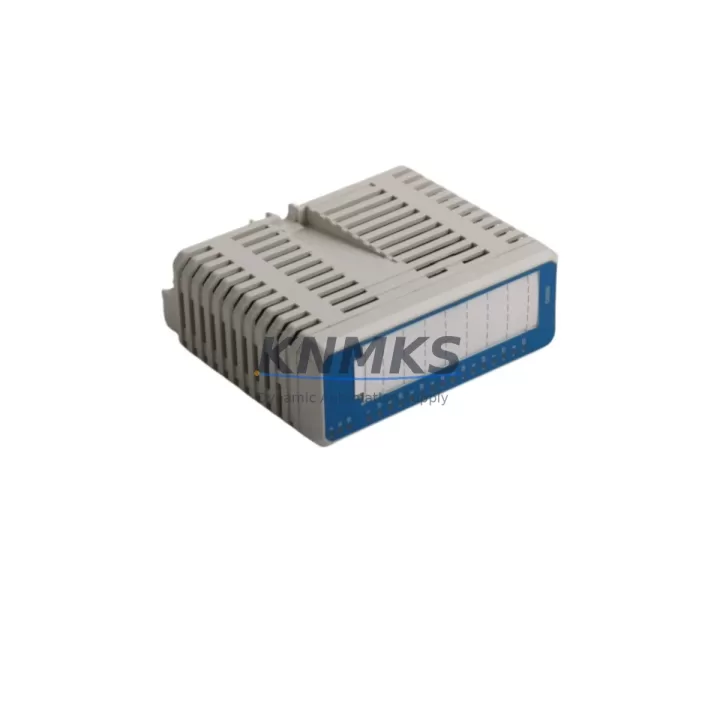
The ABB DI890 (part number 3BSC690073R1) is a digital input module designed for the S900 I/O system, widely deployed in process automation environments running on ABB’s AC800M controller platform. For maintenance engineers managing aging DCS infrastructure, keeping a verified spare of the DI890 on the shelf is one of the most cost-effective strategies to minimize unplanned downtime. Whether you are conducting routine point checks, isolating a field signal fault, or executing an emergency swap during a production outage, having an original, pre-tested DI890 3BSC690073R1 available ensures your control loop is restored within the shortest possible window.
This module handles digital input signals from field devices such as limit switches, proximity sensors, valve position feedback, and motor run/stop status. A failure in this module can silently disable an entire group of field inputs, leading to blind spots in your SCADA view and potential safety interlock gaps. Proactive spare holding is therefore not optional — it is a fundamental part of any responsible maintenance strategy for S900-based systems.
Spare Maintenance Table
| Parameter | Specification |
|---|---|
| Part Number | 3BSC690073R1 |
| Model | DI890 |
| Brand | ABB |
| Series | S900 I/O |
| Module Type | Digital Input Module |
| Compatible Controller | ABB AC800M DCS |
| Signal Type | Digital Input (DI) |
| Input Channels | 32 channels (typical for DI890 series) |
| Input Voltage Range | 24 VDC (nominal) |
| Communication Interface | S900 I/O Bus |
| Mounting | DIN rail / S900 backplane |
| Operating Temperature | 0°C to +60°C |
| Protection Class | IP20 |
| Origin | Germany |
| Condition | Original, New or Tested Surplus |
| Pre-shipment Test | Yes — functional verification before dispatch |
| Support terms | 12 Months |
| Lead Time | availability confirmed by RFQ — ships within 1–3 business days |
Maintenance Planning for Continuous Operation
When a DI890 3BSC690073R1 is flagged for replacement during a scheduled outage or emergency call-out, experienced maintenance engineers know that the module itself is rarely the only component that needs attention. A thorough inspection of the surrounding S900 I/O station is essential to prevent repeat failures and ensure a clean restoration of normal operation.
Begin by verifying the S900 I/O bus communication integrity. The CI830 or CI840 communication interface module that bridges the S900 field bus to the AC800M controller should be checked for firmware version compatibility and communication error counters. A degraded CI840 can cause intermittent DI890 read failures that are easily misdiagnosed as a module fault.
Next, inspect the 24 VDC field power supply feeding the DI890 input circuits. Voltage sags or ripple on the field supply rail — often caused by aging power supply units such as the ABB PSMV or third-party DIN rail PSUs — can cause false input states and premature module wear. Use a calibrated multimeter to confirm supply voltage is within ±5% of nominal before installing the replacement module.
The S900 backplane and terminal base (TB820 or equivalent) should be visually inspected for oxidized contacts, loose locking levers, and any signs of moisture ingress. A corroded terminal base will cause high-resistance connections that degrade signal quality even after a new DI890 is installed. If the terminal base shows visible wear, plan its replacement in the same maintenance window.
Field wiring connected to the DI890 input terminals deserves careful attention. Check for loose ferrules, damaged cable insulation, and correct labeling against the as-built drawings. In older plants, wiring documentation may not reflect field modifications, so a point-to-point continuity check on critical input loops — particularly safety interlock inputs — is strongly recommended before returning the system to service.
If the S900 station includes analog input modules such as the AI890 or AI893, take the opportunity to verify their calibration status and check for any active diagnostic alarms in the AC800M controller. Co-located I/O modules share the same backplane power and bus, so a fault in one module can sometimes mask or trigger alarms in adjacent modules.
For plants running Profibus DP or FOUNDATION Fieldbus segments alongside the S900 I/O, verify that the DP800 or equivalent fieldbus coupler is operating without communication errors. A fieldbus segment fault can cause the entire I/O station to go offline, making it appear as though the DI890 has failed when the root cause is upstream in the communication chain.
Finally, review the fuse and surge protection components on the field input circuits. Blown fuses on individual input channels are a common and often overlooked cause of missing digital signals. Ensure that replacement fuses match the original specification and that surge protection devices (SPDs) on long cable runs are intact and within their rated service life.
Site Replacement Workflow
Replacing a DI890 3BSC690073R1 in a live S900 I/O station follows a structured sequence to minimize risk and reduce total downtime. Before beginning, confirm with the control room operator that the affected input points can be placed in manual override or bypass mode in the AC800M application. This prevents spurious alarms and interlock trips during the swap.
Step 1 — Isolation: Place the affected I/O station in local maintenance mode if supported by the system configuration. Document the current diagnostic status of the DI890 in the AC800M engineering tool (Control Builder M) before removal.
Step 2 — Module Removal: Release the DI890 locking mechanism on the terminal base, slide the module out carefully, and inspect the backplane connector pins for damage or contamination.
Step 3 — Replacement Installation: Insert the new DI890 3BSC690073R1 into the terminal base until the locking lever clicks into place. No hardware address configuration is required — the S900 system uses automatic module recognition via the terminal base.
Step 4 — Verification: From the AC800M controller, force a re-scan of the I/O station and confirm that the DI890 is recognized without errors. Verify that all 32 input channels report the correct field states against known process conditions.
Step 5 — Return to Service: Remove any manual overrides, confirm with the operator that all input signals are reading correctly, and update the maintenance log with the replacement date, part number, and post-installation test results.
This workflow is compatible with hot-swap capable S900 configurations, allowing replacement without a full controller restart in most AC800M system versions. Confirm hot-swap support with your system’s firmware release notes before proceeding in a live environment.
Spare Parts Support FAQ
Q1: Is the DI890 3BSC690073R1 compatible with all AC800M controller versions?
The DI890 is designed for the S900 I/O system and is compatible with AC800M controllers running firmware versions that support the S900 I/O bus. Compatibility with specific controller firmware versions should be verified against ABB’s system compatibility matrix. We recommend confirming your AC800M firmware version before ordering if you are running a legacy system configuration.
Q2: What does the support terms confirmed by quotation cover?
Our support terms confirmed by quotation cover functional defects in the DI890 3BSC690073R1 under normal operating conditions. Each unit undergoes pre-shipment functional testing. If a module fails within the confirmed support period due to a manufacturing or component defect, we will provide a replacement or documented resolution support. Support terms does not cover damage caused by incorrect installation, overvoltage events, or physical mishandling on site.
Q3: Can you supply DI890 3BSC690073R1 for long-term maintenance contracts or annual blanket orders?
Yes. We support long-term supply agreements for maintenance teams managing multiple S900 I/O stations across plant sites. Blanket orders with scheduled quarterly or annual releases are available, allowing you to lock in pricing and ensure stock availability without holding excess inventory on site. Contact our sales team to discuss volume pricing and delivery scheduling.
Q4: How do I verify that a replacement DI890 is genuine and not a counterfeit module?
All DI890 3BSC690073R1 units we supply are sourced from authorized channels or verified surplus stock. Each module is inspected for correct labeling, firmware markings, and physical construction before dispatch. We provide a test report and shipment documentation with every order. If you require additional traceability documentation, please request it at the time of order.
© 2026 KNMKS. All rights reserved.
Original Source: https://knmks.com
Contact: admin@knmks.com | +86 18359268345
Product Identification
- Brand / Ecosystem
-
ABB
ABB - Model / Series
-
DI890 3BSC690073R1
AC800M Series - Product Family
- PLCs & Controllers
- Availability Status
- Available on request after model and quantity confirmation
- Inquiry Type
- B2B RFQ, replacement inquiry and project spare-part request
- Pre-Quote Check
- Exact SKU, brand, series, quantity, nameplate photos and destination country are checked before quotation
System Path
Where this product fits in the KNMKS automation structure.
Specification & Inquiry Focus
- Control platform
- PLC, PAC and modular controllers
- Common needs
- CPU, rack, power and I/O expansion
- Project support
- Replacement, cabinet build and maintenance
Buyer Confirmation
Information KNMKS checks before replying.
- Exact model
- DI890 3BSC690073R1
- Brand / ecosystem
- ABB
- Product family
- PLCs & Controllers
- Application note
- Replacement, maintenance, project build or spare-part list
- Useful photos
- Nameplate, installed unit, cabinet layout or connector side
- Delivery details
- Quantity, destination country and target schedule
Document Support
Files and notes can be confirmed during quotation.
- Product photos or nameplate confirmation when available
- Packing and delivery notes before quotation confirmation
- Support scope and delivery terms confirmed per inquiry
- Export document coordination for qualified B2B requests
Inquiry Support
- Model cross-checking before quotation
- CPU, power, rack and expansion module matching
- Support for replacement and project inquiry
What to Send Us
- Brand and exact model number: ABB DI890 3BSC690073R1
- Quantity and required delivery time
- Application, replacement requirement or nameplate photo
- Destination country and shipping preference
RFQ Preparation
This is a product inquiry page built for RFQ communication.
Fast Model Check
Send this model to KNMKS for confirmation.
Include quantity, destination country and photos if this is a maintenance replacement. The inquiry will be saved with a reference number after submission.
Brand & Compatibility Note
KNMKS displays automation product information for well-known industrial brand ecosystems and compatible replacement references. Brand names are used for product identification and compatibility reference only; final availability and commercial terms are confirmed per quotation.
 Manufacturing
 Machine Tools
 Packaging
 Energy & Power



 HMI & Displays
 Servo Systems
 Variable Frequency Drives
 Sensors