
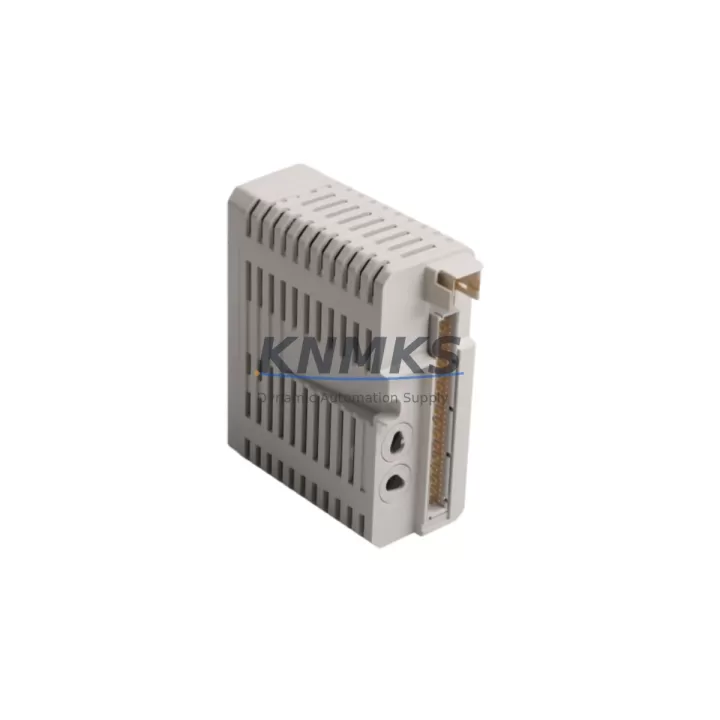
Overview
ABB DI811 3BSE008552R1 Migration-Ready Digital Input Module: Legacy System Retrofit & Compatibility Upgrade
The ABB DI811 (catalog number 3BSE008552R1) is an 8-channel, 24 VDC digital input module designed for the ABB S800 I/O platform. As legacy control systems built around the AC800M controller family approach end-of-life or require capacity expansion, the DI811 remains one of the most frequently specified drop-in replacements for discontinued or field-worn digital input positions. Whether you are restoring a degraded control cabinet, extending the service life of an existing S800 rack, or executing a phased migration away from an older Advant OCS or MOD 300 architecture, the DI811 provides a verified, low-risk path to restoring full I/O integrity without rewriting the underlying control logic.
Each unit supplied by KNMKS is sourced from authorized distribution channels, subjected to pre-shipment functional testing under 24 VDC signal conditions, and shipped with a support terms confirmed by quotation covering manufacturing defects and operational failure under normal industrial service conditions. In-stock inventory supports same-week dispatch to North America, Europe, and Asia-Pacific destinations, minimizing procurement lead time during unplanned outages or scheduled turnaround windows.
Migration Compatibility Table
| Parameter | DI811 3BSE008552R1 Specification | Retrofit / Migration Note |
|---|---|---|
| Input Channels | 8 × 24 VDC digital input | Direct replacement for any 8-ch 24 VDC DI position in S800 rack |
| Signal Voltage Range | 18–30 VDC (IEC 61131-2 Type 1/3) | Verify field wiring voltage; no signal conditioner required for standard 24 VDC loops |
| Backplane Interface | S800 ModuleBus (optical) | Compatible with TB810, TB811, TB820 terminal bases; confirm base part number before ordering |
| Controller Compatibility | AC800M (PM851, PM856, PM860, PM864, PM866) | No firmware change required; module address auto-assigned by ModuleBus position |
| Legacy Platform Migration | Advant OCS / MOD 300 → AC800M | I/O mapping must be re-declared in Control Builder M; signal tag reassignment required |
| Communication Protocol | ModuleBus (proprietary optical) | No PROFIBUS or PROFINET adapter needed for native S800 installations |
| Installation Footprint | Standard S800 module width (1 slot) | Fits all S800 rack configurations; no panel modification required |
| Firmware Dependency | None (hardware module, no embedded firmware) | AC800M firmware version ≥ 5.0 recommended for full diagnostic support |
| Commissioning Requirement | Module address set by physical slot position | Verify slot address in Control Builder M hardware configuration after hot-swap |
| Support terms | 12 months from shipment date — covers manufacturing defects and operational failure under normal service conditions | |
Retrofit Planning for Existing Automation Systems
A successful DI811 retrofit begins well before the module arrives on site. Engineers replacing a failed or end-of-life digital input position should first audit the terminal base installed in the target slot. The DI811 is mechanically and electrically compatible with the TB810 and TB811 terminal bases for field wiring, as well as the TB820 base used in high-density configurations. If the existing base shows corrosion, damaged spring terminals, or cracked housing, replacing it alongside the DI811 eliminates a common source of intermittent faults that can be misattributed to the new module.
Power budget verification is equally critical. The S800 rack draws module power from the SB821 or SB822 power supply unit mounted on the baseplate. Before inserting the DI811, confirm that the combined current draw of all installed modules — including any newly added DO810 digital output modules, AI810 analog input modules, or AO810 analog output modules — does not exceed the rated output of the supply unit. Overloaded backplane power is a leading cause of intermittent module resets and diagnostic alarms that are difficult to trace without a full power audit.
For sites migrating from an older Advant OCS or MOD 300 platform to an AC800M-based architecture, the DI811 fits directly into the new S800 I/O rack without hardware modification. However, the I/O signal mapping must be re-declared in ABB Control Builder M. Each digital input channel must be assigned to the correct function block input in the application program, and the corresponding HMI faceplates — typically built in ABB 800xA or a third-party SCADA — must be updated to reflect the new tag addresses. Retaining the original tag naming convention wherever possible reduces the risk of operator confusion during the cutover window.
Where the existing control cabinet includes a CI854 or CI857 PROFIBUS communication interface module connecting the AC800M to field devices, the DI811 installation does not affect that communication link. The ModuleBus optical interface used by the DI811 operates independently of the PROFIBUS segment, so field device communication remains uninterrupted during module swap. Similarly, if the cabinet includes an SS822 or SS823 signal separator for intrinsically safe loops, those circuits are unaffected by the DI811 replacement provided the terminal base wiring is not disturbed.
For sites with limited panel space, the DI811’s single-slot S800 footprint is an advantage over older multi-slot digital input cards from discontinued platforms. No panel cutout modification, DIN rail extension, or cable duct rerouting is required in a like-for-like slot replacement. Document the existing terminal wiring with photographs before disconnecting any field cables, and label each wire with its channel number to eliminate reconnection errors during commissioning.
Downtime Control During System Migration
Minimizing unplanned downtime during a digital input module replacement requires a structured pre-work package completed before the maintenance window opens. The control program currently executing on the AC800M should be exported from Control Builder M and archived to a secure backup location. This preserves the exact application version — including all function block parameters, interlock logic, and sequence states — so that if the replacement introduces an unexpected fault, the system can be restored to the last known good state without recompilation.
Where process conditions permit, the DI811 supports hot-swap replacement within the S800 rack without powering down the controller or adjacent modules. The AC800M will log a module removal event and generate a hardware fault alarm, but the controller continues executing the application program using the last valid input values held in memory. This behavior allows maintenance personnel to physically swap the module, verify LED status indicators, and confirm channel diagnostics in Control Builder M before the process is returned to automatic control — all without interrupting the broader control loop.
For installations where hot-swap is not permitted by site safety procedures, a cold-swap during a planned shutdown window is straightforward. Power down the S800 rack supply, remove the failed module, insert the replacement DI811, restore power, and verify that all eight input channels report correct status in the controller diagnostic display. The entire physical swap typically requires less than ten minutes; the majority of the maintenance window should be allocated to pre-work documentation, post-swap functional testing, and sign-off by the responsible engineer.
Field signal verification after module replacement should include a point-to-point loop check on all eight channels, confirming that each field device — limit switch, proximity sensor, or pushbutton — drives the correct input channel to the expected logic state. Any discrepancy between the field signal and the controller display indicates a wiring error at the terminal base rather than a module fault, and should be resolved before returning the loop to service.
Retrofit Support FAQ
Q1: Is the DI811 3BSE008552R1 a direct replacement for the DI810 or DI821?
The DI811 and DI810 share the same S800 ModuleBus interface and terminal base compatibility, making the DI811 a functional replacement for DI810 positions in most applications. The DI821 is a 16-channel variant; replacing a DI821 with two DI811 modules requires slot availability in the rack and corresponding updates to the hardware configuration in Control Builder M. Confirm channel count and terminal base type before ordering.
Q2: What pre-shipment testing is performed on each DI811 unit?
Each DI811 supplied by KNMKS is functionally tested under 24 VDC signal conditions prior to shipment. All eight input channels are verified for correct logic state response, and the ModuleBus interface is confirmed operational. Units that fail any test point are quarantined and not shipped. A test record is available upon request for quality documentation purposes.
Q3: Can the DI811 be used with a TB820 terminal base in a high-density configuration?
Yes. The DI811 is compatible with the TB820 terminal base, which supports higher field wiring density through a 40-pin connector arrangement. Verify that the TB820 installed in the target slot is undamaged and that all terminal screws are torqued to the manufacturer’s specification before inserting the module. No software configuration change is required when switching between TB810, TB811, and TB820 bases.
Q4: What is the support terms coverage and what does it include?
All DI811 3BSE008552R1 units are covered by a support terms confirmed by quotation from the date of shipment. The support terms covers manufacturing defects and operational failure under normal industrial service conditions, including standard temperature, humidity, and vibration environments. It does not cover damage resulting from incorrect installation, overvoltage, or unauthorized modification. Support requests are processed through KNMKS directly; contact admin@knmks.com with the order reference and a description of the fault.
© 2026 KNMKS. All rights reserved.
Original Source: https://knmks.com
Contact: admin@knmks.com | +86 18359268345
Product Identification
- Brand / Ecosystem
-
ABB
ABB - Model / Series
-
DI811 3BSE008552R1
AC800M Series - Product Family
- PLCs & Controllers
- Availability Status
- Available on request after model and quantity confirmation
- Inquiry Type
- B2B RFQ, replacement inquiry and project spare-part request
- Pre-Quote Check
- Exact SKU, brand, series, quantity, nameplate photos and destination country are checked before quotation
System Path
Where this product fits in the KNMKS automation structure.
Specification & Inquiry Focus
- Control platform
- PLC, PAC and modular controllers
- Common needs
- CPU, rack, power and I/O expansion
- Project support
- Replacement, cabinet build and maintenance
Buyer Confirmation
Information KNMKS checks before replying.
- Exact model
- DI811 3BSE008552R1
- Brand / ecosystem
- ABB
- Product family
- PLCs & Controllers
- Application note
- Replacement, maintenance, project build or spare-part list
- Useful photos
- Nameplate, installed unit, cabinet layout or connector side
- Delivery details
- Quantity, destination country and target schedule
Document Support
Files and notes can be confirmed during quotation.
- Product photos or nameplate confirmation when available
- Packing and delivery notes before quotation confirmation
- Support scope and delivery terms confirmed per inquiry
- Export document coordination for qualified B2B requests
Inquiry Support
- Model cross-checking before quotation
- CPU, power, rack and expansion module matching
- Support for replacement and project inquiry
What to Send Us
- Brand and exact model number: ABB DI811 3BSE008552R1
- Quantity and required delivery time
- Application, replacement requirement or nameplate photo
- Destination country and shipping preference
RFQ Preparation
This is a product inquiry page built for RFQ communication.
Fast Model Check
Send this model to KNMKS for confirmation.
Include quantity, destination country and photos if this is a maintenance replacement. The inquiry will be saved with a reference number after submission.
Brand & Compatibility Note
KNMKS displays automation product information for well-known industrial brand ecosystems and compatible replacement references. Brand names are used for product identification and compatibility reference only; final availability and commercial terms are confirmed per quotation.
 Manufacturing
 Machine Tools
 Packaging
 Energy & Power



 HMI & Displays
 Servo Systems
 Variable Frequency Drives
 Sensors