
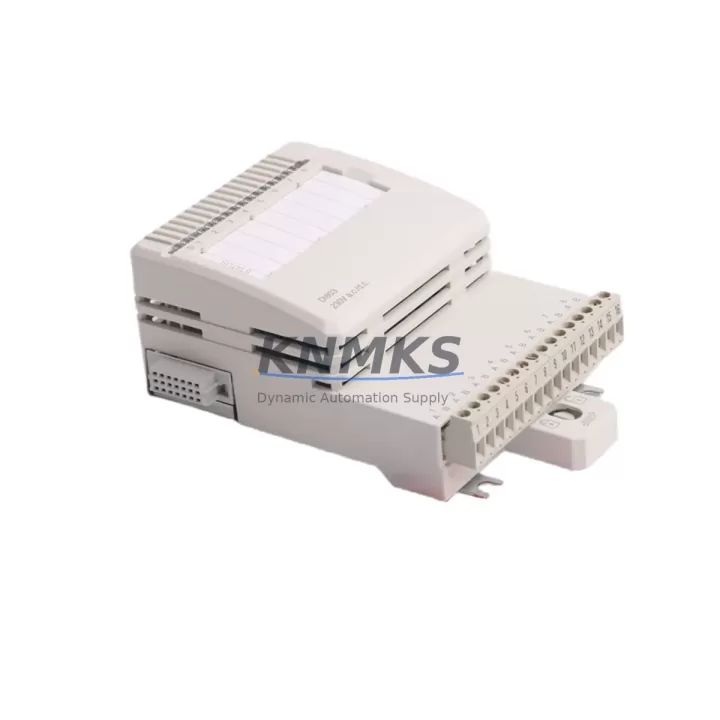
Overview
ABB DI803 Migration-Ready Digital Input for Legacy Control Systems
The ABB DI803 is an 8-channel, 230V AC digital input module engineered for the S800 I/O platform and fully compatible with AC800M process controllers. As legacy DCS and PLC installations approach end-of-life, the DI803 has become a critical component in retrofit and modernization projects across the process industries — including oil & gas, pulp & paper, power generation, and chemical processing. Whether you are replacing a failed module in an aging control cabinet, expanding I/O capacity during a phased migration, or rebuilding a decommissioned rack, the DI803 delivers verified drop-in compatibility with minimal engineering overhead and maximum uptime protection.
Each unit supplied by KNMKS is sourced from authorized distribution channels, subjected to pre-shipment functional testing, and backed by a support terms confirmed by quotation covering manufacturing defects and operational failures under normal service conditions. Stock is maintained across multiple regional warehouses to support urgent dispatch requirements, with same-day or next-business-day shipping available for in-stock orders.
Migration Compatibility Table
| Parameter | DI803 Specification | Retrofit / Migration Notes |
|---|---|---|
| Input Channels | 8 × 230V AC digital inputs | Verify field wiring gauge and terminal torque before reconnection |
| Backplane Interface | S800 I/O bus connector | Compatible with TB820V2 and TB840A communication interfaces |
| Module Address | Set via DIP switch on module face | Match address to original module position; verify in Control Builder M |
| Power Consumption | Supplied via S800 I/O bus | Confirm SA811 or SA812 power supply capacity before adding modules |
| Communication Protocol | S800 I/O proprietary bus | No protocol conversion required; direct replacement for existing DI803 positions |
| Firmware Compatibility | Compatible with AC800M firmware 5.x and above | Confirm controller firmware version; no module firmware update typically required |
| Installation Space | Standard S800 I/O module slot | Single-slot; no mechanical modification to rack or cabinet required |
| Replacement Candidates | Direct replacement for DI803 (all revisions) | Also applicable where DI810 (24V DC) is being upgraded to 230V AC input standard |
| Pre-Shipment Testing | Functional I/O verification performed | Test report available on request |
| Support terms | 12 months from date of shipment | Covers manufacturing defects and operational failure under normal use |
Retrofit Planning for Existing Automation Systems
A successful DI803 retrofit begins well before the module arrives on site. Engineers undertaking an S800 I/O migration or control cabinet upgrade should conduct a thorough pre-engineering review covering the following areas:
Power Budget Verification: The S800 I/O bus is powered by dedicated supply modules such as the SA811 or SA812. Before adding or replacing DI803 units, calculate the total current draw across all installed modules in the rack. If the existing power supply is operating near capacity, a parallel SA812 may be required to maintain bus stability during the transition.
Backplane and Rack Integrity: The DI803 connects to the S800 I/O bus via the TB820V2 or TB840A communication interface modules. Inspect the backplane connectors for oxidation or mechanical damage, particularly in installations that have been in service for more than ten years. A degraded TB820V2 can cause intermittent communication faults that are difficult to distinguish from module failures.
Terminal Wiring and Signal Isolation: The DI803 accepts 230V AC field signals directly. During replacement, verify that field wiring insulation ratings are appropriate for the voltage class and that terminal blocks are correctly torqued. In installations where signal isolation is required between field devices and the control system, a signal isolator or relay interposing module may be inserted in the wiring path without affecting DI803 compatibility.
Module Address and Program Logic: The DI803 module address is configured via DIP switches on the module face. This address must match the hardware configuration defined in ABB Control Builder M. If the original module address is unknown, it can be recovered from the project archive or read from the controller’s hardware scan. No changes to the application program logic are required for a like-for-like DI803 replacement.
HMI and SCADA Consistency: In systems where the DI803 feeds digital status signals to an HMI or SCADA layer — for example, via an AC800M controller connected to a System 800xA engineering station — verify that signal tag names and alarm limits remain consistent after the module swap. A brief I/O force test following installation confirms that all field signals are correctly mapped before returning the loop to automatic control.
Communication Link Integrity: The S800 I/O bus communicates with the AC800M controller via the CI854 or CI858 PROFIBUS interface module, or through the Modulebus on the controller’s local I/O port. Confirm that the communication link is healthy before and after module replacement. A CI854 with degraded optical fiber connections can mask DI803 faults during commissioning.
In multi-rack configurations, the DI803 is frequently installed alongside DO814 digital output modules, AI810 analog input modules, and AO810V2 analog output modules. These modules share the same S800 I/O bus architecture and can be replaced or expanded using the same retrofit methodology described above.
Downtime Control During System Migration
Minimizing production downtime during a DI803 replacement or S800 I/O migration requires a structured approach that protects the original program logic, maintains field control continuity, and reduces the risk of commissioning errors.
Hot-Swap Capability: The S800 I/O platform supports hot-swap replacement of I/O modules while the controller remains in RUN mode, provided the module address and type are unchanged. This means a failed DI803 can be replaced without shutting down the AC800M controller or interrupting other I/O channels in the same rack. Confirm hot-swap support with the site’s control system engineer before proceeding, as some older firmware versions may require a controller restart to recognize the new module.
Program Logic Preservation: Before any hardware change, export and archive the current Control Builder M project, including all hardware configuration files and application program versions. This archive serves as the recovery baseline if the replacement introduces unexpected behavior. In practice, a like-for-like DI803 swap requires no program changes, but having the archive available eliminates recovery time in edge cases.
Staged Migration Strategy: In large-scale migrations involving multiple racks or cabinets, a staged approach — replacing one rack at a time while maintaining redundant signal paths — significantly reduces the risk of a system-wide outage. Where redundant I/O is not available, coordinate the replacement window with the operations team to align with planned maintenance shutdowns or low-production periods.
Post-Installation Verification: After installing the DI803, perform a structured commissioning check: confirm module status LEDs indicate normal operation, verify all 8 input channels respond correctly to field signals, and check that the AC800M controller reports no hardware faults. Document the as-installed module address and firmware version for the site’s maintenance records.
Retrofit Support FAQ
Q1: Is the DI803 a direct drop-in replacement for all revisions of the original ABB DI803?
Yes. The DI803 is backward compatible across all hardware revisions. The module address, backplane connector, and signal interface are identical across revisions, so no wiring or configuration changes are required for a like-for-like replacement. If you are replacing a DI803 with a different revision number than the original, confirm the revision compatibility with the site’s control system documentation before installation.
Q2: What commissioning steps are required after installing a replacement DI803?
After physical installation, verify the DIP switch address matches the original module position, confirm the module status LED indicates normal operation, and perform an I/O force test on all 8 channels to validate field signal mapping. In Control Builder M, run a hardware scan to confirm the module is recognized without faults. No firmware update is typically required for AC800M systems running firmware 5.x or above.
Q3: Can the DI803 be used in a mixed-voltage S800 I/O rack alongside 24V DC input modules?
Yes. The S800 I/O platform supports mixed-module configurations within the same rack. The DI803 (230V AC) can be installed in the same rack as DI810 (24V DC) or other S800 I/O modules without electrical interference, provided the total power budget of the SA811 or SA812 supply module is not exceeded. Verify the power budget calculation before finalizing the rack configuration.
Q4: What does the support terms confirmed by quotation cover, and what is the dispatch lead time?
The support terms confirmed by quotation cover manufacturing defects and operational failures under normal service conditions from the date of shipment. It does not cover damage resulting from incorrect installation, overvoltage, or unauthorized modification. For in-stock units, same-day or next-business-day dispatch is available. Express international shipping options are available for urgent retrofit and breakdown requirements. Contact the sales team for current stock availability and lead time confirmation.
© 2026 KNMKS. All rights reserved.
Original Source: https://knmks.com
Contact: admin@knmks.com | +86 18359268345
Product Identification
- Brand / Ecosystem
-
ABB
ABB - Model / Series
-
DI803
AC800M Series - Product Family
- PLCs & Controllers
- Availability Status
- Available on request after model and quantity confirmation
- Inquiry Type
- B2B RFQ, replacement inquiry and project spare-part request
- Pre-Quote Check
- Exact SKU, brand, series, quantity, nameplate photos and destination country are checked before quotation
System Path
Where this product fits in the KNMKS automation structure.
Specification & Inquiry Focus
- Control platform
- PLC, PAC and modular controllers
- Common needs
- CPU, rack, power and I/O expansion
- Project support
- Replacement, cabinet build and maintenance
Buyer Confirmation
Information KNMKS checks before replying.
- Exact model
- DI803
- Brand / ecosystem
- ABB
- Product family
- PLCs & Controllers
- Application note
- Replacement, maintenance, project build or spare-part list
- Useful photos
- Nameplate, installed unit, cabinet layout or connector side
- Delivery details
- Quantity, destination country and target schedule
Document Support
Files and notes can be confirmed during quotation.
- Product photos or nameplate confirmation when available
- Packing and delivery notes before quotation confirmation
- Support scope and delivery terms confirmed per inquiry
- Export document coordination for qualified B2B requests
Inquiry Support
- Model cross-checking before quotation
- CPU, power, rack and expansion module matching
- Support for replacement and project inquiry
What to Send Us
- Brand and exact model number: ABB DI803
- Quantity and required delivery time
- Application, replacement requirement or nameplate photo
- Destination country and shipping preference
RFQ Preparation
This is a product inquiry page built for RFQ communication.
Fast Model Check
Send this model to KNMKS for confirmation.
Include quantity, destination country and photos if this is a maintenance replacement. The inquiry will be saved with a reference number after submission.
Brand & Compatibility Note
KNMKS displays automation product information for well-known industrial brand ecosystems and compatible replacement references. Brand names are used for product identification and compatibility reference only; final availability and commercial terms are confirmed per quotation.
 Manufacturing
 Machine Tools
 Packaging
 Energy & Power



 HMI & Displays
 Servo Systems
 Variable Frequency Drives
 Sensors