
Overview
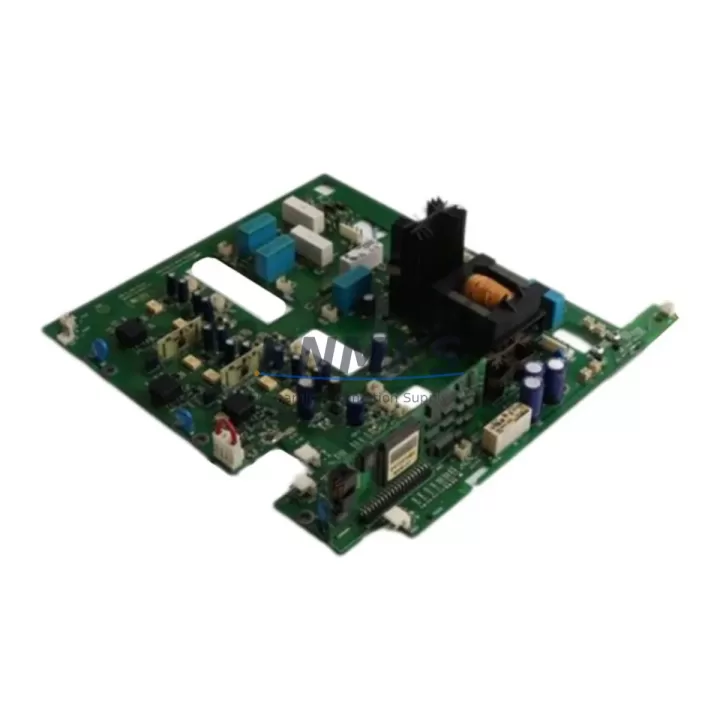
ABB DI685 3BDS005833R1 Migration-Ready Digital Input Module for Legacy Control Systems
The ABB DI685 (3BDS005833R1) is a 16-channel 24 VDC digital input module designed for the ABB S800 I/O platform, widely deployed in AC800M-based Distributed Control Systems across power generation, oil & gas, pulp & paper, and process manufacturing industries. As legacy S800 installations age and original spare parts become increasingly difficult to source, the DI685 3BDS005833R1 serves as a verified, drop-in replacement module that preserves existing wiring infrastructure, backplane addressing, and controller program logic — making it the preferred choice for engineers managing phased system modernization without full DCS replacement.
When planning a retrofit or spare-part substitution involving the DI685, engineers must confirm several critical compatibility parameters before installation. The module operates on a 24 VDC field supply and interfaces with the S800 I/O bus via the standard MTU (Module Termination Unit) or directly through the CI830 or CI840 communication interfaces. Before swapping a failed or end-of-life unit, verify that the existing TB820 or TB825 bus modem firmware version supports the DI685 hardware revision in use. Mismatched firmware between the bus modem and the input module is a common source of diagnostic faults during retrofit commissioning and can result in the module appearing offline in the AC800M controller’s I/O configuration tree.
Terminal wiring on the DI685 follows the standard S800 MTU pinout. If the site is migrating from an older DI610 or DI620 digital input module — both of which have reached end-of-life — the DI685 is the recommended upgrade path. The channel count, signal voltage range, and MTU connector footprint are compatible, but engineers should audit the field wiring for any legacy 120 VAC input circuits that may have been adapted through signal isolators. In such cases, retaining the existing DSAI 130 or DSAI 155 signal isolator modules in the marshalling cabinet ensures that the 24 VDC input range of the DI685 is not exceeded and that field signal integrity is maintained during the transition.
Migration Compatibility Table
| Parameter | DI685 3BDS005833R1 | Notes / Retrofit Guidance |
|---|---|---|
| Platform | ABB S800 I/O | Compatible with AC800M controller family |
| Channels | 16 × Digital Input | Replaces DI610 (8-ch) with channel remapping required |
| Input Voltage | 24 VDC | Verify field supply; isolate legacy 120 VAC circuits |
| Backplane Interface | S800 I/O Bus (MTU) | TB820/TB825 bus modem required; confirm firmware rev. |
| Communication | PROFIBUS DP / Modulebus | CI830/CI840 interface module required in rack |
| Module Address | Configured via CI interface | Retain original address to avoid Control Builder re-mapping |
| Firmware Compatibility | Verify TB820/TB825 version | Update bus modem firmware before hot-swap if possible |
| Installation Space | Standard S800 module slot | No mechanical modification required for like-for-like swap |
| HMI / SCADA Impact | Tag mapping preserved | No HMI screen rebuild required if address is unchanged |
| Support terms | 12 Months | Covers hardware defects; includes pre-shipment function test |
Retrofit Planning for Existing Automation Systems
A successful DI685 retrofit begins well before the module arrives on site. Start by pulling the existing S800 I/O configuration from ABB Control Builder M and exporting the hardware assignment list. This document identifies every module slot, address, and I/O tag associated with the rack containing the failed or aging DI685. If the rack also houses a DO810 or DO820 digital output module, confirm that the output module’s power supply budget is not affected by the input module replacement — shared 24 VDC rail loading is a frequent oversight in older cabinet designs.
For sites running mixed analog and digital I/O in the same S800 rack, the presence of an AI810 or AI820 analog input module on adjacent slots requires attention. The S800 bus arbitration can occasionally generate transient faults during module hot-swap if the bus modem is not in a stable state. Best practice is to place the bus modem in forced offline mode via Control Builder before physically removing the old DI685, then re-enable after seating the replacement module and confirming LED status.
Communication continuity is another key concern. Sites using a CI840A communication interface for redundant PROFIBUS DP connectivity should verify that both primary and secondary CI modules recognize the new DI685 after insertion. In redundant configurations, a single-sided recognition failure can cause the controller to flag a hardware mismatch alarm without actually losing process control — but this alarm must be cleared and root-caused before the next planned maintenance window to avoid masking a genuine fault.
Where the retrofit involves expanding I/O capacity beyond the original rack design, engineers often add a secondary S800 I/O station connected via an additional CI830 PROFIBUS interface module. This approach avoids disturbing the existing rack wiring while providing headroom for new field instruments added during the plant upgrade. Ensure that the PROFIBUS segment length and termination resistors are recalculated when adding a new station, particularly in older cable installations where impedance characteristics may have drifted.
Downtime Control During System Migration
Minimizing unplanned downtime during a DI685 replacement requires a structured pre-outage checklist. Before the maintenance window opens, download and archive the current AC800M application program, including all function block diagrams and SFC sequences that reference the I/O tags mapped to the DI685 channels. Store this backup on an offline engineering workstation — not only on the controller’s internal memory — so that a full program restore is possible even if the controller itself is affected during the swap.
During the outage window, follow a defined sequence: isolate field circuits at the marshalling cabinet terminal blocks, remove the old module, seat the DI685 3BDS005833R1, and power up the rack before re-enabling the bus modem. This sequence prevents the controller from logging a cascade of I/O fault alarms that can obscure the actual commissioning status. Once the module is online and all 16 channels show correct status in the Control Builder diagnostic view, re-energize field circuits one group at a time and verify signal state against the field instrument reading.
For sites where a cold swap is not acceptable — such as continuous process lines where even a brief loss of digital input monitoring creates a safety interlock risk — a parallel wiring strategy using a temporary signal splitter or patch panel can maintain input signal visibility to the controller while the physical module is exchanged. This approach adds complexity but is well-established in refinery and chemical plant environments where process continuity requirements are stringent. Document the parallel wiring configuration and remove all temporary connections before closing the maintenance record.
Retrofit Support FAQ
Q1: Is the ABB DI685 3BDS005833R1 a direct replacement for the DI610 or DI620?
The DI685 uses the same S800 MTU connector and backplane interface as the DI610 and DI620, making it mechanically compatible. However, the DI685 provides 16 channels versus 8 channels on the DI610. If replacing a DI610, the additional 8 channels will appear as unused inputs in the controller configuration unless the hardware assignment is updated in Control Builder M. No wiring changes are required for the original 8 circuits.
Q2: What pre-shipment testing is performed on the DI685 3BDS005833R1?
Each unit undergoes a functional power-on test and channel continuity verification before dispatch. Modules are inspected for physical condition, connector integrity, and firmware label consistency. A test report is available upon request. All units are covered by a support terms confirmed by quotation against hardware defects from the date of shipment.
Q3: Can the DI685 be used with both CI830 and CI840A communication interfaces?
Yes. The DI685 is compatible with both the CI830 (single PROFIBUS DP) and CI840A (redundant PROFIBUS DP) communication interface modules. In redundant CI configurations, ensure that both CI modules are running the same firmware version to prevent asymmetric module recognition after a hot-swap event.
Q4: What is the typical lead time and stock availability?
The DI685 3BDS005833R1 is held availability confirmed by RFQ for immediate dispatch. Standard lead time for in-stock units is 3–7 business days depending on destination. For urgent plant breakdown situations, expedited shipping is available. Contact our sales team to confirm current inventory levels and arrange priority dispatch.
© 2026 KNMKS. All rights reserved.
Original Source: https://knmks.com
Contact: admin@knmks.com | +86 18359268345
Product Identification
- Brand / Ecosystem
-
ABB
ABB - Model / Series
-
DI685 3BDS005833R1
AC800M Series - Product Family
- PLCs & Controllers
- Availability Status
- Available on request after model and quantity confirmation
- Inquiry Type
- B2B RFQ, replacement inquiry and project spare-part request
- Pre-Quote Check
- Exact SKU, brand, series, quantity, nameplate photos and destination country are checked before quotation
System Path
Where this product fits in the KNMKS automation structure.
Specification & Inquiry Focus
- Control platform
- PLC, PAC and modular controllers
- Common needs
- CPU, rack, power and I/O expansion
- Project support
- Replacement, cabinet build and maintenance
Buyer Confirmation
Information KNMKS checks before replying.
- Exact model
- DI685 3BDS005833R1
- Brand / ecosystem
- ABB
- Product family
- PLCs & Controllers
- Application note
- Replacement, maintenance, project build or spare-part list
- Useful photos
- Nameplate, installed unit, cabinet layout or connector side
- Delivery details
- Quantity, destination country and target schedule
Document Support
Files and notes can be confirmed during quotation.
- Product photos or nameplate confirmation when available
- Packing and delivery notes before quotation confirmation
- Support scope and delivery terms confirmed per inquiry
- Export document coordination for qualified B2B requests
Inquiry Support
- Model cross-checking before quotation
- CPU, power, rack and expansion module matching
- Support for replacement and project inquiry
What to Send Us
- Brand and exact model number: ABB DI685 3BDS005833R1
- Quantity and required delivery time
- Application, replacement requirement or nameplate photo
- Destination country and shipping preference
RFQ Preparation
This is a product inquiry page built for RFQ communication.
Fast Model Check
Send this model to KNMKS for confirmation.
Include quantity, destination country and photos if this is a maintenance replacement. The inquiry will be saved with a reference number after submission.
Brand & Compatibility Note
KNMKS displays automation product information for well-known industrial brand ecosystems and compatible replacement references. Brand names are used for product identification and compatibility reference only; final availability and commercial terms are confirmed per quotation.
 Manufacturing
 Machine Tools
 Packaging
 Energy & Power



 HMI & Displays
 Servo Systems
 Variable Frequency Drives
 Sensors