
Overview
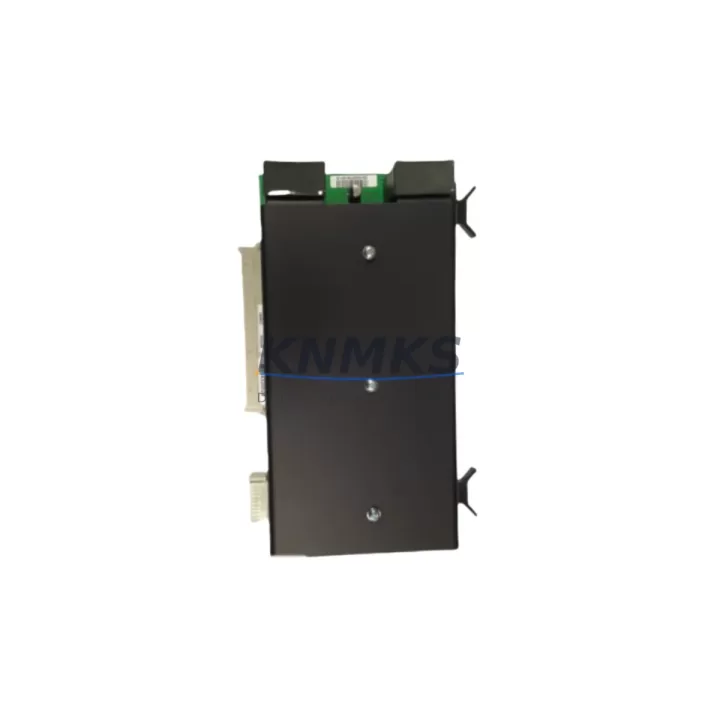
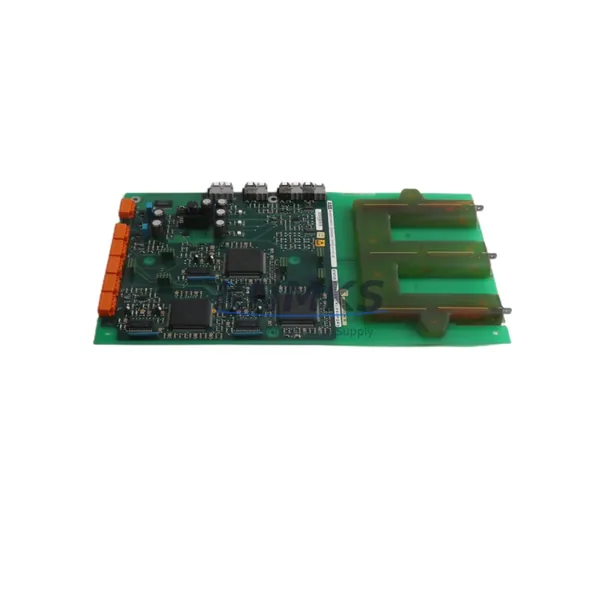
ABB 3BUS208796-001 Migration-Ready Signal Conditioning Board for Legacy AC800M Control Systems
The ABB 3BUS208796-001 is a signal conditioning board engineered for the AC800M Distributed Control System platform — one of ABB’s most widely deployed process automation architectures across oil & gas, power generation, pulp & paper, and chemical processing industries. As legacy AC800M installations approach end-of-support milestones and original signal conditioning boards become increasingly difficult to source through standard distribution channels, the 3BUS208796-001 serves as a verified migration-ready replacement that preserves existing wiring infrastructure, backplane slot assignments, and controller logic without requiring a full system redesign.
For maintenance engineers managing aging DCS cabinets, the 3BUS208796-001 addresses one of the most common failure points in long-running AC800M installations: signal integrity degradation caused by worn or thermally stressed conditioning circuitry. Rather than initiating a costly platform migration to a newer controller family, facilities can restore full signal fidelity by substituting this board on a like-for-like basis. Before installation, engineers should verify the existing backplane slot configuration, confirm terminal block wiring assignments against the original I/O list, and check that the firmware revision running on the associated PM891 or PM864 processor module is compatible with the board’s hardware revision level.
Power supply capacity is a critical pre-installation checkpoint. The 3BUS208796-001 draws from the shared 24 VDC rail distributed across the S800 I/O station or the AC800M controller cabinet. If the existing SD821 or SD822 power supply unit is already operating near its rated output — particularly in cabinets where additional I/O modules such as AI810, AO810, or DI810 have been added over time — a load calculation should be performed before inserting the replacement board. Overloading the power rail can cause intermittent faults across multiple modules simultaneously, complicating root-cause diagnosis during commissioning.
Terminal wiring compatibility is generally maintained when replacing a like-model board, but field engineers should photograph or document the existing wiring layout before removal. In installations where the original TB820 or TB840 terminal base units have been in service for more than a decade, connector contact resistance may have increased due to oxidation. Cleaning or replacing terminal bases at the time of board replacement is a low-cost step that significantly reduces the risk of nuisance alarms after restart. Signal loop integrity — particularly for 4–20 mA analog inputs routed through the conditioning board — should be verified with a loop calibrator before returning the loop to automatic control.
From a software and configuration perspective, the 3BUS208796-001 replacement does not require changes to the Control Builder M application program, provided the hardware type and slot address remain identical. Engineers should confirm the module address in the hardware configuration tree within Control Builder M matches the physical slot position in the rack. If the board is being installed in a different slot than the original — for example, due to physical damage to the original slot’s backplane connector — the hardware configuration must be updated and a new download performed to the PM891 processor. HMI faceplates connected to signals routed through this board will continue to function without modification once the controller recognizes the replacement module at the correct address.
Communication link continuity is another consideration for installations where the AC800M controller communicates with a System 800xA Operations station via MMS or OPC DA. The signal conditioning board itself does not participate in the communication stack, but any unplanned controller restart triggered during board replacement will temporarily interrupt the data highway. Coordinating the replacement during a planned maintenance window — and pre-notifying the operations team to expect a brief loss of live data on affected HMI displays — is standard practice for minimizing operational impact.
For facilities running mixed-generation control cabinets that include both AC800M controllers and older Advant OCS or MOD 300 legacy nodes, the 3BUS208796-001 replacement can be part of a broader phased modernization strategy. Rather than replacing the entire control system simultaneously, engineering teams can prioritize the replacement of signal conditioning and I/O boards in the highest-criticality loops first, while leaving lower-priority loops on the original hardware until the next scheduled turnaround. This approach keeps total project cost manageable and limits the scope of any single maintenance intervention.
Migration Compatibility Table
| Parameter | Details |
|---|---|
| Replacement Target | ABB 3BUS208796-001 (direct like-for-like replacement) |
| Compatible Platform | ABB AC800M DCS (PM891, PM864, PM866 processor modules) |
| Backplane Interface | S800 I/O station backplane; slot-compatible with standard AC800M I/O racks |
| Power Supply Requirement | 24 VDC from SD821 / SD822; verify rail load before installation |
| Terminal Compatibility | Compatible with TB820 / TB840 terminal base units; inspect contacts before reuse |
| Communication Protocol | No direct protocol participation; transparent to MMS / OPC DA / PROFIBUS links |
| Software Configuration | No Control Builder M program changes required for same-slot replacement |
| Firmware Compatibility | Verify hardware revision against PM891 / PM864 firmware release notes |
| Installation Space | Standard AC800M I/O rack slot; no mechanical modification required |
| Pre-Shipment Testing | Function-tested and verified before dispatch |
| Support terms | support terms confirmed by quotation — covers functional defects under normal operating conditions |
Retrofit Planning for Existing Automation Systems
A successful retrofit of the 3BUS208796-001 into an operating AC800M installation requires a structured pre-work checklist that addresses every interface point between the replacement board and the surrounding system. Begin by auditing the I/O list for all signals routed through the existing board — typically a mix of analog inputs from field transmitters, thermocouple inputs, and possibly discrete status signals depending on the cabinet’s original design. Cross-reference this list against the current Control Builder M hardware configuration to confirm that signal tag names, engineering unit ranges, and alarm limits are correctly mapped before the replacement is performed.
The PM891 processor module governing the I/O station should be placed in manual override or the affected loops should be transferred to a backup control strategy before the board is removed. In installations where a redundant PM891 pair is configured, the switchover to the standby processor can be initiated from the System 800xA Operations station, allowing the replacement to proceed without interrupting process control. For non-redundant installations, a brief controlled shutdown of the affected loops is unavoidable, and the operations team should be prepared to manage the process manually during the replacement window.
Adjacent modules in the same I/O rack — such as AI810 analog input modules, AO810 analog output modules, or DI810 digital input modules — should be inspected for signs of thermal stress or connector wear at the same time, since the cost of a second maintenance intervention to address a neighboring module failure shortly after the primary replacement can be significant. If the cabinet also contains a CI854 PROFIBUS DP communication interface module linking field devices such as valve positioners or variable-speed drives, confirm that the PROFIBUS segment remains healthy throughout the replacement procedure by monitoring the diagnostic LEDs on the CI854 before and after the board swap.
For installations that include an OP810 operator panel or a local HMI connected directly to the AC800M controller, verify that the panel’s display updates correctly for all signals routed through the 3BUS208796-001 after the replacement is complete. A full loop check — injecting a known 4–20 mA signal at the field terminal and confirming the correct engineering unit value appears on both the local HMI and the System 800xA Operations station — is the recommended final verification step before returning the loops to automatic control.
Downtime Control During System Migration
Minimizing unplanned downtime during a signal conditioning board replacement in an operating AC800M system depends on three factors: preparation quality, execution speed, and post-replacement verification discipline. On the preparation side, having the 3BUS208796-001 replacement board on-site and pre-tested before the maintenance window opens is the single most effective risk reduction measure. Waiting for a board to arrive after a failure has already occurred typically adds 24 to 72 hours of unplanned downtime in facilities without local spare parts inventory — a cost that far exceeds the carrying cost of maintaining one or two spare boards in the site’s critical spares cabinet.
During execution, the physical board swap on an AC800M I/O station is a straightforward procedure: the module is released from the backplane by pressing the ejector lever, withdrawn from the slot, and the replacement inserted until the backplane connector is fully seated and the locking tab engages. The entire mechanical operation typically takes less than five minutes for a trained technician. The majority of the maintenance window should be allocated to the pre-work steps — loop transfers, manual overrides, and configuration verification — and the post-replacement verification steps, including loop checks and alarm rationalization.
Protecting the original program logic is non-negotiable. The Control Builder M application program residing in the PM891 processor is not affected by a board replacement in the same slot, provided the hardware configuration is not modified. Engineers should resist the temptation to make any other configuration changes during the same maintenance window, as combining multiple changes increases the risk of introducing an unrelated fault that is difficult to isolate during the post-replacement verification phase. A clean, single-purpose maintenance intervention — replace the board, verify the loops, return to automatic — is the lowest-risk approach and the fastest path to restoring full system availability.
Retrofit Support FAQ
Q: Is the ABB 3BUS208796-001 a direct drop-in replacement for the original board in my AC800M cabinet?
A: Yes, the 3BUS208796-001 is designed as a like-for-like replacement for the same part number. No mechanical modification, wiring change, or software reconfiguration is required for a same-slot installation. Verify the hardware revision compatibility with your PM891 or PM864 firmware version before installation.
Q: Has the board been tested before shipment?
A: Yes. Every unit is function-tested before dispatch. Units are inspected for physical condition, connector integrity, and basic operational verification. A support terms confirmed by quotation cover functional defects under normal operating conditions from the date of receipt.
Q: What should I check regarding terminal wiring before installing the replacement board?
A: Confirm that the TB820 or TB840 terminal base unit connected to the existing board is in good condition — check for oxidized contacts, loose screws, and correct wire seating. Document the existing wiring layout before removing the original board. No rewiring is required for a like-for-like replacement, but terminal base condition directly affects signal quality after installation.
Q: What is the typical lead time and do you maintain stock?
A: We maintain warehouse stock of the 3BUS208796-001 to support urgent maintenance requirements. Standard lead time is 1–3 business days for in-stock units. For critical applications or blanket stock programs, contact our team to discuss reserved inventory arrangements that guarantee availability when you need it.
© 2026 KNMKS. All rights reserved.
Original Source: https://knmks.com
Contact: admin@knmks.com | +86 18359268345
Product Identification
- Brand / Ecosystem
-
ABB
ABB - Model / Series
-
3BUS208796-001
AC800M Series - Product Family
- Other Components
- Availability Status
- Available on request after model and quantity confirmation
- Inquiry Type
- B2B RFQ, replacement inquiry and project spare-part request
- Pre-Quote Check
- Exact SKU, brand, series, quantity, nameplate photos and destination country are checked before quotation
System Path
Where this product fits in the KNMKS automation structure.
Specification & Inquiry Focus
- Component range
- Breakers, terminals and cabinet accessories
- Common needs
- Model, photo and installation requirement
- Project support
- Maintenance and mixed spare-part inquiry
Buyer Confirmation
Information KNMKS checks before replying.
- Exact model
- 3BUS208796-001
- Brand / ecosystem
- ABB
- Product family
- Other Components
- Application note
- Replacement, maintenance, project build or spare-part list
- Useful photos
- Nameplate, installed unit, cabinet layout or connector side
- Delivery details
- Quantity, destination country and target schedule
Document Support
Files and notes can be confirmed during quotation.
- Product photos or nameplate confirmation when available
- Packing and delivery notes before quotation confirmation
- Support scope and delivery terms confirmed per inquiry
- Export document coordination for qualified B2B requests
Inquiry Support
- Mixed automation spare parts inquiry
- Cabinet component and accessory support
- Model identification from photos or labels
What to Send Us
- Brand and exact model number: ABB 3BUS208796-001
- Quantity and required delivery time
- Application, replacement requirement or nameplate photo
- Destination country and shipping preference
RFQ Preparation
This is a product inquiry page built for RFQ communication.
Fast Model Check
Send this model to KNMKS for confirmation.
Include quantity, destination country and photos if this is a maintenance replacement. The inquiry will be saved with a reference number after submission.
Brand & Compatibility Note
KNMKS displays automation product information for well-known industrial brand ecosystems and compatible replacement references. Brand names are used for product identification and compatibility reference only; final availability and commercial terms are confirmed per quotation.
 Manufacturing
 Machine Tools
 Packaging
 Energy & Power
 PLCs & Controllers
 HMI & Displays
 Servo Systems
 Variable Frequency Drives