
Overview
ABB 3BSE008516R1 Maintenance-Proven Spare Part for Factory Uptime
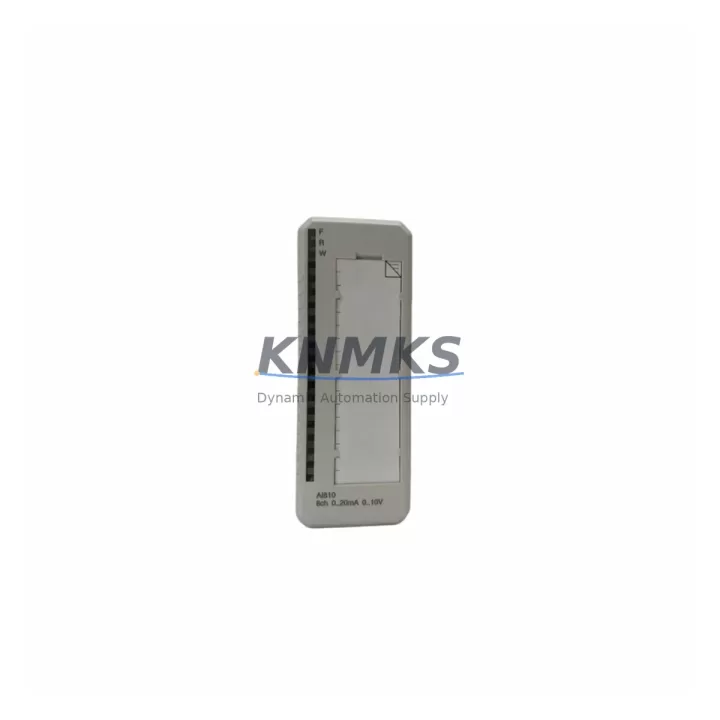
The ABB 3BSE008516R1 (AI810) is an 8-channel analog input module engineered for the ABB AC800M Distributed Control System platform. As a maintenance-proven spare part, it is a critical component in sustaining continuous process control across petrochemical, power generation, pulp and paper, and general manufacturing facilities. Sourced as an original ABB unit, each 3BSE008516R1 in our inventory undergoes pre-shipment functional verification to ensure it meets factory specifications before it reaches your site.
For maintenance engineers managing aging AC800M control cabinets, the AI810 module represents one of the highest-priority line items on any annual inspection checklist. Signal drift, channel failure, or complete module loss on an analog input card can cascade into process upsets, unplanned shutdowns, and costly production losses. Holding a verified spare on the shelf — or securing a reliable supply channel — is the single most effective strategy for protecting uptime in systems where the AC800M remains the backbone of process automation.
Procurement engineers sourcing 3BSE008516R1 replacements should be aware that this module is part of ABB’s legacy AC800M ecosystem. While ABB continues to support the platform, lead times for new production units can extend significantly. Our stock is available for immediate dispatch, with full traceability documentation and a support terms confirmed by quotation covering manufacturing defects and functional performance.
Spare Maintenance Table
| Parameter | Specification |
|---|---|
| Part Number | 3BSE008516R1 |
| Module Designation | AI810 |
| Compatible Platform | ABB AC800M DCS |
| Number of Channels | 8 Analog Input Channels |
| Input Signal Range | 4–20 mA / 0–10 V (configurable per channel) |
| Resolution | 12-bit (typical for AI810 series) |
| Isolation | Channel-to-bus galvanic isolation |
| Power Supply | Supplied via AC800M backplane (S800 I/O bus) |
| Operating Temperature | 0°C to +55°C |
| Mounting | S800 I/O Station / TB820 ModuleBus Modem compatible |
| Country of Origin | Sweden |
| Product Condition | Original ABB, pre-shipment tested |
| Support terms | 12 Months — covers manufacturing defects and functional performance |
| Shipping | Ready stock; ESD-safe packaging; global dispatch available |
| Documentation | Datasheet and traceability records available on request |
Maintenance Planning for Continuous Operation
When a 3BSE008516R1 AI810 module is flagged during routine point inspection or fails during a fault isolation exercise, the replacement workflow should extend beyond the module itself. A thorough cabinet audit at the time of replacement significantly reduces the risk of repeat failures and secondary faults.
Begin by inspecting the TB820 ModuleBus Modem or TB840 ModuleBus Modem Redundant that connects the S800 I/O station to the AC800M controller. A degraded modem can cause intermittent communication errors that mimic analog input module faults, leading to misdiagnosis and unnecessary module swaps. Verify the modem’s LED status and communication diagnostics in the AC800M engineering tool before condemning the AI810.
Next, check the SD821 or SD822 power supply modules feeding the S800 I/O station. Undervoltage or ripple on the 24 VDC bus is a common root cause of analog input instability, particularly in older installations where capacitors in the power supply have aged. A replacement AI810 installed on a marginal power supply will exhibit the same symptoms as the failed unit within weeks.
Inspect field wiring terminations at the TU810 or TU812 terminal units associated with the AI810. Loose or corroded screw terminals on 4–20 mA loops are a frequent source of signal noise and open-circuit alarms. Re-torque all terminals and verify loop continuity with a calibrated loop calibrator before commissioning the replacement module.
For installations using signal isolators or signal conditioners between field transmitters and the AI810 input channels, verify that the isolators are within calibration and that their output ranges match the module’s configured input range. A mismatched isolator output can saturate input channels or produce offset errors that are difficult to distinguish from module faults.
If the control cabinet includes an AC800M PM864 or PM866 processor module, confirm that the firmware version is compatible with the current AI810 hardware revision. Firmware mismatches in the AC800M ecosystem can cause I/O configuration errors that prevent the replacement module from initializing correctly. Review the ABB compatibility matrix and update firmware during the planned maintenance window if required.
Finally, audit any CI854 or CI857 communication interface modules in the same cabinet. These PROFIBUS or FOUNDATION Fieldbus interfaces share the S800 I/O bus infrastructure and can introduce bus loading issues that affect analog input module performance if they are operating with degraded transceivers or incorrect termination resistors.
Site Replacement Workflow
Step 1 — Pre-replacement verification: Confirm the failed module’s part number (3BSE008516R1) and hardware revision against the replacement unit. Verify that the replacement has been tested and that its firmware revision is compatible with the target AC800M system version.
Step 2 — Safe isolation: Place the affected I/O station in manual override or safe state via the AC800M engineering tool. Notify the control room operator before removing the module to prevent spurious alarms from propagating to the DCS historian or safety system.
Step 3 — Module swap: Remove the failed AI810 by releasing the module latch on the S800 I/O station. Insert the replacement 3BSE008516R1 and confirm the module latch engages fully. The module draws power from the backplane; no external power connection is required.
Step 4 — Configuration download: Using ABB Control Builder or the applicable engineering tool, download the I/O configuration to the replacement module. Verify that all 8 channels report correct engineering unit values against known reference signals before returning the station to automatic control.
Step 5 — Loop verification: Perform a live loop check on all active channels using a calibrated 4–20 mA source. Document as-found and as-left readings in the maintenance management system to support future trend analysis and predictive maintenance planning.
Step 6 — Return to service: Release the I/O station from manual override, confirm stable process values in the DCS display, and close the work order with photographic documentation of the completed installation.
This workflow minimizes mean time to repair (MTTR) and ensures that the replacement module is commissioned to the same standard as the original factory installation, preserving system integrity and audit traceability.
Spare Parts Support FAQ
Q1: Is the 3BSE008516R1 compatible with all AC800M controller versions?
The AI810 module is designed for the ABB S800 I/O platform used with AC800M controllers. Compatibility depends on the AC800M firmware version and the Control Builder project configuration. We recommend verifying the hardware revision of the replacement unit against your system’s compatibility matrix. Our technical team can assist with compatibility confirmation prior to order placement.
Q2: What pre-shipment testing is performed on each unit?
Each 3BSE008516R1 in our inventory undergoes functional power-on verification and channel continuity testing before dispatch. Units are packed in ESD-safe anti-static bags with foam cushioning to prevent transit damage. A test report is available on request for quality-critical applications.
Q3: What does the support terms confirmed by quotation cover?
The support terms confirmed by quotation cover manufacturing defects and functional performance failures under normal operating conditions. It does not cover damage resulting from incorrect installation, overvoltage events, or physical mishandling. Support requests are processed with a replacement-first policy to minimize your downtime exposure.
Q4: Can you support long-term or blanket order arrangements for 3BSE008516R1?
Yes. For facilities managing multiple AC800M systems or planning multi-year maintenance programs, we offer blanket order arrangements with reserved stock allocation and fixed pricing. This eliminates procurement lead time risk and ensures spare availability for scheduled annual overhauls and emergency callouts. Contact our sales team to discuss volume and scheduling requirements.
© 2026 KNMKS. All rights reserved.
Original Source: https://knmks.com
Contact: admin@knmks.com | +86 18359268345
Product Identification
- Brand / Ecosystem
-
ABB
ABB - Model / Series
-
3BSE008516R1
AC800M Series - Product Family
- PLCs & Controllers
- Availability Status
- Available on request after model and quantity confirmation
- Inquiry Type
- B2B RFQ, replacement inquiry and project spare-part request
- Pre-Quote Check
- Exact SKU, brand, series, quantity, nameplate photos and destination country are checked before quotation
System Path
Where this product fits in the KNMKS automation structure.
Specification & Inquiry Focus
- Control platform
- PLC, PAC and modular controllers
- Common needs
- CPU, rack, power and I/O expansion
- Project support
- Replacement, cabinet build and maintenance
Buyer Confirmation
Information KNMKS checks before replying.
- Exact model
- 3BSE008516R1
- Brand / ecosystem
- ABB
- Product family
- PLCs & Controllers
- Application note
- Replacement, maintenance, project build or spare-part list
- Useful photos
- Nameplate, installed unit, cabinet layout or connector side
- Delivery details
- Quantity, destination country and target schedule
Document Support
Files and notes can be confirmed during quotation.
- Product photos or nameplate confirmation when available
- Packing and delivery notes before quotation confirmation
- Support scope and delivery terms confirmed per inquiry
- Export document coordination for qualified B2B requests
Inquiry Support
- Model cross-checking before quotation
- CPU, power, rack and expansion module matching
- Support for replacement and project inquiry
What to Send Us
- Brand and exact model number: ABB 3BSE008516R1
- Quantity and required delivery time
- Application, replacement requirement or nameplate photo
- Destination country and shipping preference
RFQ Preparation
This is a product inquiry page built for RFQ communication.
Fast Model Check
Send this model to KNMKS for confirmation.
Include quantity, destination country and photos if this is a maintenance replacement. The inquiry will be saved with a reference number after submission.
Brand & Compatibility Note
KNMKS displays automation product information for well-known industrial brand ecosystems and compatible replacement references. Brand names are used for product identification and compatibility reference only; final availability and commercial terms are confirmed per quotation.
 Manufacturing
 Machine Tools
 Packaging
 Energy & Power



 HMI & Displays
 Servo Systems
 Variable Frequency Drives
 Sensors