
Overview
ABB 3BSC950107R2 Maintenance-Proven Spare Part for Factory Uptime
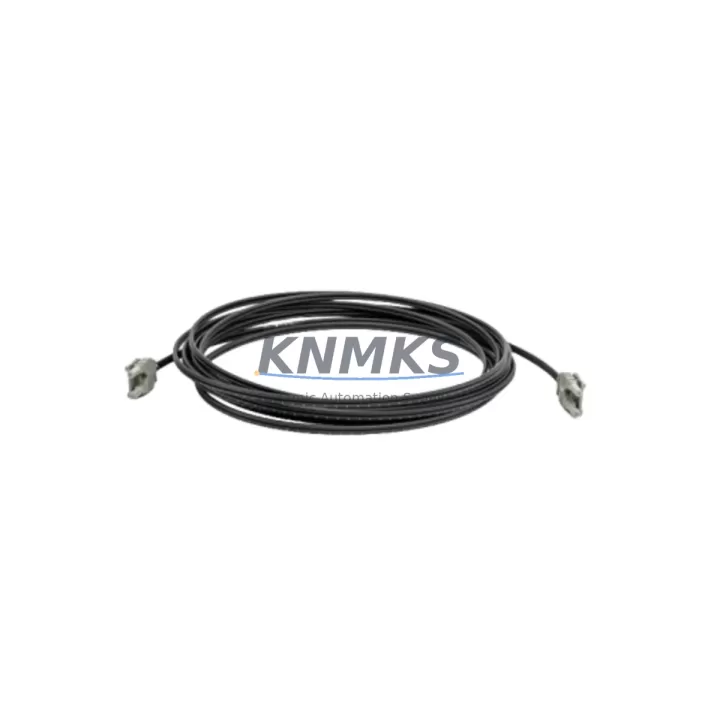
The ABB 3BSC950107R2 is a plastic optical fiber (POF) cable engineered for high-reliability communication within ABB’s AC800M controller and S800 I/O distributed control system (DCS) architecture. Designed for demanding industrial environments — including petrochemical plants, power generation facilities, water treatment stations, and metallurgical operations — this fiber optic cable ensures low-latency, noise-immune data transmission between controller backplanes, I/O modules, and field interface units.
For maintenance engineers managing aging DCS infrastructure, the 3BSC950107R2 is a critical link in the communication chain. Signal degradation, intermittent faults, or complete communication loss between the AC800M CPU module and S800 I/O clusters are frequently traced to fiber optic cable wear, connector contamination, or bend-radius violations accumulated over years of service. Stocking a verified original spare eliminates diagnostic ambiguity and accelerates fault recovery during unplanned shutdowns.
Procurement engineers sourcing long-cycle spare parts for multi-year maintenance contracts will find the 3BSC950107R2 a straightforward, low-risk addition to the control cabinet spare parts kit. Its compatibility with the established AC800M / S800 ecosystem means no firmware changes, no re-commissioning overhead, and no integration risk — a direct swap that restores system integrity within minutes of installation.
Every unit shipped from KNMKS inventory undergoes pre-shipment functional verification, is backed by a support terms confirmed by quotation, and is sourced to meet original ABB specifications. Long-term supply continuity is maintained to support multi-site refurbishment programs and annual shutdown planning cycles.
Spare Maintenance Table
| Part Number | 3BSC950107R2 |
| Brand | ABB |
| Series | AC800M / S800 I/O DCS |
| Product Type | Plastic Optical Fiber (POF) Cable |
| Compatible Controllers | AC800M (PM851, PM856, PM860, PM861, PM864, PM866) |
| Compatible I/O | S800 I/O Modules (AI810, AO810, DI810, DO810, etc.) |
| Signal Type | Optical (plastic fiber, noise-immune) |
| Application Environment | Control cabinet, DCS marshalling room, field junction box |
| Origin | Germany (DE) |
| Maintenance Recommendation | Inspect connectors and bend radius annually; replace on first sign of signal degradation or CRC errors |
| Support terms | 12 Months from shipment date |
| Pre-Shipment Test | Yes — functional verification before dispatch |
| Lead Time | availability confirmed by RFQ — ready for immediate shipment |
Maintenance Planning for Continuous Operation
When replacing the 3BSC950107R2 fiber optic cable in an AC800M / S800 DCS cabinet, a disciplined maintenance engineer will treat the cable swap as an opportunity for a broader system health check. Communication faults in DCS fiber loops rarely occur in isolation — adjacent components in the same signal path are often under equivalent stress.
Begin by inspecting the AC800M CPU module (such as the PM864 or PM866) for firmware currency and backplane connector integrity. A degraded fiber cable can mask underlying CPU port wear that will resurface after the cable is replaced. Simultaneously, verify the S800 I/O module termination units — particularly the TB820 or TB840 ModuleBus Modem — as these interface directly with the fiber loop and are subject to the same environmental aging.
Check the 24 VDC power supply modules feeding the S800 I/O clusters. Voltage ripple or supply instability can cause intermittent communication errors that are misdiagnosed as fiber faults. If the cabinet uses redundant power, verify both the primary and secondary supply units (such as the SD821 or SD822) are within specification. Inspect terminal blocks and wiring harnesses in the marshalling cabinet for insulation degradation, loose ferrules, or corrosion — particularly in humid or chemically aggressive environments.
For systems using PROFIBUS or FOUNDATION Fieldbus alongside the AC800M, inspect the CI854 or CI840 communication interface modules for connector wear and address any reported bus errors logged in the DCS historian. If the plant uses Ethernet-based I/O extensions, verify the CI873 or CI867 modules are operating without packet loss. In cabinets with signal isolators or barriers protecting analog I/O channels, confirm that the isolator output levels remain within calibrated range — a common source of false process alarms during fiber-related maintenance windows.
Finally, review the fuse and circuit protection inventory for the I/O cabinet. Blown or weakened fuses in the 24 VDC distribution rail are frequently discovered during fiber cable replacement work and should be addressed before the system is returned to service. Maintaining a documented spare parts list that includes the 3BSC950107R2 alongside these associated components reduces mean time to repair (MTTR) and supports a proactive rather than reactive maintenance posture.
Site Replacement Workflow
Step 1 — Preparation: Obtain the 3BSC950107R2 replacement cable from verified stock. Confirm the part number label and inspect the connectors for physical damage before approaching the cabinet. Gather the AC800M system documentation and note the fiber loop topology (star, ring, or daisy-chain) to understand the impact scope of the replacement.
Step 2 — Isolation: Coordinate with the control room operator to place the affected I/O cluster in manual or safe state. In redundant AC800M configurations, confirm that the standby controller has assumed control before disconnecting the fiber on the primary path. Log the start time and system state in the maintenance record.
Step 3 — Removal: Carefully disconnect the existing fiber cable from both the controller-side and I/O-side connectors. Clean the receptor ports with an approved optical fiber cleaning tool. Inspect the removed cable for visible damage — kinks, crushed sections, or contaminated connectors — to confirm the root cause of the fault.
Step 4 — Installation: Route the new 3BSC950107R2 cable observing the minimum bend radius specification. Seat both connectors fully and verify the locking mechanism is engaged. Avoid routing the fiber adjacent to high-voltage cables or sharp cabinet edges.
Step 5 — Verification: Restore the I/O cluster to automatic control and confirm communication status in the AC800M engineering tool (Control Builder M). Verify that all I/O channels report correctly and that no CRC or communication error alarms are active. Document the replacement in the plant maintenance management system (CMMS) and update the spare parts inventory.
Spare Parts Support FAQ
Q1: Is the 3BSC950107R2 compatible with all AC800M controller variants?
The 3BSC950107R2 plastic optical fiber cable is designed for use across the AC800M controller family and S800 I/O system. It is compatible with PM851, PM856, PM860, PM861, PM864, and PM866 processor modules, as well as the full range of S800 I/O modules using the ModuleBus fiber interface. Always verify the fiber connector type and cable length against your specific cabinet layout before ordering.
Q2: What support terms and pre-shipment testing does KNMKS provide?
Every 3BSC950107R2 unit shipped by KNMKS carries a support terms confirmed by quotation from the date of shipment. Each cable undergoes functional verification prior to dispatch to confirm connector integrity and optical transmission performance. Test records are available upon request for quality-critical procurement processes.
Q3: Can this cable be used as a direct replacement for an older or discontinued ABB fiber cable variant?
The 3BSC950107R2 is the current ABB-specified replacement for earlier plastic optical fiber cable variants used in the AC800M / S800 ecosystem. For legacy systems using older cable assemblies, confirm the connector type and length specification match your installation. KNMKS technical support can assist with cross-reference verification before order confirmation.
Q4: How should the 3BSC950107R2 be stored as a long-term spare?
Store the cable in its original packaging in a clean, dry environment away from direct sunlight and chemical exposure. Avoid coiling the cable below the minimum bend radius. For multi-year spare parts programs, inspect stored cables annually for connector contamination and replace protective caps if damaged. KNMKS maintains ongoing stock to support long-term supply commitments for multi-site maintenance contracts.
© 2026 KNMKS. All rights reserved.
Original Source: https://knmks.com
Contact: admin@knmks.com | +86 18359268345
Product Identification
- Brand / Ecosystem
-
ABB
ABB - Model / Series
-
3BSC950107R2
AC800M Series - Product Family
- PLCs & Controllers
- Availability Status
- Available on request after model and quantity confirmation
- Inquiry Type
- B2B RFQ, replacement inquiry and project spare-part request
- Pre-Quote Check
- Exact SKU, brand, series, quantity, nameplate photos and destination country are checked before quotation
System Path
Where this product fits in the KNMKS automation structure.
Specification & Inquiry Focus
- Control platform
- PLC, PAC and modular controllers
- Common needs
- CPU, rack, power and I/O expansion
- Project support
- Replacement, cabinet build and maintenance
Buyer Confirmation
Information KNMKS checks before replying.
- Exact model
- 3BSC950107R2
- Brand / ecosystem
- ABB
- Product family
- PLCs & Controllers
- Application note
- Replacement, maintenance, project build or spare-part list
- Useful photos
- Nameplate, installed unit, cabinet layout or connector side
- Delivery details
- Quantity, destination country and target schedule
Document Support
Files and notes can be confirmed during quotation.
- Product photos or nameplate confirmation when available
- Packing and delivery notes before quotation confirmation
- Support scope and delivery terms confirmed per inquiry
- Export document coordination for qualified B2B requests
Inquiry Support
- Model cross-checking before quotation
- CPU, power, rack and expansion module matching
- Support for replacement and project inquiry
What to Send Us
- Brand and exact model number: ABB 3BSC950107R2
- Quantity and required delivery time
- Application, replacement requirement or nameplate photo
- Destination country and shipping preference
RFQ Preparation
This is a product inquiry page built for RFQ communication.
Fast Model Check
Send this model to KNMKS for confirmation.
Include quantity, destination country and photos if this is a maintenance replacement. The inquiry will be saved with a reference number after submission.
Brand & Compatibility Note
KNMKS displays automation product information for well-known industrial brand ecosystems and compatible replacement references. Brand names are used for product identification and compatibility reference only; final availability and commercial terms are confirmed per quotation.
 Manufacturing
 Machine Tools
 Packaging
 Energy & Power



 HMI & Displays
 Servo Systems
 Variable Frequency Drives
 Sensors