
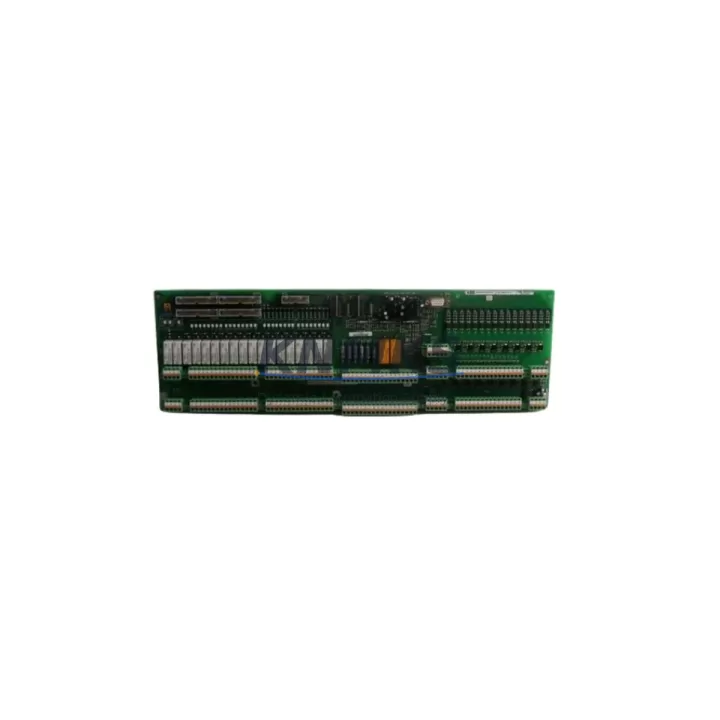
Overview
ABB 3BHB006208R0001 Maintenance-Proven Spare Part for Factory Uptime
The ABB 3BHB006208R0001 (also referenced as UNS0883A-P) is a Fast I/O PCB module engineered for the AC800M controller platform and S800 I/O system — one of ABB’s most widely deployed DCS architectures in power generation, oil & gas, pulp & paper, and continuous process manufacturing. As a direct-replacement spare part, this module supports maintenance engineers in restoring control system availability with minimal downtime, while giving procurement teams confidence in long-term supply continuity backed by a support terms confirmed by quotation and pre-shipment functional testing.
Spare Maintenance Table
| Part Number | 3BHB006208R0001 |
| Alternate Reference | UNS0883A-P |
| Brand | ABB |
| Series | AC800M / S800 DCS |
| Module Type | Fast I/O PCB Module |
| Origin | Germany (DE) |
| Compatible Controllers | AC800M PM851, PM856, PM860, PM861, PM864, PM866 |
| Compatible I/O Stations | S800 I/O — AI810, AO810, DI810, DO810, DI811, DO814 series |
| Communication Interface | Modulebus (S800 internal backplane bus) |
| Operating Voltage | 24 VDC (via S800 power supply module) |
| Operating Temperature | 0°C to +55°C |
| Mounting | S800 I/O module rail / backplane slot |
| Application Environment | Process automation, DCS control cabinets, industrial plant environments |
| Condition | Original spare — pre-shipment tested |
| Support terms | 12 months from date of shipment |
| Lead Time | Ready to ship — availability confirmed by RFQ |
Maintenance Planning for Continuous Operation
When the 3BHB006208R0001 Fast I/O PCB is identified as a fault point during routine cabinet inspection or fault isolation, experienced maintenance engineers know that a single module failure rarely occurs in isolation. A thorough site assessment should extend to the surrounding electrical and control infrastructure to prevent repeat failures and ensure a stable return to production.
Start with the S800 power supply module (such as the SD821 or SD822) feeding the I/O station. A degraded or undersized power supply is a common root cause of intermittent I/O faults and PCB stress. Verify output voltage stability under load before installing the replacement module. Next, inspect the S800 backplane and module bus connectors — oxidized or mechanically stressed backplane contacts can cause communication errors that mimic module failure and will persist even after a board swap.
For field wiring, check the terminal units (TB820 or equivalent) connected to the I/O module. Loose terminations, corroded screw terminals, or damaged cable shields introduce signal noise that degrades Fast I/O performance. If the plant environment involves vibration or thermal cycling, consider replacing terminal unit screws and re-torquing to specification during the same maintenance window.
At the controller level, confirm that the AC800M processor module (PM856 or PM864 are common pairings) firmware is current and that the hardware configuration in Control Builder M reflects the correct module address and I/O type. A mismatch between the physical module slot and the software configuration will prevent the replacement 3BHB006208R0001 from coming online. Also verify the CEX-Bus or Modulebus communication cables between the controller and I/O station for continuity and correct seating.
Where the control cabinet includes signal isolators or barriers on analog channels, inspect these components for drift or failure — particularly in hazardous area installations where galvanic isolation is mandatory. Fuse protection on 24 VDC supply rails should also be checked; a blown fuse on the I/O station supply is frequently overlooked and can cause the entire station to appear offline. Finally, if the system includes an AF100 or PROFIBUS DP communication module for remote I/O, verify fieldbus segment integrity and termination resistance to rule out communication-layer faults that may have contributed to the original module failure.
Maintaining a minimum stock of one spare 3BHB006208R0001 per production line — alongside matched spares for the S800 power supply and at least one processor module — is a widely adopted strategy in facilities running AC800M-based DCS systems with 24/7 uptime requirements.
Site Replacement Workflow
Step 1 — Isolation and documentation: Before removing the failed module, record the current fault codes from the AC800M diagnostic log and photograph the module slot, wiring, and LED status. This baseline is essential for post-replacement verification and root cause analysis.
Step 2 — Safe de-energization: Follow site LOTO (Lockout/Tagout) procedures. De-energize the S800 I/O station via the 24 VDC supply isolator. Do not remove the module under power — the S800 backplane does not support hot-swap on all module types, and the 3BHB006208R0001 PCB is sensitive to ESD during handling.
Step 3 — Module extraction and inspection: Remove the faulty module and inspect the backplane slot for debris, corrosion, or bent connector pins. Clean with dry compressed air if required. Compare the replacement 3BHB006208R0001 part number label and revision marking against the removed unit to confirm compatibility.
Step 4 — Installation and configuration verification: Seat the replacement module firmly into the backplane slot. Re-energize the I/O station and observe the module LED status — a solid green RUN indicator confirms successful initialization. In Control Builder M, force a hardware scan or confirm the module appears online in the I/O configuration tree.
Step 5 — Functional test and sign-off: Perform a channel-level I/O test for all signals routed through the replaced module. Verify process values against field instrumentation readings. Document the replacement in the site maintenance log, including the new module serial number and the date of installation, to support support terms tracking and future audits.
This workflow is applicable to both emergency breakdown replacements and planned annual overhaul scenarios. The 3BHB006208R0001 is a direct form-fit-function replacement for the original factory-installed unit, requiring no hardware modification or software re-engineering in standard AC800M / S800 configurations.
Spare Parts Support FAQ
Q1: Is the 3BHB006208R0001 compatible with all AC800M controller versions?
The 3BHB006208R0001 Fast I/O PCB is designed for the S800 I/O system and is compatible with AC800M controllers running standard Modulebus I/O configurations. Compatibility spans PM851 through PM866 processor variants. For systems using extended hardware revisions or custom firmware builds, we recommend confirming the hardware revision suffix on the original module before ordering. Our technical team can assist with compatibility verification prior to shipment.
Q2: What does the support terms confirmed by quotation cover, and how is it validated?
Every 3BHB006208R0001 unit shipped by KNMKS is covered by a support terms confirmed by quotation from the date of shipment. Coverage includes functional failure under normal operating conditions. Each unit undergoes pre-shipment functional testing, and a test report is available upon request. Support requests are processed via admin@knmks.com with reference to the shipment invoice and module serial number.
Q3: Can KNMKS support long-term or blanket purchase agreements for this module?
Yes. KNMKS supports long-term supply agreements for the 3BHB006208R0001 and related AC800M / S800 spare parts, with contract terms typically ranging from 12 to 36 months. Blanket orders allow facilities to lock in pricing, reserve stock, and schedule phased deliveries aligned with annual maintenance windows — reducing procurement lead time risk for critical spare parts. Contact admin@knmks.com to discuss volume and scheduling requirements.
Q4: How should I store spare 3BHB006208R0001 modules to maintain their service life?
Store the module in its original ESD-protective packaging in a dry, temperature-controlled environment (recommended: 10°C to 40°C, relative humidity below 75% non-condensing). Avoid storage near strong magnetic fields or sources of vibration. Inspect the module annually for any signs of corrosion on connector pins. Modules stored under these conditions retain full functionality and remain covered under the KNMKS support terms for the duration of the 12-month period from shipment date.
© 2026 KNMKS. All rights reserved.
Original Source: https://knmks.com
Contact: admin@knmks.com | +86 18359268345
Product Identification
- Brand / Ecosystem
-
ABB
ABB - Model / Series
-
3BHB006208R0001
AC800M Series - Product Family
- PLCs & Controllers
- Availability Status
- Available on request after model and quantity confirmation
- Inquiry Type
- B2B RFQ, replacement inquiry and project spare-part request
- Pre-Quote Check
- Exact SKU, brand, series, quantity, nameplate photos and destination country are checked before quotation
System Path
Where this product fits in the KNMKS automation structure.
Specification & Inquiry Focus
- Control platform
- PLC, PAC and modular controllers
- Common needs
- CPU, rack, power and I/O expansion
- Project support
- Replacement, cabinet build and maintenance
Buyer Confirmation
Information KNMKS checks before replying.
- Exact model
- 3BHB006208R0001
- Brand / ecosystem
- ABB
- Product family
- PLCs & Controllers
- Application note
- Replacement, maintenance, project build or spare-part list
- Useful photos
- Nameplate, installed unit, cabinet layout or connector side
- Delivery details
- Quantity, destination country and target schedule
Document Support
Files and notes can be confirmed during quotation.
- Product photos or nameplate confirmation when available
- Packing and delivery notes before quotation confirmation
- Support scope and delivery terms confirmed per inquiry
- Export document coordination for qualified B2B requests
Inquiry Support
- Model cross-checking before quotation
- CPU, power, rack and expansion module matching
- Support for replacement and project inquiry
What to Send Us
- Brand and exact model number: ABB 3BHB006208R0001
- Quantity and required delivery time
- Application, replacement requirement or nameplate photo
- Destination country and shipping preference
RFQ Preparation
This is a product inquiry page built for RFQ communication.
Fast Model Check
Send this model to KNMKS for confirmation.
Include quantity, destination country and photos if this is a maintenance replacement. The inquiry will be saved with a reference number after submission.
Brand & Compatibility Note
KNMKS displays automation product information for well-known industrial brand ecosystems and compatible replacement references. Brand names are used for product identification and compatibility reference only; final availability and commercial terms are confirmed per quotation.
 Manufacturing
 Machine Tools
 Packaging
 Energy & Power



 HMI & Displays
 Servo Systems
 Variable Frequency Drives
 Sensors