
Overview
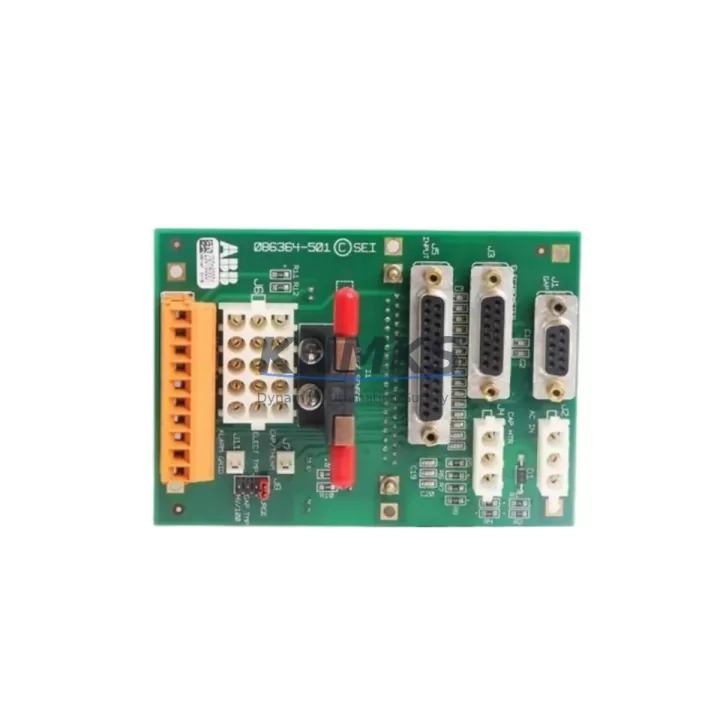
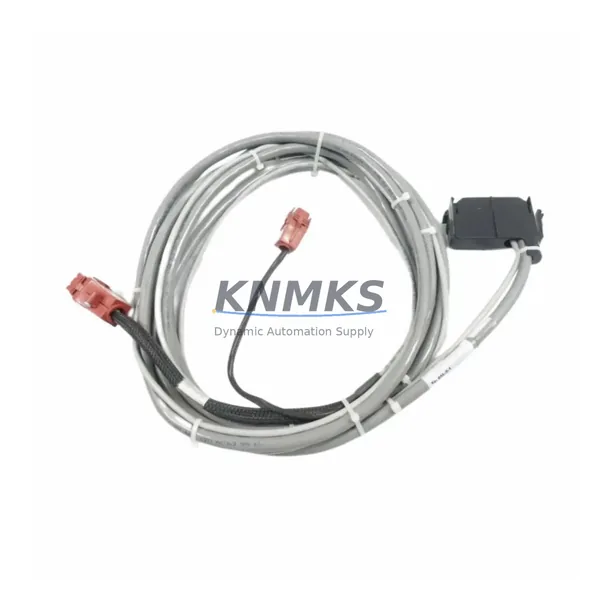
ABB 07SK90R1 Migration-Ready Programming Cable for Legacy Control Systems
The ABB 07SK90R1 is a migration-ready programming cable engineered for engineers and maintenance teams undertaking legacy control system upgrades, discontinued spare part replacements, and full-scale control cabinet retrofits. Designed specifically for the ABB AC500 PLC platform, the 07SK90R1 provides a reliable, protocol-compatible communication link between the programming workstation and the CPU module — a critical requirement when modernizing aging automation infrastructure without disrupting production continuity.
When replacing a discontinued programming cable in an existing AC500 installation, the first step is to verify the host CPU variant. The AC500 family spans multiple generations, including the PM554, PM564, PM572, PM581, PM582, PM591, and PM592 CPU modules. Each generation may have specific firmware requirements for the programming interface. Before installing the 07SK90R1, confirm that the installed CPU firmware version is compatible with the cable’s communication protocol — typically RS-232 or USB-to-serial bridge depending on the cable variant — and that the programming software (PS501 Control Builder Plus or Automation Builder) is updated to the corresponding release. Mismatched firmware versions are the most common cause of communication failures during first-time commissioning after a cable swap.
For control cabinets undergoing broader modernization, the 07SK90R1 is frequently deployed alongside the ABB TK501 terminal block adapter and the AC500 TA521 expansion backplane. When the existing backplane is being retained from the legacy system, engineers must confirm that the module slot addressing has not shifted due to the addition or removal of I/O modules such as the DC532 digital input module or the AX522 analog I/O module. A change in slot address without a corresponding update to the PLC program will cause I/O mapping errors that are difficult to diagnose under time pressure during a planned maintenance window.
In installations where the legacy system used a proprietary serial communication protocol — such as older PROFIBUS DP or Modbus RTU configurations — the migration to the 07SK90R1 may coincide with a broader protocol migration. In these cases, the communication module installed in the AC500 rack, such as the CM572-DP PROFIBUS master module or the CM589-PNIO PROFINET I/O module, must be reconfigured to match the new network topology. The 07SK90R1 programming cable itself is not protocol-dependent for field bus communication, but it must remain connected and active during the firmware download and program transfer phase to ensure the CPU accepts the updated configuration without reverting to a safe-state or fault mode.
HMI screen compatibility is another consideration during legacy system migration. If the existing HMI — such as an ABB CP600 panel or a third-party SCADA terminal — communicates with the AC500 CPU via a dedicated serial or Ethernet link, the program logic governing HMI variable mapping must be preserved exactly during the program transfer. The 07SK90R1 cable is used to upload the existing program from the CPU before any hardware changes are made, creating a verified backup that can be restored if the migration encounters unexpected issues. This upload-before-modification workflow is strongly recommended as a standard retrofit practice.
Installation space is rarely a constraint for the 07SK90R1, as the cable connects to the CPU’s front-panel programming port and does not occupy a module slot. However, in densely wired control cabinets, cable routing must be planned to avoid interference with high-voltage terminal blocks or signal wiring. The cable should be routed away from power conductors and secured with cable ties to prevent accidental disconnection during the commissioning phase.
All 07SK90R1 units supplied by KNMKS are subject to pre-shipment functional testing, including communication link verification and connector integrity checks. Each unit is covered by a support terms confirmed by quotation from the date of shipment, with in-stock inventory available for immediate dispatch to support urgent retrofit and breakdown recovery scenarios.
Migration Compatibility Table
| Parameter | Details |
|---|---|
| Compatible Platform | ABB AC500 PLC Series (PM554 / PM564 / PM572 / PM581 / PM582 / PM591 / PM592) |
| Interface Type | Front-panel CPU programming port (RS-232 / USB-to-serial) |
| Communication Protocol | Compatible with PS501 Control Builder Plus and ABB Automation Builder |
| Installation Requirement | No module slot required; connects to CPU front panel |
| Firmware Compatibility | Verify CPU firmware version prior to installation; update programming software as required |
| Replacement Recommendation | Direct replacement for legacy ABB AC500 programming cables; confirm connector type before ordering |
| Commissioning Notes | Upload existing program before hardware swap; verify I/O mapping and HMI variable links post-transfer |
| Support terms | support terms confirmed by quotation from date of shipment; pre-shipment functional testing included |
Retrofit Planning for Existing Automation Systems
A successful AC500 retrofit begins with a complete audit of the existing control cabinet. Before the 07SK90R1 is connected, the engineer should document the current CPU module type, installed I/O modules (including the DC532 digital input module and AX522 analog I/O module), backplane configuration via the TA521 expansion backplane, and all active communication links. If the cabinet includes a CM572-DP PROFIBUS master module or a CM589-PNIO PROFINET I/O module, the network configuration files must be exported and archived before any hardware is disturbed.
Power supply capacity is a critical checkpoint. The AC500 power supply module — such as the PS501 or PS560 — must be verified to have sufficient headroom to support any additional modules being added during the retrofit. Undersized power supplies are a common cause of intermittent faults in upgraded systems, particularly when new communication modules or additional I/O expansion modules are added to the existing rack. The TK501 terminal block adapter wiring must also be inspected for correct terminal assignments, as legacy wiring diagrams may not reflect field modifications made over the system’s operational life.
Signal isolation requirements should be assessed for any analog I/O channels being migrated. If the legacy system used external signal isolators between field instruments and the AC500 analog modules, these isolators must be retained or replaced with equivalent units during the retrofit. Removing signal isolation without engineering review can introduce ground loops or signal noise that degrades measurement accuracy in the upgraded system.
Downtime Control During System Migration
Minimizing unplanned downtime during a control system migration requires a structured pre-migration checklist and a tested rollback plan. The 07SK90R1 programming cable is the primary tool for executing the program backup and restore workflow that underpins this approach. Before any hardware is disconnected, the existing PLC program should be uploaded from the CPU using the 07SK90R1 and saved to at least two independent storage locations — a local engineering workstation and a network-accessible backup server.
The program backup should include the full project archive from PS501 Control Builder Plus or Automation Builder, including all hardware configuration files, variable tables, HMI screen definitions, and communication network configurations. A partial backup that omits hardware configuration data will not support a complete system restore if the migration encounters a critical fault.
During the migration window, the 07SK90R1 should remain connected to the CPU throughout the firmware update and program download sequence. Disconnecting the cable mid-transfer can corrupt the CPU program memory and require a full factory reset, significantly extending the recovery time. Once the new program has been successfully downloaded and the CPU has completed its startup sequence without faults, the I/O channels should be verified against the original signal list before the system is returned to automatic operation. HMI screens should be checked for correct variable binding, and all active communication links — including PROFIBUS, PROFINET, or Modbus connections — should be confirmed as operational before the maintenance window is closed.
Retrofit Support FAQ
Q: Is the ABB 07SK90R1 a direct replacement for the original programming cable supplied with my AC500 system?
A: The 07SK90R1 is designed as a compatible replacement for ABB AC500 programming cables. Confirm the connector type and interface standard (RS-232 or USB) of your existing cable before ordering to ensure a direct fit. Contact admin@knmks.com with your CPU model number if you require confirmation.
Q: Do I need to update my PLC program after replacing the programming cable?
A: No program changes are required solely for a cable replacement. The 07SK90R1 is a communication accessory and does not affect the PLC program logic. However, if the cable replacement is part of a broader firmware upgrade or CPU module swap, the program should be re-downloaded and verified after all hardware changes are complete.
Q: What pre-shipment testing is performed on the 07SK90R1?
A: Each unit undergoes communication link verification and connector integrity testing before shipment. Units that do not pass functional testing are not dispatched. A support terms confirmed by quotation is provided from the date of shipment, covering manufacturing defects and communication failures under normal operating conditions.
Q: Is the 07SK90R1 available from stock for urgent retrofit and breakdown recovery orders?
A: Yes. KNMKS maintains in-stock inventory of the 07SK90R1 to support urgent retrofit and breakdown recovery requirements. Same-day dispatch is available for orders confirmed before the daily cut-off time. Contact admin@knmks.com or call +86 18359268345 for availability confirmation and lead time.
© 2026 KNMKS. All rights reserved.
Original Source: https://knmks.com
Contact: admin@knmks.com | +86 18359268345
Product Identification
- Brand / Ecosystem
-
ABB
ABB - Model / Series
-
07SK90R1
AC500 Series - Product Family
- Cables & Connectors
- Availability Status
- Available on request after model and quantity confirmation
- Inquiry Type
- B2B RFQ, replacement inquiry and project spare-part request
- Pre-Quote Check
- Exact SKU, brand, series, quantity, nameplate photos and destination country are checked before quotation
System Path
Where this product fits in the KNMKS automation structure.
Specification & Inquiry Focus
- Cable range
- Sensor, servo, network and circular connectors
- Common needs
- Length, pin count, shielding and plug type
- Project support
- Machine wiring and installation kits
Buyer Confirmation
Information KNMKS checks before replying.
- Exact model
- 07SK90R1
- Brand / ecosystem
- ABB
- Product family
- Cables & Connectors
- Application note
- Replacement, maintenance, project build or spare-part list
- Useful photos
- Nameplate, installed unit, cabinet layout or connector side
- Delivery details
- Quantity, destination country and target schedule
Document Support
Files and notes can be confirmed during quotation.
- Product photos or nameplate confirmation when available
- Packing and delivery notes before quotation confirmation
- Support scope and delivery terms confirmed per inquiry
- Export document coordination for qualified B2B requests
Inquiry Support
- Cable length and connector type confirmation
- Servo, sensor and network cable inquiry
- Accessory kits for installation teams
What to Send Us
- Brand and exact model number: ABB 07SK90R1
- Quantity and required delivery time
- Application, replacement requirement or nameplate photo
- Destination country and shipping preference
RFQ Preparation
This is a product inquiry page built for RFQ communication.
Fast Model Check
Send this model to KNMKS for confirmation.
Include quantity, destination country and photos if this is a maintenance replacement. The inquiry will be saved with a reference number after submission.
Brand & Compatibility Note
KNMKS displays automation product information for well-known industrial brand ecosystems and compatible replacement references. Brand names are used for product identification and compatibility reference only; final availability and commercial terms are confirmed per quotation.
 Manufacturing
 Machine Tools
 Packaging
 Energy & Power
 PLCs & Controllers
 HMI & Displays
 Servo Systems
 Variable Frequency Drives