
Overview
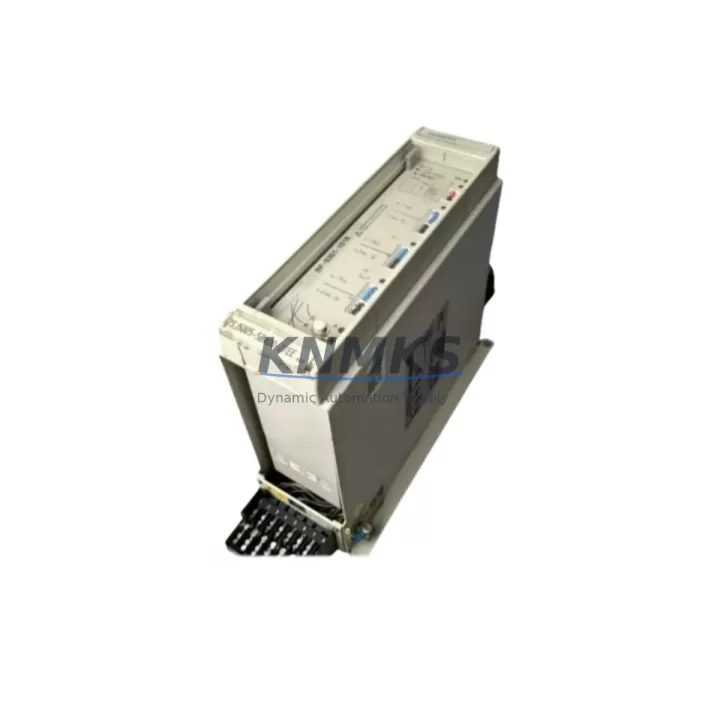
YOKOGAWA 7SJ5005-5CA00/FF Migration-Ready Digital Input Module for Legacy Control Systems
The YOKOGAWA 7SJ5005-5CA00/FF is a Digital Input (DI) module engineered for the STARDOM FCN/FCJ autonomous controller platform. As legacy DCS and hybrid control architectures face end-of-life pressures, this module serves as a critical migration-ready replacement for discontinued I/O hardware in existing control cabinets. Whether you are executing a phased retrofit of an aging STARDOM FCN rack or consolidating I/O capacity during a broader DCS migration, the 7SJ5005-5CA00/FF provides a verified drop-in upgrade path that preserves existing wiring infrastructure and minimizes engineering rework.
Sourced from authorized distribution channels and subject to full functional testing prior to shipment, each unit is backed by a support terms confirmed by quotation covering hardware defects under normal operating conditions. Global stock availability supports urgent replacement orders with short lead times — a critical advantage when unplanned failures threaten production continuity in process plants, utilities, and discrete manufacturing environments.
Migration Compatibility Table
| Parameter | Details |
|---|---|
| SKU / Part Number | 7SJ5005-5CA00/FF |
| Brand | YOKOGAWA |
| Series | STARDOM FCN / FCJ |
| Module Type | Digital Input (DI) |
| Platform Compatibility | STARDOM FCN autonomous controller; FCJ compact controller |
| Backplane Interface | STARDOM FCN standard I/O bus; slot-compatible with FCN base unit |
| Communication Protocol | Internal FCN I/O bus; supports Ethernet-based supervisory link via FCN CPU |
| Installation Requirement | DIN-rail mounted FCN base unit; verify slot count and rack address assignment |
| Wiring Compatibility | Terminal block wiring compatible with standard FCN I/O field wiring; confirm signal voltage range before swap |
| Firmware Compatibility | Verify FCN CPU firmware version supports 7SJ5005-5CA00/FF; update CPU firmware if required before module insertion |
| Replacement Recommendation | Direct replacement for discontinued FCN DI modules; confirm I/O address mapping in FAST/TOOLS or FieldMate before commissioning |
| Commissioning Focus | Module address configuration, signal scan cycle verification, HMI tag re-binding, and loop check |
| Origin | Japan |
| Support terms | 12 Months — hardware defects under normal operating conditions |
Retrofit Planning for Existing Automation Systems
Successful integration of the 7SJ5005-5CA00/FF into an existing STARDOM FCN control system requires a structured pre-retrofit assessment. Begin by auditing the FCN base unit rack to confirm available I/O slots and verify that the existing FCN CPU module — typically an FCN-100 or FCN-500 series processor — is running a firmware version that recognizes the 7SJ5005-5CA00/FF module descriptor. If the CPU firmware is outdated, a controlled firmware update using YOKOGAWA’s FieldMate device management tool should be scheduled during a planned maintenance window before the DI module is physically installed.
Terminal wiring from field instruments must be mapped against the 7SJ5005-5CA00/FF channel assignments. In many legacy installations, field wiring was originally terminated on an FCN terminal base unit or an external marshalling cabinet. Confirm that signal voltage levels — typically 24 VDC dry contact or wet contact inputs — fall within the module’s rated input range. Where signal conditioning is required, inline signal isolators or barriers may be needed between field devices and the DI module terminals to protect the new hardware from voltage transients common in older plant wiring.
For systems where the FCN rack also houses an FCN power supply module, verify that the total current draw of the updated I/O configuration — including the 7SJ5005-5CA00/FF and any co-installed analog input modules, analog output modules, or communication modules — does not exceed the power supply’s rated output. If the power budget is tight, a supplementary FCN power supply module may be required to support the expanded I/O load without risking brownout conditions during peak scan cycles.
Where the STARDOM FCN system communicates upstream to a SCADA or DCS host via Modbus TCP, PROFIBUS DP, or FOUNDATION Fieldbus, confirm that the addition of new DI channels does not require changes to the communication module configuration or the polling schedule managed by the FCN CPU. In multi-drop communication architectures, adding I/O capacity can affect scan cycle timing and should be validated in the FCN engineering tool before going live. If the control system also includes an FCN serial communication module for legacy RS-232 or RS-485 links to third-party devices, verify that the updated I/O map does not conflict with existing serial polling sequences.
HMI screens built in YOKOGAWA’s FAST/TOOLS SCADA platform or third-party HMI software will require tag re-binding to reflect the new DI module’s channel addresses. This step is frequently underestimated during retrofit planning and should be allocated dedicated engineering time. Where the FCN system feeds a historian or data acquisition system, confirm that the updated tag list is propagated to the historian configuration before the retrofit goes live to avoid data gaps in process records.
Downtime Control During System Migration
Minimizing unplanned downtime during a DI module replacement in a live STARDOM FCN system requires a disciplined change management approach. Before removing the legacy DI module, export a full backup of the FCN CPU program using YOKOGAWA’s FieldMate or the FAST/TOOLS engineering console. This backup preserves the existing ladder logic, function block diagrams, and I/O address assignments, providing a recovery baseline if the retrofit encounters unexpected compatibility issues.
Where process conditions permit, place the affected control loops in manual mode at the DCS or SCADA level before physically swapping the DI module. This prevents false trip signals or spurious interlock activations caused by the momentary loss of digital input status during the module changeover. For safety-instrumented systems or interlocked processes, coordinate with the safety engineer to confirm that the bypass procedure complies with the site’s management of change (MOC) protocol.
After installing the 7SJ5005-5CA00/FF, perform a cold-start of the FCN CPU to allow the controller to re-enumerate the I/O rack and recognize the new module. Verify that the module status LED indicates normal operation and that all configured DI channels report expected states before returning control loops to automatic mode. A structured loop check — confirming that each field device signal is correctly received and displayed at the HMI — should be completed and documented before the retrofit is signed off. Typical changeover time for a single DI module in a well-prepared FCN rack is under two hours, including loop check, when pre-retrofit engineering work has been completed thoroughly.
Retrofit Support FAQ
Q1: Is the 7SJ5005-5CA00/FF a direct drop-in replacement for other STARDOM FCN DI modules?
The 7SJ5005-5CA00/FF is designed for the STARDOM FCN/FCJ I/O bus and is slot-compatible with the FCN base unit. However, channel count, signal type, and firmware compatibility should be verified against the specific legacy module being replaced. Contact our technical team with your existing module part number for a confirmed replacement assessment before ordering.
Q2: What pre-shipment testing is performed on each unit?
Each 7SJ5005-5CA00/FF unit undergoes functional testing prior to dispatch, including power-on verification, channel continuity checks, and communication bus handshake validation. Units are shipped with test documentation available on request. All units are covered by a support terms confirmed by quotation from the date of shipment.
Q3: How do I confirm firmware compatibility between the 7SJ5005-5CA00/FF and my FCN CPU?
Firmware compatibility is determined by the FCN CPU model and its installed firmware version. Use YOKOGAWA’s FieldMate or the FCN engineering tool to read the current CPU firmware version, then cross-reference against the 7SJ5005-5CA00/FF module compatibility matrix in the STARDOM FCN hardware manual. If a firmware update is required, schedule it during a planned outage before the DI module is installed.
Q4: What is your stock availability and lead time for the 7SJ5005-5CA00/FF?
We maintain regional inventory of the 7SJ5005-5CA00/FF to support urgent replacement requirements. Standard orders are processed within 1–2 business days. For large-quantity blanket orders or long-term spare parts programs, contact our sales team to discuss allocation and pricing. All units ship with a support terms confirmed by quotation and full export documentation.
© 2026 KNMKS. All rights reserved.
Original Source: https://knmks.com
Contact: admin@knmks.com | +86 18359268345
Product Identification
- Brand / Ecosystem
-
YOKOGAWA
Assorted Brands - Model / Series
-
7SJ5005-5CA00/FF
Assorted Series - Product Family
- PLCs & Controllers
- Availability Status
- Available on request after model and quantity confirmation
- Inquiry Type
- B2B RFQ, replacement inquiry and project spare-part request
- Pre-Quote Check
- Exact SKU, brand, series, quantity, nameplate photos and destination country are checked before quotation
System Path
Where this product fits in the KNMKS automation structure.
Specification & Inquiry Focus
- Control platform
- PLC, PAC and modular controllers
- Common needs
- CPU, rack, power and I/O expansion
- Project support
- Replacement, cabinet build and maintenance
Buyer Confirmation
Information KNMKS checks before replying.
- Exact model
- 7SJ5005-5CA00/FF
- Brand / ecosystem
- YOKOGAWA
- Product family
- PLCs & Controllers
- Application note
- Replacement, maintenance, project build or spare-part list
- Useful photos
- Nameplate, installed unit, cabinet layout or connector side
- Delivery details
- Quantity, destination country and target schedule
Document Support
Files and notes can be confirmed during quotation.
- Product photos or nameplate confirmation when available
- Packing and delivery notes before quotation confirmation
- Support scope and delivery terms confirmed per inquiry
- Export document coordination for qualified B2B requests
Inquiry Support
- Model cross-checking before quotation
- CPU, power, rack and expansion module matching
- Support for replacement and project inquiry
What to Send Us
- Brand and exact model number: YOKOGAWA 7SJ5005-5CA00/FF
- Quantity and required delivery time
- Application, replacement requirement or nameplate photo
- Destination country and shipping preference
RFQ Preparation
This is a product inquiry page built for RFQ communication.
Fast Model Check
Send this model to KNMKS for confirmation.
Include quantity, destination country and photos if this is a maintenance replacement. The inquiry will be saved with a reference number after submission.
Brand & Compatibility Note
KNMKS displays automation product information for well-known industrial brand ecosystems and compatible replacement references. Brand names are used for product identification and compatibility reference only; final availability and commercial terms are confirmed per quotation.
 Manufacturing
 Machine Tools
 Packaging
 Energy & Power



 HMI & Displays
 Servo Systems
 Variable Frequency Drives
 Sensors