
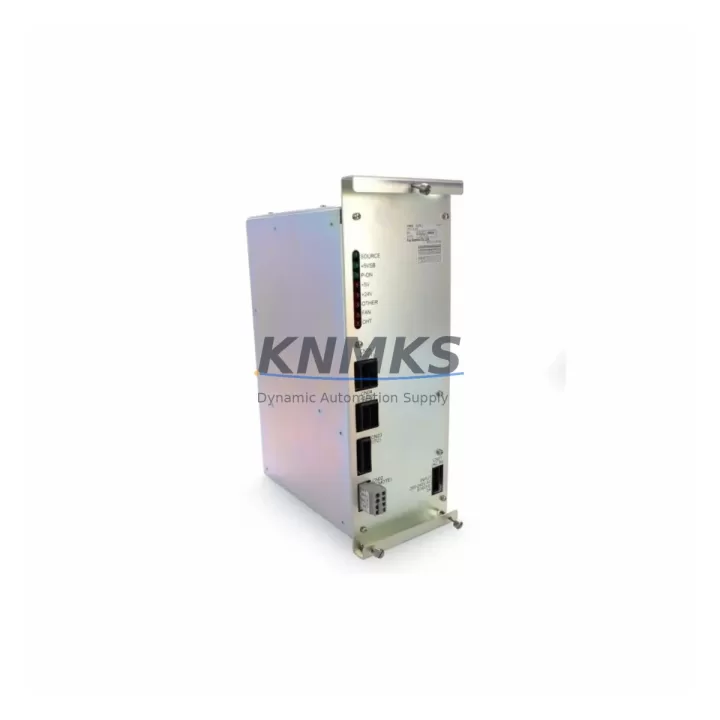
Overview
YASKAWA JANCD-XCP01C-1 Migration-Ready CPU for Legacy XRC Control Systems
The YASKAWA JANCD-XCP01C-1 is a central processing unit board designed for the YASKAWA XRC series robot controller platform. As XRC-generation systems approach end-of-life and OEM support windows close, facilities running MOTOMAN UP series, SK series, and HP series robot arms face increasing pressure to source verified replacement CPU boards before unplanned downtime forces emergency procurement. The JANCD-XCP01C-1 serves as a direct, migration-ready replacement that preserves existing program logic, I/O mapping, and communication architecture — enabling controlled retrofits without full controller replacement.
For maintenance engineers and automation managers planning a structured migration, the JANCD-XCP01C-1 addresses the most critical constraint in legacy robot system continuity: CPU board availability. When this board fails, the entire XRC controller becomes non-functional. Sourcing a verified, tested replacement with confirmed firmware compatibility is the fastest path to restoring production without rewriting teach pendant programs or reconfiguring the JANCD-XIF01 communication interface board or the JANCD-YIF01 fieldbus interface module.
Migration Compatibility Table
| Parameter | Details |
|---|---|
| Compatible Controller Platform | YASKAWA XRC Series (MOTOMAN UP, SK, HP, ES robot families) |
| Replaced / Superseded Models | JANCD-XCP01, JANCD-XCP01B (earlier board revisions) |
| Board Form Factor | XRC backplane slot — direct physical fit, no bracket modification required |
| Communication Compatibility | Compatible with JANCD-XIF01 (Ethernet/DeviceNet interface) and JANCD-YIF01 (PROFIBUS/CC-Link fieldbus) |
| Firmware Requirement | Confirm XRC system firmware version before installation; board revision -1 supports extended firmware builds |
| I/O Mapping Retention | Existing I/O address assignments retained when replacing like-for-like; re-teach not required for standard swap |
| Installation Space | Standard XRC controller cabinet slot; no mechanical modification to JZNC-XRK01 rack required |
| Power Supply Compatibility | Operates within XRC internal DC bus; verify JZNC-XPU01 power supply output stability before swap |
| Programming Cable | Compatible with standard XRC programming pendant and MOTOMAN MotoSim offline programming environment |
| Commissioning Requirement | Cold boot sequence, parameter file restore from backup, and I/O check cycle recommended post-installation |
| Support terms | support terms confirmed by quotation — covers manufacturing defects and functional failure under normal operating conditions |
| Supply Availability | In-stock; B2B global supply with pre-shipment functional testing |
Retrofit Planning for Existing Automation Systems
A successful JANCD-XCP01C-1 retrofit begins well before the board is physically swapped. Maintenance teams should start by backing up all robot job files, system parameters, and I/O configuration data using the XRC teach pendant’s file management function or via the JANCD-XIF01 Ethernet interface to a connected PC running MOTOMAN’s parameter management utility. This backup is non-negotiable — it is the single most important step in protecting accumulated program logic developed over years of production operation.
Next, verify the condition of the JZNC-XPU01 power supply unit. A degraded power supply delivering unstable DC bus voltage is a common root cause of CPU board failure in aging XRC systems. Replacing the CPU board without confirming power supply health risks damaging the new board within weeks of installation. Similarly, inspect the JZNC-XRK01 rack and backplane connector for corrosion, bent pins, or contamination — particularly in foundry, paint shop, or food processing environments where airborne particulates accelerate connector degradation.
For systems integrated into a broader automation cell, confirm the communication link status between the XRC controller and upstream PLCs or SCADA systems. If the cell uses a JANCD-YIF01 PROFIBUS-DP or CC-Link fieldbus interface module, document the node address, baud rate, and I/O byte mapping before the swap. These parameters must be verified post-installation to confirm the robot controller re-establishes its fieldbus presence correctly. In cells where the XRC communicates with a FANUC or Siemens PLC via DeviceNet through the JANCD-XIF01, the PLC-side device table should be exported before the maintenance window begins.
HMI screens connected to the XRC via serial or Ethernet links should be tested for communication restoration as part of the post-swap commissioning checklist. In facilities where operators rely on custom HMI pages built on YASKAWA’s DX100 or earlier pendant interfaces, confirm that the screen logic references I/O addresses that remain valid after the CPU board replacement. If the facility is also managing a parallel upgrade of ancillary equipment — such as replacing a JANCD-XCP02 servo control board or upgrading the JZNC-XFB01 brake control unit — coordinate the maintenance windows to minimize total downtime exposure.
Finally, confirm installation space and cable routing before the maintenance window. The JANCD-XCP01C-1 occupies the same physical slot as its predecessors, but cable harness routing to adjacent boards such as the JANCD-XIO01 I/O interface board should be documented photographically before disassembly to ensure correct reassembly under time pressure.
Downtime Control During System Migration
Unplanned CPU board failure in an XRC robot controller can halt an entire production cell within seconds. The most effective downtime control strategy is pre-positioning a verified spare JANCD-XCP01C-1 in the facility’s maintenance inventory before failure occurs. With a confirmed spare on-site, mean time to repair (MTTR) for a CPU board swap is typically under four hours for a trained maintenance technician — compared to days or weeks when sourcing begins after failure.
For planned retrofit windows, schedule the swap during a scheduled production break or shift changeover. Begin with a full parameter backup, power down the controller following the XRC shutdown sequence, swap the board, restore parameters from backup, and execute the standard cold-start commissioning sequence: power-on self-test, parameter file load, I/O check cycle, and a slow-speed dry-run of the robot’s primary job program before returning to production speed. This structured sequence protects the original program logic and confirms that the replacement board is functioning correctly before the cell is released to production.
In multi-robot cells where a single XRC controller failure affects multiple robot arms sharing a common fieldbus segment, pre-staging the replacement board and pre-loading the parameter backup file to a USB drive or network share reduces the active repair window to its minimum. Facilities with documented commissioning checklists consistently achieve faster return-to-production times than those relying on technician memory alone.
Retrofit Support FAQ
Q1: Is the JANCD-XCP01C-1 a direct replacement for the JANCD-XCP01 and JANCD-XCP01B?
Yes. The -1 revision is the current production revision of the XCP01 CPU board family and is designed as a direct functional replacement for earlier revisions within the XRC controller platform. Confirm your controller’s firmware version is compatible with the -1 board revision before installation.
Q2: Do I need to re-teach robot programs after replacing the CPU board?
No, provided you restore a complete parameter and job file backup from the original board’s last known good state. The JANCD-XCP01C-1 does not alter the robot’s kinematic model or I/O address structure. A full backup restore followed by a slow-speed verification run is sufficient to confirm program integrity.
Q3: What pre-shipment testing is performed on the JANCD-XCP01C-1?
Each unit undergoes functional power-on testing and visual inspection for component condition, connector integrity, and board-level damage before shipment. Units are shipped with anti-static packaging and include a support terms confirmed by quotation covering manufacturing defects and functional failure under normal operating conditions.
Q4: What is the lead time and supply availability?
The JANCD-XCP01C-1 is maintained availability confirmed by RFQ for B2B customers globally. Orders are processed with priority dispatch. Contact admin@knmks.com or +86 18359268345 to confirm current stock levels, request a quotation, or arrange expedited shipment for urgent maintenance requirements.
© 2026 KNMKS. All rights reserved.
Original Source: https://knmks.com
Contact: admin@knmks.com | +86 18359268345
Product Identification
- Brand / Ecosystem
-
YASKAWA
Assorted Brands - Model / Series
-
JANCD-XCP01C-1
Assorted Series - Product Family
- PLCs & Controllers
- Availability Status
- Available on request after model and quantity confirmation
- Inquiry Type
- B2B RFQ, replacement inquiry and project spare-part request
- Pre-Quote Check
- Exact SKU, brand, series, quantity, nameplate photos and destination country are checked before quotation
System Path
Where this product fits in the KNMKS automation structure.
Specification & Inquiry Focus
- Control platform
- PLC, PAC and modular controllers
- Common needs
- CPU, rack, power and I/O expansion
- Project support
- Replacement, cabinet build and maintenance
Buyer Confirmation
Information KNMKS checks before replying.
- Exact model
- JANCD-XCP01C-1
- Brand / ecosystem
- YASKAWA
- Product family
- PLCs & Controllers
- Application note
- Replacement, maintenance, project build or spare-part list
- Useful photos
- Nameplate, installed unit, cabinet layout or connector side
- Delivery details
- Quantity, destination country and target schedule
Document Support
Files and notes can be confirmed during quotation.
- Product photos or nameplate confirmation when available
- Packing and delivery notes before quotation confirmation
- Support scope and delivery terms confirmed per inquiry
- Export document coordination for qualified B2B requests
Inquiry Support
- Model cross-checking before quotation
- CPU, power, rack and expansion module matching
- Support for replacement and project inquiry
What to Send Us
- Brand and exact model number: YASKAWA JANCD-XCP01C-1
- Quantity and required delivery time
- Application, replacement requirement or nameplate photo
- Destination country and shipping preference
RFQ Preparation
This is a product inquiry page built for RFQ communication.
Fast Model Check
Send this model to KNMKS for confirmation.
Include quantity, destination country and photos if this is a maintenance replacement. The inquiry will be saved with a reference number after submission.
Brand & Compatibility Note
KNMKS displays automation product information for well-known industrial brand ecosystems and compatible replacement references. Brand names are used for product identification and compatibility reference only; final availability and commercial terms are confirmed per quotation.
 Manufacturing
 Machine Tools
 Packaging
 Energy & Power



 HMI & Displays
 Servo Systems
 Variable Frequency Drives
 Sensors