
Overview
XYCOM 9960 Migration-Ready HMI Panel for Legacy Control Systems
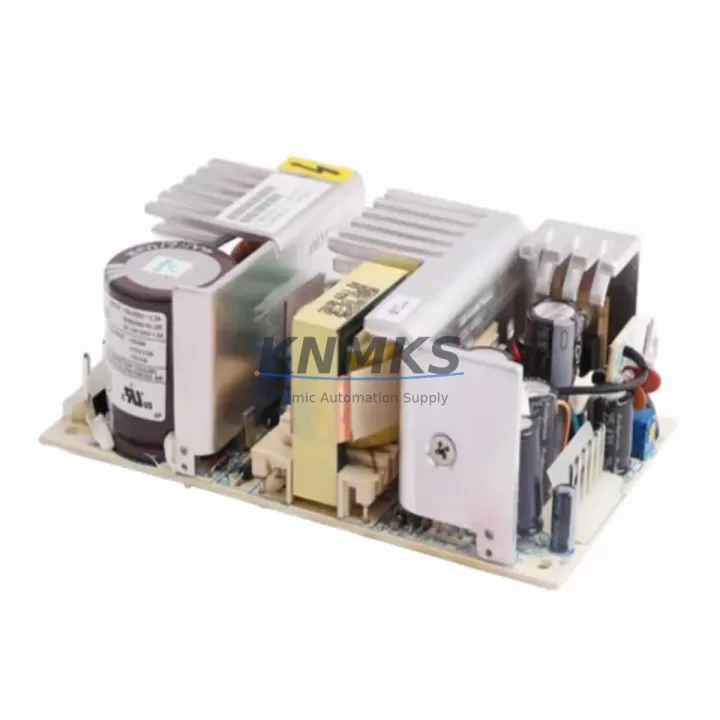
The XYCOM 9960 is a migration-ready HMI operator interface panel engineered for direct replacement within XYCOM 9000 Series control architectures. As legacy automation systems approach end-of-life and original spare parts become increasingly scarce, the 9960 provides a validated upgrade path that preserves existing wiring layouts, communication links, and operator screen logic — minimizing retrofit risk and unplanned downtime across manufacturing, process, and utilities environments.
Facilities running aging XYCOM 9000 Series panels face compounding risks: discontinued firmware support, unavailable replacement parts, and operator interfaces that no longer meet modern safety or usability standards. The 9960 addresses each of these concerns with a form-factor-compatible design, retained terminal assignments, and support for the serial communication protocols common to legacy XYCOM control cabinets. Engineers can validate the replacement against existing PLC program logic without requiring full recompilation or HMI screen rebuilds, significantly reducing commissioning time during planned maintenance windows.
Before installation, maintenance teams should confirm power supply capacity at the control cabinet — the 9960 operates within the standard 24 VDC range typical of XYCOM 9000 Series enclosures, but supply rail loading should be verified against the existing XYCOM power supply module to avoid voltage sag during panel startup. Terminal block wiring from the legacy unit maps directly to the 9960’s connector layout; however, field technicians should cross-reference the original wiring diagram to confirm signal ground continuity and shield termination points before energizing.
Backplane interface compatibility is a critical checkpoint in any 9000 Series retrofit. The 9960 is designed to seat into the same rack positions used by predecessor XYCOM 9000 Series HMI modules, eliminating the need for backplane adapters or custom mounting brackets. Module addressing should be confirmed in the PLC configuration file prior to hot-swap or cold-swap replacement — mismatched node addresses are a common source of communication faults during first power-on after panel substitution.
Communication link integrity must be validated before returning the system to production. The 9960 supports the RS-232 and RS-422/485 serial interfaces standard to XYCOM 9000 Series installations, enabling direct connection to existing XYCOM controllers, remote I/O racks, and third-party PLCs without protocol converters. Where installations include a XYCOM communication module or a dedicated serial gateway, cable pinouts and baud rate settings should be verified against the original system documentation to ensure seamless handshake on first boot.
HMI screen migration is typically non-destructive when replacing within the same XYCOM 9000 Series platform. Existing operator display configurations, alarm setpoints, and trend screens can be transferred to the 9960 using the original project files, provided the firmware version on the replacement unit is compatible with the source project. Firmware version alignment is an essential pre-shipment check — all XYCOM 9960 units supplied by KNMKS are tested and confirmed against the firmware baseline most commonly deployed in active 9000 Series installations.
For control cabinets undergoing broader modernization, the 9960 is frequently deployed alongside complementary XYCOM 9000 Series components: the XYCOM 9453 analog input module for retained signal conditioning, the XYCOM 9470 digital I/O module for discrete control continuity, and the XYCOM 9490 power supply module where cabinet power infrastructure is being refreshed in parallel. In multi-panel retrofit projects, the XYCOM 9850 operator station and XYCOM 9000 Series rack chassis are commonly replaced in the same maintenance cycle to standardize the control cabinet bill of materials and simplify long-term spare parts management.
Migration Compatibility Table
| Parameter | Detail |
|---|---|
| SKU | 9960 |
| Brand / Series | XYCOM / 9000 Series |
| Product Type | HMI Operator Interface Panel |
| Replaces / Upgrades | XYCOM 9000 Series legacy HMI panels (end-of-life / discontinued) |
| Power Supply | 24 VDC (verify rail capacity against existing XYCOM power supply module) |
| Communication Interfaces | RS-232, RS-422/485 serial (native 9000 Series protocol support) |
| Backplane / Rack Compatibility | Direct fit — XYCOM 9000 Series rack chassis; no adapter required |
| Terminal Wiring | Retained terminal layout; verify signal ground and shield termination |
| Module Addressing | Confirm node address in PLC configuration before replacement |
| HMI Screen Migration | Non-destructive transfer from original project files (firmware version match required) |
| Firmware Compatibility | Pre-tested against active 9000 Series firmware baseline |
| Installation Space | Same form factor as predecessor 9000 Series HMI modules |
| Pre-Shipment Testing | Full functional test performed before dispatch |
| Support terms | 12 Months |
| Stock Status | availability confirmed by RFQ — available for immediate dispatch |
Retrofit Planning for Existing Automation Systems
A successful XYCOM 9960 retrofit begins with a structured audit of the existing control cabinet. Maintenance engineers should document the current XYCOM 9000 Series rack layout, recording the slot positions of all installed modules — including the XYCOM 9453 analog input module, XYCOM 9470 digital I/O module, and XYCOM 9490 power supply module — before any hardware is disturbed. This baseline record supports both the replacement sequence and the post-retrofit verification checklist.
Signal isolation requirements should be assessed early in the planning phase. Where the legacy installation includes signal isolators between field instruments and the XYCOM I/O rack, isolator output ranges and loop power configurations must be confirmed compatible with the 9960’s input specifications. In installations where the XYCOM 9850 operator station is also being replaced, HMI project files should be archived and version-controlled before any firmware updates are applied to either unit.
Programming cable compatibility is a practical concern often overlooked until commissioning day. The XYCOM 9000 Series uses a dedicated serial programming interface; technicians should confirm that the programming cable and laptop software version are compatible with the 9960 before the maintenance window begins. Having a verified programming cable on-site eliminates a common source of retrofit delay when the replacement unit requires firmware confirmation or address configuration on first boot.
Where the retrofit scope extends to communication infrastructure, serial gateway devices connecting the XYCOM HMI to upstream SCADA or DCS systems should be reconfigured to match the 9960’s port settings. Baud rate, parity, stop bits, and handshaking parameters should be documented from the legacy unit and replicated exactly on the replacement to avoid communication timeouts during system restart.
Downtime Control During System Migration
Minimizing production downtime during a XYCOM 9960 installation requires pre-staging all replacement hardware, verified firmware, and configuration files before the maintenance window opens. The 9960’s direct form-factor compatibility with the XYCOM 9000 Series rack eliminates mechanical adaptation time, allowing the physical swap to be completed within a standard planned maintenance interval.
Original PLC program logic does not require modification when replacing a like-for-like XYCOM 9000 Series HMI panel. The 9960 retains the communication protocol and addressing structure of the predecessor unit, meaning the controller continues to execute the existing ladder logic or function block program without recompilation. This preserves control continuity and eliminates the risk of program regression introduced by unnecessary code changes during a hardware-only replacement.
Field control continuity during the swap interval can be maintained by placing the PLC in a safe hold state or transferring control to a redundant loop where the process design permits. Operators should be briefed on manual override procedures for critical control loops before the HMI panel is taken offline. Once the 9960 is installed and communication is confirmed, a structured loop check — verifying each I/O point against the original signal list — should be completed before returning the system to automatic control.
All XYCOM 9960 units supplied by KNMKS undergo pre-shipment functional testing to confirm hardware integrity and firmware baseline before dispatch. This reduces on-site commissioning risk and supports a faster return to production following the replacement.
Retrofit Support FAQ
Q: Is the XYCOM 9960 a direct drop-in replacement for other XYCOM 9000 Series HMI panels?
A: The 9960 is designed for direct replacement within the XYCOM 9000 Series platform, sharing the same rack form factor, terminal layout, and serial communication interfaces as predecessor models. Minor firmware and configuration verification steps are required before first power-on, as detailed in the migration compatibility table above.
Q: What commissioning steps are required after installing the XYCOM 9960?
A: After physical installation, technicians should confirm module address settings, verify serial communication parameters (baud rate, parity, stop bits), restore HMI project files from the archived source, and perform a full I/O loop check against the original signal list before returning the system to automatic control.
Q: How is wiring compatibility confirmed before installation?
A: The 9960 retains the terminal assignment layout of the XYCOM 9000 Series. Technicians should cross-reference the existing wiring diagram against the 9960 terminal map, paying particular attention to signal ground, shield termination, and 24 VDC supply connections. No rewiring is typically required for a like-for-like replacement.
Q: What support terms and stock availability does KNMKS provide for the XYCOM 9960?
A: All XYCOM 9960 units are covered by a support terms confirmed by quotation from the date of dispatch. Units are held availability confirmed by RFQ and subject to pre-shipment functional testing before delivery. For current availability and lead time confirmation, contact admin@knmks.com or call +86 18359268345.
© 2026 KNMKS. All rights reserved.
Original Source: https://knmks.com
Contact: admin@knmks.com | +86 18359268345
Product Identification
- Brand / Ecosystem
-
Other Brands
Assorted Brands - Model / Series
-
9960
Assorted Series - Product Family
- HMI & Displays
- Availability Status
- Available on request after model and quantity confirmation
- Inquiry Type
- B2B RFQ, replacement inquiry and project spare-part request
- Pre-Quote Check
- Exact SKU, brand, series, quantity, nameplate photos and destination country are checked before quotation
System Path
Where this product fits in the KNMKS automation structure.
Specification & Inquiry Focus
- Display range
- Operator panels and touch screens
- Common needs
- Screen size, interface and version matching
- Project support
- Retrofit, spare unit and panel replacement
Buyer Confirmation
Information KNMKS checks before replying.
- Exact model
- 9960
- Brand / ecosystem
- Other Brands
- Product family
- HMI & Displays
- Application note
- Replacement, maintenance, project build or spare-part list
- Useful photos
- Nameplate, installed unit, cabinet layout or connector side
- Delivery details
- Quantity, destination country and target schedule
Document Support
Files and notes can be confirmed during quotation.
- Product photos or nameplate confirmation when available
- Packing and delivery notes before quotation confirmation
- Support scope and delivery terms confirmed per inquiry
- Export document coordination for qualified B2B requests
Inquiry Support
- Panel size and interface confirmation
- Replacement unit inquiry for discontinued HMIs
- Protective packaging for display shipment
What to Send Us
- Brand and exact model number: Other Brands 9960
- Quantity and required delivery time
- Application, replacement requirement or nameplate photo
- Destination country and shipping preference
RFQ Preparation
This is a product inquiry page built for RFQ communication.
Fast Model Check
Send this model to KNMKS for confirmation.
Include quantity, destination country and photos if this is a maintenance replacement. The inquiry will be saved with a reference number after submission.
Brand & Compatibility Note
KNMKS displays automation product information for well-known industrial brand ecosystems and compatible replacement references. Brand names are used for product identification and compatibility reference only; final availability and commercial terms are confirmed per quotation.
 Manufacturing
 Machine Tools
 Packaging
 Energy & Power
 PLCs & Controllers
 Servo Systems
 Variable Frequency Drives
 Sensors