
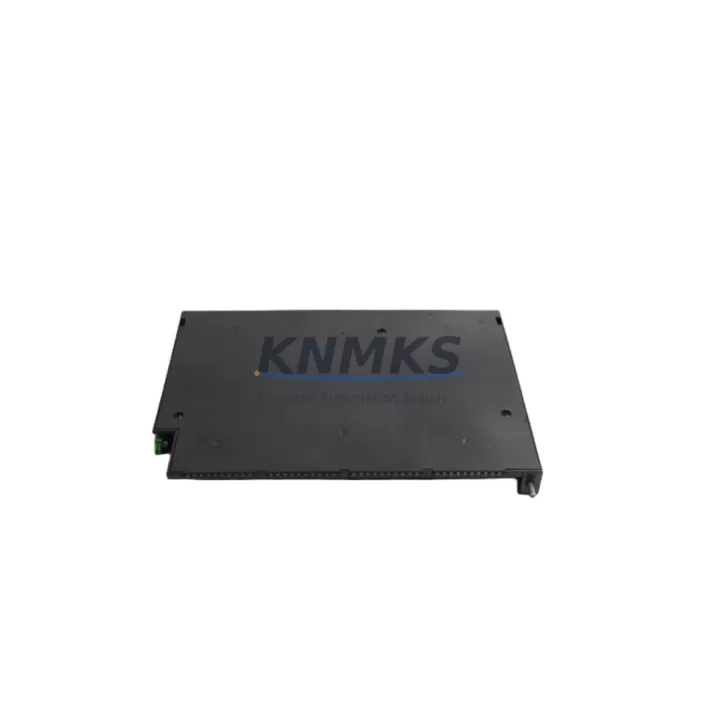
Overview
Siemens E3M111 Migration-Ready Fire Detection Module for Legacy Systems
The Siemens E3M111 is a fire detection module engineered for seamless integration into Cerberus-series fire alarm and building automation systems. As legacy Cerberus panels approach end-of-life and spare parts become increasingly scarce, the E3M111 serves as a verified drop-in replacement that preserves existing wiring infrastructure, panel addressing, and zone logic without requiring a full system overhaul. For facilities management teams and system integrators managing aging fire detection networks, the E3M111 represents a cost-effective path to extending operational life while maintaining full compliance with site safety requirements.
When planning a retrofit or spare-part replacement using the E3M111, engineers must confirm several critical parameters before installation. Power supply capacity at the panel — typically sourced from a Siemens Cerberus CS1140 or equivalent power supply module — must be verified to support the additional module load, particularly in multi-zone configurations where cumulative current draw can approach rated limits. Terminal wiring from the existing loop or zone card must be mapped against the E3M111’s input/output pinout to ensure polarity and signal type compatibility. Backplane slot assignments and module addressing (via DIP switch or software configuration depending on panel generation) must be documented prior to removal of the legacy module to avoid address conflicts during commissioning.
Program logic compatibility is a key concern in any Cerberus system migration. If the host panel runs on an older firmware revision, the E3M111 must be validated against the panel’s supported module firmware table. In cases where the panel firmware predates the E3M111’s release cycle, a firmware update to the Cerberus CS11 or FC2025 controller may be required before the module can be recognized. HMI screen mappings — particularly zone labels, alarm group assignments, and cause-and-effect logic — should be exported and backed up before any hardware swap to protect against configuration loss during power cycling.
Communication link integrity is equally important. In systems where the E3M111 interfaces with a Siemens Sinteso or Cerberus PRO network backbone, the RS-485 or proprietary loop protocol must be verified for signal integrity after module insertion. Loop resistance and capacitance values should be re-measured post-installation to confirm the new module does not introduce impedance anomalies. Where the installation involves I/O expansion — for example, adding monitored output relays via a Siemens CM10 or equivalent I/O expander — the expanded address range must be pre-allocated in the panel configuration before field commissioning begins.
Physical installation space is a practical constraint that is often underestimated. The E3M111’s form factor is designed to fit standard Cerberus DIN-rail and backplane mounting positions, but installers should confirm available slot depth and adjacent module clearance, particularly in densely populated control cabinets. Where cabinet space is limited, signal isolators or short-circuit isolators — such as the Siemens ISO1 or equivalent — may need to be repositioned to accommodate the replacement module without compromising loop topology.
All E3M111 units supplied by KNMKS undergo pre-shipment functional testing, including loop communication verification, alarm output actuation, and fault relay response. Each unit ships with a support terms confirmed by quotation covering manufacturing defects and operational failures under normal installation conditions. Inventory is maintained to support both single-unit emergency replacements and multi-unit planned maintenance programs, with lead times confirmed at order placement.
Migration Compatibility Table
| Parameter | Details |
|---|---|
| Compatible Panel Series | Siemens Cerberus CS11, CS1140, FC2025, Sinteso FC20 |
| Mounting Interface | Standard Cerberus backplane / DIN-rail slot |
| Communication Protocol | Cerberus proprietary loop protocol; RS-485 compatible variants |
| Replacement Compatibility | Direct replacement for legacy Cerberus fire detection modules in same series |
| Firmware Requirement | Verify host panel firmware supports E3M111 module revision; update if required |
| Commissioning Notes | Re-address module post-installation; verify loop resistance; back up HMI config |
| Pre-Shipment Testing | Loop communication, alarm output, fault relay — all verified before dispatch |
| Support terms | support terms confirmed by quotation — manufacturing defects and operational failures covered |
Retrofit Planning for Existing Automation Systems
A successful E3M111 retrofit typically involves coordinating several interdependent components. The host panel — whether a Cerberus CS1140 or a newer FC2025 controller — must be assessed for available module slots and current firmware revision before procurement. Power distribution within the control cabinet should be reviewed using the panel’s power supply module datasheet to confirm headroom for the replacement unit. In multi-zone installations, short-circuit isolators such as the Siemens ISO1 are critical to maintaining loop integrity during the swap, as they prevent a single wiring fault from disabling adjacent zones during the transition period.
Where the retrofit involves migrating from an older Cerberus generation to a Sinteso-compatible architecture, a Siemens CM10 I/O expander may be required to bridge legacy hardwired inputs to the new loop topology. Programming cables compatible with the Cerberus configuration tool — such as the Siemens HDB-USB or equivalent — should be on-site during commissioning to allow real-time parameter adjustment without panel power cycling. If the site uses a Siemens OCI700 or similar building management gateway, the E3M111’s integration point within the BACnet or proprietary network map must be pre-configured to avoid alarm routing gaps post-installation.
Downtime Control During System Migration
Minimizing system downtime during an E3M111 replacement requires a structured pre-outage preparation protocol. Before taking the panel offline, the full configuration — including zone assignments, cause-and-effect logic, alarm group mappings, and HMI display labels — must be exported and stored on a local engineering workstation. A temporary bypass or isolate procedure should be coordinated with the site safety officer to maintain manual fire watch coverage during the hardware swap window.
The physical module exchange should be completed within a defined maintenance window, typically 30–60 minutes for a single-module replacement in an accessible cabinet. After reinsertion, the E3M111 must be re-addressed to match the legacy module’s panel assignment before power is restored to the loop. Loop resistance and end-of-line values should be re-verified with a multimeter before the panel is returned to normal monitoring mode. A full walk-test of affected zones — triggering each detector and verifying correct alarm routing to the panel and any connected monitoring station — should be completed before the maintenance window is closed and the bypass lifted. This structured approach protects original program logic, maintains field control continuity, and reduces the risk of undocumented configuration changes that could compromise system reliability.
Retrofit Support FAQ
Q: Is the E3M111 a direct drop-in replacement for my existing Cerberus fire detection module?
A: The E3M111 is designed as a compatible replacement for Cerberus-series fire detection modules within the same panel generation. Confirm your panel model and existing module part number against the E3M111 compatibility list before ordering. In most CS11 and FC2025 installations, no wiring modifications are required.
Q: What commissioning steps are required after installing the E3M111?
A: After physical installation, re-assign the module address to match the legacy unit’s panel configuration. Verify loop resistance values, confirm alarm output routing in the panel software, and conduct a full zone walk-test. If the host panel firmware requires an update to recognize the E3M111, complete the firmware update before addressing.
Q: How is the E3M111 tested before shipment?
A: Every E3M111 unit undergoes pre-shipment functional testing covering loop communication verification, alarm output actuation, and fault relay response. Test records are available upon request. All units are covered by a support terms confirmed by quotation from the date of shipment.
Q: What is the typical lead time and inventory availability?
A: KNMKS maintains stock of the E3M111 to support both emergency single-unit replacements and planned multi-unit maintenance programs. Lead times are confirmed at order placement. Contact admin@knmks.com or +86 18359268345 for current availability and volume pricing.
© 2026 KNMKS. All rights reserved.
Original Source: https://knmks.com
Contact: admin@knmks.com | +86 18359268345
Product Identification
- Brand / Ecosystem
-
Siemens
Siemens - Model / Series
-
E3M111
Assorted Series - Product Family
- PLCs & Controllers
- Availability Status
- Available on request after model and quantity confirmation
- Inquiry Type
- B2B RFQ, replacement inquiry and project spare-part request
- Pre-Quote Check
- Exact SKU, brand, series, quantity, nameplate photos and destination country are checked before quotation
System Path
Where this product fits in the KNMKS automation structure.
Specification & Inquiry Focus
- Control platform
- PLC, PAC and modular controllers
- Common needs
- CPU, rack, power and I/O expansion
- Project support
- Replacement, cabinet build and maintenance
Buyer Confirmation
Information KNMKS checks before replying.
- Exact model
- E3M111
- Brand / ecosystem
- Siemens
- Product family
- PLCs & Controllers
- Application note
- Replacement, maintenance, project build or spare-part list
- Useful photos
- Nameplate, installed unit, cabinet layout or connector side
- Delivery details
- Quantity, destination country and target schedule
Document Support
Files and notes can be confirmed during quotation.
- Product photos or nameplate confirmation when available
- Packing and delivery notes before quotation confirmation
- Support scope and delivery terms confirmed per inquiry
- Export document coordination for qualified B2B requests
Inquiry Support
- Model cross-checking before quotation
- CPU, power, rack and expansion module matching
- Support for replacement and project inquiry
What to Send Us
- Brand and exact model number: Siemens E3M111
- Quantity and required delivery time
- Application, replacement requirement or nameplate photo
- Destination country and shipping preference
RFQ Preparation
This is a product inquiry page built for RFQ communication.
Fast Model Check
Send this model to KNMKS for confirmation.
Include quantity, destination country and photos if this is a maintenance replacement. The inquiry will be saved with a reference number after submission.
Brand & Compatibility Note
KNMKS displays automation product information for well-known industrial brand ecosystems and compatible replacement references. Brand names are used for product identification and compatibility reference only; final availability and commercial terms are confirmed per quotation.
 Manufacturing
 Machine Tools
 Packaging
 Energy & Power



 HMI & Displays
 Servo Systems
 Variable Frequency Drives
 Sensors