
Overview
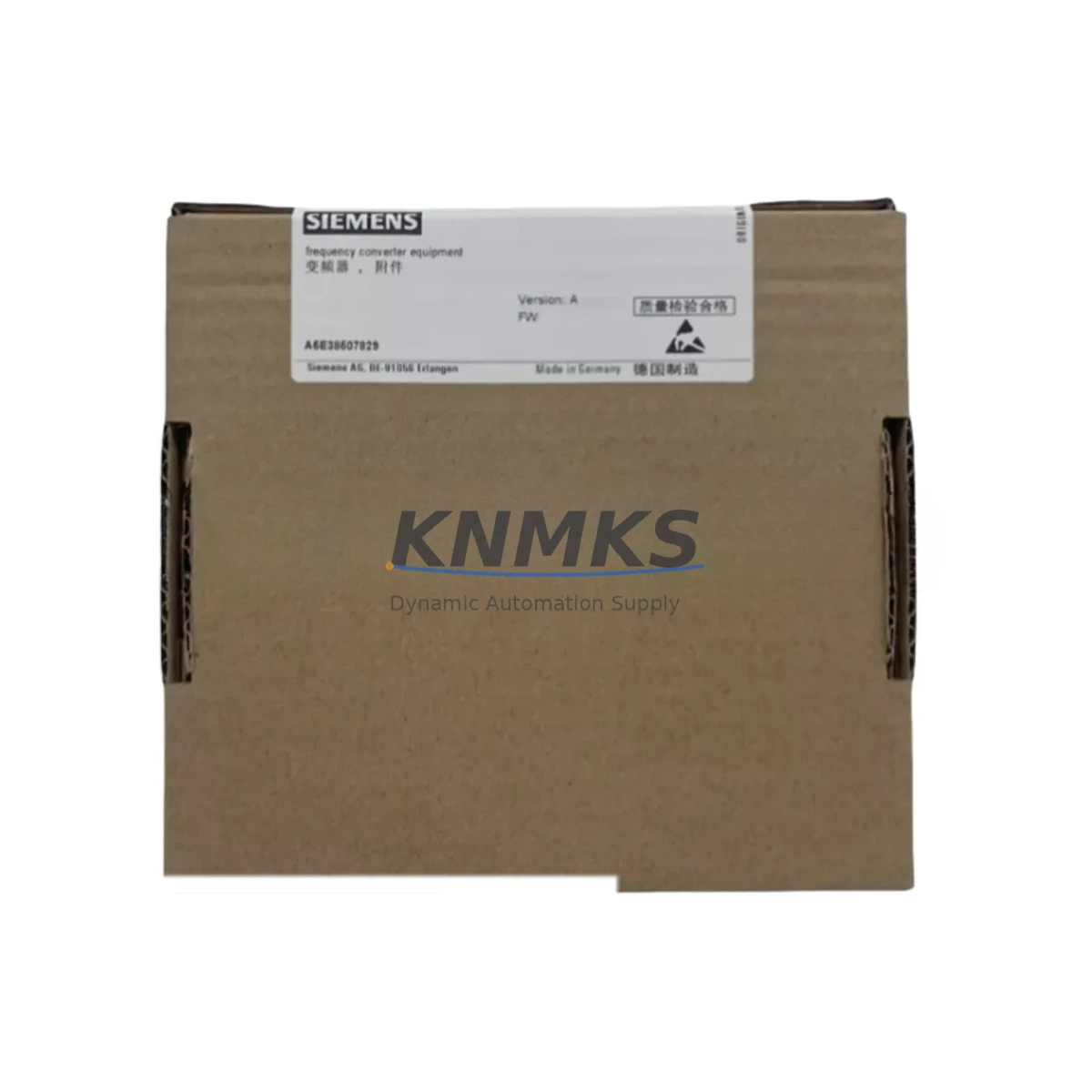
Siemens A5E00696685 Maintenance-Proven Spare Part for Factory Uptime
The Siemens A5E00696685 is an original DCS process control module designed for SIMATIC PCS 7 automation systems. As a maintenance-proven spare part, it supports rapid fault isolation, emergency replacement, and planned annual overhaul cycles across continuous process industries including chemical, pharmaceutical, oil & gas, power generation, and water treatment. Cross-compatible with A5E00717035 and A5E38507829, this module enables maintenance engineers to restore control cabinet functionality with minimal downtime and maximum confidence in system integrity.
Sourced directly from authorized supply channels and tested prior to shipment, each unit is backed by a support terms confirmed by quotation. Long-term supply availability is maintained to support aging SIMATIC PCS 7 installations and life-extension programs for legacy automation infrastructure.
Spare Maintenance Table
| Parameter | Specification |
|---|---|
| Part Number (SKU) | A5E00696685 / A5E00717035 / A5E38507829 |
| Brand | Siemens |
| Series | SIMATIC PCS 7 |
| Product Type | DCS Process Control Module |
| Compatible Systems | SIMATIC PCS 7 AS 412, AS 414, AS 416, AS 417 |
| Supply Voltage | 24 V DC (via backplane bus) |
| Operating Temperature | 0 °C to +60 °C |
| Storage Temperature | -40 °C to +70 °C |
| Mounting | S7-400 rack / UR1 / UR2 backplane |
| Origin | Germany (DE) |
| Weight | Approx. 1,000 g |
| Support terms | 12 Months — tested before shipment |
| Condition | Original spare, new or refurbished-to-spec |
| Maintenance Recommendation | Replace during planned shutdown; verify backplane bus integrity and I/O wiring before reinsertion |
Maintenance Planning for Continuous Operation
When scheduling replacement of the A5E00696685 in a SIMATIC PCS 7 control cabinet, maintenance engineers should treat this as a system-level intervention rather than a single-component swap. The module interfaces directly with the S7-400 backplane, so the UR2 or UR1 rack and its bus connectors should be inspected for oxidation, mechanical stress, or intermittent contact faults before the new module is seated.
Power integrity is critical: the PS 407 or PS 405 power supply module feeding the rack should be load-tested and its output voltage verified at ±1% tolerance. A degraded power supply is a common root cause of repeated module faults and should be replaced proactively if it is approaching end-of-service life. Similarly, the CP 443-1 or CP 443-5 communication processor in the same cabinet should be checked for firmware currency and PROFIBUS/Industrial Ethernet link stability, as communication errors can mask underlying module health issues.
On the I/O side, inspect all SM 321 digital input modules and SM 331 analog input modules connected to the process loop controlled by this CPU. Loose terminal block connections, corroded field wiring, or out-of-calibration signal conditioners can generate spurious faults that are incorrectly attributed to the control module. Signal isolators on 4–20 mA loops should be verified for loop resistance compliance and isolation integrity.
For relay-driven outputs, the SM 322 digital output modules and associated relay cards should be checked for contact wear, especially in high-cycle applications. Fuse holders and miniature circuit breakers protecting the I/O bus should be tested for continuity and rated breaking capacity. Any SITOP power supply units in the 24 V DC distribution rail should be inspected for output ripple and thermal performance.
Finally, the OP 77B or MP 377 HMI panel communicating with this controller should be verified for tag database consistency after module replacement, as address mapping changes can cause display anomalies or alarm suppression. Documenting the replacement in the site CMMS and updating the spare parts register ensures procurement engineers can maintain adequate buffer stock for the next planned maintenance window.
Site Replacement Workflow
Step 1 — Pre-replacement verification: Confirm the exact part number (A5E00696685, A5E00717035, or A5E38507829) against the rack label and STEP 7 / PCS 7 hardware configuration. All three references are functionally interchangeable within the same firmware generation; verify firmware version compatibility before ordering if the installed base is mixed.
Step 2 — Safe isolation: Place the affected automation station (AS) in STOP mode via the PCS 7 operator station. Notify the DCS operator and process team. Do not remove the module under power unless the rack supports hot-swap; consult the rack documentation for your specific UR variant.
Step 3 — Physical replacement: Discharge static, remove the front connector (if applicable), release the module locking mechanism, and extract the faulty unit. Insert the A5E00696685 spare, ensuring the backplane bus connector is fully engaged. Reattach the front connector and secure the locking tab.
Step 4 — Firmware and configuration restore: Using SIMATIC Manager or TIA Portal in PCS 7 mode, download the saved hardware configuration and program to the new module. Verify all I/O addresses, process tags, and alarm limits are correctly restored before returning the AS to RUN mode.
Step 5 — Functional test: Confirm all process values are reading correctly on the HMI, check for active alarms, and perform a loop check on critical analog inputs. Log the replacement date, module serial number, and technician ID in the site maintenance record.
This workflow minimizes unplanned downtime, preserves system compatibility, and ensures the replacement is fully documented for audit and support terms purposes.
Spare Parts Support FAQ
Q1: Is the A5E00696685 a direct drop-in replacement for A5E00717035 and A5E38507829?
Yes. All three part numbers refer to functionally equivalent DCS process control modules within the SIMATIC PCS 7 platform. They share the same hardware configuration footprint, backplane interface, and firmware compatibility range. Always verify the firmware version in your SIMATIC Manager hardware catalog matches the installed base before deployment.
Q2: How is each unit tested before shipment?
Every A5E00696685 unit undergoes a pre-shipment functional test covering power-on self-test (POST) verification, backplane bus communication check, and I/O channel integrity validation. A test report is available upon request. Units that do not pass all test criteria are not shipped. The support terms confirmed by quotation cover manufacturing defects and functional failures under normal operating conditions.
Q3: What is the recommended inventory strategy for this module?
For facilities running SIMATIC PCS 7 with multiple automation stations, we recommend maintaining a minimum buffer of one unit per four installed modules of the same type. For critical process lines where an unplanned shutdown carries high financial or safety risk, a 1:2 or 1:1 buffer ratio is advisable. Blanket purchase orders with scheduled quarterly releases are supported to help procurement engineers manage budget cycles while ensuring supply continuity.
Q4: Can long-term supply be guaranteed for legacy PCS 7 installations?
Yes. KNMKS maintains dedicated stock for end-of-life and long-lifecycle Siemens SIMATIC components, including the A5E00696685 series. For customers running life-extension programs on aging PCS 7 systems, we offer long-term supply agreements with committed lead times and priority allocation. Contact our technical sales team to discuss your site’s installed base and multi-year procurement requirements.
© 2026 KNMKS. All rights reserved.
Original Source: https://knmks.com
Contact: admin@knmks.com | +86 18359268345
Product Identification
- Brand / Ecosystem
-
Siemens
Siemens - Model / Series
- A5E00696685/A5E00717035/A5E38507829
- Product Family
- Other Components
- Availability Status
- Available on request after model and quantity confirmation
- Inquiry Type
- B2B RFQ, replacement inquiry and project spare-part request
- Pre-Quote Check
- Exact SKU, brand, series, quantity, nameplate photos and destination country are checked before quotation
System Path
Where this product fits in the KNMKS automation structure.
Specification & Inquiry Focus
- Component range
- Breakers, terminals and cabinet accessories
- Common needs
- Model, photo and installation requirement
- Project support
- Maintenance and mixed spare-part inquiry
Buyer Confirmation
Information KNMKS checks before replying.
- Exact model
- A5E00696685/A5E00717035/A5E38507829
- Brand / ecosystem
- Siemens
- Product family
- Other Components
- Application note
- Replacement, maintenance, project build or spare-part list
- Useful photos
- Nameplate, installed unit, cabinet layout or connector side
- Delivery details
- Quantity, destination country and target schedule
Document Support
Files and notes can be confirmed during quotation.
- Product photos or nameplate confirmation when available
- Packing and delivery notes before quotation confirmation
- Support scope and delivery terms confirmed per inquiry
- Export document coordination for qualified B2B requests
Inquiry Support
- Mixed automation spare parts inquiry
- Cabinet component and accessory support
- Model identification from photos or labels
What to Send Us
- Brand and exact model number: Siemens A5E00696685/A5E00717035/A5E38507829
- Quantity and required delivery time
- Application, replacement requirement or nameplate photo
- Destination country and shipping preference
RFQ Preparation
This is a product inquiry page built for RFQ communication.
Fast Model Check
Send this model to KNMKS for confirmation.
Include quantity, destination country and photos if this is a maintenance replacement. The inquiry will be saved with a reference number after submission.
Brand & Compatibility Note
KNMKS displays automation product information for well-known industrial brand ecosystems and compatible replacement references. Brand names are used for product identification and compatibility reference only; final availability and commercial terms are confirmed per quotation.
 Manufacturing
 Machine Tools
 Packaging
 Energy & Power
 PLCs & Controllers
 HMI & Displays
 Servo Systems
 Variable Frequency Drives