
Overview
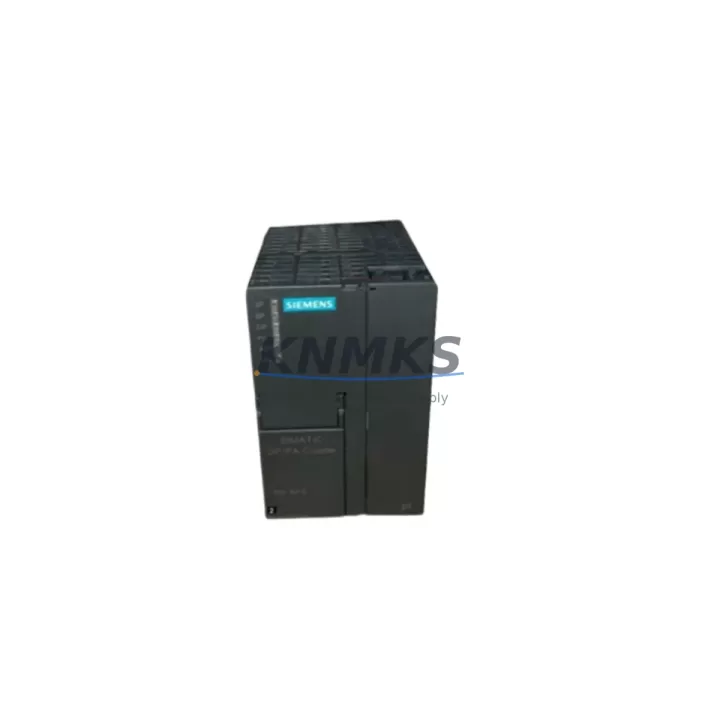
Siemens 6ES7157-0AC83-0XA0 Migration-Ready DP/PA Coupler for Legacy Control Systems
The Siemens 6ES7157-0AC83-0XA0 is a PROFIBUS DP/PA coupler module designed for the ET 200M distributed I/O station, widely deployed across process automation and legacy control architectures built on the Siemens S7-300 platform. As industrial facilities face increasing pressure to modernize aging control infrastructure, this coupler plays a critical role in bridging PROFIBUS DP backbones with PROFIBUS PA field device segments — enabling a phased, low-risk migration path without requiring a full system teardown.
For plants still operating legacy ET 200M racks with older IM 153-x interface modules, the 6ES7157-0AC83-0XA0 provides a verified drop-in replacement for discontinued coupler variants. Before installation, engineers must confirm the IM module firmware version, available backplane slot positions, and the DP master configuration in STEP 7 or TIA Portal. The coupler supports a maximum of 32 PA devices per segment and requires a dedicated PA segment power supply — typically a Siemens SITRANS or equivalent PA power conditioner — to maintain stable bus voltage during field device polling cycles.
When retrofitting an existing ET 200M station, the replacement procedure should begin with a full backup of the S7-300 CPU program, including DB blocks, SFB calls, and hardware configuration exports from STEP 7 HW Config. Any changes to the GSD file assignment or DP address mapping must be validated offline before downloading to the live CPU to avoid unintended I/O interruptions. If the existing rack uses a 6ES7153-2BA02-0XB0 or similar IM 153-2 interface module, slot addressing and module order must be preserved exactly to maintain program compatibility.
Migration Compatibility Table
| Parameter | 6ES7157-0AC83-0XA0 (This Unit) | Legacy / Replaced Variants |
|---|---|---|
| Module Type | PROFIBUS DP/PA Coupler | 6ES7157-0AC80-0XA0 / 0AC82-0XA0 |
| Host Station | ET 200M (IM 153-x) | ET 200M (IM 153-1 / 153-2) |
| Bus Interface | PROFIBUS DP (Master) / PA (Slave) | Same — direct replacement |
| PA Segment Devices | Up to 32 PA field devices | Up to 32 (firmware-dependent) |
| Power Supply | PA segment power conditioner required | Same requirement |
| Installation | DIN rail, ET 200M backplane slot | Same mechanical footprint |
| Communication | PROFIBUS DP up to 12 Mbit/s | Compatible — no DP address change needed |
| GSD File | Updated GSD required in HW Config | Verify GSD version before download |
| Commissioning | STEP 7 / TIA Portal V13+ | STEP 7 V5.5 SP4+ compatible |
| Support terms | support terms confirmed by quotation | Pre-Shipment Tested | |
Retrofit Planning for Existing Automation Systems
Successful integration of the 6ES7157-0AC83-0XA0 into an existing control cabinet requires a structured pre-retrofit assessment. Begin by auditing the current ET 200M rack layout: confirm the number of occupied slots, the IM 153 variant in use, and whether the existing backplane supports the coupler’s power draw. In multi-rack configurations where a 6ES7153-2BA02-0XB0 IM 153-2 redundant interface module is installed, the coupler must be assigned to the correct logical slot to avoid address conflicts during CPU startup.
On the PA field side, verify that all connected PROFIBUS PA transmitters — such as Siemens SITRANS P pressure transmitters or SITRANS F flowmeters — are correctly addressed and that their device descriptions (DD files) are loaded in the engineering station. If the legacy system used an older PA coupler with a different segment termination configuration, the new coupler’s built-in termination switch must be set appropriately to prevent bus reflections that can cause intermittent communication faults.
For control cabinets undergoing a broader S7-300 to S7-1500 migration, the 6ES7157-0AC83-0XA0 can serve as a transitional component, maintaining the existing PA field device layer while the DP master is upgraded. This approach avoids the need to re-instrument the field simultaneously, significantly reducing project scope and risk. During this phase, the CPU 315-2 DP or CPU 317-2 DP can be replaced with a CPU 1515-2 PN equipped with a CM 1542-5 PROFIBUS communication module, preserving the existing DP network topology and coupler configuration.
Additional components commonly required during this retrofit phase include: a PS 307 or PS 60W power supply module for the S7-300 rack, a 6ES7390-1AE80-0AA0 DIN rail profile for mechanical mounting, and appropriate PROFIBUS connectors with integrated termination resistors for the DP trunk cable. Signal isolators may also be required if the PA segment runs through areas with high electromagnetic interference.
Downtime Control During System Migration
Minimizing production downtime during a coupler replacement or system migration requires careful sequencing of activities. The recommended approach is to perform all hardware preparation — including rack slot verification, cable labeling, and GSD file updates — during a scheduled maintenance window, with the actual module swap completed in under 30 minutes for a single ET 200M station.
Before powering down the rack, export the current STEP 7 hardware configuration and save a CPU memory card backup. After installing the 6ES7157-0AC83-0XA0, restore the hardware configuration with the updated GSD file and perform a controlled CPU restart in STOP mode before switching to RUN. Monitor the DP diagnostic buffer for any coupler-related fault entries during the first polling cycle. If the PA segment devices do not come online immediately, check the segment power supply voltage (typically 24 VDC input, 9 VDC PA output) and verify that the bus termination is active at both ends of the PA trunk.
For systems where continuous operation is critical, consider using a hot-standby IM 153-2 redundant configuration to allow coupler replacement without a full station shutdown. In this scenario, the active IM can be switched to the standby path while the coupler is replaced on the primary rack, maintaining I/O availability throughout the procedure. All units supplied by KNMKS are pre-shipment tested to confirm communication link establishment and module self-diagnostics before dispatch, reducing the risk of commissioning delays on site.
Retrofit Support FAQ
Q1: Is the 6ES7157-0AC83-0XA0 a direct replacement for the 6ES7157-0AC80-0XA0 or 0AC82-0XA0?
Yes. The 0AC83 revision is the current production variant and is mechanically and functionally compatible with earlier 0AC80 and 0AC82 revisions in the same ET 200M slot. A GSD file update in STEP 7 HW Config is required before downloading the updated hardware configuration to the CPU.
Q2: What commissioning steps are required after installation?
After physical installation, update the GSD file in your STEP 7 or TIA Portal project, verify the DP node address assignment, and confirm PA segment power supply output voltage. Perform a CPU download in STOP mode, then switch to RUN and monitor the DP diagnostic buffer for any fault entries. Field device communication should be verified individually using the PA device diagnostic function in STEP 7.
Q3: Can this coupler be used during a phased S7-300 to S7-1500 migration?
Yes. The 6ES7157-0AC83-0XA0 is compatible with both S7-300 DP masters and S7-1500 systems using a CM 1542-5 PROFIBUS communication module. This makes it suitable as a transitional component, allowing the PA field device layer to remain unchanged while the CPU and DP master are upgraded in a separate phase.
Q4: What support terms and supply terms does KNMKS offer?
All units are covered by a support terms confirmed by quotation from the date of shipment and are pre-shipment tested for communication link establishment and module self-diagnostics. KNMKS maintains stock for immediate dispatch and can support long-term supply agreements for multi-site maintenance programs. Contact admin@knmks.com or +86 18359268345 for volume pricing and lead time confirmation.
© 2026 KNMKS. All rights reserved.
Original Source: https://knmks.com
Contact: admin@knmks.com | +86 18359268345
Product Identification
- Brand / Ecosystem
-
Siemens
Siemens - Model / Series
-
6ES7157-0AC83-0XA0
SIMATIC Series - Product Family
- Communication Modules
- Availability Status
- Available on request after model and quantity confirmation
- Inquiry Type
- B2B RFQ, replacement inquiry and project spare-part request
- Pre-Quote Check
- Exact SKU, brand, series, quantity, nameplate photos and destination country are checked before quotation
System Path
Where this product fits in the KNMKS automation structure.
Specification & Inquiry Focus
- Network range
- Ethernet, fieldbus and gateway modules
- Common needs
- Protocol, port and controller family
- Project support
- Machine networking and data integration
Buyer Confirmation
Information KNMKS checks before replying.
- Exact model
- 6ES7157-0AC83-0XA0
- Brand / ecosystem
- Siemens
- Product family
- Communication Modules
- Application note
- Replacement, maintenance, project build or spare-part list
- Useful photos
- Nameplate, installed unit, cabinet layout or connector side
- Delivery details
- Quantity, destination country and target schedule
Document Support
Files and notes can be confirmed during quotation.
- Product photos or nameplate confirmation when available
- Packing and delivery notes before quotation confirmation
- Support scope and delivery terms confirmed per inquiry
- Export document coordination for qualified B2B requests
Inquiry Support
- Industrial Ethernet and fieldbus module inquiry
- Protocol compatibility review
- Integration project inquiry support
What to Send Us
- Brand and exact model number: Siemens 6ES7157-0AC83-0XA0
- Quantity and required delivery time
- Application, replacement requirement or nameplate photo
- Destination country and shipping preference
RFQ Preparation
This is a product inquiry page built for RFQ communication.
Fast Model Check
Send this model to KNMKS for confirmation.
Include quantity, destination country and photos if this is a maintenance replacement. The inquiry will be saved with a reference number after submission.
Brand & Compatibility Note
KNMKS displays automation product information for well-known industrial brand ecosystems and compatible replacement references. Brand names are used for product identification and compatibility reference only; final availability and commercial terms are confirmed per quotation.
 Manufacturing
 Machine Tools
 Packaging
 Energy & Power
 PLCs & Controllers
 HMI & Displays
 Servo Systems
 Variable Frequency Drives