
Overview
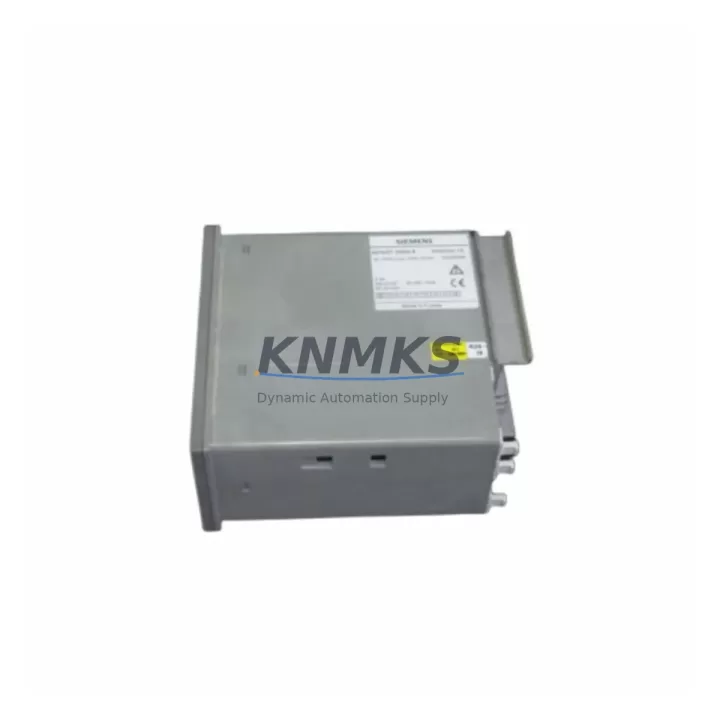
Siemens 6DR2004-1 Migration-Ready PID Controller for Legacy Control Systems
The Siemens 6DR2004-1 is a proven, migration-ready PID process controller designed as a direct replacement for aging SIPART DR20 K installations across petrochemical plants, power generation facilities, water treatment stations, and continuous process industries. As legacy SIPART DR20 K controllers approach end-of-life and spare parts become increasingly scarce, the 6DR2004-1 provides a validated upgrade path that preserves existing wiring infrastructure, terminal assignments, and control loop logic — dramatically reducing retrofit risk and unplanned downtime.
Engineered for 230VAC operation and housed in a standard DIN-rail-compatible enclosure, the 6DR2004-1 integrates directly into existing control cabinet layouts without requiring panel cutout modifications. Before installation, engineers should verify power supply capacity at the local distribution board, confirm terminal block compatibility with existing field wiring, and review the backplane slot assignment if the controller is mounted within a modular rack system. Signal input ranges — including 4–20 mA, 0–10V, and thermocouple inputs — must be matched against the original SIPART DR20 K configuration to ensure seamless loop transfer.
During migration planning, particular attention should be paid to communication link continuity. If the legacy system uses PROFIBUS DP or point-to-point serial links to upstream SCADA or DCS platforms, the 6DR2004-1’s communication interface must be configured to match the existing node address and baud rate. In many retrofit projects, the Siemens SIMATIC S7-300 or S7-400 series PLCs serve as the host controller, and the 6DR2004-1 must be addressed correctly within the hardware configuration in STEP 7 or TIA Portal to avoid I/O mapping conflicts. Where analog signal conditioning is required between field transmitters and the controller input, a dedicated signal isolator or barrier — such as those in the Siemens SITRANS series — should be inserted to maintain loop integrity and protect against ground loops.
Migration Compatibility Table
| Parameter | Legacy SIPART DR20 K | 6DR2004-1 Replacement |
|---|---|---|
| Supply Voltage | 230VAC | 230VAC (direct match) |
| Enclosure / Form Factor | Standard DIN panel | Compatible DIN panel |
| Signal Inputs | 4–20 mA / 0–10V / TC | 4–20 mA / 0–10V / TC |
| Communication | PROFIBUS DP / Serial | PROFIBUS DP / Serial |
| Terminal Wiring | Screw terminal block | Compatible screw terminal |
| Installation Space | Standard panel cutout | No cutout modification needed |
| Firmware Compatibility | Legacy SIPART firmware | Verify firmware version pre-install |
| Commissioning | Manual parameter entry | STEP 7 / TIA Portal upload |
| Replacement Recommendation | End-of-life / EOL | Validated drop-in replacement |
| Support terms | — | support terms confirmed by quotation |
Retrofit Planning for Existing Automation Systems
A successful 6DR2004-1 retrofit begins with a thorough audit of the existing control cabinet. Engineers should document the current terminal block layout, verify that the existing power module — typically a Siemens SITOP PSU series — can supply adequate current for the replacement controller, and confirm that the backplane or rack (such as a Siemens UR1 or UR2 rack) has a compatible slot available. Where the legacy system includes a Siemens IM 360/361 interface module for distributed I/O expansion, the new controller’s I/O addressing must be reconfigured to match the existing rack topology.
HMI screens connected to the legacy SIPART DR20 K — whether Siemens TP or OP series operator panels — will require tag remapping if the controller’s data block structure changes during migration. It is strongly recommended to export and archive all existing HMI project files before beginning the retrofit. Similarly, any PROFIBUS segment connecting the 6DR2004-1 to remote I/O stations or field devices should be tested for bus termination integrity and cable continuity before powering up the new module. Programming cables such as the Siemens PC Adapter USB A2 are typically required for initial firmware upload and parameter configuration via STEP 7 or TIA Portal.
Downtime Control During System Migration
Minimizing production downtime is the primary concern in any legacy PLC or controller replacement project. For the 6DR2004-1 retrofit, the recommended approach is to pre-configure and bench-test the replacement controller in a staging environment before the scheduled maintenance window. All PID parameters — proportional gain, integral time, derivative time, and setpoint limits — should be transferred from the original SIPART DR20 K configuration and verified offline. Where possible, a parallel run strategy should be employed: the new controller is wired in parallel with the legacy unit and monitored under live process conditions before the final cutover.
During the cutover window, field technicians should follow a structured commissioning checklist: confirm power isolation, verify terminal connections against the as-built wiring diagram, restore the pre-loaded program, re-establish communication links to the SCADA or DCS host, and perform a controlled loop test at reduced setpoint before returning the process to full automatic mode. All units supplied by KNMKS are pre-shipment tested under simulated load conditions to confirm correct I/O response, communication handshake, and parameter retention — reducing on-site commissioning time and the risk of unexpected failures during startup.
Retrofit Support FAQ
Q: Is the Siemens 6DR2004-1 a direct drop-in replacement for the SIPART DR20 K?
A: Yes. The 6DR2004-1 is designed as a form-fit-function replacement for the SIPART DR20 K, sharing the same terminal layout, supply voltage, and signal input ranges. Minor firmware parameter adjustments may be required depending on the specific loop configuration.
Q: What commissioning steps are required after installation?
A: After physical installation and wiring verification, connect via STEP 7 or TIA Portal to upload the pre-configured parameter set. Verify communication node address, confirm I/O signal levels, and perform a closed-loop test at reduced setpoint before returning to full automatic operation.
Q: Do you hold stock for immediate dispatch?
A: Yes. KNMKS maintains dedicated inventory of the 6DR2004-1 to support urgent retrofit and breakdown replacement requirements. Units are available for same-day or next-business-day dispatch subject to order confirmation.
Q: What support terms is provided?
A: All 6DR2004-1 units supplied by KNMKS carry a support terms confirmed by quotation covering manufacturing defects and functional failures under normal operating conditions. Each unit undergoes pre-shipment functional testing prior to dispatch.
© 2026 KNMKS. All rights reserved.
Original Source: https://knmks.com
Contact: admin@knmks.com | +86 18359268345
Product Identification
- Brand / Ecosystem
-
Siemens
Siemens - Model / Series
-
6DR2004-1
Assorted Series - Product Family
- PLCs & Controllers
- Availability Status
- Available on request after model and quantity confirmation
- Inquiry Type
- B2B RFQ, replacement inquiry and project spare-part request
- Pre-Quote Check
- Exact SKU, brand, series, quantity, nameplate photos and destination country are checked before quotation
System Path
Where this product fits in the KNMKS automation structure.
Specification & Inquiry Focus
- Control platform
- PLC, PAC and modular controllers
- Common needs
- CPU, rack, power and I/O expansion
- Project support
- Replacement, cabinet build and maintenance
Buyer Confirmation
Information KNMKS checks before replying.
- Exact model
- 6DR2004-1
- Brand / ecosystem
- Siemens
- Product family
- PLCs & Controllers
- Application note
- Replacement, maintenance, project build or spare-part list
- Useful photos
- Nameplate, installed unit, cabinet layout or connector side
- Delivery details
- Quantity, destination country and target schedule
Document Support
Files and notes can be confirmed during quotation.
- Product photos or nameplate confirmation when available
- Packing and delivery notes before quotation confirmation
- Support scope and delivery terms confirmed per inquiry
- Export document coordination for qualified B2B requests
Inquiry Support
- Model cross-checking before quotation
- CPU, power, rack and expansion module matching
- Support for replacement and project inquiry
What to Send Us
- Brand and exact model number: Siemens 6DR2004-1
- Quantity and required delivery time
- Application, replacement requirement or nameplate photo
- Destination country and shipping preference
RFQ Preparation
This is a product inquiry page built for RFQ communication.
Fast Model Check
Send this model to KNMKS for confirmation.
Include quantity, destination country and photos if this is a maintenance replacement. The inquiry will be saved with a reference number after submission.
Brand & Compatibility Note
KNMKS displays automation product information for well-known industrial brand ecosystems and compatible replacement references. Brand names are used for product identification and compatibility reference only; final availability and commercial terms are confirmed per quotation.
 Manufacturing
 Machine Tools
 Packaging
 Energy & Power



 HMI & Displays
 Servo Systems
 Variable Frequency Drives
 Sensors