
Overview
ROBICON A1A460A68.23M/460A68.10 Maintenance-Proven Spare Part for Factory Uptime
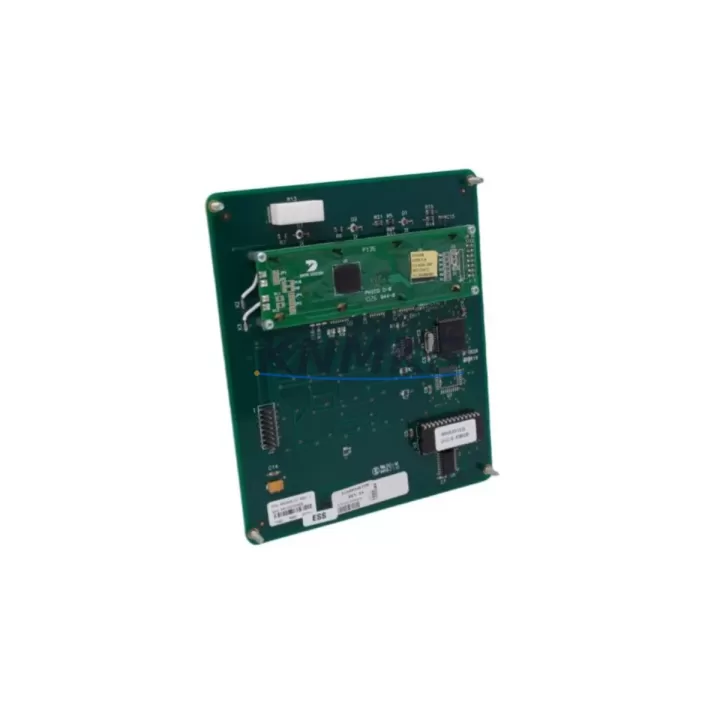
The ROBICON A1A460A68.23M/460A68.10 is an original operator panel / HMI interface module designed for the ROBICON Perfect Harmony series medium-voltage variable frequency drive (VFD). In industrial facilities where continuous motor control is critical — from large pump stations and compressor drives to fan systems and mill drives — this panel serves as the primary human-machine interface for drive parameter access, fault diagnostics, and operational status monitoring. Sourced from verified supply channels, each unit at KNMKS undergoes pre-shipment functional inspection and ships with a support terms confirmed by quotation, ensuring your maintenance team receives a ready-to-install replacement that minimizes unplanned downtime.
Maintenance engineers and procurement specialists working with Perfect Harmony VFD systems understand that the operator panel is a high-wear, high-criticality component. Keypad fatigue, display degradation, communication faults between the panel and the drive control board, and physical damage from cabinet vibration are among the most common failure modes. When the A1A460A68.23M/460A68.10 fails, the drive may become inaccessible for parameter changes or fault resets, effectively halting production even when the power stage itself remains functional. Stocking this spare part as part of your critical spares inventory is a proven strategy for reducing mean time to repair (MTTR) and maintaining production line availability.
Spare Maintenance Table
| Parameter | Details |
|---|---|
| SKU / Part Number | A1A460A68.23M / 460A68.10 |
| Brand | ROBICON |
| Series | Perfect Harmony (Medium-Voltage VFD) |
| Product Type | VFD Operator Panel / HMI Interface Module |
| Compatibility | ROBICON Perfect Harmony Series Medium-Voltage Drives |
| Voltage Range | Compatible with Perfect Harmony MV drive control bus |
| Communication Interface | Internal drive communication bus (panel-to-control board) |
| Display Type | Operator keypad with status display |
| Mounting | Front-panel door mount, standard Perfect Harmony cabinet |
| Origin | Germany (OEM) |
| Application Environment | Industrial control cabinets, MV drive enclosures, indoor installation |
| Maintenance Recommendation | Inspect annually; replace upon display failure, keypad unresponsiveness, or communication fault |
| Support terms | 12 Months — Tested before shipment |
| Lead Time | availability confirmed by RFQ — ships within 1–3 business days |
Maintenance Planning for Continuous Operation
When replacing the A1A460A68.23M/460A68.10 operator panel on a Perfect Harmony drive, a thorough site inspection of the surrounding control architecture is essential to prevent repeat failures and ensure full system restoration. Maintenance engineers should treat this replacement as an opportunity for a broader cabinet health check.
Begin by inspecting the drive control board (the master controller that communicates with the operator panel). A degraded control board can cause repeated panel communication faults, making a new panel appear defective. Verify the ribbon cable or communication harness between the panel and the control board for continuity and secure seating. Next, check the 24VDC auxiliary power supply that powers the panel logic — a failing power supply module is a common root cause of intermittent panel lockups and display blackouts in Perfect Harmony cabinets.
Inspect all terminal blocks and wiring connections within the operator panel circuit. Loose terminals caused by vibration are a frequent source of intermittent faults in MV drive enclosures. The fiber optic communication links between the drive’s cell power modules and the control board should also be checked — degraded fiber connections can generate fault codes that appear on the operator panel and may be misdiagnosed as panel failures.
For sites running older Perfect Harmony installations, consider proactively reviewing the cell bypass modules and power cell boards alongside the panel replacement. These components share the same maintenance cycle and are often due for inspection when the operator panel shows signs of age. Additionally, verify the UPS or battery backup unit for the control section — loss of control power during a panel swap can corrupt drive parameters and extend downtime significantly.
Finally, after installing the replacement A1A460A68.23M/460A68.10, perform a full parameter upload and verification using the new panel before returning the drive to service. Confirm all fault history is cleared, motor nameplate data is correctly entered, and communication with the plant DCS or SCADA system is re-established. This end-to-end commissioning step is the difference between a 2-hour repair and a 2-day troubleshooting exercise.
Site Replacement Workflow
Step 1 — Isolate and de-energize: Follow your site LOTO (Lockout/Tagout) procedure for the Perfect Harmony drive. Confirm that the MV input breaker is open and the DC bus is fully discharged before opening the cabinet door.
Step 2 — Document existing configuration: If the existing panel is still partially functional, photograph or record all parameter settings, fault logs, and communication addresses before removal. This data is critical for rapid recommissioning.
Step 3 — Remove the failed panel: Disconnect the communication harness and any power connectors from the rear of the A1A460A68.23M/460A68.10. Release the panel mounting clips or screws and carefully extract the unit from the cabinet door cutout.
Step 4 — Inspect and clean the mounting area: Check the cabinet door gasket and panel cutout for damage or contamination. Clean the contact surfaces before installing the replacement unit.
Step 5 — Install the replacement panel: Seat the new A1A460A68.23M/460A68.10 into the cutout, secure all mounting fasteners, and reconnect the communication harness and power connectors. Verify connector locking tabs are fully engaged.
Step 6 — Power-up and commission: Re-energize the control section only (not MV power) and verify the panel displays the drive status correctly. Re-enter or upload all drive parameters. Confirm communication with the plant control system before returning to full MV operation.
This workflow is compatible with direct replacement of earlier Perfect Harmony operator panel variants. The A1A460A68.23M/460A68.10 is a drop-in replacement that requires no firmware modification in most standard Perfect Harmony configurations, significantly reducing the skill level required for field replacement and shortening total repair time.
Spare Parts Support FAQ
Q1: Is the A1A460A68.23M/460A68.10 compatible with all Perfect Harmony drive ratings?
The A1A460A68.23M/460A68.10 is designed for the ROBICON Perfect Harmony series and is compatible across a range of drive voltage and power ratings within that platform. Compatibility depends on the specific drive generation and control board revision. We recommend providing your full drive nameplate data (model number, serial number, and firmware version) when placing your order so our technical team can confirm fitment before shipment.
Q2: What pre-shipment testing is performed on this spare part?
Every A1A460A68.23M/460A68.10 unit shipped by KNMKS undergoes a functional inspection that includes display verification, keypad response testing, and communication interface checks. Units that do not pass inspection are not shipped. A test report is available upon request, and all units are covered by a support terms confirmed by quotation from the date of shipment.
Q3: How should I manage inventory for this part to avoid emergency procurement delays?
For facilities operating multiple Perfect Harmony drives, we recommend maintaining a minimum of one A1A460A68.23M/460A68.10 panel per drive cluster in your on-site critical spares inventory. Given that operator panel failures can render a drive inoperable within minutes, the cost of holding one spare unit is negligible compared to the production loss from a single unplanned outage. KNMKS offers long-term supply agreements and reserved stock programs for high-volume customers.
Q4: Can KNMKS support long-term supply for legacy Perfect Harmony systems?
Yes. KNMKS specializes in sourcing and supplying spare parts for legacy and discontinued industrial automation systems, including older ROBICON Perfect Harmony drive generations. We maintain ongoing supplier relationships to ensure continued availability of parts like the A1A460A68.23M/460A68.10 even as OEM support phases out. Contact our team to discuss long-term supply agreements tailored to your maintenance schedule.
© 2026 KNMKS. All rights reserved.
Original Source: https://knmks.com
Contact: admin@knmks.com | +86 18359268345
Product Identification
- Brand / Ecosystem
-
Other Brands
Assorted Brands - Model / Series
-
A1A460A68.23M/460A68.10
Assorted Series - Product Family
- HMI & Displays
- Availability Status
- Available on request after model and quantity confirmation
- Inquiry Type
- B2B RFQ, replacement inquiry and project spare-part request
- Pre-Quote Check
- Exact SKU, brand, series, quantity, nameplate photos and destination country are checked before quotation
System Path
Where this product fits in the KNMKS automation structure.
Specification & Inquiry Focus
- Display range
- Operator panels and touch screens
- Common needs
- Screen size, interface and version matching
- Project support
- Retrofit, spare unit and panel replacement
Buyer Confirmation
Information KNMKS checks before replying.
- Exact model
- A1A460A68.23M/460A68.10
- Brand / ecosystem
- Other Brands
- Product family
- HMI & Displays
- Application note
- Replacement, maintenance, project build or spare-part list
- Useful photos
- Nameplate, installed unit, cabinet layout or connector side
- Delivery details
- Quantity, destination country and target schedule
Document Support
Files and notes can be confirmed during quotation.
- Product photos or nameplate confirmation when available
- Packing and delivery notes before quotation confirmation
- Support scope and delivery terms confirmed per inquiry
- Export document coordination for qualified B2B requests
Inquiry Support
- Panel size and interface confirmation
- Replacement unit inquiry for discontinued HMIs
- Protective packaging for display shipment
What to Send Us
- Brand and exact model number: Other Brands A1A460A68.23M/460A68.10
- Quantity and required delivery time
- Application, replacement requirement or nameplate photo
- Destination country and shipping preference
RFQ Preparation
This is a product inquiry page built for RFQ communication.
Fast Model Check
Send this model to KNMKS for confirmation.
Include quantity, destination country and photos if this is a maintenance replacement. The inquiry will be saved with a reference number after submission.
Brand & Compatibility Note
KNMKS displays automation product information for well-known industrial brand ecosystems and compatible replacement references. Brand names are used for product identification and compatibility reference only; final availability and commercial terms are confirmed per quotation.
 Manufacturing
 Machine Tools
 Packaging
 Energy & Power
 PLCs & Controllers
 Servo Systems
 Variable Frequency Drives
 Sensors