
Overview
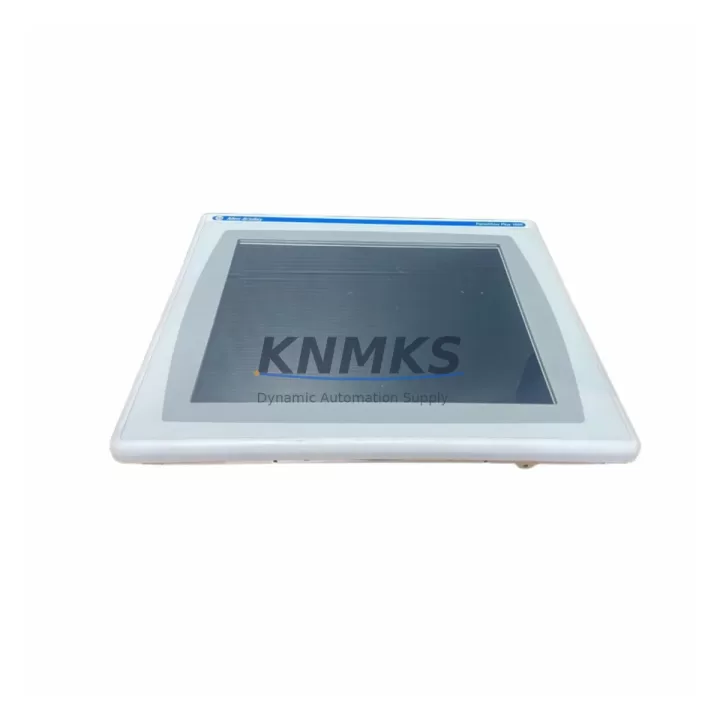
PROFACE AGP3360-T1-D24 Migration-Ready HMI for Legacy Control Systems
The PROFACE AGP3360-T1-D24 is a 10.4-inch TFT color touch panel engineered as a direct migration-ready replacement for legacy GP3000 and GP2000 series HMI installations. Designed for industrial environments where minimizing retrofit downtime is critical, this unit supports multi-protocol serial communication (RS-232C, RS-422, RS-485) alongside 100BASE-TX Ethernet, enabling seamless integration into existing PLC networks without requiring communication infrastructure changes. Operating on a 24VDC supply, the AGP3360-T1-D24 fits the same panel cutout dimensions as its predecessors, eliminating the need for cabinet rework during control system upgrades.
For automation engineers managing legacy line replacements, the AGP3360-T1-D24 addresses the most common retrofit pain points: power supply compatibility, terminal wiring continuity, backplane interface alignment, and HMI screen migration. Projects involving Mitsubishi MELSEC Q-series PLCs, Omron CJ/CS-series controllers, Siemens S7-300 systems, or Rockwell ControlLogix platforms can leverage the AGP3360-T1-D24’s broad driver library to maintain existing PLC communication links without reprogramming the controller side. This significantly reduces the scope of firmware validation required during commissioning.
When replacing a GP3270-LG41-24V, GP3300-LG41-24V, or similar GP3000-series panel, engineers should verify the existing 24VDC power rail capacity, confirm terminal block pinout compatibility at the rear connector, and validate that the installed GP-Pro EX project file version is compatible with the AGP3360-T1-D24 runtime. Screen transfer is performed via USB or Ethernet using GP-Pro EX software, and existing tag databases, alarm histories, and recipe data structures are preserved during migration with minimal rework. Where legacy projects were developed in GP-PRO/PBIII, a conversion step through GP-Pro EX is required before deployment.
In control cabinet upgrades involving I/O expansion, the AGP3360-T1-D24 is frequently deployed alongside PROFACE CA3-ADPUSB-01 programming cables, CA3-USBCB-01 USB communication adapters, and SP5000 series multi-function panels for distributed visualization architectures. For installations requiring signal isolation between the HMI serial port and field devices, inline RS-485 signal isolators are recommended to protect the AGP3360-T1-D24 communication interface from ground loop interference common in legacy panel environments. Power supply modules such as the IDEC PS5R-SF24 or equivalent DIN-rail 24VDC units are commonly specified alongside this HMI to ensure stable input voltage within the 20.4–28.8VDC operating range.
Migration Compatibility Table
| Parameter | AGP3360-T1-D24 (Replacement) | GP3000 Series (Legacy) | Retrofit Notes |
|---|---|---|---|
| Display Size | 10.4-inch TFT Color | 10.4-inch TFT Color | Same panel cutout — no cabinet modification required |
| Power Supply | 24VDC (20.4–28.8V) | 24VDC | Verify existing rail capacity ≥ 15W |
| Serial Communication | RS-232C / RS-422 / RS-485 | RS-232C / RS-422 / RS-485 | Confirm COM port pinout before wiring transfer |
| Ethernet | 100BASE-TX (RJ-45) | Model-dependent | Enables SCADA/MES integration not available on all GP3000 variants |
| Programming Software | GP-Pro EX 4.0+ | GP-Pro EX / GP-PRO/PBIII | GP-PRO/PBIII projects require conversion via GP-Pro EX |
| Installation Dimensions | Standard GP3000 cutout | Standard GP3000 cutout | Drop-in fit; verify gasket seal condition |
| PLC Compatibility | Mitsubishi, Omron, Siemens, Rockwell, Keyence, Panasonic | Multi-brand via driver library | Confirm driver version in GP-Pro EX matches target PLC firmware |
| Support terms | 12 Months | End-of-life / No support | Full KNMKS support terms confirmed by quotation from shipment date |
Retrofit Planning for Existing Automation Systems
Successful AGP3360-T1-D24 retrofit projects begin with a structured pre-installation audit. Engineers should document the existing GP3000 wiring diagram, capture the current COM port configuration (baud rate, parity, stop bits, data bits), and export the active GP-Pro EX project file before powering down the legacy panel. Where the existing installation includes a PROFACE CA3-ADPUSB-01 USB programming adapter or a CA3-USBCB-01 serial-to-USB converter, these accessories are fully compatible with the AGP3360-T1-D24 and should be retained to simplify commissioning.
For systems integrating the AGP3360-T1-D24 into a Mitsubishi MELSEC iQ-R or Q-series PLC environment, the Ethernet port enables direct CPU connection via SLMP or MC Protocol, eliminating the serial communication bottleneck present in older GP3000 deployments. In Omron NJ/NX controller environments, EtherNet/IP tag-based communication can be configured directly within GP-Pro EX, supporting structured data access without custom ladder logic modifications on the PLC side.
Where the legacy control cabinet includes a PROFACE SP5000 series panel PC or a standalone GP4000 series HMI at a supervisory station, the AGP3360-T1-D24 can be networked via Ethernet to share tag data and alarm status across the visualization layer. This architecture supports phased migration strategies where not all HMI nodes are replaced simultaneously, preserving operational continuity on the production floor during multi-stage upgrade projects.
For I/O-intensive applications, the AGP3360-T1-D24’s multi-port serial capability allows simultaneous connection to a PLC on one COM port and a barcode reader, RFID module, or weighing terminal on a second port — a configuration commonly required in food processing, pharmaceutical packaging, and discrete assembly line retrofits. Signal isolators rated for RS-485 bus environments should be installed between the HMI serial port and any field device located more than 15 meters from the control cabinet to prevent communication errors caused by common-mode voltage differences in legacy grounding systems.
Downtime Control During System Migration
Minimizing production downtime during an AGP3360-T1-D24 installation requires a pre-validated project file, a pre-configured replacement unit, and a documented switchover procedure. The recommended approach is to complete GP-Pro EX project conversion, screen layout verification, and PLC communication testing on a bench setup before the scheduled maintenance window. This allows the physical panel swap to be completed within a single shift, with the new HMI arriving on-site pre-loaded with the validated project file.
During the switchover, the existing terminal block wiring should be photographed and labeled before disconnection. The AGP3360-T1-D24’s rear connector layout matches the GP3000 series, allowing direct wiring transfer without re-termination in most installations. Power-on sequence should follow the PLC-first protocol: energize the controller and confirm communication readiness before applying power to the HMI to avoid false alarm triggers during initialization.
Post-installation, the commissioning checklist should include: communication link verification on all configured COM ports and Ethernet connections, alarm history import validation, recipe data integrity check, and a full-cycle functional test of all HMI screens under live PLC data. KNMKS ships each AGP3360-T1-D24 with a pre-shipment functional test report, confirming display, touch, communication port, and power supply performance before dispatch. The support terms confirmed by quotation cover all hardware defects identified during this commissioning phase and throughout the first year of operation.
Retrofit Support FAQ
Q1: Is the AGP3360-T1-D24 a direct drop-in replacement for the GP3270-LG41-24V?
A: Yes. The AGP3360-T1-D24 shares the same panel cutout dimensions and 24VDC power requirement as the GP3270-LG41-24V. Existing GP-Pro EX project files are compatible after a version check. Serial wiring can be transferred directly if COM port pinout is confirmed against the replacement unit’s connector diagram.
Q2: What commissioning steps are required after installation?
A: After physical installation, verify COM port parameters (baud rate, parity, data bits, stop bits) match the connected PLC configuration. Confirm Ethernet IP address assignment if network communication is used. Perform a full-screen navigation test under live PLC data and validate all alarm and recipe functions before returning the line to production.
Q3: Does KNMKS provide pre-shipment testing for the AGP3360-T1-D24?
A: Yes. Every unit undergoes a pre-shipment functional test covering display performance, touch accuracy, communication port operation, and power supply stability. A test report is included with each shipment. The support terms confirmed by quotation from shipment date covers all hardware defects identified in service.
Q4: What is the stock availability and lead time?
A: The AGP3360-T1-D24 is maintained availability confirmed by RFQ to support urgent spare parts and retrofit requirements. Standard lead time for in-stock units is 3–7 business days for international shipments. Contact KNMKS sales for current inventory status and expedited shipping options for critical downtime situations.
© 2026 KNMKS. All rights reserved.
Original Source: https://knmks.com
Contact: admin@knmks.com | +86 18359268345
Product Identification
- Brand / Ecosystem
-
Other Brands
Assorted Brands - Model / Series
-
AGP3360-T1-D24
Assorted Series - Product Family
- HMI & Displays
- Availability Status
- Available on request after model and quantity confirmation
- Inquiry Type
- B2B RFQ, replacement inquiry and project spare-part request
- Pre-Quote Check
- Exact SKU, brand, series, quantity, nameplate photos and destination country are checked before quotation
System Path
Where this product fits in the KNMKS automation structure.
Specification & Inquiry Focus
- Display range
- Operator panels and touch screens
- Common needs
- Screen size, interface and version matching
- Project support
- Retrofit, spare unit and panel replacement
Buyer Confirmation
Information KNMKS checks before replying.
- Exact model
- AGP3360-T1-D24
- Brand / ecosystem
- Other Brands
- Product family
- HMI & Displays
- Application note
- Replacement, maintenance, project build or spare-part list
- Useful photos
- Nameplate, installed unit, cabinet layout or connector side
- Delivery details
- Quantity, destination country and target schedule
Document Support
Files and notes can be confirmed during quotation.
- Product photos or nameplate confirmation when available
- Packing and delivery notes before quotation confirmation
- Support scope and delivery terms confirmed per inquiry
- Export document coordination for qualified B2B requests
Inquiry Support
- Panel size and interface confirmation
- Replacement unit inquiry for discontinued HMIs
- Protective packaging for display shipment
What to Send Us
- Brand and exact model number: Other Brands AGP3360-T1-D24
- Quantity and required delivery time
- Application, replacement requirement or nameplate photo
- Destination country and shipping preference
RFQ Preparation
This is a product inquiry page built for RFQ communication.
Fast Model Check
Send this model to KNMKS for confirmation.
Include quantity, destination country and photos if this is a maintenance replacement. The inquiry will be saved with a reference number after submission.
Brand & Compatibility Note
KNMKS displays automation product information for well-known industrial brand ecosystems and compatible replacement references. Brand names are used for product identification and compatibility reference only; final availability and commercial terms are confirmed per quotation.
 Manufacturing
 Machine Tools
 Packaging
 Energy & Power
 PLCs & Controllers
 Servo Systems
 Variable Frequency Drives
 Sensors