
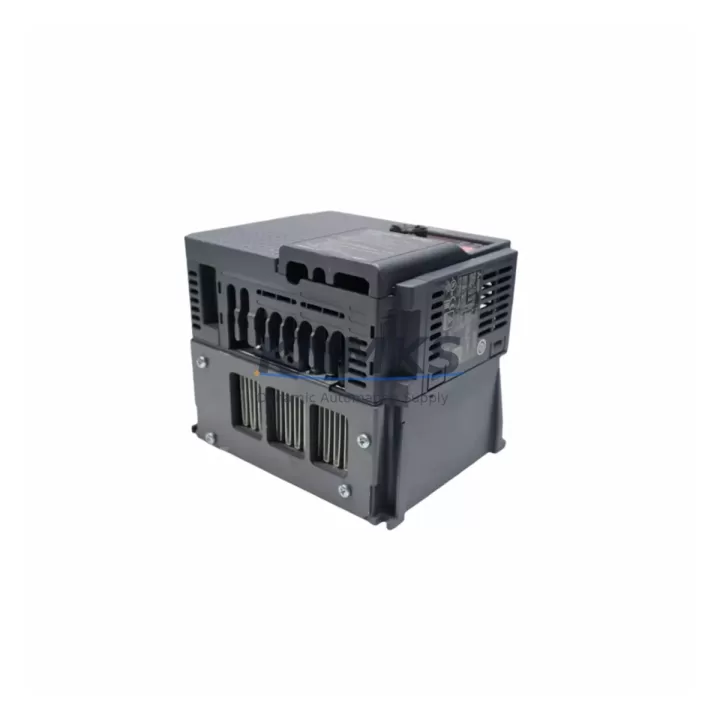
Overview
Mitsubishi GX41N Migration-Ready DC Input Module: Legacy System Migration and Compatible Upgrade
The Mitsubishi GX41N is a 32-point DC input module designed for the MELSEC-Q series programmable logic controller platform. As legacy MELSEC-A and MELSEC-AnS control systems reach end-of-life and original spare parts become increasingly difficult to source, the GX41N serves as a proven, migration-ready replacement that allows maintenance engineers to modernize their I/O infrastructure without redesigning the entire control cabinet. Whether you are managing a planned retrofit or responding to an unplanned module failure, the GX41N provides a reliable, wiring-compatible solution that minimizes engineering rework and reduces total downtime exposure.
Each GX41N unit is pre-shipment tested under simulated field conditions before dispatch. All units carry a support terms confirmed by quotation and are available from in-stock inventory, enabling rapid deployment for both emergency replacements and scheduled maintenance windows. Our global dispatch capability from Xiamen ensures that facilities across Asia-Pacific, the Middle East, and Europe can receive verified units within standard lead times.
Migration Compatibility Table
| Parameter | Detail |
|---|---|
| SKU / Part Number | GX41N |
| Brand | Mitsubishi Electric |
| Series | MELSEC-Q |
| Module Type | 32-Point DC Input Module |
| Input Voltage | 24 VDC |
| Input Points | 32 points (sink/source selectable) |
| Connector Type | 40-pin connector (compatible with standard MELSEC-Q wiring harness) |
| Backplane Interface | MELSEC-Q main base unit / extension base unit |
| Legacy Replacement Target | MELSEC-A series AX41, AX41-S1 DC input modules |
| Retrofit Compatibility | Q02H, Q06H, Q12H, Q25H CPU systems; Q38B / Q68B base units |
| Communication Protocol | Internal Q-bus backplane; compatible with CC-Link, MELSECNET/H via CPU |
| Installation Space | Single slot on Q-series base unit |
| Firmware Dependency | No module-level firmware; CPU firmware ≥ V1.10 recommended |
| Commissioning Note | I/O assignment must be re-mapped in GX Works2 / GX Works3 after slot change |
| Pre-Shipment Testing | Yes — functional I/O verification under 24 VDC load |
| Support terms | 12 Months |
| Stock Status | availability confirmed by RFQ — ships from Xiamen |
Retrofit Planning for Existing Automation Systems
Integrating the GX41N into an existing MELSEC-Q control cabinet requires a structured approach to avoid configuration errors and signal loss during the transition. The first step is to audit the existing base unit — typically a Q38B or Q68B — to confirm available slot positions and verify that the power supply module, such as the Q61P or Q62P, can support the additional I/O load introduced by the replacement module. Power budget verification is critical when multiple modules are being replaced simultaneously, as cumulative inrush current can exceed the rated output of aging power supply units.
Wiring compatibility between the GX41N and the existing field wiring harness should be confirmed against the original AX41 or AX41-S1 terminal layout. In most cases, the 40-pin connector pinout is preserved across the MELSEC-A to MELSEC-Q migration path, but engineers should cross-reference the wiring diagram against the GX41N hardware manual before reconnecting field cables. Signal isolation requirements for sensors connected to the input points — particularly proximity switches and photoelectric sensors operating at 24 VDC — should also be reviewed to ensure compatibility with the GX41N’s input impedance specifications.
For systems that include a Q series communication module such as the QJ71E71-100 Ethernet interface or the QJ61BT11N CC-Link master module, the I/O address map must be updated in GX Works2 or GX Works3 to reflect the new slot assignment of the GX41N. Failure to update the I/O parameter settings will result in the CPU flagging a module configuration error at startup. If the existing program uses direct device addressing (X/Y addresses) rather than symbolic labels, a global search-and-replace of the affected address range is recommended before re-downloading the program to the Q02H or Q06H CPU.
HMI screens connected via GOT2000 series terminals or legacy GOT1000 panels that reference input device addresses linked to the replaced module will also require screen data updates. Coordinate with the HMI programmer to verify that all monitoring screens, alarm triggers, and interlock displays referencing the GX41N’s input range are updated before returning the system to production.
Downtime Control During System Migration
Minimizing unplanned downtime during a MELSEC-Q I/O module replacement requires preparation before the maintenance window begins. The recommended approach is to back up the current CPU program, I/O parameter file, and network parameter settings using GX Works2 or GX Works3 prior to any hardware change. This backup should be stored on a local engineering laptop as well as a removable USB drive kept in the control cabinet, ensuring that program recovery is possible even if the primary engineering workstation is unavailable.
During the physical swap, the Q-series CPU should be placed in STOP mode before removing the GX41N’s predecessor module from the base unit. This prevents the CPU from generating I/O read errors that could trigger downstream interlocks or safety relays connected to the output side of the control system. After seating the GX41N in the target slot, verify the module’s READY LED status before switching the CPU back to RUN mode. If the READY LED does not illuminate, check the slot assignment in the I/O parameter settings and confirm that the base unit’s backplane connector is fully engaged.
For facilities operating continuous processes where even brief interruptions are unacceptable, a hot-standby configuration using a redundant Q12PRH or Q25PRH CPU system can allow the GX41N to be installed and verified on the standby system before a controlled switchover is executed. This approach eliminates process interruption entirely and is strongly recommended for critical control loops managing temperature, pressure, or flow in chemical, pharmaceutical, or food processing environments.
Retrofit Support FAQ
Q1: Is the GX41N a direct drop-in replacement for the Mitsubishi AX41 and AX41-S1 DC input modules?
The GX41N is functionally equivalent to the AX41 and AX41-S1 in terms of input point count and 24 VDC operating voltage. However, it is designed for the MELSEC-Q backplane and requires a Q-series base unit. If your existing system uses an MELSEC-A main base unit (A38B, A68B), a base unit migration to the Q38B or Q68B is required as part of the upgrade path. The field wiring connector pinout is generally compatible, but terminal-by-terminal verification against the original wiring diagram is always recommended before reconnecting field cables.
Q2: What commissioning steps are required after installing the GX41N in a replacement slot?
After physical installation, open the I/O parameter settings in GX Works2 or GX Works3 and confirm that the GX41N is recognized in the correct slot position. Update the I/O assignment if the module has been placed in a different slot than its predecessor. Re-download the updated parameter file to the CPU, then switch to RUN mode and verify input signal status using the device monitor function. Check that all field sensors connected to the 32 input points are reporting correctly before releasing the system to production.
Q3: Has the GX41N been tested before shipment, and what support terms coverage is provided?
Yes. Every GX41N unit dispatched from our Xiamen facility undergoes functional pre-shipment testing under 24 VDC input conditions to verify all 32 input channels. Units are inspected for connector integrity, LED indicator function, and backplane interface continuity. All units are covered by a support terms confirmed by quotation from the date of shipment, covering manufacturing defects and functional failures under normal operating conditions. Replacement or repair is arranged without additional charge within the confirmed support period.
Q4: Is in-stock inventory available for urgent replacement orders?
Yes. The GX41N is maintained availability confirmed by RFQ at our Xiamen warehouse and is available for immediate dispatch. For emergency replacement requirements, please contact our sales team directly to confirm current stock levels and arrange priority shipping. We support urgent orders for facilities experiencing unplanned module failures and can coordinate with freight forwarders to meet critical delivery windows.
© 2026 KNMKS. All rights reserved.
Original Source: https://knmks.com
Contact: admin@knmks.com | +86 18359268345
Product Identification
- Brand / Ecosystem
-
Mitsubishi Electric
Assorted Brands - Model / Series
-
GX41N
Assorted Series - Product Family
- PLCs & Controllers
- Availability Status
- Available on request after model and quantity confirmation
- Inquiry Type
- B2B RFQ, replacement inquiry and project spare-part request
- Pre-Quote Check
- Exact SKU, brand, series, quantity, nameplate photos and destination country are checked before quotation
System Path
Where this product fits in the KNMKS automation structure.
Specification & Inquiry Focus
- Control platform
- PLC, PAC and modular controllers
- Common needs
- CPU, rack, power and I/O expansion
- Project support
- Replacement, cabinet build and maintenance
Buyer Confirmation
Information KNMKS checks before replying.
- Exact model
- GX41N
- Brand / ecosystem
- Mitsubishi Electric
- Product family
- PLCs & Controllers
- Application note
- Replacement, maintenance, project build or spare-part list
- Useful photos
- Nameplate, installed unit, cabinet layout or connector side
- Delivery details
- Quantity, destination country and target schedule
Document Support
Files and notes can be confirmed during quotation.
- Product photos or nameplate confirmation when available
- Packing and delivery notes before quotation confirmation
- Support scope and delivery terms confirmed per inquiry
- Export document coordination for qualified B2B requests
Inquiry Support
- Model cross-checking before quotation
- CPU, power, rack and expansion module matching
- Support for replacement and project inquiry
What to Send Us
- Brand and exact model number: Mitsubishi Electric GX41N
- Quantity and required delivery time
- Application, replacement requirement or nameplate photo
- Destination country and shipping preference
RFQ Preparation
This is a product inquiry page built for RFQ communication.
Fast Model Check
Send this model to KNMKS for confirmation.
Include quantity, destination country and photos if this is a maintenance replacement. The inquiry will be saved with a reference number after submission.
Brand & Compatibility Note
KNMKS displays automation product information for well-known industrial brand ecosystems and compatible replacement references. Brand names are used for product identification and compatibility reference only; final availability and commercial terms are confirmed per quotation.
 Manufacturing
 Machine Tools
 Packaging
 Energy & Power



 HMI & Displays
 Servo Systems
 Variable Frequency Drives
 Sensors