
Overview
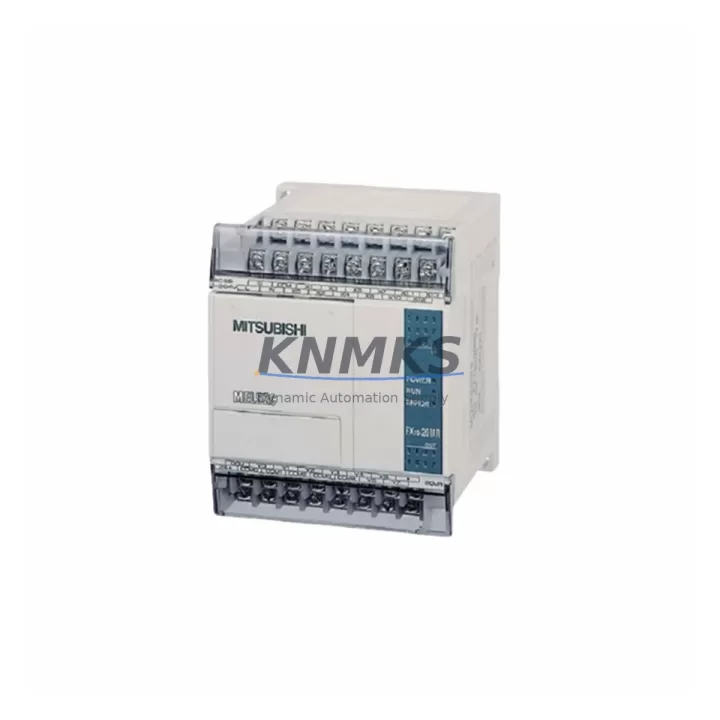
Mitsubishi FX1S-20MT-001 Spare Part for Factory Uptime
The Mitsubishi FX1S-20MT-001 is a compact 20-point transistor output PLC from the FX1S series, widely deployed in small-scale machine control, conveyor automation, packaging lines, and light manufacturing cells. As an original Mitsubishi Electric spare part, the FX1S-20MT-001 delivers the same I/O performance, program capacity, and communication compatibility as the factory-installed unit — making it the preferred choice for maintenance engineers who need a verified, drop-in replacement without re-engineering the control logic.
With end-of-production pressure mounting on legacy FX1S hardware, maintaining a stocked FX1S-20MT-001 spare is a critical element of any preventive maintenance program. Unplanned downtime caused by PLC failure in a single-controller machine cell can halt an entire production line within minutes. Having a pre-tested, support terms-backed unit on the shelf eliminates the lead time risk and allows site engineers to restore operations in under an hour.
Each FX1S-20MT-001 unit supplied by KNMKS is sourced from verified channels, undergoes pre-shipment functional testing, and ships with a support terms confirmed by quotation. Multi-region stock is maintained to support emergency dispatch for both scheduled outages and unplanned failures across Asia-Pacific, Europe, and the Americas.
Spare Maintenance Table
| Parameter | Specification |
|---|---|
| SKU / Part Number | FX1S-20MT-001 |
| Brand | Mitsubishi Electric |
| Series | MELSEC FX1S |
| I/O Points | 20 (12 inputs / 8 outputs) |
| Output Type | Transistor (sink), NPN |
| Power Supply | 100–240 VAC, 50/60 Hz |
| Program Capacity | 2,000 steps |
| Communication Port | RS-422 (mini-DIN 8-pin) |
| Operating Temperature | 0°C to 55°C |
| Humidity | 35% to 85% RH (non-condensing) |
| Mounting | DIN rail or direct panel mount |
| Weight | Approx. 1,210 g (with packaging) |
| Country of Origin | Japan |
| Compatibility | FX1S series; FX-series expansion I/O; GX Developer / GX Works2 |
| Support terms | 12 months from shipment date |
| Condition | Original spare, pre-shipment tested |
Maintenance Planning for Continuous Operation
When replacing the FX1S-20MT-001 in a live machine cell, a thorough inspection of the surrounding electrical circuit is essential to prevent repeat failures and ensure long-term system stability. Maintenance engineers should begin by verifying the 24 VDC auxiliary power supply feeding the PLC input commons — a degraded or undersized power supply is a frequent root cause of intermittent I/O faults that are often misdiagnosed as PLC failure. The FX1S-1PG-E pulse generator module and any connected FX1S-CNV-BD communication expansion boards should be inspected for connector wear and firmware compatibility before reconnecting to the replacement unit.
Input wiring should be checked for loose terminals, corroded ferrules, and signal voltage levels within the FX1S-20MT-001’s rated input range (24 VDC, 7 mA per point). On the output side, verify that transistor load currents do not exceed 0.5 A per point and that inductive loads — such as solenoid valves and relay coils — are fitted with appropriate flyback diodes or surge suppressors to protect the output transistors. Relay modules in the output circuit, particularly intermediate relay banks used for motor starter control, should be tested for contact resistance and replaced if showing signs of pitting or welding.
For machines using RS-422 serial communication to an FX-232AW or FX-USB-AW interface converter, inspect the communication cable shielding and grounding. A floating shield or broken drain wire is a common source of communication errors that can prevent program upload or HMI data exchange. If the machine uses an F940GOT or F920GOT HMI panel connected via the FX1S programming port, confirm that the GOT communication parameters match the replacement PLC’s station number and baud rate settings before powering up.
Terminal blocks and DIN rail mounting hardware should be inspected for mechanical integrity. Loose terminal screws — particularly on high-cycle input circuits — can cause intermittent faults that are difficult to reproduce during commissioning but reappear under production vibration. Fuse holders protecting the 24 VDC input supply and any external 100–240 VAC feed to the PLC power terminal should be checked and fuses replaced as a precautionary measure during any planned PLC swap.
Site Replacement Workflow
Step 1 — Pre-replacement backup: Connect GX Developer or GX Works2 via the RS-422 port and perform a full program backup to PC. Verify the backup file opens correctly and matches the last known revision. Document the current I/O allocation, device comments, and any special module parameters.
Step 2 — Power isolation: Isolate the machine at the main disconnect. Confirm zero energy state using a calibrated voltage tester on both the AC supply terminals and the 24 VDC input commons. Lock out / tag out per site procedure.
Step 3 — Wiring documentation: Photograph or sketch the existing terminal wiring before disconnecting. Label each wire group by terminal number. Remove the FX1S-20MT-001 from the DIN rail by releasing the mounting clip and disconnecting all I/O terminal blocks and the communication cable.
Step 4 — Replacement unit installation: Mount the new FX1S-20MT-001 on the DIN rail. Reconnect all terminal blocks in sequence, verifying each wire against the documented layout. Reconnect the RS-422 communication cable and any expansion modules.
Step 5 — Program restore and verification: Power up the PLC and confirm the unit enters STOP mode. Download the backed-up program via GX Developer or GX Works2. Perform an I/O force test on all input and output points before returning the machine to AUTO mode. Confirm HMI communication is restored and all alarm states are cleared.
Step 6 — Return to production: Run the machine through one complete production cycle in manual mode before releasing to automatic operation. Log the replacement in the site maintenance record with the new unit’s serial number and support terms start date.
Spare Parts Support FAQ
Q1: Is the FX1S-20MT-001 still in production, and how long can I expect supply availability?
The FX1S series has reached end-of-production status with Mitsubishi Electric. KNMKS maintains multi-region stock of original FX1S-20MT-001 units sourced prior to production close. Availability is subject to existing stock levels. We recommend procurement teams secure a minimum 2-unit buffer stock to cover both planned maintenance windows and emergency replacements. Contact our sales team for long-term supply agreement options.
Q2: How do I confirm compatibility between the FX1S-20MT-001 and my existing FX1S expansion modules?
The FX1S-20MT-001 is compatible with all standard FX1S-series expansion I/O units and special function modules designed for the FX1S/FX1N platform. Compatibility is confirmed by matching the expansion connector type (right-side bus connector) and verifying that the total I/O point count does not exceed the FX1S maximum expansion limit. GX Developer or GX Works2 can be used to validate the hardware configuration before program download.
Q3: What pre-shipment testing does KNMKS perform on the FX1S-20MT-001?
Each unit undergoes power-on functional testing, I/O point verification across all 12 inputs and 8 outputs, communication port check via RS-422, and visual inspection for physical damage or connector wear. Units that pass all test criteria are sealed and shipped with a test record. The support terms confirmed by quotation cover functional failure under normal operating conditions from the shipment date.
Q4: Can the FX1S-20MT-001 be programmed with GX Works2, or is GX Developer required?
The FX1S-20MT-001 is fully supported by both GX Developer (version 8.72A or later) and GX Works2 (Simple Project mode). GX Works2 is the recommended programming environment for new installations due to its improved diagnostics and structured project management. Existing programs created in GX Developer can be imported into GX Works2 without modification for most standard ladder logic projects.
© 2026 KNMKS. All rights reserved.
Original Source: https://knmks.com
Contact: admin@knmks.com | +86 18359268345
Product Identification
- Brand / Ecosystem
-
Mitsubishi Electric
Assorted Brands - Model / Series
-
FX1S-20MT-001
Assorted Series - Product Family
- PLCs & Controllers
- Availability Status
- Available on request after model and quantity confirmation
- Inquiry Type
- B2B RFQ, replacement inquiry and project spare-part request
- Pre-Quote Check
- Exact SKU, brand, series, quantity, nameplate photos and destination country are checked before quotation
System Path
Where this product fits in the KNMKS automation structure.
Specification & Inquiry Focus
- Control platform
- PLC, PAC and modular controllers
- Common needs
- CPU, rack, power and I/O expansion
- Project support
- Replacement, cabinet build and maintenance
Buyer Confirmation
Information KNMKS checks before replying.
- Exact model
- FX1S-20MT-001
- Brand / ecosystem
- Mitsubishi Electric
- Product family
- PLCs & Controllers
- Application note
- Replacement, maintenance, project build or spare-part list
- Useful photos
- Nameplate, installed unit, cabinet layout or connector side
- Delivery details
- Quantity, destination country and target schedule
Document Support
Files and notes can be confirmed during quotation.
- Product photos or nameplate confirmation when available
- Packing and delivery notes before quotation confirmation
- Support scope and delivery terms confirmed per inquiry
- Export document coordination for qualified B2B requests
Inquiry Support
- Model cross-checking before quotation
- CPU, power, rack and expansion module matching
- Support for replacement and project inquiry
What to Send Us
- Brand and exact model number: Mitsubishi Electric FX1S-20MT-001
- Quantity and required delivery time
- Application, replacement requirement or nameplate photo
- Destination country and shipping preference
RFQ Preparation
This is a product inquiry page built for RFQ communication.
Fast Model Check
Send this model to KNMKS for confirmation.
Include quantity, destination country and photos if this is a maintenance replacement. The inquiry will be saved with a reference number after submission.
Brand & Compatibility Note
KNMKS displays automation product information for well-known industrial brand ecosystems and compatible replacement references. Brand names are used for product identification and compatibility reference only; final availability and commercial terms are confirmed per quotation.
 Manufacturing
 Machine Tools
 Packaging
 Energy & Power



 HMI & Displays
 Servo Systems
 Variable Frequency Drives
 Sensors