
Overview
IEE 03601-54-080 Maintenance-Proven Spare Part for Factory Uptime
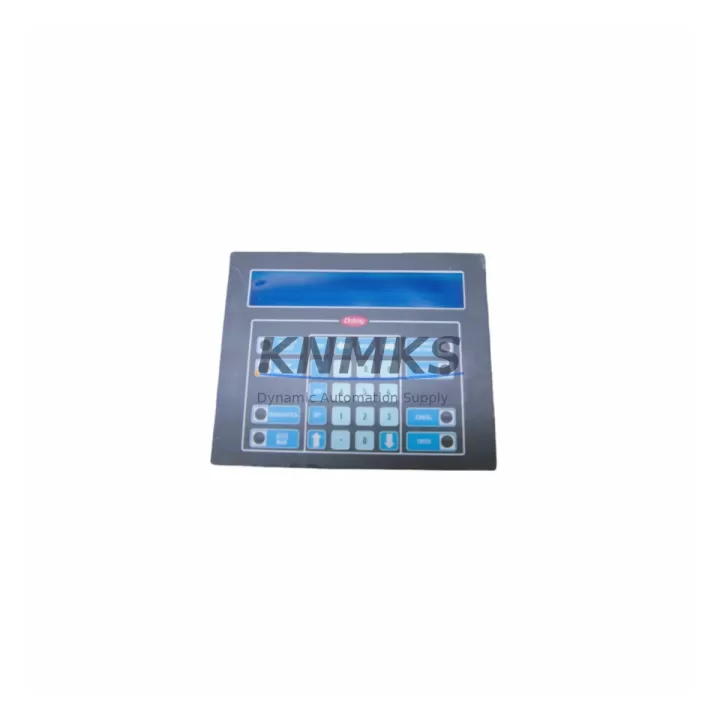
The IEE 03601-54-080 (cross-reference: 03601-34-080) is an original FLIP-digit display panel module manufactured by Industrial Electronic Engineers (IEE), widely deployed in industrial scoreboards, production counters, process status displays, and legacy automation HMI panels across manufacturing, energy, and transportation sectors. As a maintenance-proven spare, this unit supports fast field replacement to restore visual feedback systems and minimize unplanned downtime in critical production environments.
KNMKS maintains verified stock of the IEE 03601-54-080 with pre-shipment electrical testing, original-specification build quality, and a support terms confirmed by quotation covering component integrity and display function. Each unit is dispatched from multi-region inventory to support both emergency replacement and scheduled annual maintenance cycles.
For maintenance engineers managing aging display systems, the 03601-54-080 is a direct replacement for the 03601-34-080 variant, eliminating the need for panel re-engineering or custom adapter fabrication. Procurement engineers can rely on KNMKS for long-term supply continuity, reducing single-source risk on end-of-production IEE FLIP modules.
Spare Maintenance Table
| SKU / Part Number | 03601-54-080 / 03601-34-080 |
| Brand | IEE (Industrial Electronic Engineers) |
| Series | FLIP (Flip-digit electromechanical display) |
| Product Type | Industrial Display Panel Module |
| Display Technology | Electromechanical flip-digit (split-flap) |
| Typical Supply Voltage | 24 VDC (nominal; verify against panel spec) |
| Signal Interface | Parallel BCD / serial data input (model-dependent) |
| Mounting | Panel-mount, DIN-compatible enclosure integration |
| Operating Temperature | 0°C to +55°C (industrial ambient) |
| Origin | CN |
| Compatibility | Direct replacement for 03601-34-080; compatible with IEE FLIP display driver boards and legacy HMI panel assemblies |
| Pre-Shipment Testing | Electrical function and display cycle verified before dispatch |
| Support terms | 12 months from date of shipment |
| Lead Time | availability confirmed by RFQ — same-day or next-business-day dispatch available |
| Shipping | Multi-region global dispatch; DHL / FedEx / air freight |
Maintenance Planning for Continuous Operation
When replacing the IEE 03601-54-080 during a scheduled outage or emergency callout, a thorough inspection of the surrounding electrical circuit is essential to prevent repeat failures and confirm system integrity before restart.
Begin with the 24 VDC panel power supply feeding the display driver board — verify output voltage under load and inspect for ripple or thermal stress indicators. A degraded power supply is a common root cause of premature display module failure. Next, inspect the display driver PCB (IEE FLIP driver board) for burnt traces, failed driver ICs, or corroded connector pins that may have contributed to the module fault.
Check all signal wiring and ribbon cable assemblies connecting the display module to the controller or PLC output card. Damaged insulation, loose crimp terminals, or oxidized contacts on the terminal strip or DIN rail terminal blocks can introduce intermittent signal errors that mimic module failure. If the system uses a BCD output module or relay output card from the host PLC or process controller, verify that output states are correct and that no relay contacts are welded or open-circuit.
For installations where the IEE FLIP display is driven by a legacy programmable controller I/O rack — such as an Allen-Bradley SLC 500 output module, a Siemens S5 digital output card, or a GE Series 90 discrete output module — confirm that the output card is delivering correct logic levels and that no blown fuse or circuit protection device in the I/O circuit is masking the true fault source. Inspect the backplane connector on the I/O rack for corrosion or mechanical damage.
Where the display system is integrated into a broader SCADA or DCS panel, also verify the signal isolator or optocoupler barrier between the controller output and the display driver, as these components degrade over time in high-temperature or high-humidity environments. Maintaining a small buffer stock of IEE 03601-54-080 modules alongside compatible driver boards and power supply units is the most effective strategy for minimizing mean time to repair (MTTR) on FLIP display systems.
Site Replacement Workflow
Step 1 — Isolation: De-energize the display panel and lock out the 24 VDC supply circuit. Confirm zero voltage at the module connector before proceeding.
Step 2 — Documentation: Photograph the existing wiring, connector orientation, and module position within the panel assembly. Note the SKU label (03601-54-080 or 03601-34-080) to confirm the correct replacement unit.
Step 3 — Removal: Disconnect the signal cable and power connector. Release the panel-mount retaining clips or screws and extract the module. Inspect the connector pins on the panel side for damage or contamination.
Step 4 — Installation: Insert the replacement IEE 03601-54-080 into the panel mount. Reconnect the signal cable and power connector, ensuring correct orientation. Do not force connectors — misalignment will damage the driver interface.
Step 5 — Verification: Re-energize the circuit and cycle the display through its full digit range using the controller output or a test signal. Confirm all digit positions advance correctly and that no segments are stuck or missing.
Step 6 — System Restart: Return the panel to normal operation. Log the replacement in the site maintenance record, including the date, replaced SKU, and technician ID. Update the spare parts inventory to trigger reorder if buffer stock falls below minimum level.
The 03601-54-080 is a direct form-fit-function replacement for the 03601-34-080, requiring no firmware changes, no panel re-wiring, and no recalibration of the host controller — making it the lowest-risk replacement path for sites operating legacy IEE FLIP display systems.
Spare Parts Support FAQ
Q1: Is the IEE 03601-54-080 a direct replacement for the 03601-34-080?
Yes. The 03601-54-080 and 03601-34-080 are cross-reference part numbers for the same IEE FLIP display module family. Both designations refer to functionally equivalent units with the same mounting dimensions, connector interface, and electrical characteristics. No panel modification is required when substituting one for the other.
Q2: How is the unit tested before shipment?
Every IEE 03601-54-080 unit dispatched by KNMKS undergoes pre-shipment electrical testing, including power-on verification and full display cycle testing across all digit positions. Units that do not pass functional verification are not dispatched. A support terms confirmed by quotation cover the unit from the date of shipment against manufacturing defects and functional failure under normal operating conditions.
Q3: Can KNMKS support long-term or blanket purchase orders for this module?
Yes. KNMKS supports long-term supply agreements and blanket PO arrangements for the IEE 03601-54-080 and related FLIP series components. Multi-region stock is maintained to support both emergency single-unit dispatch and scheduled bulk procurement for annual maintenance programs. Contact the sales team to discuss volume pricing, lead time commitments, and consignment stock options.
Q4: What should I do if my system uses a slightly different IEE FLIP module variant?
Contact KNMKS with your full part number, panel assembly drawing reference, or a photograph of the existing module label. The technical team will confirm compatibility or identify the correct replacement SKU from the IEE FLIP product family. Do not install an unverified substitute — incorrect module variants may have different digit counts, signal interfaces, or voltage ratings that can damage the driver board or produce incorrect display output.
© 2026 KNMKS. All rights reserved.
Original Source: https://knmks.com
Contact: admin@knmks.com | +86 18359268345
Product Identification
- Brand / Ecosystem
-
Other Brands
Assorted Brands - Model / Series
-
03601-54-080 03601-34-080
Assorted Series - Product Family
- HMI & Displays
- Availability Status
- Available on request after model and quantity confirmation
- Inquiry Type
- B2B RFQ, replacement inquiry and project spare-part request
- Pre-Quote Check
- Exact SKU, brand, series, quantity, nameplate photos and destination country are checked before quotation
System Path
Where this product fits in the KNMKS automation structure.
Specification & Inquiry Focus
- Display range
- Operator panels and touch screens
- Common needs
- Screen size, interface and version matching
- Project support
- Retrofit, spare unit and panel replacement
Buyer Confirmation
Information KNMKS checks before replying.
- Exact model
- 03601-54-080 03601-34-080
- Brand / ecosystem
- Other Brands
- Product family
- HMI & Displays
- Application note
- Replacement, maintenance, project build or spare-part list
- Useful photos
- Nameplate, installed unit, cabinet layout or connector side
- Delivery details
- Quantity, destination country and target schedule
Document Support
Files and notes can be confirmed during quotation.
- Product photos or nameplate confirmation when available
- Packing and delivery notes before quotation confirmation
- Support scope and delivery terms confirmed per inquiry
- Export document coordination for qualified B2B requests
Inquiry Support
- Panel size and interface confirmation
- Replacement unit inquiry for discontinued HMIs
- Protective packaging for display shipment
What to Send Us
- Brand and exact model number: Other Brands 03601-54-080 03601-34-080
- Quantity and required delivery time
- Application, replacement requirement or nameplate photo
- Destination country and shipping preference
RFQ Preparation
This is a product inquiry page built for RFQ communication.
Fast Model Check
Send this model to KNMKS for confirmation.
Include quantity, destination country and photos if this is a maintenance replacement. The inquiry will be saved with a reference number after submission.
Brand & Compatibility Note
KNMKS displays automation product information for well-known industrial brand ecosystems and compatible replacement references. Brand names are used for product identification and compatibility reference only; final availability and commercial terms are confirmed per quotation.
 Manufacturing
 Machine Tools
 Packaging
 Energy & Power
 PLCs & Controllers
 Servo Systems
 Variable Frequency Drives
 Sensors