
Overview
Honeywell TK-MDP081 Maintenance-Proven Spare Part for Factory Uptime
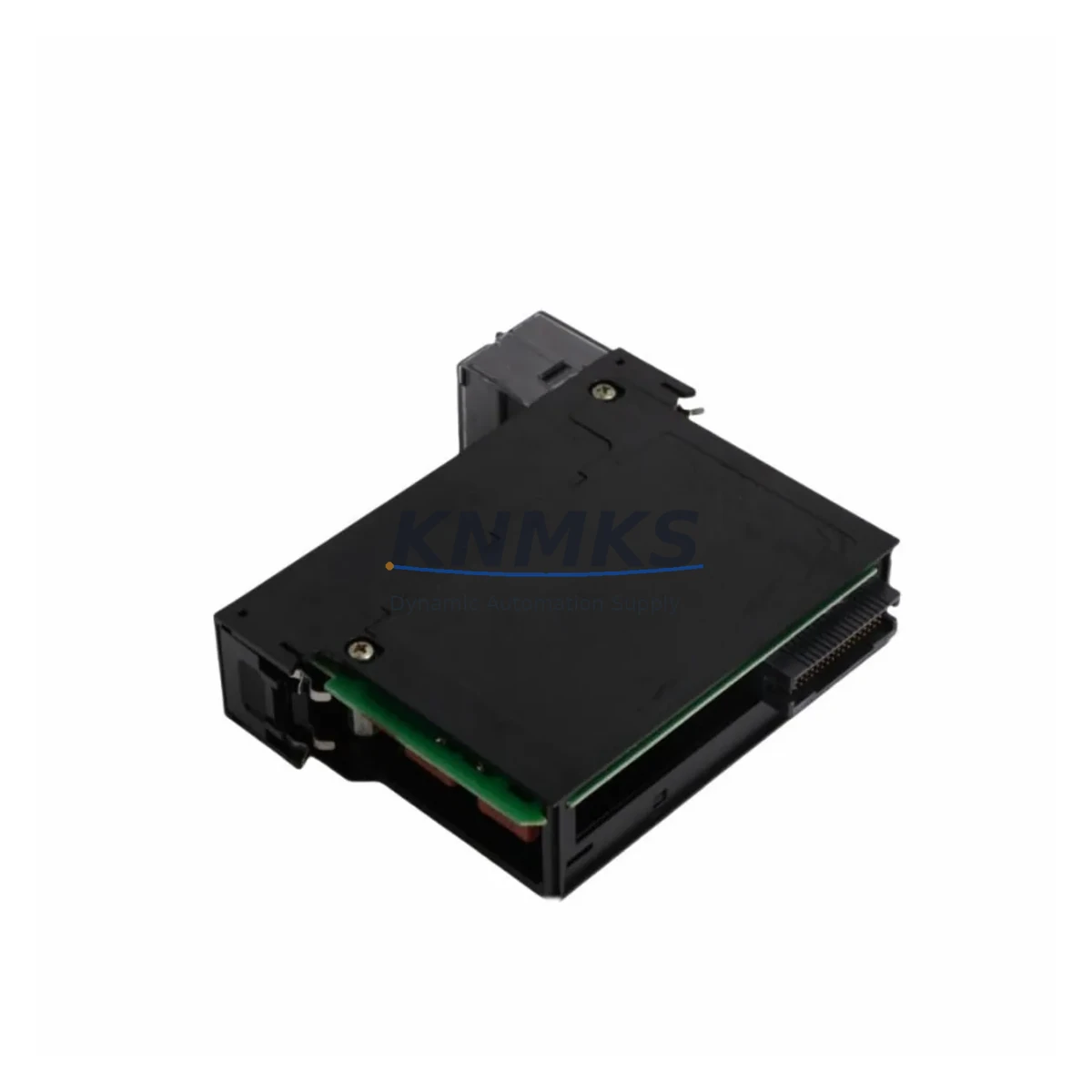
The Honeywell TK-MDP081 is an original DCS pulse input module designed for the Experion PKS Series C control platform. In industrial facilities where continuous process operation is non-negotiable, maintaining a verified spare of the TK-MDP081 in your cabinet inventory is a fundamental element of any proactive maintenance strategy. Whether you are managing a refinery, chemical plant, power generation facility, or large-scale manufacturing line, the TK-MDP081 plays a critical role in pulse signal acquisition and process data integrity within the Experion PKS architecture.
At KNMKS, every TK-MDP081 unit is sourced from authorized supply chains, individually tested prior to shipment, and backed by a support terms confirmed by quotation. Our inventory is maintained to support both emergency breakdown replacements and planned annual shutdown procurement. We understand that unplanned downtime caused by a failed I/O module can cost tens of thousands of dollars per hour — which is why fast dispatch, reliable compatibility verification, and long-term supply continuity are the pillars of our spare parts service.
Spare Maintenance Table
| Part Number | TK-MDP081 |
| Brand | Honeywell |
| Series | Experion PKS Series C |
| Module Type | DCS Pulse Input Module |
| Signal Type | Pulse / Frequency Input |
| Backplane Compatibility | Experion PKS Series C I/O Chassis |
| Communication Interface | C300 Controller / FIM compatible |
| Operating Temperature | 0°C to 60°C |
| Mounting | DIN rail / chassis slot mount |
| Power Supply Requirement | 24 VDC (via backplane) |
| Origin | USA |
| Condition | Original, tested before shipment |
| Support terms | 12 Months |
| Typical Application | Flow metering, turbine speed, pulse counting in process industries |
| Maintenance Recommendation | Inspect annually; replace immediately upon signal loss or diagnostic fault |
Maintenance Planning for Continuous Operation
When a TK-MDP081 pulse input module fails or triggers a diagnostic alarm in the Experion PKS system, the fault rarely exists in isolation. Experienced maintenance engineers know that a thorough site investigation must extend beyond the module itself to the surrounding electrical and control infrastructure. Before or alongside replacing the TK-MDP081, the following components should be inspected and verified:
The 24 VDC backplane power supply feeding the I/O chassis should be checked for voltage stability and ripple — a degraded power rail is a common root cause of intermittent module faults. The C300 Controller paired with this I/O chassis should be confirmed as healthy, with no pending firmware updates or controller faults that could mask the true source of the signal anomaly. The Field Interface Module (FIM) or IOLIM connecting field devices to the Experion PKS network should be inspected for communication errors or link faults.
Field wiring to the pulse input terminals should be tested for continuity, shielding integrity, and correct termination — particularly in high-vibration or high-EMI environments where cable degradation accelerates. If the pulse source is a turbine flow meter or proximity sensor, the sensor itself and its associated signal conditioner or isolator should be verified for correct output range and signal quality. In cabinets where multiple I/O modules share a common chassis, the I/O chassis backplane and its connector pins should be visually inspected for oxidation or mechanical damage.
For facilities running mixed I/O configurations, it is also advisable to audit adjacent modules such as the TK-FTEB01 FTE Bridge or CC-PAIX01 analog input modules that share the same controller segment, as a cascading fault in one module can generate misleading diagnostics in neighboring slots. Fuse protection on the field power distribution rail and any terminal block assemblies connected to the pulse input field devices should also be confirmed as intact and correctly rated.
Maintaining a minimum stock of one spare TK-MDP081 per control system, alongside a documented replacement procedure, is the industry-standard approach for Experion PKS installations with uptime SLAs above 99.5%. KNMKS supports procurement engineers with consolidated spare parts lists, lead time commitments, and multi-unit pricing for annual maintenance budgets.
Site Replacement Workflow
Replacing a TK-MDP081 in an active Experion PKS system requires a structured approach to minimize downtime and avoid configuration errors. Begin by placing the affected I/O module into a safe state through the Experion PKS Station — confirm that all associated control loops are in manual mode and that operators are aware of the maintenance window. Power down the specific I/O chassis slot if hot-swap is not supported for this module revision, then carefully extract the faulty TK-MDP081 using the module ejector levers.
Before inserting the replacement unit, verify that the new TK-MDP081 carries the same firmware revision as the system baseline, or confirm with your Honeywell system integrator that the installed revision is backward compatible. Insert the replacement module firmly into the chassis slot, restore power, and observe the module status LEDs for a healthy initialization sequence. Within the Experion PKS Station, confirm that the module is recognized, all channel assignments are restored from the system database, and pulse input signals are reading correctly against field reference values.
Document the replacement in your CMMS (Computerized Maintenance Management System) with the date, replaced part serial number, and post-replacement test results. This record supports support requests, audit trails, and future predictive maintenance scheduling. For legacy Experion PKS installations where the TK-MDP081 has been in service for more than five years, this replacement event is also an appropriate trigger to review the overall I/O chassis health and plan a broader module refresh cycle during the next scheduled shutdown.
Spare Parts Support FAQ
Q1: Is the TK-MDP081 compatible with all Experion PKS Series C chassis configurations?
The TK-MDP081 is designed for the Experion PKS Series C I/O platform. Compatibility depends on the specific chassis revision and controller firmware version in your installation. KNMKS recommends providing your system configuration details at the time of inquiry so our technical team can confirm compatibility before shipment.
Q2: How is each TK-MDP081 unit tested before shipment?
Every unit dispatched from KNMKS undergoes functional verification including power-on self-test, channel integrity check, and communication handshake validation where test equipment permits. A test report is available upon request. All units are shipped with ESD-protective packaging to prevent transit damage.
Q3: Can KNMKS support long-term or recurring supply of TK-MDP081 for annual maintenance programs?
Yes. KNMKS maintains standing inventory and can support blanket purchase orders, scheduled annual releases, and emergency same-day dispatch for critical breakdown situations. Contact our sales team at admin@knmks.com to discuss volume pricing and supply agreements tailored to your maintenance budget cycle.
Q4: What does the support terms confirmed by quotation cover for the TK-MDP081?
The support terms confirmed by quotation cover manufacturing defects and functional failures under normal operating conditions as specified in the Honeywell TK-MDP081 product documentation. It does not cover damage resulting from incorrect installation, overvoltage events, or physical mishandling. Support requests are processed promptly with replacement or repair options available depending on stock availability.
© 2026 KNMKS. All rights reserved.
Original Source: https://knmks.com
Contact: admin@knmks.com | +86 18359268345
Product Identification
- Brand / Ecosystem
-
Honeywell
Honeywell - Model / Series
-
TK-MDP081
Experion PKS Series - Product Family
- PLCs & Controllers
- Availability Status
- Available on request after model and quantity confirmation
- Inquiry Type
- B2B RFQ, replacement inquiry and project spare-part request
- Pre-Quote Check
- Exact SKU, brand, series, quantity, nameplate photos and destination country are checked before quotation
System Path
Where this product fits in the KNMKS automation structure.
Specification & Inquiry Focus
- Control platform
- PLC, PAC and modular controllers
- Common needs
- CPU, rack, power and I/O expansion
- Project support
- Replacement, cabinet build and maintenance
Buyer Confirmation
Information KNMKS checks before replying.
- Exact model
- TK-MDP081
- Brand / ecosystem
- Honeywell
- Product family
- PLCs & Controllers
- Application note
- Replacement, maintenance, project build or spare-part list
- Useful photos
- Nameplate, installed unit, cabinet layout or connector side
- Delivery details
- Quantity, destination country and target schedule
Document Support
Files and notes can be confirmed during quotation.
- Product photos or nameplate confirmation when available
- Packing and delivery notes before quotation confirmation
- Support scope and delivery terms confirmed per inquiry
- Export document coordination for qualified B2B requests
Inquiry Support
- Model cross-checking before quotation
- CPU, power, rack and expansion module matching
- Support for replacement and project inquiry
What to Send Us
- Brand and exact model number: Honeywell TK-MDP081
- Quantity and required delivery time
- Application, replacement requirement or nameplate photo
- Destination country and shipping preference
RFQ Preparation
This is a product inquiry page built for RFQ communication.
Fast Model Check
Send this model to KNMKS for confirmation.
Include quantity, destination country and photos if this is a maintenance replacement. The inquiry will be saved with a reference number after submission.
Brand & Compatibility Note
KNMKS displays automation product information for well-known industrial brand ecosystems and compatible replacement references. Brand names are used for product identification and compatibility reference only; final availability and commercial terms are confirmed per quotation.
 Manufacturing
 Machine Tools
 Packaging
 Energy & Power



 HMI & Displays
 Servo Systems
 Variable Frequency Drives
 Sensors