
Overview
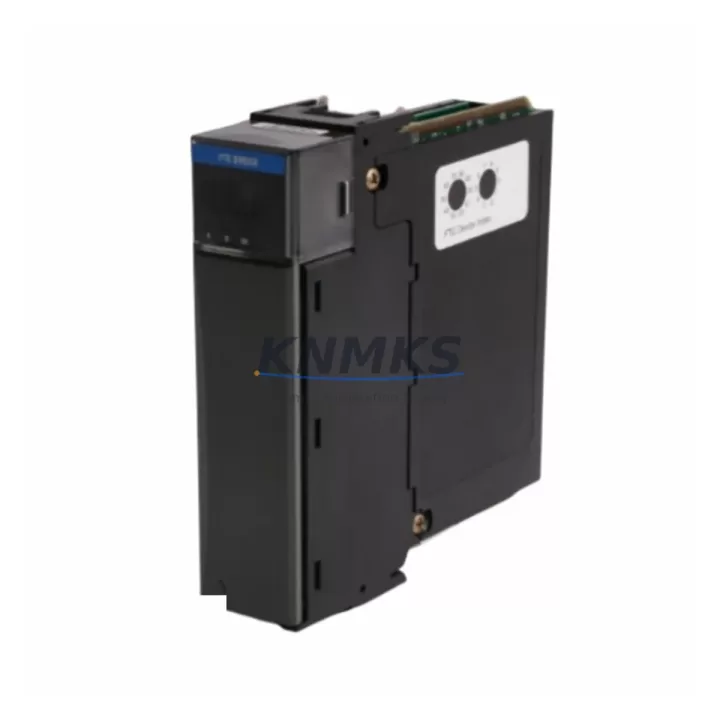
Honeywell TK-FTEB01 Migration-Ready FTE Bridge for Legacy Control Systems
The Honeywell TK-FTEB01 is a Fault Tolerant Ethernet (FTE) Bridge Module designed for the Experion PKS distributed control platform. As legacy Honeywell TDC 3000, PlantScape, and early Experion R100–R300 installations approach end-of-support milestones, the TK-FTEB01 has become a critical spare and migration component for engineers tasked with extending system life, consolidating control cabinets, or executing phased DCS upgrades without full rip-and-replace downtime.
The TK-FTEB01 bridges the FTE supervisory network to the C200/C300 controller backplane environment, enabling fault-tolerant, redundant Ethernet communication across process control nodes. Its dual-port FTE architecture supports ring or star topology and is fully compatible with Experion PKS R400 through R520 firmware environments. For sites still operating on earlier Experion releases, firmware alignment must be confirmed prior to installation — a step that KNMKS pre-validates as part of every outgoing shipment test.
In retrofit scenarios, the TK-FTEB01 is frequently deployed alongside the Honeywell CC-TCNT01 ControlNet Interface Module and the Honeywell TK-PRSC01 Power Supply Module to complete a cabinet-level upgrade. Engineers replacing aging C200 controller chassis will often source the Honeywell CC-PCNT01 Process Controller Node in the same procurement cycle, as the FTE bridge must be re-addressed and re-commissioned whenever the controller node changes. For sites migrating from legacy serial-based HMUX or Data Hiway architectures, the Honeywell TK-FTEB01 works in conjunction with the Honeywell CC-GDIL01 Digital Input Module and CC-GDOL01 Digital Output Module to re-establish I/O mapping after backplane reassignment.
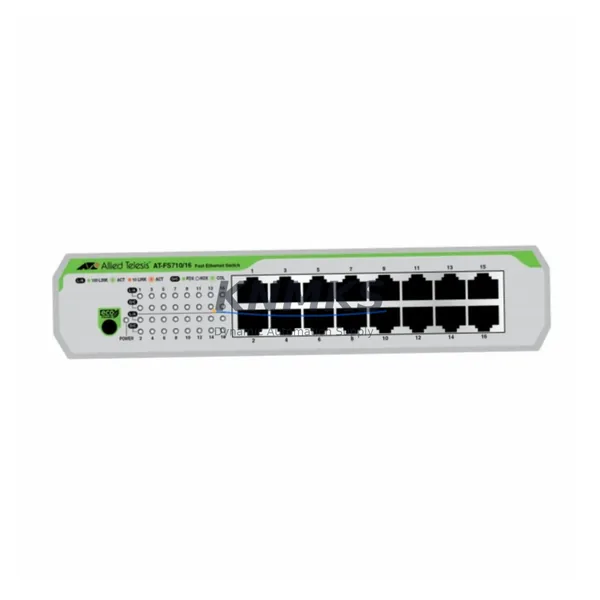
Terminal wiring on the TK-FTEB01 uses standard RJ-45 FTE ports — no proprietary cabling is required — but the upstream FTE switch infrastructure (typically a Honeywell FSC Safety Controller-compatible managed switch) must support 100 Mbps full-duplex with IGMP snooping enabled. Confirm switch firmware and VLAN segmentation before commissioning to avoid FTE ring faults that can trigger controller failover during live migration windows.
Backplane slot assignment follows the standard Experion PKS chassis addressing scheme. The TK-FTEB01 occupies a dedicated FTE bridge slot and must not share a slot with redundant controller modules. When replacing a failed unit in a running system, the replacement module inherits the slot address automatically upon power-up — no manual address switch setting is required — but the Experion Configuration Studio must be used to validate the node descriptor and confirm FTE ring integrity before releasing the loop to automatic control.
All TK-FTEB01 units shipped by KNMKS undergo a pre-shipment functional test that verifies power-on self-test (POST) completion, FTE port link negotiation, and firmware version readout. Units are shipped with original Honeywell firmware unless a specific version is requested. A support terms confirmed by quotation cover all hardware defects from the date of invoice.
Migration Compatibility Table
| Parameter | Details |
|---|---|
| Compatible Platform | Honeywell Experion PKS R400 – R520 |
| Replaces / Upgrades | Legacy FTE bridge modules in TDC 3000 / PlantScape / Experion R100–R300 environments |
| Network Interface | Dual RJ-45 FTE ports, 100 Mbps full-duplex, ring or star topology |
| Backplane Interface | Experion PKS C200/C300 chassis FTE bridge slot |
| Communication Protocol | Fault Tolerant Ethernet (FTE), IGMP snooping required on upstream switch |
| Firmware Compatibility | Confirm Experion release version prior to installation; KNMKS pre-validates on request |
| Installation Requirement | Dedicated FTE bridge slot; no shared slot with redundant controller modules |
| Address Configuration | Automatic slot address inheritance on power-up; validate via Experion Configuration Studio |
| Replacement Procedure | Hot-swap capable in redundant FTE ring; confirm ring integrity before releasing to auto control |
| Pre-Shipment Test | POST verification, FTE port link negotiation, firmware version readout |
| Support terms | 12 months from invoice date, all hardware defects covered |
| Origin | USA (Honeywell OEM) |
Retrofit Planning for Existing Automation Systems
A successful TK-FTEB01 retrofit begins with a full audit of the existing FTE ring topology. Document every node on the FTE network — including C200 and C300 controllers, server platform nodes, and any Honeywell TK-PRSC01 Power Supply Modules feeding the chassis — before removing the failed or obsolete bridge module. Power capacity is a frequent oversight: the TK-FTEB01 draws power from the chassis backplane, and an undersized or aging power supply can cause intermittent FTE faults that are difficult to distinguish from network-layer issues.
For sites expanding I/O capacity as part of the same retrofit window, the Honeywell CC-GDIL01 Digital Input Module and CC-GDOL01 Digital Output Module can be added to available chassis slots without interrupting the FTE bridge replacement, provided the chassis has sufficient backplane power headroom. Confirm slot availability and module addressing in Experion Configuration Studio before the maintenance window begins.
Communication protocol migration — particularly from legacy Data Hiway or ControlNet segments to FTE — requires that the Honeywell CC-TCNT01 ControlNet Interface Module remain operational during the transition period. Plan for a parallel-run phase where both the legacy communication path and the new FTE segment are active simultaneously, allowing HMI screens and historian tags to be validated against live process values before the legacy path is decommissioned.
HMI screen validation is a non-negotiable step. After FTE bridge replacement, all Experion Station displays referencing the affected controller node must be confirmed for tag resolution. Any tags that were bound to the old node descriptor will require re-binding in Experion Configuration Studio. Coordinate with the control room operator to schedule a brief display freeze during the re-binding operation to avoid alarm floods.
Downtime Control During System Migration
The TK-FTEB01 supports hot-swap replacement in a properly configured redundant FTE ring, meaning the secondary FTE path continues to carry traffic while the primary bridge is replaced. This is the single most effective downtime-reduction strategy available during an FTE bridge migration. However, hot-swap is only safe when the FTE ring has been confirmed healthy — a degraded ring (single-path operation) must be restored to full redundancy before any module swap is attempted.
To protect original program logic during the migration, export a full controller backup from Experion Configuration Studio before beginning any hardware work. The C200 or C300 controller retains its program in non-volatile memory during a power cycle, but a verified backup eliminates recovery risk if the controller must be replaced as part of the same maintenance window. Store the backup on an isolated engineering workstation, not on the Experion server, to prevent accidental overwrite.
Minimize alarm management disruption by placing the affected controller in manual mode and notifying the control room before the swap. After the TK-FTEB01 is seated and powered, allow 60–90 seconds for POST completion and FTE ring re-establishment before releasing the controller back to automatic. Confirm FTE ring status in the Experion Network Manager display before closing the maintenance window. Total planned downtime for a straightforward TK-FTEB01 swap in a healthy redundant ring is typically under 15 minutes.
Retrofit Support FAQ
Q: Is the TK-FTEB01 a direct drop-in replacement for older Honeywell FTE bridge modules?
A: Yes, the TK-FTEB01 is the current Honeywell-designated FTE bridge for the Experion PKS C200/C300 chassis environment and replaces earlier FTE bridge variants used in Experion R100–R300 systems. Firmware version alignment with the installed Experion release is required and should be confirmed before installation. KNMKS can advise on firmware compatibility based on your Experion release number.
Q: What wiring changes are required when replacing the FTE bridge module?
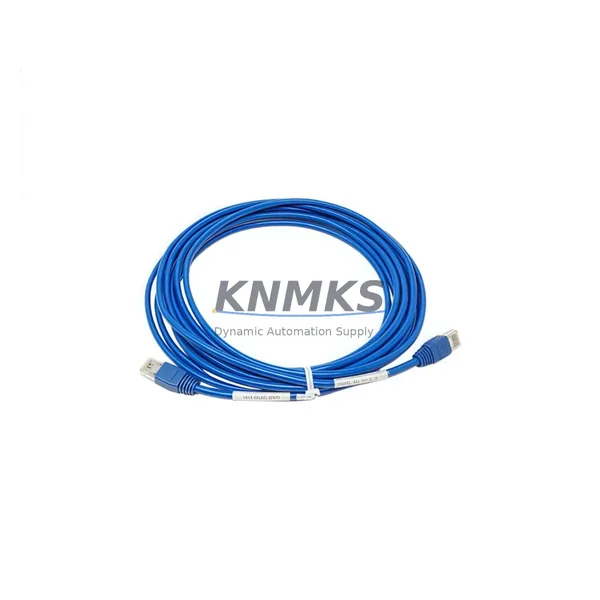
A: The TK-FTEB01 uses standard RJ-45 connectors for both FTE ports. In most retrofit scenarios, existing Cat5e or Cat6 FTE cabling can be reused without modification. Verify cable labeling and port assignment (FTE-A and FTE-B) before reconnecting to ensure ring continuity is maintained in the correct direction.
Q: How do I verify compatibility before ordering?
A: Provide your Experion PKS release version, chassis model, and current FTE bridge part number to admin@knmks.com. KNMKS will confirm compatibility and, where required, pre-configure the unit to your firmware specification before shipment.
Q: What does the support terms confirmed by quotation cover, and what is the typical lead time?
A: The support terms confirmed by quotation cover all hardware defects from the date of invoice. In-stock units typically ship within 1–3 business days. KNMKS maintains buffer stock of the TK-FTEB01 to support emergency breakdown and planned maintenance schedules globally.
© 2026 KNMKS. All rights reserved.
Original Source: https://knmks.com
Contact: admin@knmks.com | +86 18359268345
Product Identification
- Brand / Ecosystem
-
Honeywell
Honeywell - Model / Series
-
TK-FTEB01
Experion PKS Series - Product Family
- Communication Modules
- Availability Status
- Available on request after model and quantity confirmation
- Inquiry Type
- B2B RFQ, replacement inquiry and project spare-part request
- Pre-Quote Check
- Exact SKU, brand, series, quantity, nameplate photos and destination country are checked before quotation
System Path
Where this product fits in the KNMKS automation structure.
Specification & Inquiry Focus
- Network range
- Ethernet, fieldbus and gateway modules
- Common needs
- Protocol, port and controller family
- Project support
- Machine networking and data integration
Buyer Confirmation
Information KNMKS checks before replying.
- Exact model
- TK-FTEB01
- Brand / ecosystem
- Honeywell
- Product family
- Communication Modules
- Application note
- Replacement, maintenance, project build or spare-part list
- Useful photos
- Nameplate, installed unit, cabinet layout or connector side
- Delivery details
- Quantity, destination country and target schedule
Document Support
Files and notes can be confirmed during quotation.
- Product photos or nameplate confirmation when available
- Packing and delivery notes before quotation confirmation
- Support scope and delivery terms confirmed per inquiry
- Export document coordination for qualified B2B requests
Inquiry Support
- Industrial Ethernet and fieldbus module inquiry
- Protocol compatibility review
- Integration project inquiry support
What to Send Us
- Brand and exact model number: Honeywell TK-FTEB01
- Quantity and required delivery time
- Application, replacement requirement or nameplate photo
- Destination country and shipping preference
RFQ Preparation
This is a product inquiry page built for RFQ communication.
Fast Model Check
Send this model to KNMKS for confirmation.
Include quantity, destination country and photos if this is a maintenance replacement. The inquiry will be saved with a reference number after submission.
Brand & Compatibility Note
KNMKS displays automation product information for well-known industrial brand ecosystems and compatible replacement references. Brand names are used for product identification and compatibility reference only; final availability and commercial terms are confirmed per quotation.
 Manufacturing
 Machine Tools
 Packaging
 Energy & Power
 PLCs & Controllers
 HMI & Displays
 Servo Systems
 Variable Frequency Drives