
Overview
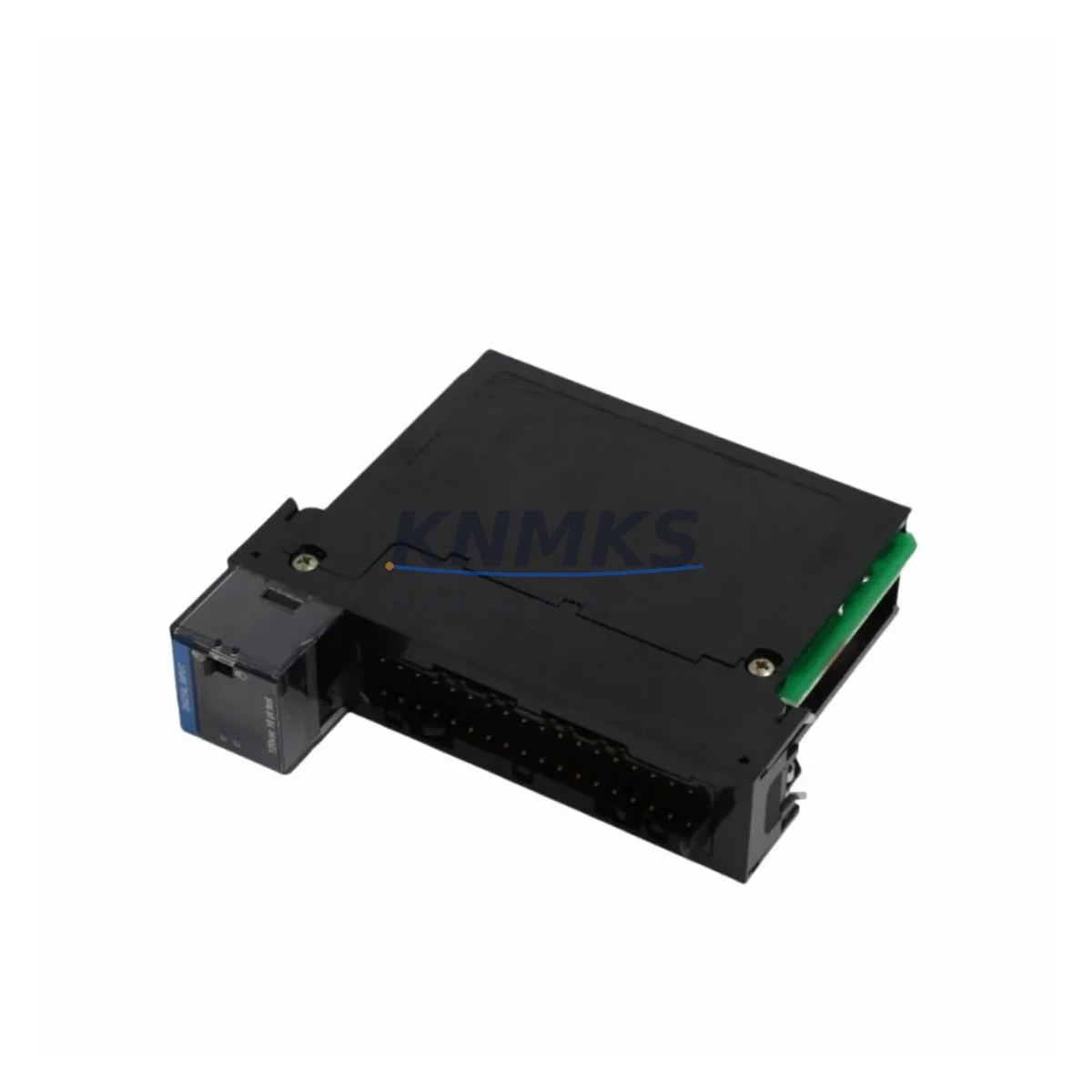
Honeywell TC-IOLI01 Maintenance-Proven Spare Part for Uptime
The Honeywell TC-IOLI01 I/O Link Interface Module is a critical spare component within the Experion PKS C300 Distributed Control System architecture. Designed for high-availability industrial environments, this module serves as the communication bridge between the C300 Controller and field-level I/O subsystems, enabling reliable data exchange across the I/O Link bus. For maintenance engineers managing continuous process operations — whether in refining, petrochemical, power generation, or advanced manufacturing — keeping a verified TC-IOLI01 in the spare parts inventory is a fundamental strategy for minimizing unplanned downtime and accelerating fault recovery.
At KNMKS, every TC-IOLI01 unit is sourced as an original Honeywell component, subjected to functional verification prior to shipment, and backed by a support terms confirmed by quotation. Our supply chain supports both emergency replacement orders and planned annual maintenance procurement, with fast international logistics to reduce the window between fault detection and system restoration.
Spare Maintenance Table
| Parameter | Specification |
|---|---|
| Part Number | TC-IOLI01 |
| Brand | Honeywell |
| Series | Experion PKS / C300 DCS |
| Module Type | I/O Link Interface Module |
| Communication Bus | I/O Link (Honeywell proprietary) |
| Compatible Controller | C300 Process Controller |
| Backplane Compatibility | Experion PKS IOLIM Carrier / Standard I/O Chassis |
| Operating Voltage | 24 VDC (supplied via backplane) |
| Operating Temperature | 0°C to 60°C |
| Mounting | DIN rail / chassis slot mount |
| Origin | USA |
| Condition | Original, Tested Before Shipment |
| Support terms | 12 Months |
| Delivery | Express international shipping available |
Maintenance Planning for Continuous Operation
When a TC-IOLI01 fault is detected — whether through Experion PKS system alarms, I/O Link communication errors, or during a scheduled cabinet inspection — the replacement workflow extends beyond the module itself. A thorough maintenance response requires evaluating the surrounding electrical and control infrastructure to prevent repeat failures and confirm system integrity before returning the loop to service.
Begin by inspecting the C300 Controller module (such as the TC-CCR014 or TC-CCR016) for any co-occurring faults or firmware inconsistencies that may have contributed to the I/O Link communication breakdown. The I/O Link bus relies on stable controller-side handshaking, and a degraded controller can cause repeated interface module failures. Next, verify the IOLIM carrier or backplane chassis — connector pins, seating integrity, and backplane power rails should be checked, as poor backplane contact is a common root cause of intermittent I/O Link faults.
Power quality is equally critical. Inspect the 24 VDC power supply module feeding the I/O chassis — voltage ripple, load capacity, and redundancy status should all be confirmed. In Experion PKS cabinets, redundant power supplies such as the TC-PRS021 or equivalent are standard; verify that both supplies are healthy and that the automatic switchover function is operational. A failing power supply can cause the TC-IOLI01 to drop off the I/O Link bus intermittently, making fault diagnosis difficult without power quality measurement.
On the field side, review the I/O modules connected downstream of the TC-IOLI01 — analog input modules, digital output modules, and HART-enabled I/O cards. A shorted or overloaded field I/O module can place excessive demand on the I/O Link interface, accelerating wear or triggering protection shutdowns. If the system includes signal isolators or barriers between field instruments and I/O cards, inspect these for degradation, particularly in high-humidity or chemically aggressive environments.
For cabinets with communication modules handling Modbus, PROFIBUS, or OPC connectivity alongside the Experion PKS I/O Link network, confirm that communication traffic loads are within specification and that no network storms or address conflicts are present. Finally, check fuse holders and circuit protection on the 24 VDC distribution rail — blown or weakened fuses are frequently overlooked during emergency replacements and can cause the newly installed TC-IOLI01 to fail immediately upon power-up.
Maintaining a structured spare parts kit that includes the TC-IOLI01 alongside compatible backplane carriers, power supply modules, and representative I/O cards significantly reduces mean time to repair (MTTR) and supports a proactive maintenance culture rather than a reactive one.
Site Replacement Workflow
Step 1 — Fault Confirmation: Acknowledge the I/O Link fault alarm in Experion PKS Station. Use the system’s diagnostic tools to confirm the TC-IOLI01 as the fault source, distinguishing it from downstream I/O module faults or controller-side issues.
Step 2 — Safe Isolation: Follow site-specific lockout/tagout (LOTO) procedures. Place the affected I/O Link segment in a safe state. If the system supports redundant I/O Link paths, switch to the redundant path before removing the faulty module to maintain partial I/O availability.
Step 3 — Module Removal: With power safely isolated to the chassis slot, remove the TC-IOLI01 by releasing the module locking mechanism and sliding it free from the backplane carrier. Inspect the backplane connector for damage or contamination before installing the replacement.
Step 4 — Replacement Installation: Insert the new TC-IOLI01 into the correct chassis slot. Ensure firm seating against the backplane connector. Restore power and observe the module’s status LEDs — a solid green RUN indicator confirms successful I/O Link initialization.
Step 5 — System Verification: In Experion PKS Station, confirm that all downstream I/O points associated with the replaced module are reporting correctly. Perform a loop check on critical analog and digital signals before returning the process loop to automatic control.
Step 6 — Documentation: Record the replacement in the site maintenance log, including the date, fault description, module serial number, and post-replacement verification results. Update the spare parts inventory to trigger reorder of a replacement TC-IOLI01 unit.
Spare Parts Support FAQ
Q1: Is the TC-IOLI01 compatible with all Experion PKS C300 system revisions?
The TC-IOLI01 is designed for use within the Honeywell Experion PKS C300 DCS architecture. Compatibility across specific firmware revisions should be confirmed against your site’s Experion PKS version. KNMKS can assist with compatibility verification based on your system’s current software release and hardware configuration prior to shipment.
Q2: How is the TC-IOLI01 tested before shipment?
Each unit undergoes functional verification including power-up testing, I/O Link communication initialization checks, and visual inspection for physical damage. Units that do not pass verification are not shipped. A support terms confirmed by quotation cover defects in materials and workmanship from the date of delivery.
Q3: Can KNMKS support long-term or recurring supply of the TC-IOLI01?
Yes. KNMKS maintains ongoing sourcing relationships to support both one-time emergency orders and scheduled annual maintenance procurement. For facilities managing multiple Experion PKS systems or planning multi-year maintenance contracts, we can discuss volume pricing and reserved inventory arrangements.
Q4: What is the recommended spare parts strategy for the TC-IOLI01?
Industry best practice for critical DCS I/O interface modules is to maintain at least one cold standby unit per production line or control cabinet cluster. For high-criticality processes with no redundant I/O Link path, a hot standby strategy with a pre-configured replacement module is advisable. Annual inspection of installed modules — including connector cleaning, LED status verification, and firmware version review — helps identify aging units before they cause unplanned shutdowns.
© 2026 KNMKS. All rights reserved.
Original Source: https://knmks.com
Contact: admin@knmks.com | +86 18359268345
Product Identification
- Brand / Ecosystem
-
Honeywell
Honeywell - Model / Series
-
TC-IOLI01
Experion PKS Series - Product Family
- PLCs & Controllers
- Availability Status
- Available on request after model and quantity confirmation
- Inquiry Type
- B2B RFQ, replacement inquiry and project spare-part request
- Pre-Quote Check
- Exact SKU, brand, series, quantity, nameplate photos and destination country are checked before quotation
System Path
Where this product fits in the KNMKS automation structure.
Specification & Inquiry Focus
- Control platform
- PLC, PAC and modular controllers
- Common needs
- CPU, rack, power and I/O expansion
- Project support
- Replacement, cabinet build and maintenance
Buyer Confirmation
Information KNMKS checks before replying.
- Exact model
- TC-IOLI01
- Brand / ecosystem
- Honeywell
- Product family
- PLCs & Controllers
- Application note
- Replacement, maintenance, project build or spare-part list
- Useful photos
- Nameplate, installed unit, cabinet layout or connector side
- Delivery details
- Quantity, destination country and target schedule
Document Support
Files and notes can be confirmed during quotation.
- Product photos or nameplate confirmation when available
- Packing and delivery notes before quotation confirmation
- Support scope and delivery terms confirmed per inquiry
- Export document coordination for qualified B2B requests
Inquiry Support
- Model cross-checking before quotation
- CPU, power, rack and expansion module matching
- Support for replacement and project inquiry
What to Send Us
- Brand and exact model number: Honeywell TC-IOLI01
- Quantity and required delivery time
- Application, replacement requirement or nameplate photo
- Destination country and shipping preference
RFQ Preparation
This is a product inquiry page built for RFQ communication.
Fast Model Check
Send this model to KNMKS for confirmation.
Include quantity, destination country and photos if this is a maintenance replacement. The inquiry will be saved with a reference number after submission.
Brand & Compatibility Note
KNMKS displays automation product information for well-known industrial brand ecosystems and compatible replacement references. Brand names are used for product identification and compatibility reference only; final availability and commercial terms are confirmed per quotation.
 Manufacturing
 Machine Tools
 Packaging
 Energy & Power



 HMI & Displays
 Servo Systems
 Variable Frequency Drives
 Sensors