
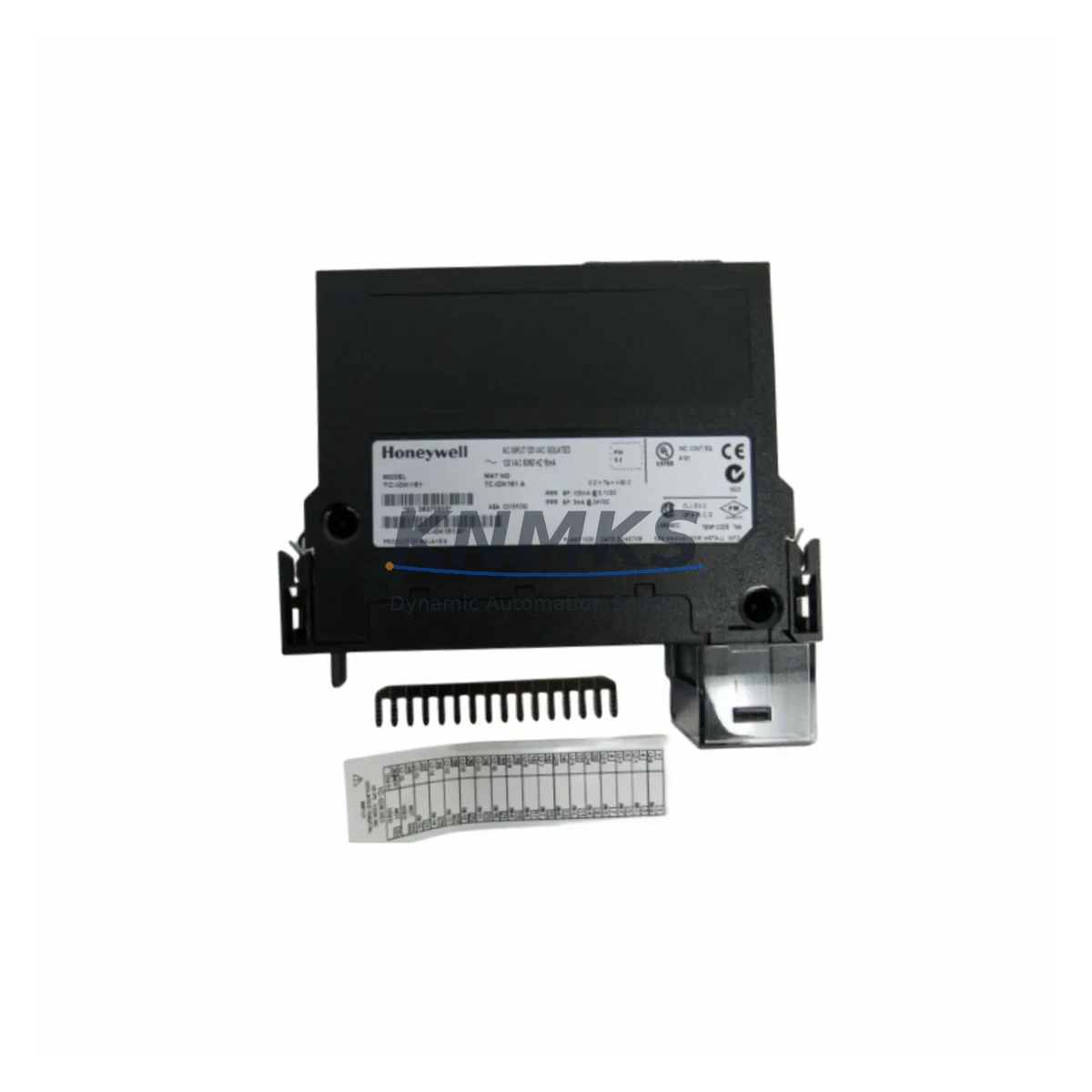
Overview
Honeywell TC-IDK161 Migration-Ready Digital Input Module: Legacy System Retrofit & Compatibility Upgrade
The Honeywell TC-IDK161 is a 16-channel isolated digital input module engineered for the Experion PKS distributed control system platform. As legacy DCS installations approach end-of-life and OEM support windows close, the TC-IDK161 remains one of the most sought-after migration-ready spare parts for engineers managing long-lifecycle process control environments in oil & gas, petrochemical, power generation, and continuous manufacturing facilities.
Whether you are executing a planned control system upgrade, responding to an unplanned module failure, or building a strategic spare parts buffer to extend your existing Experion PKS infrastructure, the TC-IDK161 provides a verified drop-in replacement path that minimizes engineering rework, preserves existing I/O wiring, and protects your capital investment in the installed base.
Each unit is sourced from authorized distribution channels, subject to pre-shipment functional testing, and backed by a support terms confirmed by quotation covering manufacturing defects and operational failures under normal service conditions.
Migration Compatibility Table
| Parameter | Specification / Retrofit Guidance |
|---|---|
| Module Type | 16-Channel Isolated Digital Input (DI) |
| Compatible Platform | Honeywell Experion PKS (C200, C300 controller series) |
| Backplane Interface | Series C I/O Link — compatible with standard Experion I/O chassis and FTA termination assemblies |
| Field Termination Assembly | Verify FTA model (e.g., TC-FPDXX series) matches existing cabinet wiring before installation |
| Input Voltage Range | 24 VDC nominal; confirm field device supply voltage against module input specifications |
| Channel Isolation | Channel-to-channel and channel-to-backplane isolation — suitable for mixed-potential field wiring environments |
| Module Address | Configured via Experion Control Builder; verify slot address assignment matches existing controller database before hot-swap |
| Firmware Compatibility | Confirm Experion PKS firmware revision level supports TC-IDK161 module descriptor; update controller firmware if required prior to commissioning |
| Installation Space | Standard Experion I/O chassis slot — no mechanical modification required for direct replacement |
| Communication Protocol | Proprietary Honeywell I/O Link (FTE-based Experion network); no additional protocol gateway required |
| Replacement Scope | Direct slot-for-slot replacement of failed or obsolete TC-IDK161 units; no re-engineering of I/O database required when module type is unchanged |
| Pre-Shipment Testing | Functional I/O verification performed on each unit prior to dispatch |
| Support terms | 12 months from date of shipment — covers manufacturing defects and operational failures under normal service conditions |
Retrofit Planning for Existing Automation Systems
Successful integration of the TC-IDK161 into an existing Experion PKS architecture requires a structured pre-installation review. Engineers should begin by auditing the target I/O chassis to confirm available slot positions, backplane power budget, and FTA wiring continuity. The TC-IDK161 draws its logic power from the chassis backplane; verify that the installed Experion I/O Power Supply — typically a TC-FPDXX or equivalent redundant power module — has sufficient headroom to support the additional load without triggering under-voltage alarms on adjacent modules.
Field termination wiring connected to the existing FTA must be inspected for insulation integrity and correct polarity before the replacement module is seated. In installations where the original TC-IDK161 has been in service for more than a decade, terminal block corrosion or wire fatigue at the FTA screw terminals is a common source of intermittent input faults that can be misdiagnosed as module failure. Resolving wiring issues before module replacement prevents repeat failures and avoids unnecessary spare parts consumption.
Within Experion Control Builder, the replacement module must be assigned to the correct slot address in the controller I/O configuration. If the failed module was removed from a running system without a prior database backup, the slot configuration may need to be reconstructed from as-built documentation or recovered from a redundant controller node. Confirm that the C200 or C300 controller holding the I/O assignment is online and that the Fault Tolerant Ethernet (FTE) communication link between the controller and the Experion server is stable before attempting module insertion.
For sites executing a broader control system migration — for example, transitioning from a legacy TDC 3000 or PlantScape platform toward a current Experion PKS R500 or later release — the TC-IDK161 can serve as an interim I/O solution that preserves field wiring while the control strategy is re-engineered in Control Builder. In this context, the module is often installed alongside updated Experion C300 controllers, new Series C I/O chassis, and refreshed FTE network switches, allowing phased cutover without a full field rewiring campaign.
HMI screen updates in Experion Station or third-party SCADA displays should be validated after module replacement to confirm that digital input point names, alarm limits, and status display logic remain correctly mapped to the new module’s channel assignments. Where Modbus TCP or OPC DA/UA data paths are used to export DI status to external systems, verify that the data server tag configuration reflects the correct module slot and channel index after the replacement is complete.
Downtime Control During System Migration
Minimizing process downtime during a TC-IDK161 replacement requires advance preparation that begins well before the maintenance window opens. The most effective approach is to pre-stage the replacement module in the control room, confirm its firmware compatibility with the installed Experion PKS release, and prepare a printed copy of the I/O assignment and FTA wiring diagram for the target chassis slot.
Where the process permits, place the affected controller in manual mode or transfer regulatory control to a redundant loop before removing the failed module. This preserves field device states and prevents spurious trips on downstream interlocks that monitor the digital input channels carried by the TC-IDK161. In safety-instrumented systems where the DI module feeds a Safety Instrumented Function, coordinate the replacement with the SIS engineer and confirm that the SIF is bypassed in accordance with the site Management of Change procedure before any hardware is disturbed.
Hot-swap capability within the Experion I/O chassis allows the TC-IDK161 to be removed and reinserted without powering down the chassis, provided the controller is placed in the appropriate maintenance state first. After insertion, the Experion system will automatically re-download the module configuration from the controller database, restoring channel assignments and alarm parameters without manual re-entry. Monitor the Experion Event Journal for module health alarms and confirm that all 16 input channels return to their expected states before releasing the loop back to automatic control.
For sites without a spare TC-IDK161 in local inventory, KNMKS maintains in-stock availability with same-day dispatch capability for orders confirmed before the daily logistics cutoff. Expedited freight options are available to support emergency maintenance scenarios where extended process downtime is not acceptable. Contact the KNMKS sales team to confirm current stock status and lead time before committing to a maintenance window date.
Retrofit Support FAQ
Q1: Is the TC-IDK161 a direct replacement for all Experion PKS digital input applications?
The TC-IDK161 is specifically designed for 16-channel isolated digital input applications within the Honeywell Experion PKS Series C I/O architecture. It is not interchangeable with non-isolated DI modules or with digital input modules from the legacy TDC 3000 HPM I/O family. Confirm the existing module part number and chassis type before ordering to ensure compatibility.
Q2: What commissioning steps are required after installing a replacement TC-IDK161?
After physical installation, the Experion controller will automatically download the module configuration. Verify module health status in Experion Station, confirm all 16 channels are reporting correctly, check FTA wiring continuity for each field device, and validate alarm and interlock logic against the as-built control narrative. Document the replacement in the site maintenance management system and update the spare parts register.
Q3: Can the TC-IDK161 be used in a mixed-revision Experion PKS environment?
In most cases, yes. The TC-IDK161 module descriptor is supported across a wide range of Experion PKS firmware releases. However, sites running very early Experion releases (pre-R210) should verify module descriptor compatibility with Honeywell technical support or consult the Experion PKS I/O Compatibility Matrix before installation. KNMKS can provide pre-shipment documentation to support your compatibility review.
Q4: What does the support terms confirmed by quotation cover, and how is a support terms claim initiated?
The support terms confirmed by quotation cover manufacturing defects and operational failures under normal service conditions from the date of shipment. It does not cover damage resulting from incorrect installation, overvoltage events, or physical mishandling. To initiate a support terms claim, contact KNMKS at admin@knmks.com with the original order reference, a description of the failure mode, and photographic evidence of the module condition. Replacement or repair will be arranged within the support terms terms.
© 2026 KNMKS. All rights reserved.
Original Source: https://knmks.com
Contact: admin@knmks.com | +86 18359268345
Product Identification
- Brand / Ecosystem
-
Honeywell
Honeywell - Model / Series
-
TC-IDK161
Experion PKS Series - Product Family
- PLCs & Controllers
- Availability Status
- Available on request after model and quantity confirmation
- Inquiry Type
- B2B RFQ, replacement inquiry and project spare-part request
- Pre-Quote Check
- Exact SKU, brand, series, quantity, nameplate photos and destination country are checked before quotation
System Path
Where this product fits in the KNMKS automation structure.
Specification & Inquiry Focus
- Control platform
- PLC, PAC and modular controllers
- Common needs
- CPU, rack, power and I/O expansion
- Project support
- Replacement, cabinet build and maintenance
Buyer Confirmation
Information KNMKS checks before replying.
- Exact model
- TC-IDK161
- Brand / ecosystem
- Honeywell
- Product family
- PLCs & Controllers
- Application note
- Replacement, maintenance, project build or spare-part list
- Useful photos
- Nameplate, installed unit, cabinet layout or connector side
- Delivery details
- Quantity, destination country and target schedule
Document Support
Files and notes can be confirmed during quotation.
- Product photos or nameplate confirmation when available
- Packing and delivery notes before quotation confirmation
- Support scope and delivery terms confirmed per inquiry
- Export document coordination for qualified B2B requests
Inquiry Support
- Model cross-checking before quotation
- CPU, power, rack and expansion module matching
- Support for replacement and project inquiry
What to Send Us
- Brand and exact model number: Honeywell TC-IDK161
- Quantity and required delivery time
- Application, replacement requirement or nameplate photo
- Destination country and shipping preference
RFQ Preparation
This is a product inquiry page built for RFQ communication.
Fast Model Check
Send this model to KNMKS for confirmation.
Include quantity, destination country and photos if this is a maintenance replacement. The inquiry will be saved with a reference number after submission.
Brand & Compatibility Note
KNMKS displays automation product information for well-known industrial brand ecosystems and compatible replacement references. Brand names are used for product identification and compatibility reference only; final availability and commercial terms are confirmed per quotation.
 Manufacturing
 Machine Tools
 Packaging
 Energy & Power



 HMI & Displays
 Servo Systems
 Variable Frequency Drives
 Sensors