
Overview
Honeywell TC-FTEB01 Migration-Ready FTE Bridge Module: Legacy System Retrofit & Compatibility Upgrade
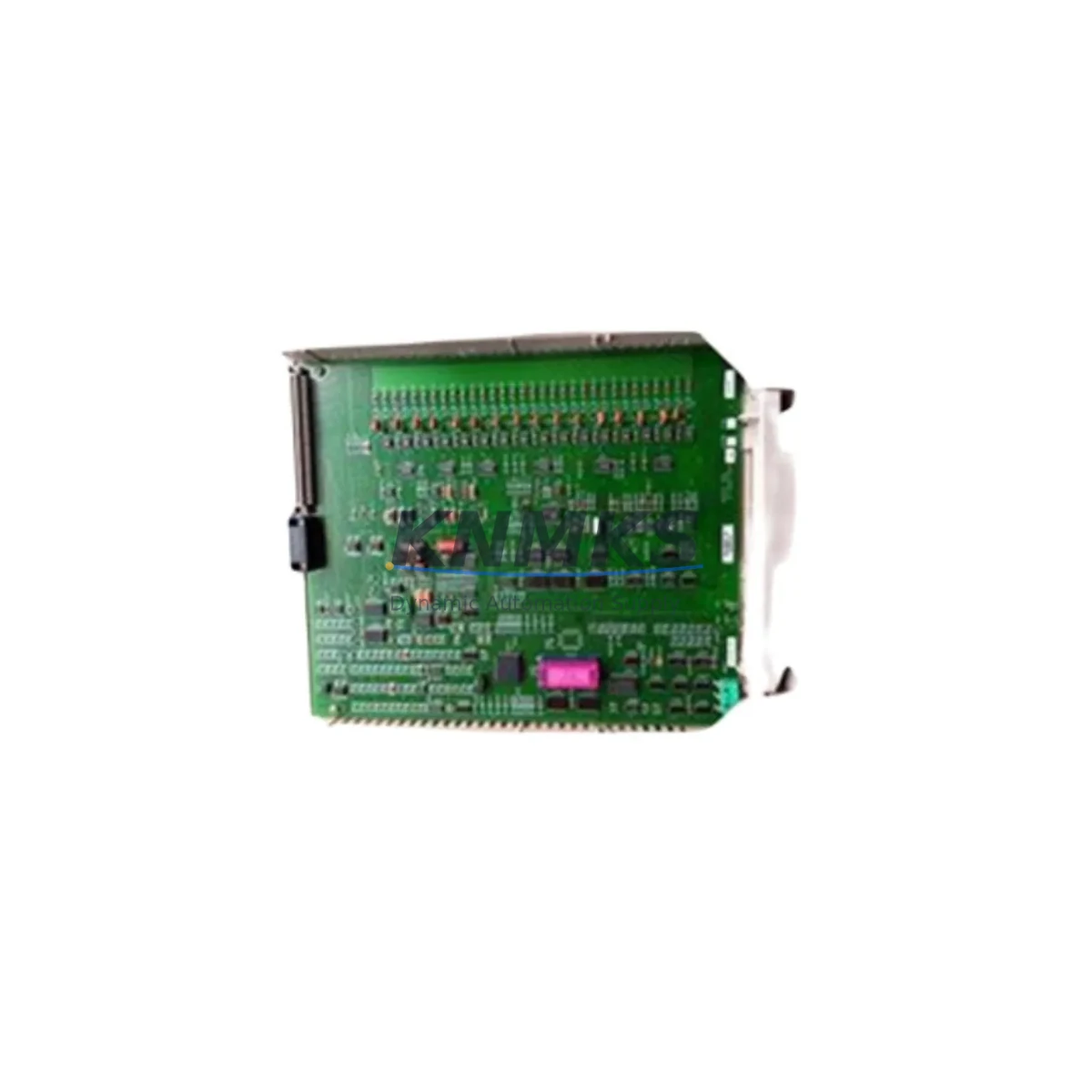
The Honeywell TC-FTEB01 (Part No. 51403483-100) is a Fault Tolerant Ethernet (FTE) Bridge Module designed for the Experion PKS distributed control system platform. As legacy Honeywell C200, C300, and EPKS R100–R400 installations approach end-of-life, the TC-FTEB01 remains a critical network bridge component — connecting the FTE supervisory network to field controller nodes, I/O link segments, and HMI communication layers. This migration-ready replacement module is sourced from verified supply channels, pre-shipment tested, and backed by a support terms confirmed by quotation, making it a reliable choice for emergency spare parts replenishment, planned system upgrades, and phased DCS modernization projects.
Whether you are replacing a failed unit in an active Experion PKS cabinet, expanding FTE network capacity during a control system upgrade, or building a spare parts inventory ahead of a planned shutdown, the TC-FTEB01 provides the electrical and protocol compatibility required for seamless integration into existing rack and backplane configurations. The module supports standard FTE dual-ring redundancy topology and is compatible with Honeywell’s Series C I/O architecture, enabling engineers to maintain network integrity without rewriting controller logic or reconfiguring HMI display pages.
Migration Compatibility Table
| Parameter | Details |
|---|---|
| Part Number | 51403483-100 |
| Model | TC-FTEB01 |
| Platform Compatibility | Honeywell Experion PKS (R100, R200, R300, R400, R500) |
| Controller Compatibility | C200, C200E, C300 Series Controllers |
| Network Interface | Fault Tolerant Ethernet (FTE) — Dual-ring redundancy |
| Backplane Interface | Series C I/O Chassis / IOLINK backplane |
| Communication Protocol | FTE (IEEE 802.3 Ethernet, proprietary Honeywell FTE layer) |
| Replacement for Legacy Models | TC-FTEB01 Rev A/B/C; 51403483-100 earlier revisions |
| Installation Space | Single slot, Series C I/O chassis |
| Firmware Compatibility | Compatible with Experion PKS R400 and below; verify R500 firmware revision |
| Commissioning Requirement | FTE network address assignment via Experion Station; no hardware jumper required |
| Pre-Shipment Testing | Yes — functional and communication verification |
| Support terms | 12 Months |
| Dispatch | Global — rapid dispatch from verified stock |
Retrofit Planning for Existing Automation Systems
Retrofitting an Experion PKS installation requires careful coordination across multiple hardware layers. When replacing the TC-FTEB01, engineers must first confirm the chassis slot assignment and verify that the FTE network switch — typically a Honeywell-qualified managed Ethernet switch in the FTE supervisory ring — is configured to recognize the new module’s MAC address. In redundant FTE topologies, both the primary and secondary FTE rings must be validated after module swap to ensure failover continuity.
Power budget verification is essential before installation. The Series C I/O chassis power supply, such as the TC-PRS021 or TC-PRS023, must have sufficient headroom to support the TC-FTEB01 alongside co-installed modules including analog input cards (e.g., TC-IAH161), digital output modules, and communication interface cards. Overloading the chassis power rail during a hot-swap or cold-start sequence can cause transient faults that affect adjacent I/O modules and trigger spurious alarms in the Experion Station HMI.
Terminal wiring on the FTE bridge does not involve field signal terminations — the TC-FTEB01 connects via backplane to the chassis and via RJ-45 ports to the FTE network. However, cable routing, port labeling, and switch port VLAN assignments must be documented and verified against the existing network topology drawing before the replacement module is energized. In installations where the Experion PKS communicates with a Safety Manager or Safety Logic Solver via the FTE backbone, the safety communication path must be confirmed intact after the bridge module replacement.
For sites running Honeywell’s Universal I/O (UIO) modules or Series C HART-enabled analog modules alongside the FTE bridge, it is advisable to export and archive the current controller configuration — including module address assignments, I/O channel scaling, and alarm setpoints — using Experion Control Builder before beginning the physical swap. This ensures that if a firmware mismatch or address conflict is detected during commissioning, the original configuration can be restored without extended downtime. Similarly, HMI faceplate displays linked to FTE-connected controllers should be verified for correct data source binding after the module is brought online.
In multi-cabinet installations, the TC-FTEB01 may be installed across several I/O enclosures connected to a common FTE ring. Replacing a bridge module in one cabinet while the system remains in operation requires coordination with the control room operator to monitor process variables and confirm that the redundant FTE path is carrying traffic without packet loss before the primary path is interrupted. Network diagnostic tools available within Experion Station can display FTE ring health and identify any latency or fault conditions introduced during the swap.
Downtime Control During System Migration
Minimizing unplanned downtime during a TC-FTEB01 replacement begins with pre-staging the replacement module and verifying its firmware revision against the installed Experion PKS software version. Modules with mismatched firmware may fail to register on the FTE network or may cause the associated controller — such as a C300 Process Controller — to enter a degraded communication state, which can result in output holds or fallback to last-known-good values depending on the configured failure mode.
A structured replacement procedure should include: (1) confirming FTE ring redundancy is active and the secondary path is healthy; (2) notifying the control room of the planned maintenance window; (3) removing the failed TC-FTEB01 from the chassis slot; (4) inserting the replacement module and allowing the FTE network to auto-negotiate the connection; (5) verifying module status LEDs and Experion Station diagnostics confirm successful registration; and (6) performing a functional check of all I/O channels and HMI displays associated with the affected controller node.
For sites where a cold-swap is required — meaning the chassis must be de-energized — the outage window should be planned to coincide with a scheduled process hold or low-demand period. Pre-tested replacement modules, such as those supplied with a support terms confirmed by quotation and pre-shipment functional verification, significantly reduce the risk of installing a defective unit and extend the effective maintenance window. Having a verified spare TC-FTEB01 on-site as part of a critical spares inventory strategy is strongly recommended for any facility operating Experion PKS systems beyond their original support lifecycle.
Retrofit Support FAQ
Q1: Is the TC-FTEB01 (51403483-100) a direct drop-in replacement for earlier revisions of the same part number?
Yes. The TC-FTEB01 with part number 51403483-100 is designed as a form-fit-function replacement for earlier hardware revisions of the same model. No chassis modification or wiring change is required. Firmware compatibility with the installed Experion PKS software version should be confirmed prior to installation, particularly for systems running R500 or later.
Q2: What commissioning steps are required after installing a replacement TC-FTEB01?
After physical installation, the module must be recognized by the Experion PKS FTE network. This typically involves verifying the module’s FTE node address assignment in Experion Control Builder, confirming the FTE ring status in the Experion Station network diagnostics display, and checking that all I/O modules in the associated chassis are communicating normally. No hardware jumper or DIP switch configuration is required on the TC-FTEB01 itself.
Q3: Can the TC-FTEB01 be used in an Experion PKS system that has been partially upgraded to R500?
The TC-FTEB01 is compatible with Experion PKS R100 through R400 without restriction. For R500 environments, compatibility depends on the specific firmware revision loaded on the module. We recommend confirming the firmware version with your Honeywell system integrator or verifying against the Experion PKS R500 hardware compatibility matrix before installation.
Q4: What support terms and pre-shipment testing is provided with this module?
Each TC-FTEB01 unit is subject to pre-shipment functional and communication testing before dispatch. A support terms confirmed by quotation is provided from the date of shipment, covering hardware defects and communication failures under normal operating conditions. Rapid global dispatch is available from verified stock, supporting both emergency replacement and planned maintenance schedules.
© 2026 KNMKS. All rights reserved.
Original Source: https://knmks.com
Contact: admin@knmks.com | +86 18359268345
Product Identification
- Brand / Ecosystem
-
Honeywell
Honeywell - Model / Series
-
51403483-100/TC-FTEB01
Experion PKS Series - Product Family
- PLCs & Controllers
- Availability Status
- Available on request after model and quantity confirmation
- Inquiry Type
- B2B RFQ, replacement inquiry and project spare-part request
- Pre-Quote Check
- Exact SKU, brand, series, quantity, nameplate photos and destination country are checked before quotation
System Path
Where this product fits in the KNMKS automation structure.
Specification & Inquiry Focus
- Control platform
- PLC, PAC and modular controllers
- Common needs
- CPU, rack, power and I/O expansion
- Project support
- Replacement, cabinet build and maintenance
Buyer Confirmation
Information KNMKS checks before replying.
- Exact model
- 51403483-100/TC-FTEB01
- Brand / ecosystem
- Honeywell
- Product family
- PLCs & Controllers
- Application note
- Replacement, maintenance, project build or spare-part list
- Useful photos
- Nameplate, installed unit, cabinet layout or connector side
- Delivery details
- Quantity, destination country and target schedule
Document Support
Files and notes can be confirmed during quotation.
- Product photos or nameplate confirmation when available
- Packing and delivery notes before quotation confirmation
- Support scope and delivery terms confirmed per inquiry
- Export document coordination for qualified B2B requests
Inquiry Support
- Model cross-checking before quotation
- CPU, power, rack and expansion module matching
- Support for replacement and project inquiry
What to Send Us
- Brand and exact model number: Honeywell 51403483-100/TC-FTEB01
- Quantity and required delivery time
- Application, replacement requirement or nameplate photo
- Destination country and shipping preference
RFQ Preparation
This is a product inquiry page built for RFQ communication.
Fast Model Check
Send this model to KNMKS for confirmation.
Include quantity, destination country and photos if this is a maintenance replacement. The inquiry will be saved with a reference number after submission.
Brand & Compatibility Note
KNMKS displays automation product information for well-known industrial brand ecosystems and compatible replacement references. Brand names are used for product identification and compatibility reference only; final availability and commercial terms are confirmed per quotation.
 Manufacturing
 Machine Tools
 Packaging
 Energy & Power



 HMI & Displays
 Servo Systems
 Variable Frequency Drives
 Sensors