
Overview
Honeywell TC-CCR013 Migration-Ready Redundant Net Interface for Legacy DCS
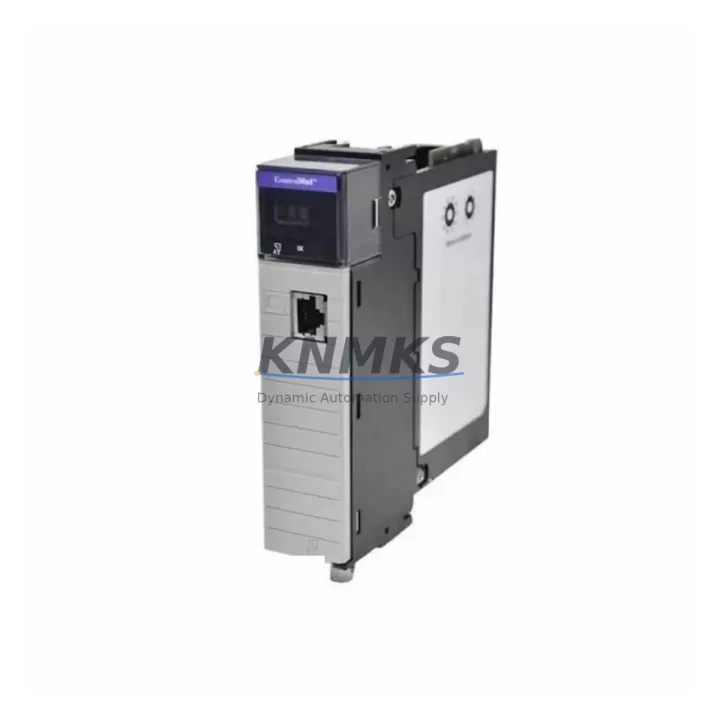
The Honeywell TC-CCR013 is a Redundant Network Interface Module engineered for the C300 Controller platform within the Experion PKS distributed control system architecture. As legacy DCS installations approach end-of-support milestones, the TC-CCR013 serves as a critical migration enabler — allowing facilities to restore redundant FTE (Fault Tolerant Ethernet) communication paths, replace failed or obsolete network interface cards, and extend the operational life of existing C300 controller cabinets without requiring a full platform migration.
This module is designed for direct installation into the C300 controller chassis, restoring dual-path FTE network connectivity with no firmware re-flashing required when replacing a like-for-like unit. Engineers undertaking control system modernization projects will find the TC-CCR013 indispensable for maintaining communication continuity between the C300 Controller, the Experion PKS server, and field I/O subsystems during phased upgrade campaigns.
Migration Compatibility Table
| Parameter | Details |
|---|---|
| Compatible Controller | Honeywell C300 Process Controller |
| Platform | Experion PKS (Process Knowledge System) |
| Network Protocol | FTE (Fault Tolerant Ethernet) — dual-path redundant |
| Backplane Interface | C300 Controller Chassis slot — direct plug-in, no adapter required |
| Installation Requirement | Chassis power-down recommended; hot-swap capability subject to firmware revision |
| Firmware Compatibility | Verify Experion PKS server R400 / R410 / R430 / R500 compatibility prior to installation |
| Replaces / Supersedes | Earlier-revision TC-CCR0xx network interface variants; consult Honeywell migration guide |
| Communication Link | FTE Switch (e.g., Cisco IE 2000 series recommended by Honeywell) to Experion Server |
| Cabinet Space | Standard C300 chassis slot; confirm available slot count before ordering |
| Commissioning Note | Re-assign module node address in Experion Configuration Studio after replacement |
| Pre-Shipment Testing | Each unit function-tested prior to dispatch |
| Support terms | 12 Months from date of shipment |
Retrofit Planning for Existing Automation Systems
Successful integration of the TC-CCR013 into a brownfield DCS environment requires a structured retrofit plan that accounts for the full communication chain — from the C300 Controller chassis through the FTE network fabric to the Experion PKS application server. Before scheduling a maintenance window, engineers should audit the existing C300 Controller (TC-CCR014 or TC-CCR016 variants if present) to confirm chassis slot availability and current firmware revision levels loaded on the controller card itself.
Power budget verification is an essential pre-retrofit step. The C300 chassis power supply — typically a TC-PRS021 or equivalent redundant power module — must be confirmed capable of supporting the additional network interface card load. In installations where the power supply is already near capacity due to expanded I/O modules such as TC-FIO16C or TC-FIO16S Series I/O termination assemblies, a power audit should precede any hardware addition.
Communication topology mapping is equally critical. The TC-CCR013 connects to the FTE network via dual RJ-45 ports, linking to the plant’s FTE switch infrastructure. In facilities running parallel HART or FOUNDATION Fieldbus segments through Honeywell Series C Field Interface Modules, the FTE path must remain uninterrupted during the swap to avoid cascading process alarms. Coordinate with the DCS network administrator to confirm switch port assignments and VLAN configurations before the replacement window opens.
For sites also managing HMI refresh as part of the modernization scope, Experion Station or Experion Operator Station display configurations referencing the replaced controller node should be validated post-swap. Node address reassignment in Experion Configuration Studio is mandatory when the replacement module is installed in a different chassis slot than the original unit. Technicians should also verify that any redundant controller pair — where a TC-CONT01 or equivalent C300 controller module operates in primary/secondary failover — correctly recognizes the new network interface card before returning the loop to automatic control.
Where the retrofit scope extends to I/O marshalling cabinet upgrades, confirm that existing CHARM I/O modules or legacy Series C I/O termination assemblies remain addressed correctly after the FTE path is restored. Programming cable access (e.g., via the Experion PKS engineering workstation) should be maintained throughout the migration to allow real-time monitoring of controller health status and FTE link state.
Downtime Control During System Migration
Minimizing unplanned downtime during a TC-CCR013 replacement is achievable through disciplined pre-migration preparation. The recommended approach is to perform the swap during a scheduled maintenance window with the process unit in a safe, stable state — ideally with the affected control loops placed in manual mode at the field level to protect process continuity.
Before powering down the C300 chassis, export a full backup of the controller configuration from Experion Configuration Studio. This preserves all loop parameters, PID tuning values, interlock logic, and I/O channel assignments, ensuring that if the replacement module requires a configuration re-download, the restore process is deterministic and rapid. Technicians should also document the current FTE link status — primary and secondary path health — using the Experion System Display before disconnecting network cables.
Physical installation of the TC-CCR013 follows standard ESD precautions. After seating the module and restoring chassis power, monitor the Experion System Display for FTE link establishment on both primary and secondary paths. Node address confirmation in Configuration Studio should be completed before returning any control loops to automatic. A staged return-to-auto sequence — starting with non-critical loops and progressing to primary process control loops — reduces the risk of process upsets caused by transient communication delays during FTE path re-establishment.
For facilities operating 24/7 continuous processes, a parallel redundancy strategy is recommended: install the TC-CCR013 as the secondary network interface while the primary path remains live, validate dual-path FTE operation, then perform a controlled failover test before declaring the migration complete. This approach reduces effective process exposure to under 60 seconds of controlled switchover time.
Retrofit Support FAQ
Q1: Is the TC-CCR013 a direct drop-in replacement for earlier C300 redundant network interface revisions?
In most cases, yes. The TC-CCR013 is designed for direct chassis slot installation in C300 controller cabinets. However, customers should verify the Experion PKS server software revision (R400 through R500 series) against Honeywell’s published compatibility matrix, as certain firmware combinations may require a configuration re-download after module replacement. Our technical team can assist with pre-installation compatibility verification.
Q2: What commissioning steps are required after installing the TC-CCR013?
After physical installation and chassis power restoration, the primary commissioning steps are: (1) confirm FTE primary and secondary link status in the Experion System Display; (2) verify module node address assignment in Experion Configuration Studio; (3) validate controller-to-server communication by checking the C300 controller health status; and (4) perform a controlled loop-by-loop return to automatic. Pre-shipment function testing is completed on every unit before dispatch.
Q3: Can the TC-CCR013 be installed while the C300 chassis is powered?
Hot-swap capability depends on the specific chassis hardware revision and the Experion PKS firmware version in use. Honeywell’s installation documentation for the TC-CCR013 should be consulted to confirm whether a cold-swap (chassis power-down) is required for your specific configuration. We recommend planning for a cold-swap to eliminate risk during the replacement window.
Q4: What support terms and stock availability does KNMKS provide for the TC-CCR013?
Every TC-CCR013 unit supplied by KNMKS carries a support terms confirmed by quotation from the date of shipment, covering manufacturing defects and functional failures under normal operating conditions. Units are pre-shipment tested before dispatch. We maintain forward stock of TC-CCR013 modules to support urgent replacement requirements with rapid dispatch capability. Contact admin@knmks.com or call +86 18359268345 for current stock confirmation and lead-time details.
© 2026 KNMKS. All rights reserved.
Original Source: https://knmks.com
Contact: admin@knmks.com | +86 18359268345
Product Identification
- Brand / Ecosystem
-
Honeywell
Honeywell - Model / Series
-
TC-CCR013
Experion PKS Series - Product Family
- Relays & Interface
- Availability Status
- Available on request after model and quantity confirmation
- Inquiry Type
- B2B RFQ, replacement inquiry and project spare-part request
- Pre-Quote Check
- Exact SKU, brand, series, quantity, nameplate photos and destination country are checked before quotation
System Path
Where this product fits in the KNMKS automation structure.
Specification & Inquiry Focus
- Interface range
- Relays, isolation and signal modules
- Common needs
- Coil voltage and contact rating
- Project support
- Panel wiring and signal protection
Buyer Confirmation
Information KNMKS checks before replying.
- Exact model
- TC-CCR013
- Brand / ecosystem
- Honeywell
- Product family
- Relays & Interface
- Application note
- Replacement, maintenance, project build or spare-part list
- Useful photos
- Nameplate, installed unit, cabinet layout or connector side
- Delivery details
- Quantity, destination country and target schedule
Document Support
Files and notes can be confirmed during quotation.
- Product photos or nameplate confirmation when available
- Packing and delivery notes before quotation confirmation
- Support scope and delivery terms confirmed per inquiry
- Export document coordination for qualified B2B requests
Inquiry Support
- Relay base and module matching
- Signal isolation and protection options
- Panel accessory inquiry support
What to Send Us
- Brand and exact model number: Honeywell TC-CCR013
- Quantity and required delivery time
- Application, replacement requirement or nameplate photo
- Destination country and shipping preference
RFQ Preparation
This is a product inquiry page built for RFQ communication.
Fast Model Check
Send this model to KNMKS for confirmation.
Include quantity, destination country and photos if this is a maintenance replacement. The inquiry will be saved with a reference number after submission.
Brand & Compatibility Note
KNMKS displays automation product information for well-known industrial brand ecosystems and compatible replacement references. Brand names are used for product identification and compatibility reference only; final availability and commercial terms are confirmed per quotation.
 Manufacturing
 Machine Tools
 Packaging
 Energy & Power
 PLCs & Controllers
 HMI & Displays
 Servo Systems
 Variable Frequency Drives